70mai A900 Dual 4K Dashcam with 4G Cloud - Unboxing & Testing

Julian23

Well-Known Member
Joined
Nov 16, 2016
Messages
1,396
Reaction score
2,064
Country
Germany
Dash Cam
Several brands :)
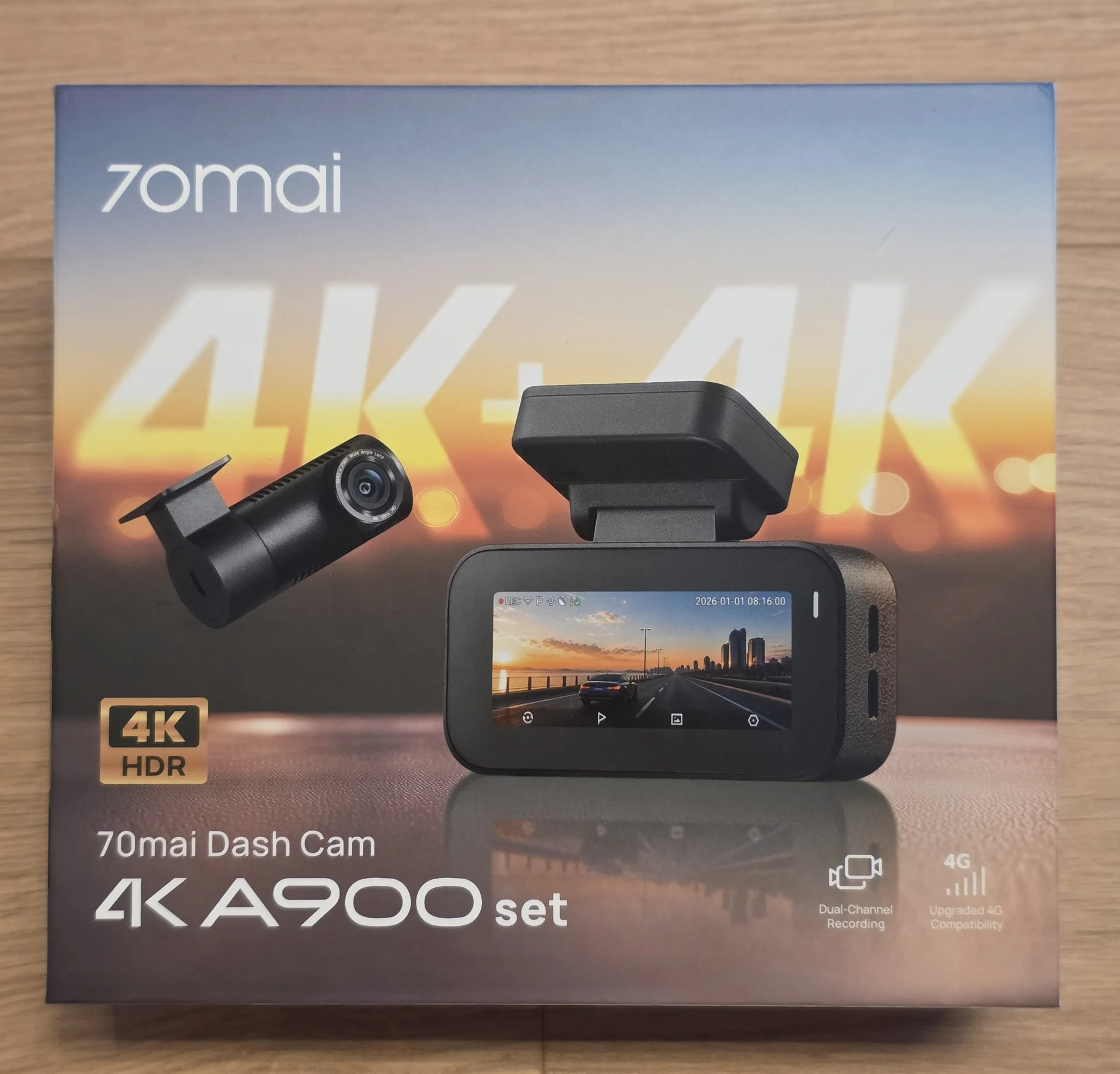
70mai just launched their newest line of dashcams, the A900 series.
I got the "regular" A900 to test. This is a dual-channel setup with 4K recording on both the front and rear cameras.
70mai has already used dual 4K on cameras like the T800, but the A900 is a more traditional front and rear setup without an interior camera.

Both channels can record at 3840 x 2160 @ 30fps and both support HDR. HDR can now be timed. This is something we haven't seen with the previous cameras. (except for the budget A810 Lite)
The front camera uses a GalaxyCore GC8613 image sensor. This is especially interesting to me since most of the 4K dashcams I recently tested use Sony STARVIS 2 sensors.
I am curious to see how close 70mai can get with the GC8613.
The A900 also supports Wi-Fi 6, built-in GPS, buffered emergency recording, parking mode, and 4G through the optional UP04 module.

For now, this post will focus on the specifications and unboxing.

Specifications

Recording:
  • Front Camera: 3840 x 2160 (4K) @ 30fps
  • Rear Camera: 3840 x 2160 (4K) @ 30fps
  • With Anti-Flicker set to 50Hz, both cameras record at 25fps

[/LIST]
Image Sensor:
  • Front Camera: GalaxyCore GC8613
Field of View:
  • Front Camera: 140°
  • Rear Camera: 140°
Aperture:
  • f/1.55
HDR:
  • HDR on the front and rear cameras
  • HDR On / Off
  • Scheduled HDR
Display:
  • 3.18-inch display
Storage:
  • up to 512GB microSD
Connectivity:
  • Wi-Fi 6
  • 2.4GHz and 5GHz Wi-Fi
  • Up to 25MB/s download speed
  • Built-in GPS
  • App control
  • 4G compatible through UP04
Parking and Emergency Recording:
  • 24-hour parking surveillance
  • Impact detection
  • Time-lapse recording
  • Buffered emergency recording while driving
Other Features:
  • Voice control
  • Supercapacitor
  • USB-C

Unboxing

The box:

1.webp


Opening it up:

2.webp


The main camera and rear camera are securely stored in the upper part of the package.
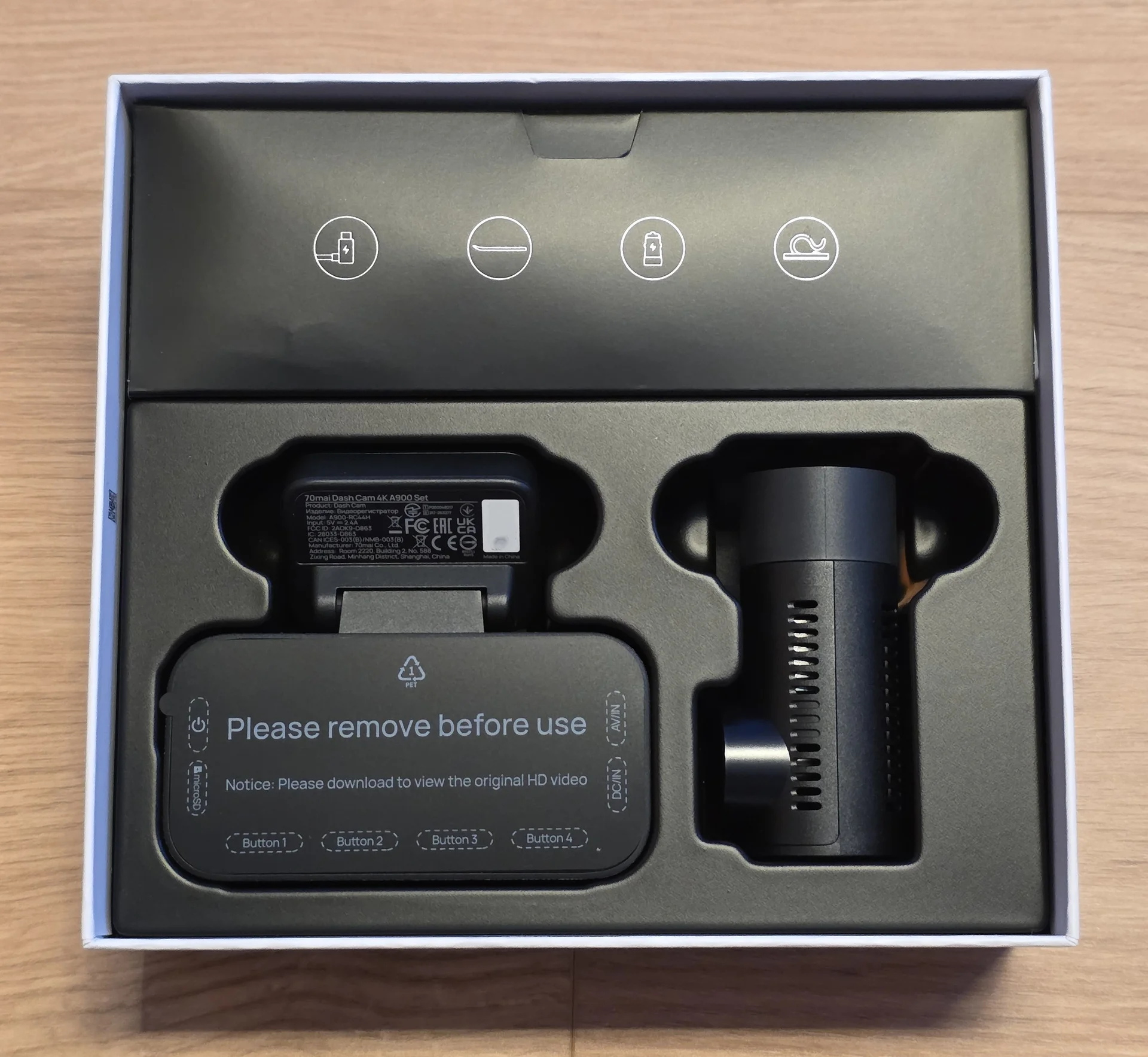
3.webp


The cables and installation accessories are at the top part of the box:
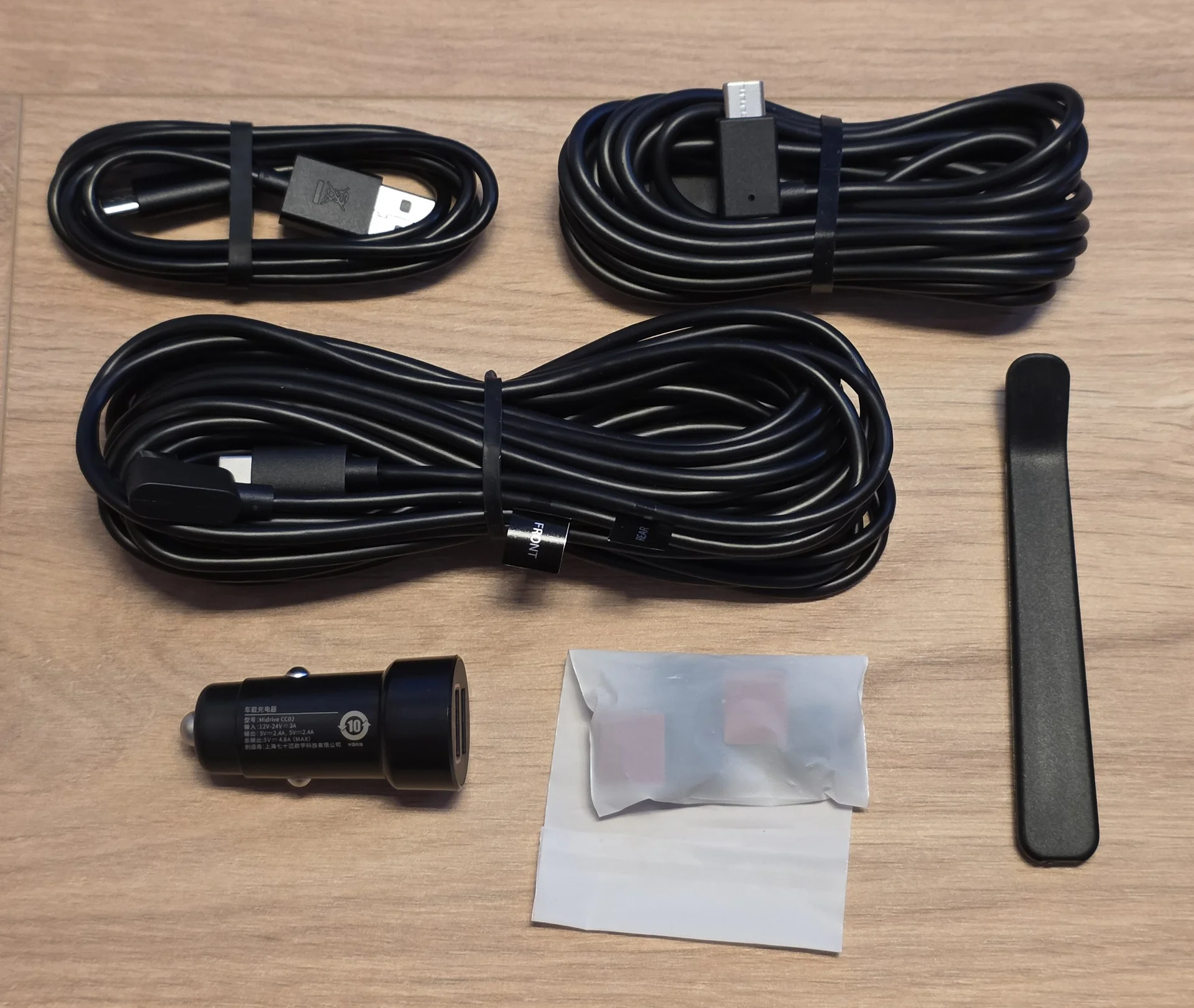
4.webp


Manuals, electrostatic stickers, and additional sticky pads:
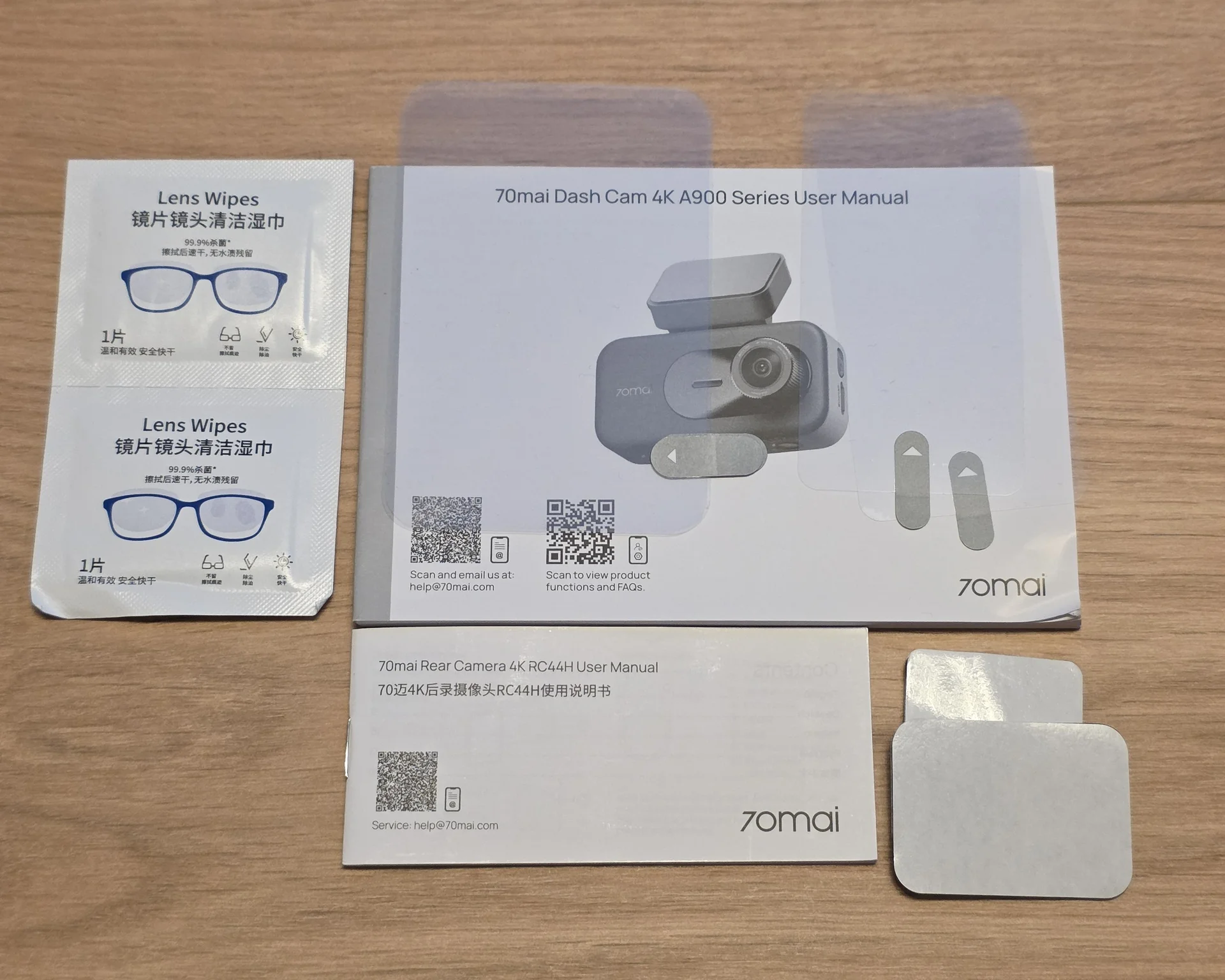
5.webp


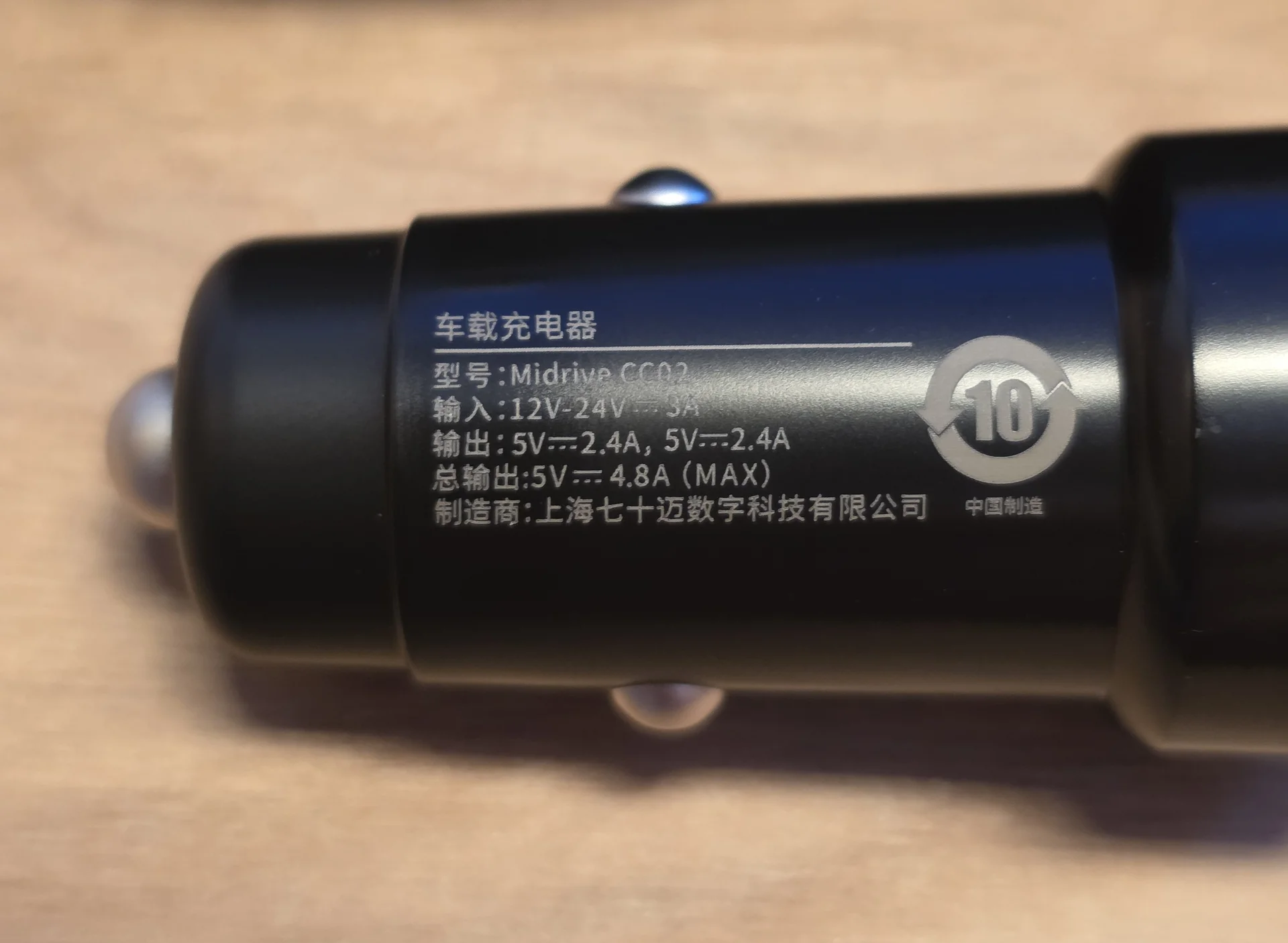
The included 12V power supply:

6.webp


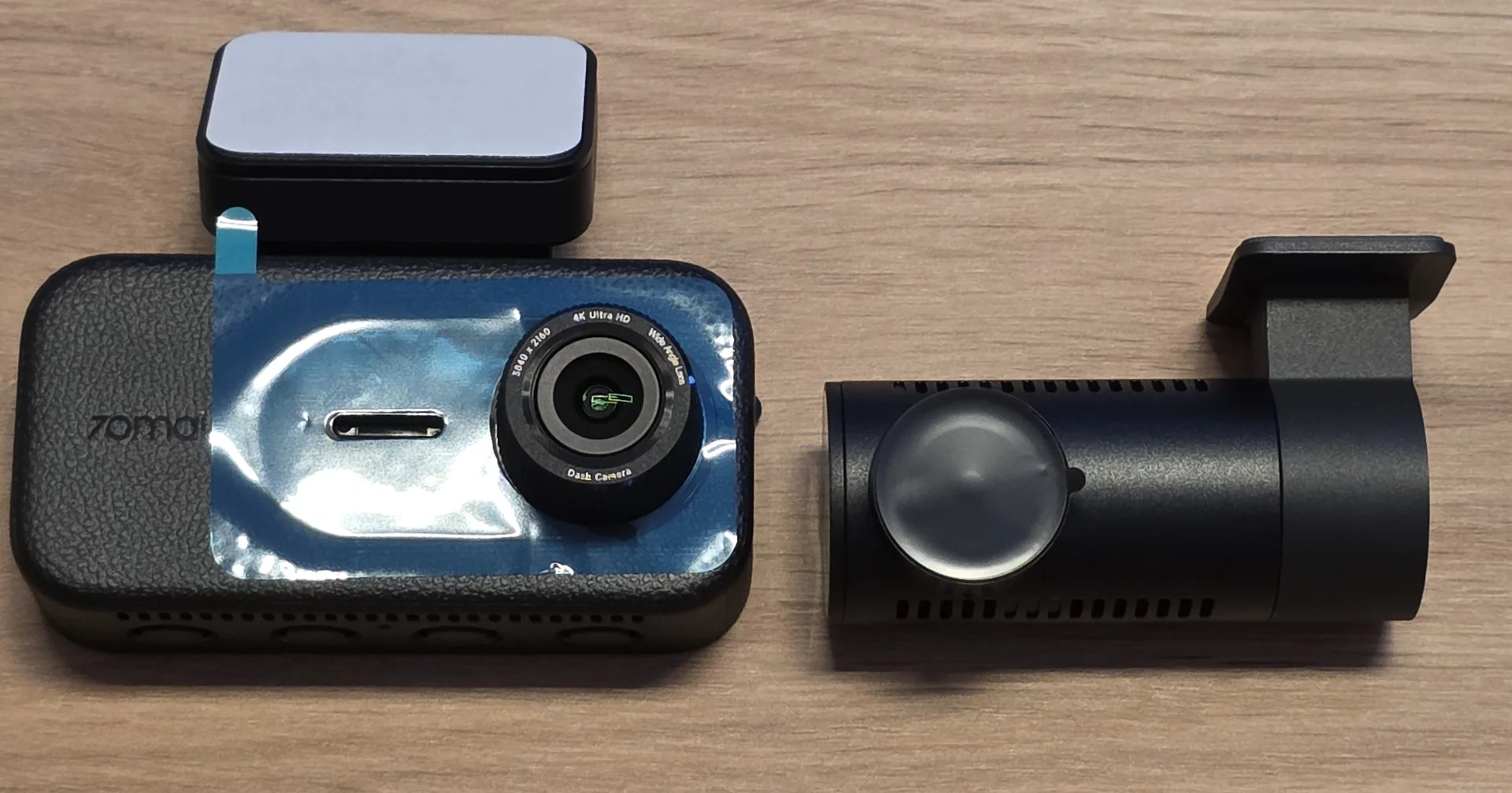
Front and rear camera:

7.webp


Both cameras come protected for transport.
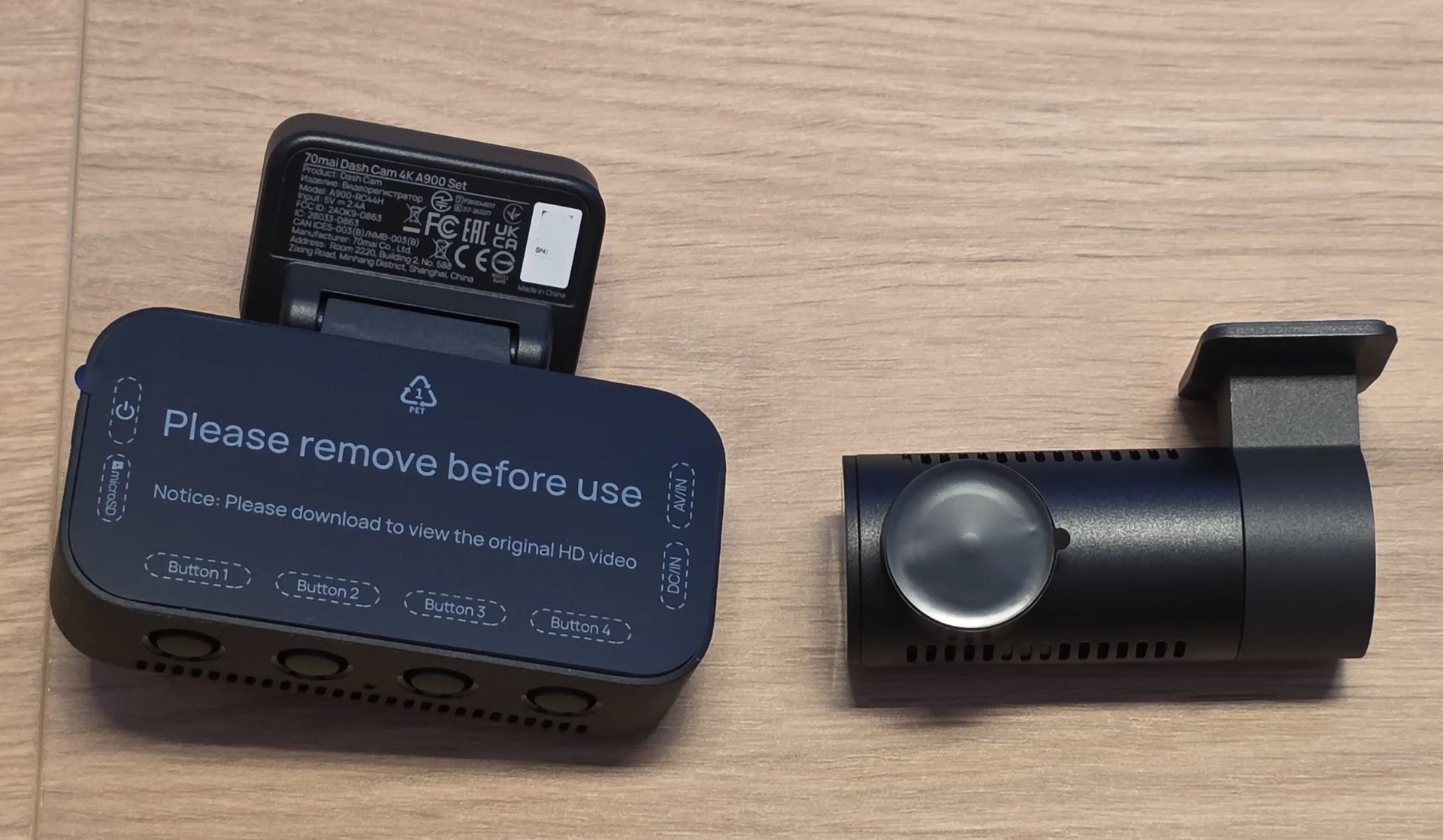
8.webp


Another look at the two camera units:
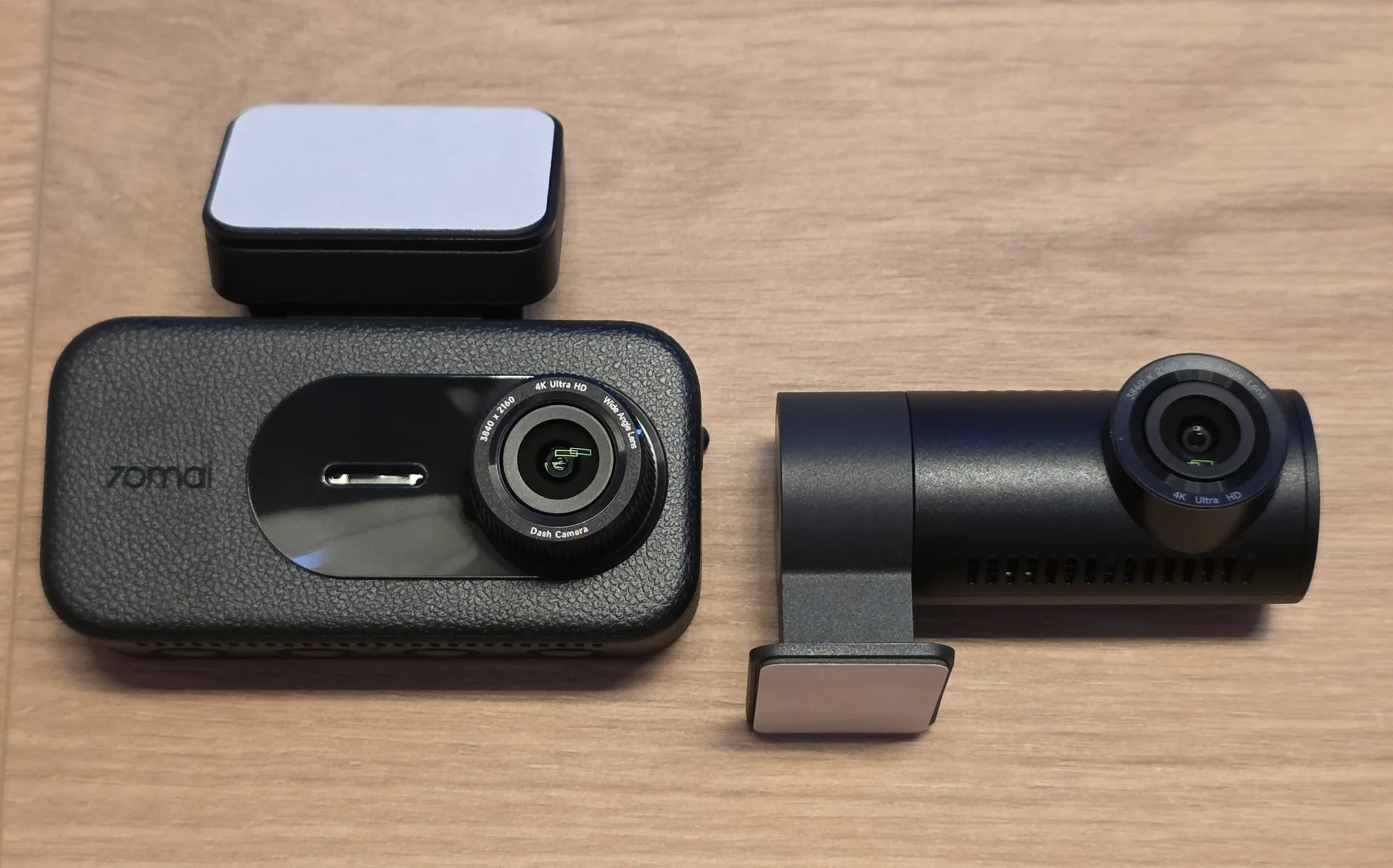
9,.webp


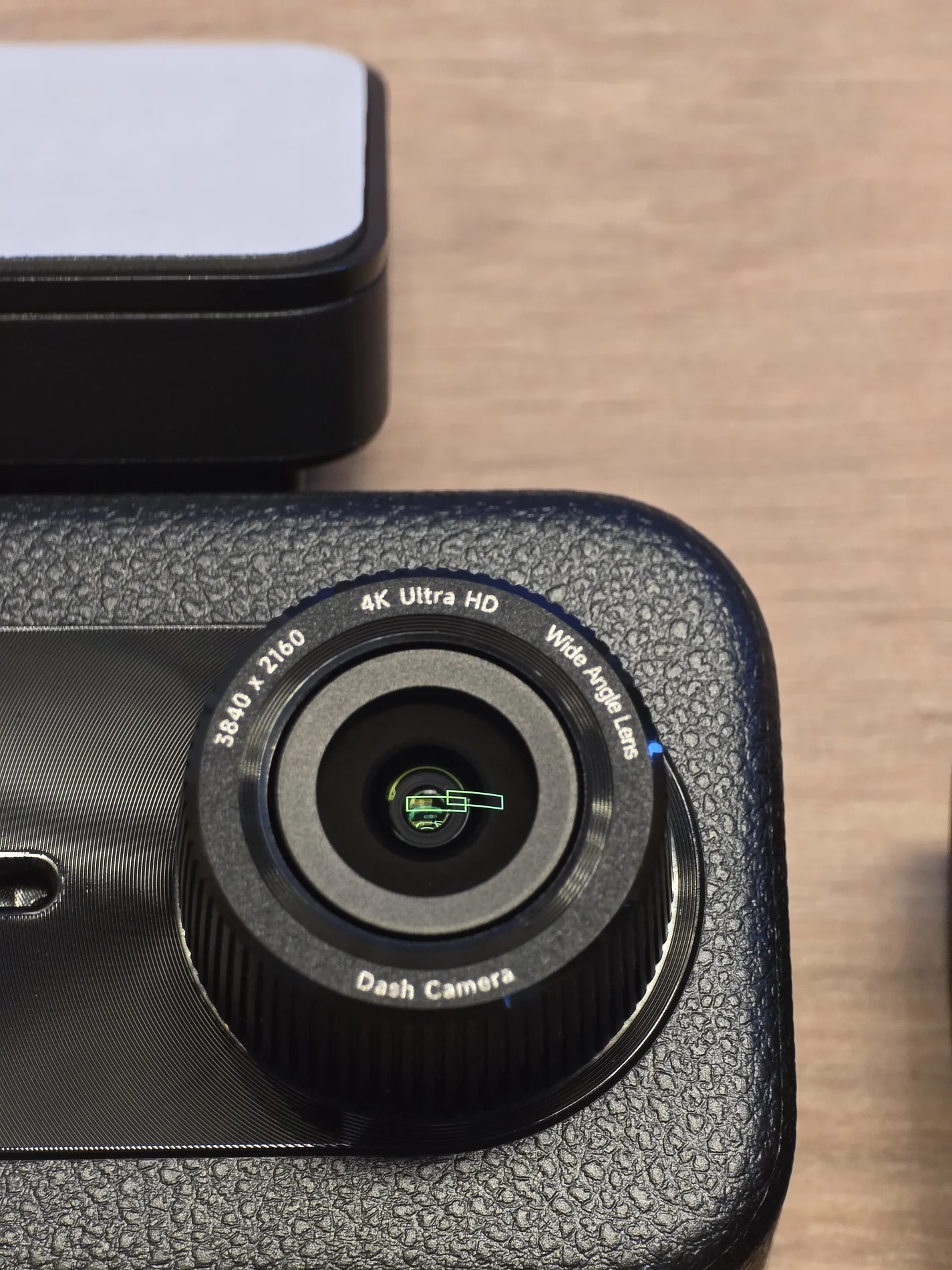
Close-up of the front camera lens:

10.webp


The front camera is relatively compact considering the large 3.18-inch display and dual 4K capability.
More details in the next post.
 
Last edited:
Continuing with a closer look at the A900.

Close-up of the rear camera lens:

11.webp


Side view: (it has a sticker for the orientation. But this doesn't really matter since the image can be flipped and rotated within the software)

12.webp


There are ventilation openings around the housing to help with heat dissipation.

The physical buttons are located underneath the display:

13.webp


Power button and SD slot:

14.webp


Power and rear camera USB-C ports:

15.webp


The windshield mount can be removed from the main camera:

16.webp


The adhesive mounting plate: (with a small piece of rubber to prevent rattles)

17.webp


Rear view with the 3.18-inch display:

18.webp


I still like having a display on a dashcam.
It makes installation much easier since the camera angle can be checked immediately without connecting to the app first. Settings can also be changed directly on the camera.

The CPL filter:

19.webp


The CPL installed on the A900:

20.webp


A CPL is especially useful during daytime driving to reduce dashboard reflections and glare from the windshield.


First Impressions

My first impression of the A900 is very positive.
The main unit feels solid and is surprisingly compact considering the 3.18-inch display. It's not on par with the T800 but no cheap unit either.
The lens adjustment gives enough flexibility for different windshield angles and the unit is solid without too much movement.

Dual 4K is obviously one of the main selling points. Having a 4K rear camera is especially useful since the rear channel is often where manufacturers still save resolution.
The GC8613 sensor is probably the part I was most curious about.
The Sony STARVIS 2 has become almost the standard in higher-end dashcams, so I did not really know what to expect from the GalaxyCore sensor.
I have already started testing the A900, and I can say that the results are much better than I expected.
I will go into that properly in the next posts.
I am using the A900 together with the UP04 4G hardwire kit and the 70mai Battery Pack. So far, the complete setup has been very stable.

More soon!
 
Installation and App Setup

Installing the A900 was straightforward.
I am using the camera together with the UP04 4G hardwire kit and the 70mai Battery Pack. The complete setup has been stable so far.
Initial setup through the 70mai app was also very easy.

The app is one of the better dashcam apps I have used. Connecting to the camera is quick, all important settings are easy to find, and I did not run into any setup issues.
There is not much more to say here. It simply works.

For HDR, I am using the timer on both cameras.
  • HDR enabled from sunset to sunrise
  • HDR disabled during the day

This gives me normal daytime recording and automatically enables HDR when it becomes useful at night.


Daytime Image Quality

This is where the A900 surprised me.
Both cameras use the GalaxyCore GC8613 sensor, and it performed much better than expected.
For a non-Sony sensor, the amount of detail is extremely good.

Front daytime overview:

1.webp


The image is sharp and there is plenty of fine detail in road signs, vehicles, buildings, and the surrounding area.

2.webp


Colors are noticeably stronger than on some other dashcams I have tested.
They are more vibrant without looking completely unnatural.

3.webp


License plate capture during the day is also very good.

4.webp


6.webp


Rear 4K Image Quality

The rear camera also records in full 4K at 30fps.

This is one of the strongest points of the A900.

Rear daytime overview:

7.webp


There is a lot of usable detail behind the vehicle.

8.webp


Plates of following cars are easy to read under normal daytime conditions.

10.webp


The rear image is also sharp enough to zoom in without immediately losing all useful detail.

9.webp


Colors and exposure match the front camera fairly well.

11.webp


After testing quite a few dashcams with lower-resolution rear cameras, having proper 4K footage on both channels makes a noticeable difference.

First Daytime Image Quality Thoughts

The GC8613 has been the biggest surprise so far.
I expected decent image quality, but not something this close to the better Sony STARVIS 2 IMX678 based cameras I have tested.
The A900 produces sharp footage, strong colors, and very good plate detail during the day.
Front and rear both perform very well.
For the price range the A900 is expected to sit in, the daytime image quality is seriously impressive.

Next up: nighttime footage, HDR, and plate capture.
 
Nighttime Image Quality

Nighttime performance is where the A900 becomes even more interesting.
As mentioned before, I use the HDR timer on both cameras.
HDR automatically switches on at sunset and turns off again at sunrise. (Setting these times can require some adjusting as the seasons change)

Front Camera at Night

At night, the front camera continues to produce a detailed image.

20.webp


Streetlights, headlights, road markings, and darker areas are handled well.

21.webp


HDR does a good job of controlling bright license plates and headlights without making the rest of the scene unnecessarily dark.

25.webp


Plate capture is very good when the distance and relative speed are reasonable.

26.webp


But there are limitations. The capture works best in the city and out of town below 70km/h. At higher speeds the capture will be harder. At those speeds the A900 Ultra might perform better.

22.webp
24.webp


Rear Camera at Night

My rear window is tinted to the darkest legal level. This will reduce the amount of light the camera will receive and decrease the image quality.

The rear camera can see plates of cars directly behind in cities or areas with some light:


27.webp


Once out of the city it won't be able to see much more than the headlights. (Also because of my tint)

28.webp


It will still capture what is happening but plates can't be identified.
29.webp
 
Last edited:
HDR and Plate Capture

The HDR timer works very well for me. It will allow for the best performance during day and nighttime. The previous 70mai cameras like the T800 or X800 didn't have this feature. It's nice to see that they finally offer timed HDR.

Plate capture during the day is excellent.
Based on my own testing, the GC8613 comes very close to the IMX678 here. I would put it at roughly 90-95% of the plate capture performance I have seen from the IMX678 during daylight.
Even with both vehicles travelling at around 100 km/h, the difference was surprisingly small.

Here are some more examples: (to comply with privacy laws, parts of the plate have been blurred)

1.webp


2.webp


3.webp


In some areas the plates can get grainy. But they can still be read.
6.webp


7.webp


8.webp


Another grainy one
10.webp


11.webp


The overall image however is very nice.
1.1.webp
 
At night, the gap between the IMX678 and the GC8613 becomes more noticeable.
In my testing, the GC8613 remained very good around up to 70 km/h. Above that, the IMX678 usually gave me the better result, especially when the relative speed increased and the available light was limited.
In well-lit city environments or at lower speeds, the GC8613 still performs very well at night. Street lighting makes a big difference, and plate capture remains strong at lower speeds.

Here are some more examples:

20.webp


21.webp


Can barely be read with skipping through the video:
23.webp


24.webp


25.webp


26.webp


27.webp


And another full size image at night:

22.webp


The GC8613 has been much better than I expected.
During the day, it is very close to the IMX678 in my testing. At night and at higher speeds, the IMX678 still has the advantage.
Considering the price, the performance and value is very good.
 
4G, Battery Pack and Parking Mode

I have been using the A900 together with the UP04 4G hardwire kit and the official 70mai Battery Pack. I use the Battery Pack to increase the runtime and not to drain my 12V battery.
This combination has worked extremely well and without any issues.

The setup through the 70mai app was very easy. Once the UP04 was connected and configured, the 4G functions worked reliably without any issues.
The remote functions are one of the strongest parts of the 70mai dashcam in my opinion.
Live access is quick, notifications arrive reliably, and the camera can be checked remotely without having to be anywhere near the car. The battery voltage can also be checked.
The complete setup with the A900, UP04 and Battery Pack has also been very stable during my testing.


Parking Mode

This is also where I found the biggest weakness of the A900.
The parking mode options are fairly limited.
You basically get:
  • Impact Detection
  • Time-Lapse Recording

There is no motion detection and no low-bitrate continuous parking mode. (Unlike the A900 Ultra)
This is a noticeable limitation compared to some other higher-end dashcams.
Impact detection is useful if someone actually hits the car, and time-lapse gives you continuous coverage at a reduced frame rate.
Once an event is detected, the camera will record a 30s clip. But you will miss the actual event. (if time lapse isn't used)

For me, this is the main thing missing from an otherwise very complete dashcam.
Impact detection also has it's downside. If someone only slightly hits or scratches the car, the camera will likely not register it.

The timelapse video will "shrink" 15min of video into a 1min file. It gives a nice overview of what's happening but you won't see it very detailed.


Overall Parking Experience

The 4G features of the A900 are excellent. The UP04 works reliably, the app makes remote access easy. Impact detection videos will be uploaded to the cloud and can be viewed from anywhere.
The weak point is simply the lack of parking mode options. Adding motion detection or low-bitrate recording would make the A900 much more capable
For normal driving, the camera already does almost everything right. Parking mode is the one area where there is still room for improvement.

More in the final post.
 
Last edited:
Audio Quality

The audio quality is very good.
Voices are clear, road noise is handled well, and music is recorded without sounding thin or distorted.
Even with louder music and bass, the microphone does a good job.
I have no complaints about the audio quality.


Reliability

The A900 has been reliable in the time during testing. I've been running firmware 1.1.32ww.
I did not experience random reboots, corrupted recordings, missing files, or app problems.
Wi-Fi worked reliably and the download speed of videos in the app is very fast. 4G worked without issues, and both cameras recorded consistently.

The combination of A900, UP04 and the 70mai Battery Pack has also been completely stable. Just like the T800 that has been working fine for over a year.
So far, the camera simply works as it should.


The Good
  • Excellent daytime image quality
  • GC8613 performs surprisingly close to the IMX678 during the day
  • Very strong plate capture in daylight
  • Dual 4K front and rear
  • Very good rear camera quality during daytime
  • Strong nighttime performance at lower speeds and in well-lit areas
  • Strong colors
  • Timed HDR for both cameras
  • Very easy setup
  • Very easy to use 70mai app
  • Wi-Fi 6 with fast downloads
  • Excellent 4G features with the UP04 or UP11/UP12
  • Works very well with the official 70mai Battery Pack
  • Good audio quality
  • Stable and reliable operation
  • Supercapacitor
  • Sharp display

What Could Be Improved?
  • No motion detection in parking mode
  • No low-bitrate continuous parking mode
  • Impact recording starts after the event, unless time-lapse is used

What to Consider
  • At night and at higher speeds, the IMX678 still performs better for plate capture
  • The A900 Ultra offers more parking mode options
  • Timelapse gives continuous coverage, but fine details are harder to see
  • When Anti-Flicker is set to 50Hz, both the front and rear cameras record at 25fps instead of 30fps


Final Thoughts

The A900 surprised me quite a lot. The main reason is the GalaxyCore GC8613 where I wasn't sure how well it would perform.
I expected a noticeable difference compared to the Sony IMX678, but during the day the difference is very small.
Based on my testing, daytime plate capture is around 90-95% of what I have seen from the IMX678.
Even with both vehicles traveling at around 100 km/h, plate capture is not a problem.

At night, the difference becomes more noticeable.
The GC8613 still performs very well at lower speeds and in well lit city environments. At around 70 km/h is where it starts becoming more difficult. Above that, the IMX678 is still better.

The rear camera is also performing close to the front camera.
Having 4K at the rear makes a noticeable difference, especially during daytime driving. The image is sharp, colors are strong, and there is plenty of detail. It gives the user the option to zoom in much further.
During nighttime it will struggle. But this is also because of my tinted rear window.


The biggest weakness is clearly the parking mode.
Impact detection and timelapse work, but motion detection or low-bitrate recording would make the A900 much more complete.

Apart from that, I really do not have much to complain about.
For around 200€, the A900 offers a lot.
Dual 4K, very good image quality, excellent 4G features, good audio, fast Wi-Fi, and reliable operation.
The GC8613 is probably the biggest surprise for me. I did not expect it to get this close to the IMX678.
 
Last edited:
Nice, the A810 Lite was the first 70mai model to offer HDR timer though. Don't see it coming to older models via firmware updates though.
 
4Hz GPS

One thing I noticed during testing is that the 70mai A900 appears to use 5Hz GPS.
The GPS data updates around five times per second instead of the usual once per second.
This is very noticeable in the recorded videos and I also confirmed it with an analysis tool, which reports a 4Hz GPS update rate.

The difference is especially noticeable during acceleration and braking, where the speed and position data follow the vehicle much more closely. The speed is displayed much more smoothly without big jumps.
I have not seen this specified anywhere by 70mai or reported by anyone else yet, but it is a nice feature that I wanted to share.

The 4Hz refresh rate is only applied to the front camera. The rear has the slower and usual 1Hz refresh rate.
 
Last edited:
5Hz GPS

One thing I noticed during testing is that the 70mai A900 appears to use 5Hz GPS.
The GPS data updates around five times per second instead of the usual once per second.
This is very noticeable in the recorded videos and I also confirmed it with an analysis tool, which reports a 5Hz GPS update rate.

The difference is especially noticeable during acceleration and braking, where the speed and position data follow the vehicle much more closely. The speed is displayed much more smoothly without big jumps.
I have not seen this specified anywhere by 70mai or reported by anyone else yet, but it is a nice feature that I wanted to share.

The 5Hz refresh rate is only applied to the front camera. The rear has the slower and usual 1Hz refresh rate.
Interesting, are you able to provide the testing methodology for this finding, as I'm sure others may wish to confirm on their own devices (whether that be customers or other curious bystanders)?
 
I suppose you could just do the " brake test " and then see which of two systems in the car first read 0 MPH /KMH
With most systems i can brake hard, and when stopped a dashcam would still indicate i am traveling at a considerable speed.

IF ! the time difference in between you having stopped and the dashcam indicate 0 in speed can be used, i would assume a faster updating system would get to that time fastest.
But i am not smart enough to figure out if a test like that could be used to actually determine a systems actual update speed.
I dont think so even with the strictest testing circumstances, but i will assume it could show a difference between a 1Hz system and a 5Hz system.

I am confused there is a difference in the update speed in between the front and rear cameras, wouldn't that mean there is 2 GPS systems in there then ?


BTW i have also some times noticed strange speed readings using google maps on my phone, this when i go through a turn in the road where say the recommended turn speed is 50 km/h but i do it with 80.
Even if the turn is quite small in radius, the GPS seem to get tripped up for a split second.

recommended turn speed..webp


Also must mention. My friend drove a 1985 Dodge Ram charger some years back, on XL tires, so the speedo read MPH and of course with the larger tires + lift kit a all wrong speed.
So for speedo he used a Garmin NAV unit.

Which worked, well outside of forests where in it would some times indicate the Dodge going 3 - 400 km/h i suppose due to poor reception.
 
Last edited:
I suppose you could just do the " brake test " and then see which of two systems in the car first read 0 MPH /KMH
With most systems i can brake hard, and when stopped a dashcam would still indicate i am traveling at a considerable speed.

IF ! the time difference in between you having stopped and the dashcam indicate 0 in speed can be used, i would assume a faster updating system would get to that time fastest.
But i am not smart enough to figure out if a test like that could be used to actually determine a systems actual update speed.
I dont think so even with the strictest testing circumstances, but i will assume it could show a difference between a 1Hz system and a 5Hz system.

I am confused there is a difference in the update speed in between the front and rear cameras, wouldn't that mean there is 2 GPS systems in there then ?
That's a complicated way of doing it. I can see already just by glancing over that it updates the speed on the fly faster. Compared to older models such as 4K Omni, which lumps the speed every second rather than a more granular update.

There may have been a model in 70mai's lineup that updates faster, I have a feeling i have seen it before. It could have been the A810 Lite - I will have to test to determine which model.

Not sure about the updating speed for the rear camera either. That's why some insight into the testing methodology would be beneficial for power users here on DCT, at the very least.
 
.
.
I am confused there is a difference in the update speed in between the front and rear cameras, wouldn't that mean there is 2 GPS systems in there then ?


BTW i have also some times noticed strange speed readings using google maps on my phone, this when i go through a turn in the road where say the recommended turn speed is 50 km/h but i do it with 80.
Even if the turn is quite small in radius, the GPS seem to get tripped up for a split second.

.
.

I am also curious about that statement. I presume there is only one GPS module in the camera, so all video streams would have the same GPS update rate and geolocation stamp. I'd think they should always match, or be within a second or two (due to latency), across all cameras.

The best resolution to this is to ask 70Mai what their GPS 'update rate' is.
 
Last edited:
I am also curious about that statement. I presume there is only one GPS module in the camera, so all video streams would have the same GPS update rate and geolocation stamp. I'd think they should always match, or be within a second or two (due to latency), across all cameras.

The best resolution to this is to ask 70Mai what their GPS 'update rate' is.
I agree, as the rear sensor wouldn't have it's own GPS module, it would be exactly as you say - fed to both channels as data overlay etc.

70mai could come back and say anything, so I'm curious as to how Julian will provide his analysis tool and testing methodology to back up his claims. This is a great way for power users like us here on the forums to validate the claims provided.

EDIT: Not sure if I am doing it correctly, but I pulled the GPSData00001.txt file from my A900, and it says it is being updated at 1Hz per second. However, this mismatches with what the speed refresh rate on the dashcam itself appears to be showing. The mystery thickens,
 
Last edited:
Does the 70Mai have any ability for the user to set the 'update rate'? Usually, consumer-grade electronics offer 1 Hz to 5Hz, but tend to be a fixed value. Of course, TomTom and others can use 10, 15, 20, or whatever they choose.

They could be doing sampling with a 'spread' based on signal quality also. A weaker signal might revert to 1 Hz, a better signal may update at 5 Hz. Or the other way around; all depends on what the designer decided.
 
Does the 70Mai have any ability for the user to set the 'update rate'? Usually, consumer-grade electronics offer 1 Hz to 5Hz, but tend to be a fixed value. Of course, TomTom and others can use 10, 15, 20, or whatever they choose.

They could be doing sampling with a 'spread' based on signal quality also. A weaker signal might revert to 1 Hz, a better signal may update at 5 Hz. Or the other way around; all depends on what the designer decided.
Not that I've seen in the APP, or dashcam itself, on any of the 70mai models over the years.
 
.
.
EDIT: Not sure if I am doing it correctly, but I pulled the GPSData00001.txt file from my A900, and it says it is being updated at 1Hz per second. However, this mismatches with what the speed refresh rate on the dashcam itself appears to be showing. The mystery thickens,

I have not seen the 70Mai GPS data strings or metadata. However, some displayed strings or sentences can vary in length depending on the precise or general location. If the string is particularly long, it will appear to update more often, as it is recording every foot that something moves (for example). This may look like a faster GPS Hz update rate when a slower update rate is being used. Just a guess.
 
across all cameras.
Yeah i would think, once the speed have been determined by what ever frequency, after that is is just a matter of stamping it onto the footage.
So for the rear to behave different sound strange

But i suppose there could be a technical reason.
Testing the DDpai Z60 master, i found the footage from the 3 cameras wildly out of sync, but if something like that could be a reason to brand / update a remote camera different i can not say.
I have no clue as to what could be done in camera to account for such things.

Screen dump from my editing tool, after i synced the 3 tracks up and snipped off the front end of the Z 60 Master 1 minute files.

3 cameras audio waveform.webp
 
Last edited:
Back
Top