New XenForo Forum Software, Growing Pains, (Good/Bad feedback)

The forum provides RSS feature, but the RSS events point to the first comment of the thread which has been commented.
Does anyone know a link how to get RSS feed for last comments?
 
The forum provides RSS feature, but the RSS events point to the first comment of the thread which has been commented.
Does anyone know a link how to get RSS feed for last comments?

You bring up a good point. Other forums I've participated on over the years, (usually powered by vBulletin) send an email notification about new posts to threads you are watching just the way Xenoforo does but when you click the link in the email it will take you to the actual post quoted in the email. In the Xenoforo emails when you click the View this thread link it takes you all the way back to the first post in the thread no matter how long or old the thread may be and then you've got to navigate to the post from the email. I've wondered if there might be way to change this at the Administrator's level. To bypass this problem I right-click the "View this thread" link in the email which will let me "copy link" and then I "paste & go" it into my browser address bar and it will go straight to the last post in the thread.
 
I think that is the default functionality to go to the first post. Let me dig around and see. Thanks for bringing it up.
 
I like the new "online now feature". This was something that I've become accustomed to on vBulletin forums and kinda' missed here with XenForo. I also like the way it does its job in a nice unobtrusive way. I'm curious to know if this new feature is a result of a software update from XenForo or just a feature that had not previously been implemented.
 
Last edited:
Which green? :OO
1X1O7VN.png
 
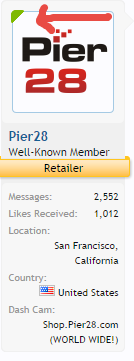
suspect the green indicator is to show the user is online

Yes that's what it does. That's what I meant when I said, "I also like the way it does its job in a nice unobtrusive way".

Edit: Here's a screenshot of what it looks like on a desktop computer if you hover your cursor over the green corner.

greencorner.webp
 
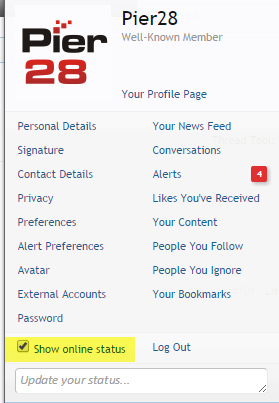
it's a user setting option, I normally have it on all the time, have just turned it back on now, was trying to get something done the other week and kept getting interrupted so I set my status offline, just forgot to put it back
 
it's a user setting option, I normally have it on all the time, have just turned it back on now, was trying to get something done the other week and kept getting interrupted so I set my status offline, just forgot to put it back
Those darn paparazzi
 
it's a user setting option, I normally have it on all the time, have just turned it back on now, was trying to get something done the other week and kept getting interrupted so I set my status offline, just forgot to put it back
finally 🙂
 
green dot bottom right corner of the avatar
9c3edb72ef2fa958b817a36bb7b1f725.jpg


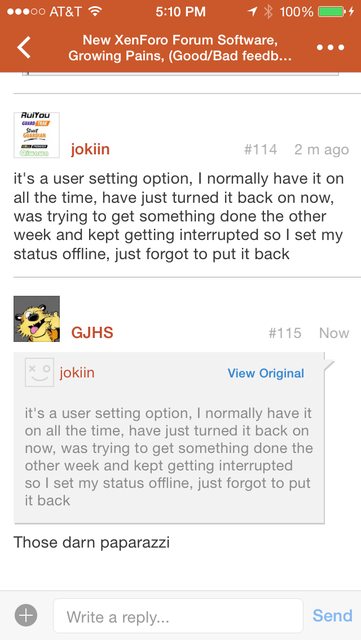
Wow that's strange, my TapaTalk is missing the green dot still. We're both on iOS too.
Phone 5S latest iOS 7.1.2 (all apps up to date) I just tried clearing the TapaTalk Cache in settings, no luck. I don't see any other options/settings about it.
Works fine viewed via iOS Safari or Windows 8.1 Chrome.
 
Back
Top