
OP
OP

EricSan
Well-Known Member
- Joined
- Dec 28, 2023
- Messages
- 1,408
- Reaction score
- 1,066
- Location
- Central PA
- Country
- United States
- Dash Cam
- There are ALWAYS user serviceable parts inside!
And this is the final set of menu settings in the A329T (at least as of Sept 2025 - future firmware updates may or may not include changes).

You can also control which GPS functions are stamped along the bottom of the videos that are created by the camera:

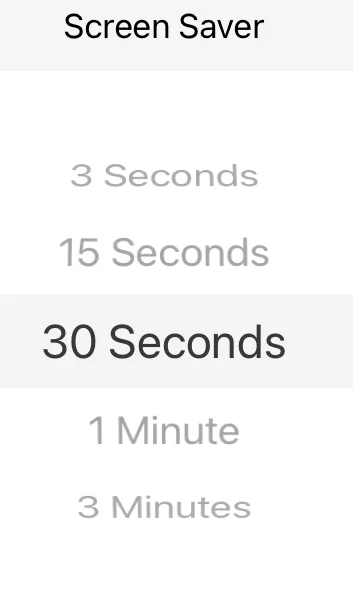
Some jurisdictions forbid having additional screens turned on for the driver, so this setting turns the screen off after a specified amount of time.
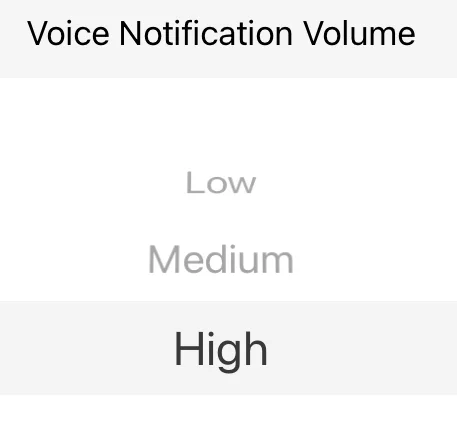
Especially helpful is a way to control the voice notifications from the camera. I've found the default "Medium" setting to be a bit too quiet, so I turned it up. Alternatively, I suppose I could turn down the radio volume, but where's the fun in that?
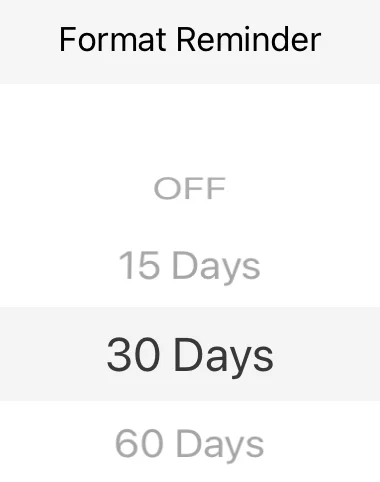
It is also a good idea to reformat your SD card from time to time, this setting provides an on-screen reminder to help prevent issues with the memory card:
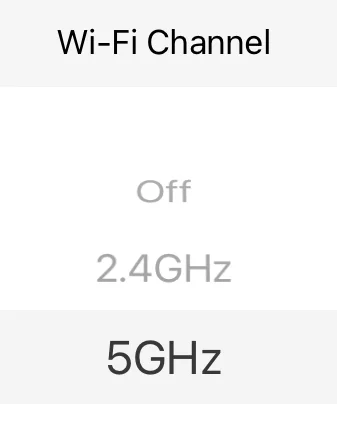
The Wi-Fi Channel allows you to set the speed at which wireless file transfer will happen between the camera and your phone or tablet.
Toward the bottom of the main menu, there are two Stamps that you can create/edit. The first is a "Custom Text Stamp" which, as I learned from @TonyM, is a GREAT place to record the current firmware version for the camera (it eliminates variables if you are trying to solve a problem), and a second one for "Care License Number." Both allow free form entry of 11 characters.
Because they are largely the same, I've only presented the Custom Text Stamp window below.

PFEW! That's quite a lot of options. Though the menu is a little overwhelming in terms of the number of options it presents, I do appreciate having the ability to adjust each of these items!
You can also control which GPS functions are stamped along the bottom of the videos that are created by the camera:
Some jurisdictions forbid having additional screens turned on for the driver, so this setting turns the screen off after a specified amount of time.
Especially helpful is a way to control the voice notifications from the camera. I've found the default "Medium" setting to be a bit too quiet, so I turned it up. Alternatively, I suppose I could turn down the radio volume, but where's the fun in that?
It is also a good idea to reformat your SD card from time to time, this setting provides an on-screen reminder to help prevent issues with the memory card:
The Wi-Fi Channel allows you to set the speed at which wireless file transfer will happen between the camera and your phone or tablet.
Toward the bottom of the main menu, there are two Stamps that you can create/edit. The first is a "Custom Text Stamp" which, as I learned from @TonyM, is a GREAT place to record the current firmware version for the camera (it eliminates variables if you are trying to solve a problem), and a second one for "Care License Number." Both allow free form entry of 11 characters.
Because they are largely the same, I've only presented the Custom Text Stamp window below.
PFEW! That's quite a lot of options. Though the menu is a little overwhelming in terms of the number of options it presents, I do appreciate having the ability to adjust each of these items!
Last edited:


