VIOFO A229 Plus FIRMWARE

Hi guys,
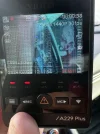
I tried to update the firmware today for my A229 Plus duo. After installing the firmware from the website the front camera is not recording anymore, and on the display I see recording 2160p + 1440p. But my camera is just the Plus, so doesn't record 4k.
I thought that maybe by mistake I downloaded the firmware for the A229 Plus, so I downloaded the beta one from this topic, but I still have the issue.

Anybody else had this issue after updating?
 
Hi guys,
I tried to update the firmware today for my A229 Plus duo. After installing the firmware from the website the front camera is not recording anymore, and on the display I see recording 2160p + 1440p. But my camera is just the Plus, so doesn't record 4k.
I thought that maybe by mistake I downloaded the firmware for the A229 Plus, so I downloaded the beta one from this topic, but I still have the issue.

Anybody else had this issue after updating?
Try resetting to default settings in the setup menu, then reboot, or reset the camera.
 
Thanks! Somehow I could not access the menu. The menu button was taking pictures. So I now installed an older 1.0 firmware, reset the camera, and seems to be fine. But now I try to update to latest version, but the installation of the firmware won't trigger.
I copy the firmware to the card, and when I power on the camera it will just start recording, and will delete the firmware from the card. How to to trigger the update?
 
Thanks! Somehow I could not access the menu. The menu button was taking pictures. So I now installed an older 1.0 firmware, reset the camera, and seems to be fine. But now I try to update to latest version, but the installation of the firmware won't trigger.
I copy the firmware to the card, and when I power on the camera it will just start recording, and will delete the firmware from the card. How to to trigger the update?
Needs to be on a FAT32 format card, so <32GB, or format it using a FAT32 Formatter. Use the same card you used last time?
 
Yes, I am using the same card, formatted in the camera. The back camera is updating. I even tried to put both firmwares on the card at the same time and only the back one installed the firmware.

LE: It seems that could be an issue with updating from 1.0 version to 1.3. I really cannot trigger the update for the front camera.
Where could I find older versions like 1.1 or 1.2? I would try with those...
 
Last edited:
Yes, I am using the same card, formatted in the camera. The back camera is updating. I even tried to put both firmwares on the card at the same time and only the back one installed the firmware.

LE: It seems that could be an issue with updating from 1.0 version to 1.3. I really cannot trigger the update for the front camera.
Where could I find older versions like 1.1 or 1.2? I would try with those...
Shall we have your camera S/N?
 
Sure!
S/N: A229S2CH234405742

I also opened a ticket with the Viofo Support.
I tried today to update it again. The file name is correct, it just won't update. The camera starts normally and starts recording , and it deletes the firmware from the card.
Thanks!
 
Sure!
S/N: A229S2CH234405742

I also opened a ticket with the Viofo Support.
I tried today to update it again. The file name is correct, it just won't update. The camera starts normally and starts recording , and it deletes the firmware from the card.
Thanks!
We will test it for you.
 
Hi!

I was able to finally update it! The guys from support mentioned that I should use 'guiformat' app to format the card. After formatting it with that app it updated, finally!

Thank you!
You could take a memory card up to 32 GB, format it in a computer and update the A229 Plus from it.
 
Updated firmware just now to the most recent one and my rear camera is upside down. Any idea? Doesn't look like changing any of the mirror settings does anything? The text and stuff is still in the proper orientation, however. Noticed it in the dash cam live preview overlay and just verified when putting footage onto PC.

EDIT: Fixed it. Not sure how, but just reset it and did the firmware again for both front and rear and works as expected 🙂
 
Last edited:
Updated firmware just now to the most recent one and my rear camera is upside down. Any idea? Doesn't look like changing any of the mirror settings does anything? The text and stuff is still in the proper orientation, however. Noticed it in the dash cam live preview overlay and just verified when putting footage onto PC.
Did you perform a factory reset?
If not, then make and set the settings again.
The mirroring setting works as expected.
 
HI All , just got my 229 plus and it seems to have a firmware that doenst exist even on viofos site , V1.3.1_240725 , Does this sound right ?
 
HI All , just got my 229 plus and it seems to have a firmware that doenst exist even on viofos site , V1.3.1_240725 , Does this sound right ?
That's right. We might see this firmware on the Viofo firmware page soon.
 
Firmware to fix screen problems as in the photo.
А229+.webp

User response after applying this firmware.
okay I was able to format it as ExFat and use that file to upload the firmware update, restarted the cam and now the screen looks right no longer scrambled. I will set it up and see how it works.
 
Last edited:
FWA229S: V1.3.1_241024
EthamTxFW: V1.3.1_241022

Change Log:

1.Added: Super night version
2.Added: Stamp color option
3.Added: Privacy mode
 
Last edited:
I tried the 1.3.1 firmware. I'm getting a problem with parking mode recording in time-lapse even when I set it to low-bitrate mode. No audio, and video plays back fast forward.
 
Back
Top