
forcefed
Active Member
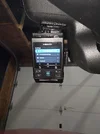
Decided to purchase the vueroid s1 4k camera, already had a viofo a229 pro but wasn't happy with it so decided to try something new.
Things i didn't like about the a229 pro is that it would shut down in the summer when it was too hot, saw some of the vueroid heat testing vids on youtube and it convinced me to give their cameras a try, seems they take this seriously. Also the viofo's connectivity to the app and firmware upgrade process is pretty archaic, almost like this is a first generation wifi dashcam. Let me explain the app connectivity differences between the two cameras and see which you'd prefer
Vueroid s1
Press wifi button
Open app
Press Connect to wifi and it connects to the camera
If new firmware is available it'll ask you if you want to install it
Viofo a229 pro
Hold wifi button
Open app
Press Connect to camera
Choose viofo hotspot from wifi list
Press back to go back to app
Press Connect to camera
App crashes, yes its the newest app, even on multiple android phones it always crashes for me
Open app again
Press Connect to camera
Finally connected but with no ability to do ota firmware updates, even though there is a firmware upgrade option in the app it hasn't worked since it was implemented maybe a year ago.
So you go to viofo's website to find the firmware files for the front/rear and interior cameras, copy it to a microsd card and bring it back to the camera, pop it in and finally let it update each of the cameras. If this isn't a bad user experience i don't know what is, its things like this that made me look for something better.
One nifty feature that i didn't expect was Auto REC off zone, with my viofo everytime i got home i had to turn off the camera otherwise it would do parking recording in my garage and drain my ecoflow battery overnight or over the weekend if i didn't use the car. The auto rec off zone feature in the vueroid s1 disables parking recording in up to 3 gps located areas, so i dont ever have to turn off the camera when i get home.
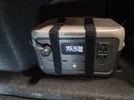
Its hooked up to my ecoflow river 2 with the 3 wire hardwire cable spliced into the supplied 12v car plug, really like the low profile plug, doesn't stick out too far from the ecoflow unlike most aftermarket plugs.
The acc wire is connected to the fusebox however the camera still wouldn't turn on here, turns out you need a ground from the car itself, when i connected the ground from the car then everything worked.
I only had it a few days so this is my initial review with things that stood out to me. Looked through some of the footage and it looks great, wifi download speeds are fast for 400mb chunks but wish it was longer than 1 min clips though. Will add more info once i find other nifty things. Also seems i'm the first one in canada to get it from @SafeDriveSolutions 😎

Things i didn't like about the a229 pro is that it would shut down in the summer when it was too hot, saw some of the vueroid heat testing vids on youtube and it convinced me to give their cameras a try, seems they take this seriously. Also the viofo's connectivity to the app and firmware upgrade process is pretty archaic, almost like this is a first generation wifi dashcam. Let me explain the app connectivity differences between the two cameras and see which you'd prefer
Vueroid s1
Press wifi button
Open app
Press Connect to wifi and it connects to the camera
If new firmware is available it'll ask you if you want to install it
Viofo a229 pro
Hold wifi button
Open app
Press Connect to camera
Choose viofo hotspot from wifi list
Press back to go back to app
Press Connect to camera
App crashes, yes its the newest app, even on multiple android phones it always crashes for me
Open app again
Press Connect to camera
Finally connected but with no ability to do ota firmware updates, even though there is a firmware upgrade option in the app it hasn't worked since it was implemented maybe a year ago.
So you go to viofo's website to find the firmware files for the front/rear and interior cameras, copy it to a microsd card and bring it back to the camera, pop it in and finally let it update each of the cameras. If this isn't a bad user experience i don't know what is, its things like this that made me look for something better.
One nifty feature that i didn't expect was Auto REC off zone, with my viofo everytime i got home i had to turn off the camera otherwise it would do parking recording in my garage and drain my ecoflow battery overnight or over the weekend if i didn't use the car. The auto rec off zone feature in the vueroid s1 disables parking recording in up to 3 gps located areas, so i dont ever have to turn off the camera when i get home.
Its hooked up to my ecoflow river 2 with the 3 wire hardwire cable spliced into the supplied 12v car plug, really like the low profile plug, doesn't stick out too far from the ecoflow unlike most aftermarket plugs.
The acc wire is connected to the fusebox however the camera still wouldn't turn on here, turns out you need a ground from the car itself, when i connected the ground from the car then everything worked.
I only had it a few days so this is my initial review with things that stood out to me. Looked through some of the footage and it looks great, wifi download speeds are fast for 400mb chunks but wish it was longer than 1 min clips though. Will add more info once i find other nifty things. Also seems i'm the first one in canada to get it from @SafeDriveSolutions 😎
Last edited:


