70mai Dash Cam Pro Plus A500S shutdown automatically.

Kiran_tech

New Member
Joined
Jan 17, 2025
Messages
3
Reaction score
1
Location
Kerala
Country
India
I’m using a 70mai Dash Cam Pro Plus A500S in my Ford, with both front and rear cameras connected and powered through the cigarette lighter port. It begins recording as soon as I start the car, but after roughly 5-10 minutes, it shuts down without any LED indication. Pressing the power button turns it back on and it resumes recording, though there’s no footage for the period it was off. When I checked the camera during shutdown, I noticed there were no LED lights on.

I’m using a Samsung Evo Plus memory card (128 GB), and I’ve reformatted the SD card and reset the dash cam to its default settings, but the issue still persists. The firmware is already at the latest version (1.6.39ww).

Can someone please help me with this Please?
😒
 
Are you using the power source that came with the system, alternative power sources might give erratic behaviour
 
I’m using the car manufacturer cigarette lighter port. Do i need to consider anything else?
 
the camera should have come with a power adapter that plug into the cigarette lighter plug, but some use a multi port USB charger to also be able to charge / power other things at the same time.
This is also fine but you have to make sure it is a quality product that deliver at least 2 A to the dashcam, if not a dascham will behave erratic.

Doing the same like 10 years ago, adding to my mistake using a very long and cheap USB cable, to power my rear camera from the front, meant when i was hit in the rear the camera did of course not record.
It did record some times and i knew it, but i was too lazy to do something about it, after that i put one of those 3 port 12 V extenders in the rear of the car so i could get power from there
 
Yes, let me try that. I've noticed that the camera only powers off once after I start and run a few KM's in the car. After that, I press the power button on the dash camera, and it turns on. Then, it works perfectly. I’ve driven for four hours afterward without any shutdown issues. However, once I turn the car off and start it again, the camera will eventually shut down. After I power it back on, it works normally. I’ve also tested a new 70mai camera, so I suspect the problem might be with the cigarette charging port or the cable connected to the camera.
 
Vâng, để tôi thử xem. Tôi nhận thấy camera chỉ tắt nguồn một lần sau khi tôi khởi động và chạy được vài km trên xe. Sau đó, tôi nhấn nút nguồn trên camera hành trình và nó bật lên. Sau đó, nó hoạt động hoàn hảo. Tôi đã lái xe trong bốn giờ sau đó mà không gặp bất kỳ sự cố tắt máy nào. Tuy nhiên, sau khi tôi tắt xe và khởi động lại, camera cuối cùng sẽ tắt. Sau khi tôi bật lại, nó hoạt động bình thường. Tôi cũng đã thử nghiệm một camera 70mai mới, vì vậy tôi nghi ngờ sự cố có thể nằm ở cổng sạc thuốc lá hoặc cáp kết nối với camera.
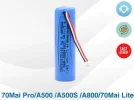
Bạn có thể thử thay pin, máy A500 của tôi cũng gặp vấn đề tương tự, tôi đã thay pin và máy lại hoạt động bình thường.
 

Attachments

  • A500s.webp
    A500s.webp
    20.2 KB · Views: 155
Evet, deneyeyim. Kameranın sadece arabayı çalıştırıp birkaç km yaptıktan sonra bir kez kapandığını fark ettim. Ondan sonra, gösterge panelindeki güç düğmesine basıyorum ve açılıyor. Sonra, mükemmel çalışıyor. Daha sonra herhangi bir kapanma sorunu olmadan dört saat boyunca sürdüm. Ancak, arabayı kapatıp tekrar çalıştırdığımda, kamera sonunda kapanıyor. Tekrar açtığımda, normal şekilde çalışıyor. Ayrıca yeni bir 70mai kamerayı da test ettim, bu yüzden sorunun sigara şarj portu veya kameraya bağlı kabloda olabileceğinden şüpheleniyorum.
Merhaba,
ben de sizinle aynı sorunu yaşıyorum. Bir çözüm buldunuz mu? Şimdiden teşekkür ederim.
 
Hello, to resolve the 70Mai 500s Pro Plus camera shutdown issue, please update using the attached file. Do not update to v.1.7.45 ww. I've included the older, stable version below.

Format a 32GB or smaller SD card in FAT32. Copy the file named FW96580A.bin to your SD card.
Restart the camera using the SD card, and the software will be updated depending on the power cable.
Please keep the dash cam plugged in while the software is being updated.

Those experiencing shutdown and startup issues with v.1.7.45 ww and other versions should hold down the power button for 15 seconds before reconnecting the 70Mai cable.

If this doesn't resolve the issue, it's likely a battery issue.
 
Merhaba, 70Mai 500s por plus kamera kapanma sorunu için ekteki dosya ile güncelleme yapın. v.1.7.45 ww sürümüne kesinlikle güncellemeyin. Eski ve stabil çalışma sürümünü aşağıda ekledim.

32 GB ve altında bir SD kartı FAT32 dosyasını formatlayın
FW96580A.bin olarak adlandırıldığını SD kartınıza kopyalayın.
SD kartı aracıyla kamera tekrar çalıştırılır ve güç kablosuna göre yazılım güncellenecektir.
Lütfen yazılım güncellenirken araç kamerasını şarjda tutun.

Versiyon v.1.7.45 ww versiyon ve başka versiyonlarda kapanma ve açılma sorunu yaşayanlar. 70Mai kabloyu bağlamadan açma kapama tuşuna 15 saniye basılı tutup tekrar güç kaynağına bağlamaları gerekiyor.
Bu işlemlerin ardından sorun çözülmezse sorun pil ile veya başka birşey ile ilgilidir.
 
Back
Top