
Onetenner
Active Member
- Joined
- Oct 26, 2025
- Messages
- 170
- Reaction score
- 145
- Location
- Ubique
- Country
- United Kingdom
- Dash Cam
- Vueroid D40-Q2
The Arc 900 I ordered from Canada finally turned up yesterday, a quick test in the house followed by the inevitable firmware update after pairing with my phone last night after work, followed by installation this afternoon.
Points noted so far:-
Unlike other cameras, you have to pair each time by scanning a QR code using the app, I suppose this is a 'benefit' of having a screen - personally I'd prefer if it just remembered and paired once the wifi was activated.
The front-to-rear cable has a micro-USB connector, as does the Q850 I'm replacing. The rear connector is snug, as expected, using the existing cable, but the camera end is quite sloppy, and the rear camera will not connect. Despite the connector exterior being dimensionally the same, the new cable is a lot more snug in the camera port and , as expected, connects the rear camera reliably.
As I have a Blackvue Elite 9 on order, I plan to temporarily fit the cable as pulling it through the cable flexible sheath between the body and the liftgate is non-trivial and I'd rather install (and deinstall the old cable) in one go rather than do the job twice.
Thankfully, the screen turns off after 30 seconds, I'm not a fan of screens, to me they can be a distraction and take up more room than I want a dashcam to occupy - I did try a U3000 Pro briefly but the form factor meant the rear view mirror and it's associated camera extension impeded the camera view - unless I was willing to move it out to the side and down the screen, which looked ridiculous. The Q850 has the lens much closer to the screen than the U3000 Pro and the ARC 900, the ARC 900 is not as far back, but could do with being closer for me.
I configured the settings using the phone app - mostly left as default, only changing parking sensitivity, volume to off and memory card usage to parking priority. I was surprised to find that the settings didn't 'take - there is no save button in the app, so I re-did the settings using the touch screen which does have a save icon.
Parking recordings are around 41MB each, whereas driving recordings are around 240MB each, driving mode appears to be activated once the accessory voltage is seen.
As you will notice from the screenshots, I definitely need a polarising filter, Thinkware do not currently offer one. I also noted a lot of 'flare' from headlights & streetlights. I won't be able to do any daylight driving until the weekend, so for now I've got the moonlight / streetlight videos to ponder over....
Firmware update - that's some file size!

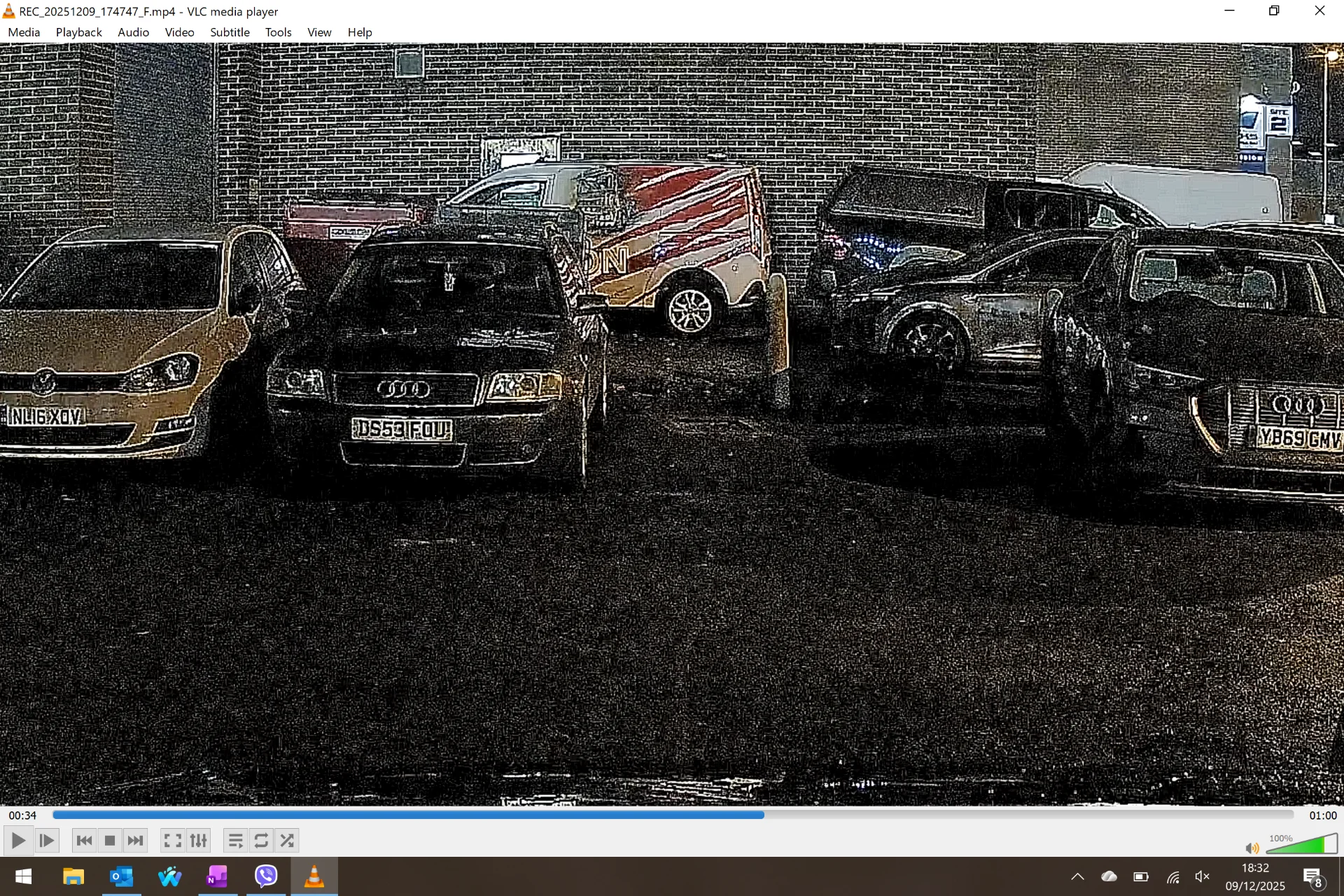
These two images are from parking recordings, there is a lot of noise and artefacts - I opened the files directly from the SD card using an up-to-date version of VLC, the walls with the artefacts are brick built.

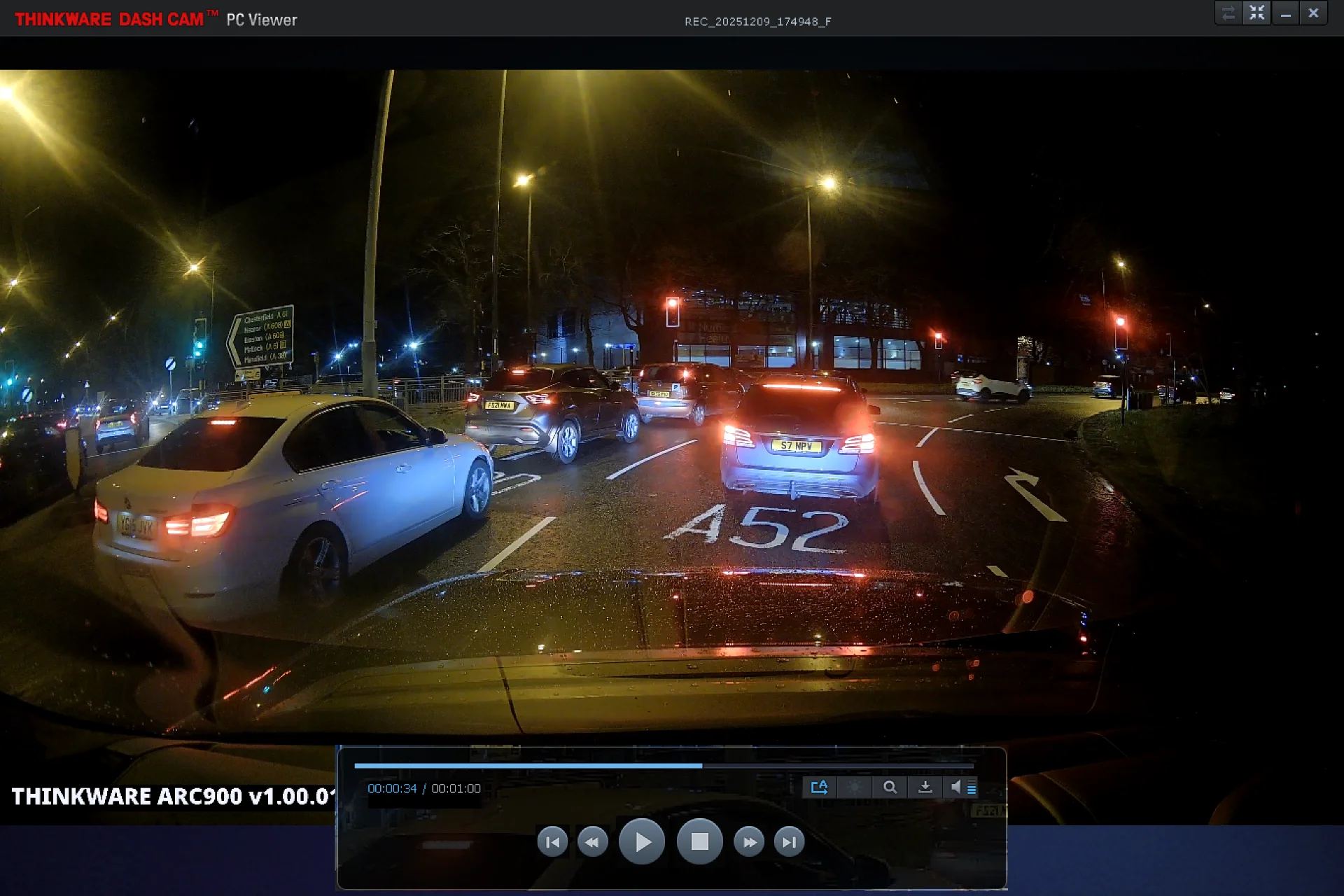
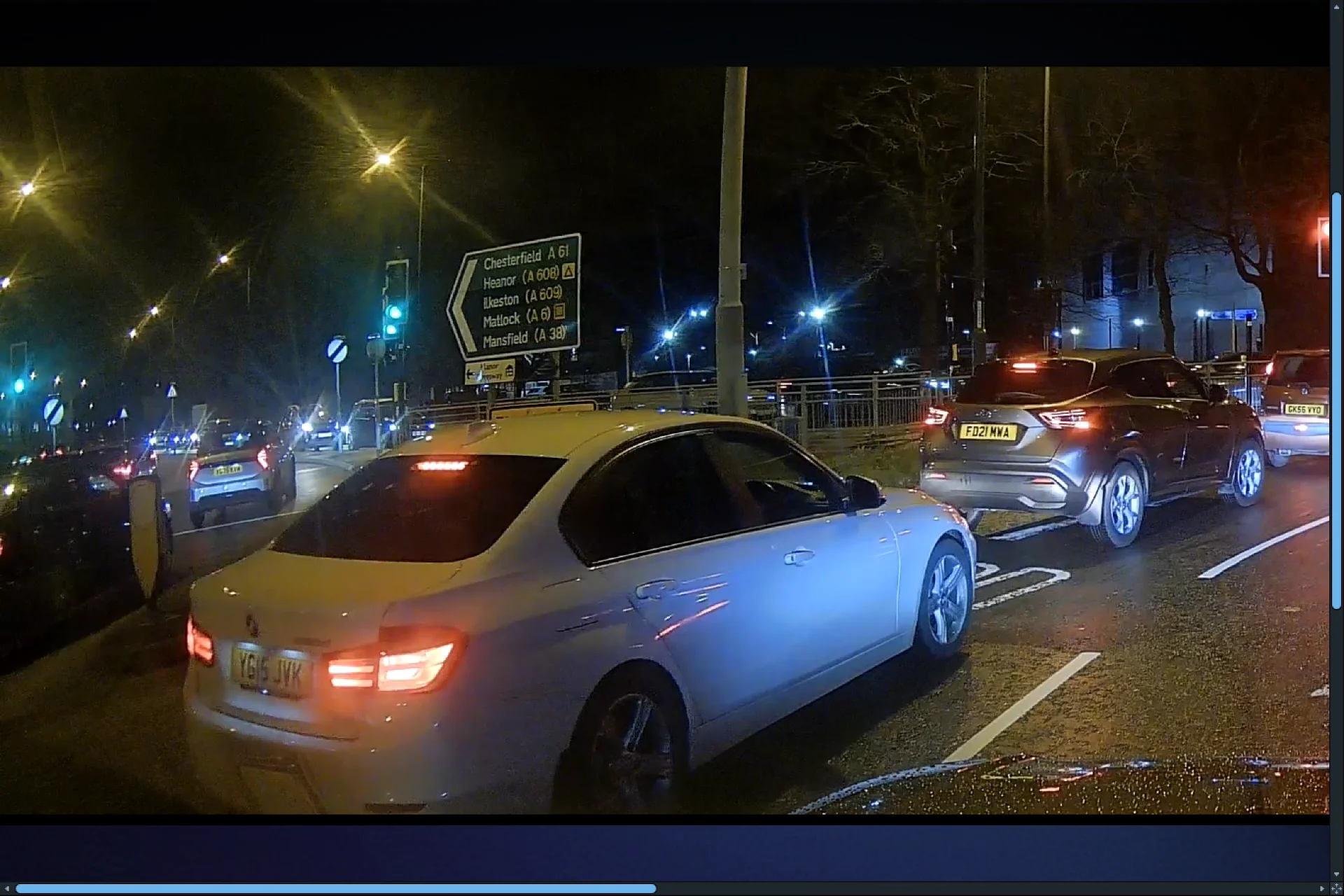
Screenshots from driving recordings pick up rear registration plates very well - I was still moving at about 12mph when this was recorded. I'm using the Thinkware PC viewer to give the best chance of favourable images.
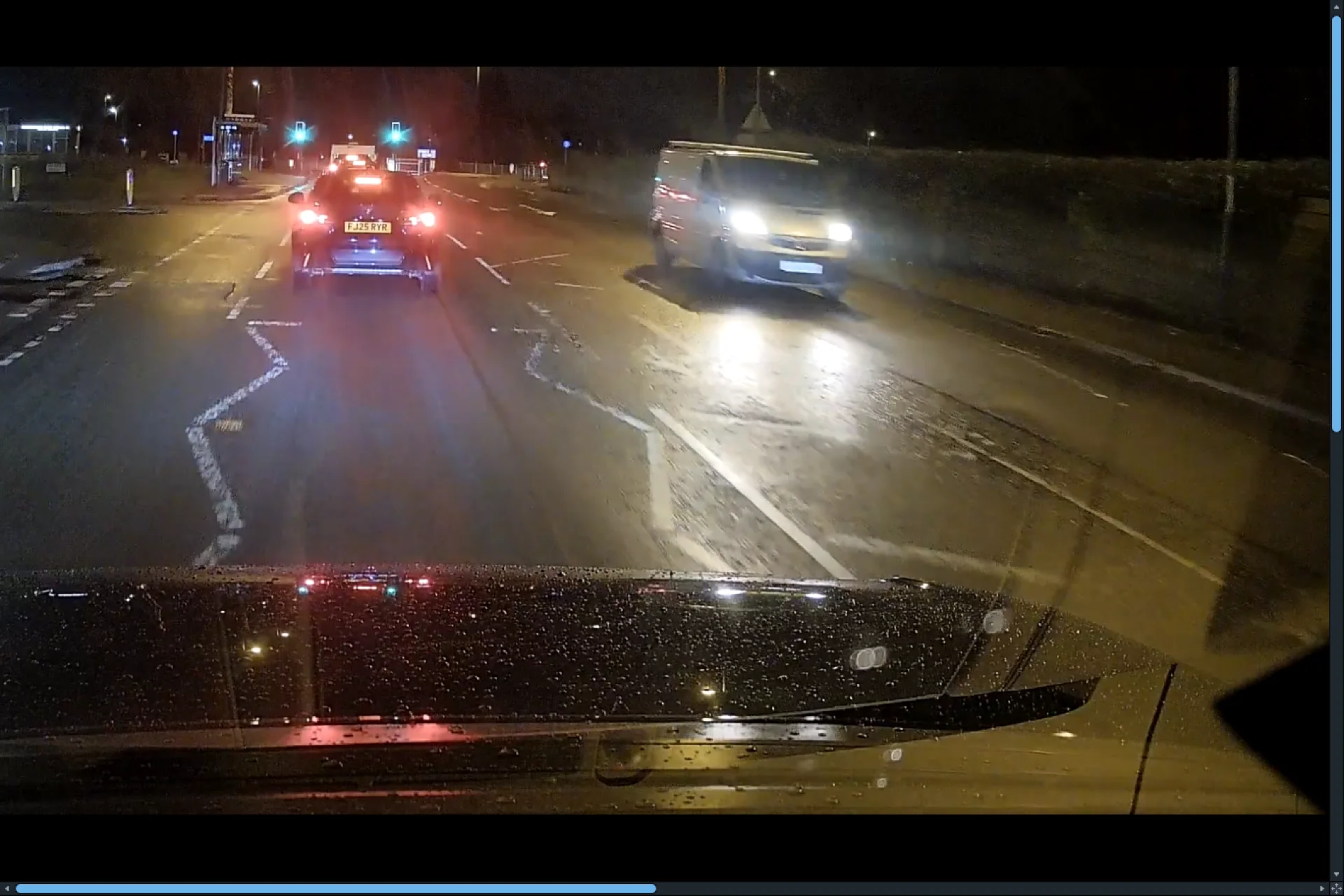
Oncoming traffic, not so good however - maybe due to motion, maybe due to the white reflective plates we have in UK overloading the sensor - I have no idea, but even stationary vehicles are blurred, moving vehicles you can sort-of expect as the closing speed will be up to 60mph.
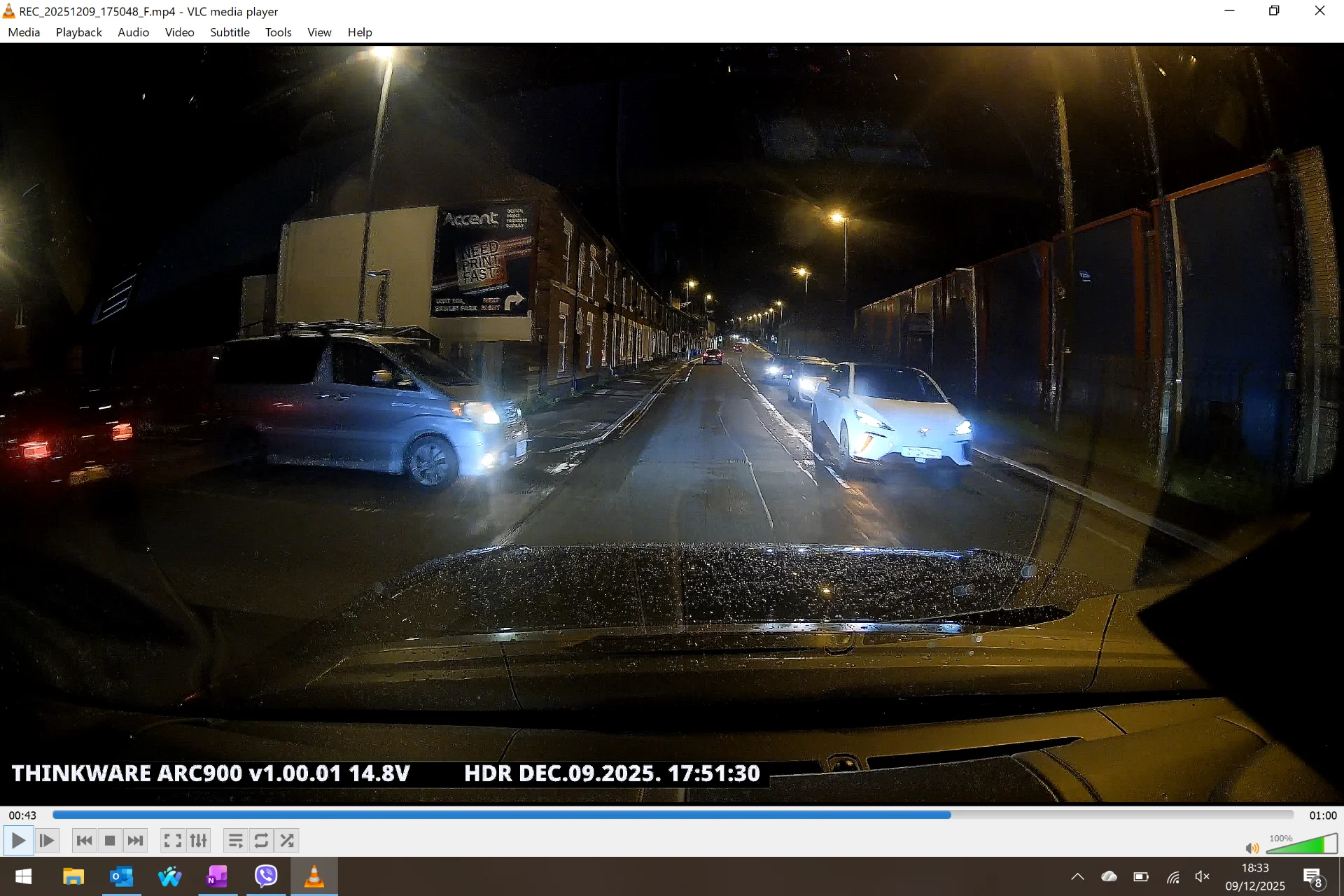
Maybe the colour is the clue? this white car, although stopped, gives a good image of the registration plate, even before I zoomed in, the image still seems 'noisy' though.

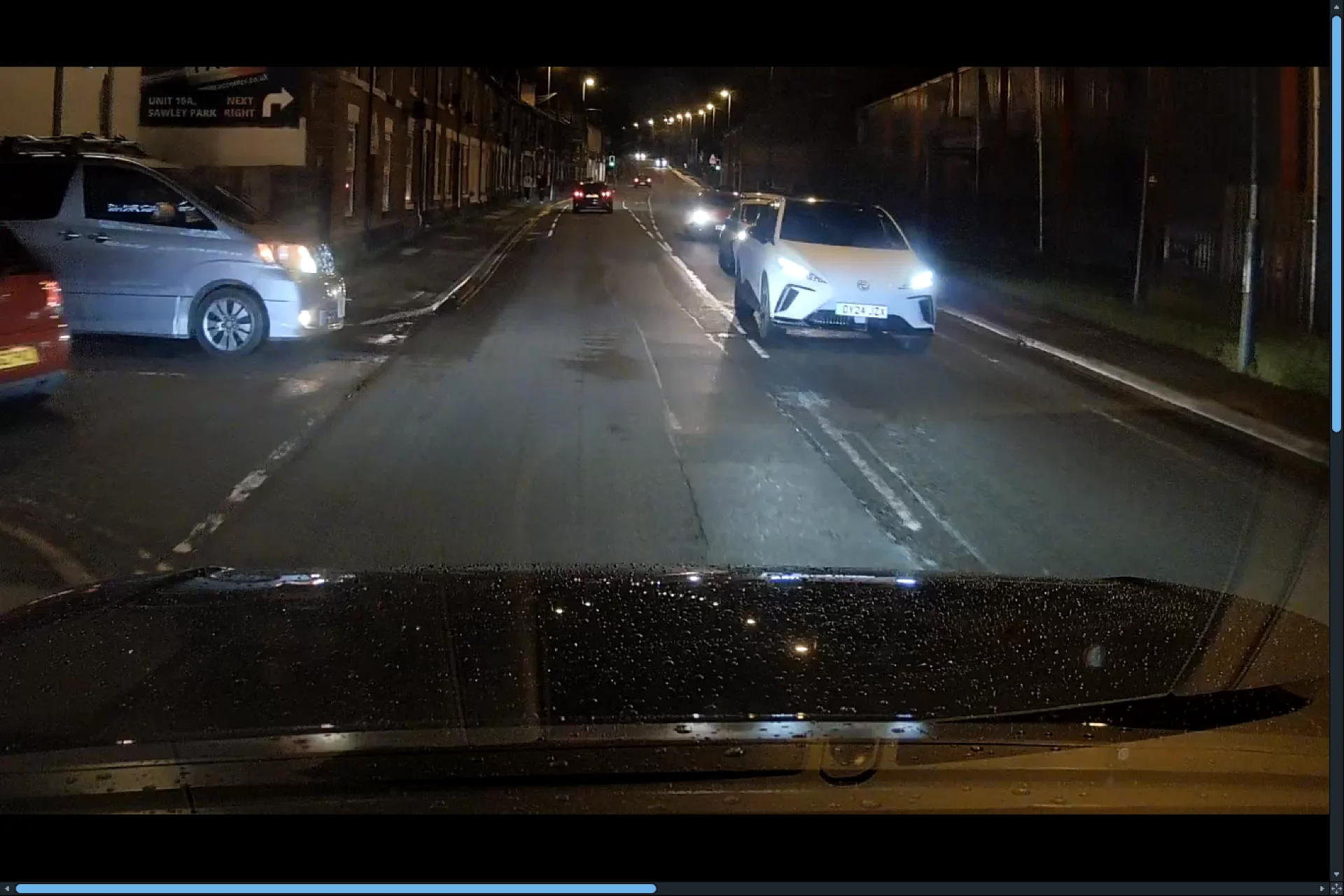
Here is one using the Thinkware viewer, zoomed in.
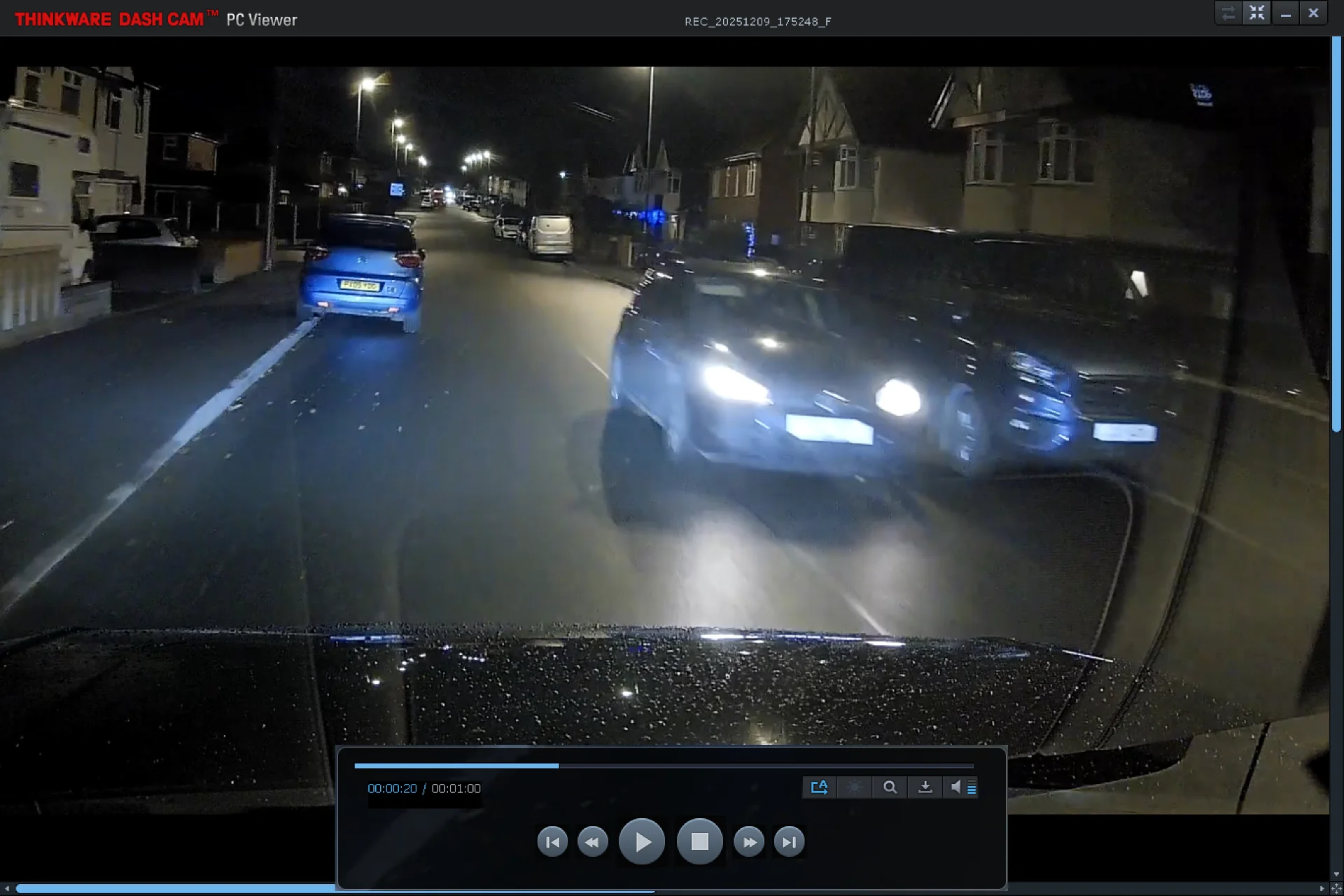
This one has two cars facing the camera, the stationary one gives no better registration plate resolution, even though it is mainly out of my headlight range. The rear registration plate on the left of the picture is clearly visible, speed was around 25mph, probably a closing speed of 45mph with the moving vehicle.
Overall I'm reasonably happy, for the money, it could be better - and probably should be better. Maybe firmware updates will address some of the issues, maybe testing should be done in the wider sales market to account for regional variations?
Points noted so far:-
Unlike other cameras, you have to pair each time by scanning a QR code using the app, I suppose this is a 'benefit' of having a screen - personally I'd prefer if it just remembered and paired once the wifi was activated.
The front-to-rear cable has a micro-USB connector, as does the Q850 I'm replacing. The rear connector is snug, as expected, using the existing cable, but the camera end is quite sloppy, and the rear camera will not connect. Despite the connector exterior being dimensionally the same, the new cable is a lot more snug in the camera port and , as expected, connects the rear camera reliably.
As I have a Blackvue Elite 9 on order, I plan to temporarily fit the cable as pulling it through the cable flexible sheath between the body and the liftgate is non-trivial and I'd rather install (and deinstall the old cable) in one go rather than do the job twice.
Thankfully, the screen turns off after 30 seconds, I'm not a fan of screens, to me they can be a distraction and take up more room than I want a dashcam to occupy - I did try a U3000 Pro briefly but the form factor meant the rear view mirror and it's associated camera extension impeded the camera view - unless I was willing to move it out to the side and down the screen, which looked ridiculous. The Q850 has the lens much closer to the screen than the U3000 Pro and the ARC 900, the ARC 900 is not as far back, but could do with being closer for me.
I configured the settings using the phone app - mostly left as default, only changing parking sensitivity, volume to off and memory card usage to parking priority. I was surprised to find that the settings didn't 'take - there is no save button in the app, so I re-did the settings using the touch screen which does have a save icon.
Parking recordings are around 41MB each, whereas driving recordings are around 240MB each, driving mode appears to be activated once the accessory voltage is seen.
As you will notice from the screenshots, I definitely need a polarising filter, Thinkware do not currently offer one. I also noted a lot of 'flare' from headlights & streetlights. I won't be able to do any daylight driving until the weekend, so for now I've got the moonlight / streetlight videos to ponder over....
Firmware update - that's some file size!
These two images are from parking recordings, there is a lot of noise and artefacts - I opened the files directly from the SD card using an up-to-date version of VLC, the walls with the artefacts are brick built.
Screenshots from driving recordings pick up rear registration plates very well - I was still moving at about 12mph when this was recorded. I'm using the Thinkware PC viewer to give the best chance of favourable images.
Oncoming traffic, not so good however - maybe due to motion, maybe due to the white reflective plates we have in UK overloading the sensor - I have no idea, but even stationary vehicles are blurred, moving vehicles you can sort-of expect as the closing speed will be up to 60mph.
Maybe the colour is the clue? this white car, although stopped, gives a good image of the registration plate, even before I zoomed in, the image still seems 'noisy' though.
Here is one using the Thinkware viewer, zoomed in.
This one has two cars facing the camera, the stationary one gives no better registration plate resolution, even though it is mainly out of my headlight range. The rear registration plate on the left of the picture is clearly visible, speed was around 25mph, probably a closing speed of 45mph with the moving vehicle.
Overall I'm reasonably happy, for the money, it could be better - and probably should be better. Maybe firmware updates will address some of the issues, maybe testing should be done in the wider sales market to account for regional variations?
