FineVu GX1600 Evaluation and Overview

lufa6977

Well-Known Member
Joined
Jul 22, 2024
Messages
1,727
Reaction score
2,028
Location
Virginia, Shenandoah Valley
Country
United States
Dash Cam
Vueroid S1-4K, Viofo A129 Pro Duo, A229 Pro, IR, Telephoto
FineVu released its GX1600, a 4K-Front and 2K-Rear dashcam, to the world at large. I was not able to find a GX1600 in the U.S., so off to Canada for the purchase. The GX1600 can be seen at the FineVu site:

FineVu GX1600

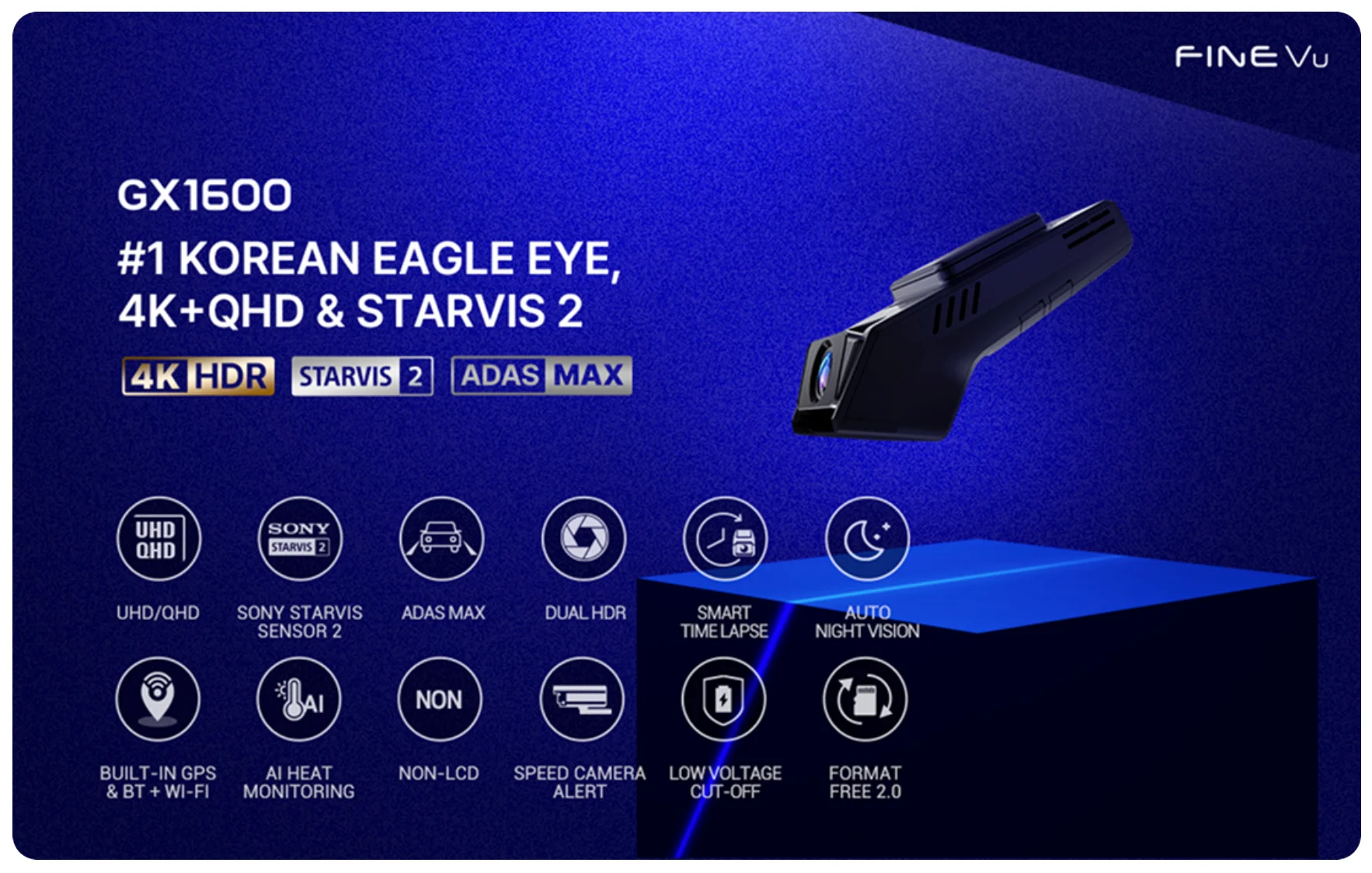
Here is a graphic from the FineVu site with a quick look at the features.

Screenshot 2026-03-17 at 17.40.58.webp


This thread will not be a review, per se, but more of a record of my experience with the GX1600, from box opening to daily use. I will show what works well on the GX1600, what needs reconsideration, and what is just not working as well as one may expect.

This GX1600 was purchased with my money, and my written experience is not influenced by FineVu, other dashcam manufacturers, or vendors.
 
I looked hither and yon in the U.S. for the GX1600, and while I found several vendors for the FineVu product line, none of them carried the GX1600. Off to Canada I went, and found the GX1600 at EssellAuto.

EssellAuto GX1600

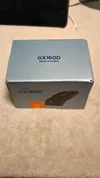
At that time, EssellAuto only had a Canadian pricing schedule. After several emails, Sean at EssellAuto had their storefront site reconfigured for U.S. sales in U.S. dollars, with the tariff added. This enabled them to ship to me, with the tariff prepaid. The GX1600 arrived in 7 days from the west coast of Canada to the east coast of the U.S. This is very likely a record for USPS. FineVu did a nice job packaging the GX1600. The box is small, and the parts are properly packed and arranged.

After removing the GX1600 from the box and before even powering it up, I went to the FineVu site to register the GX1600 serial number. This did not go well. Registering the serial number and creating an account appear to be the same process. When selecting the GX1600 and then the serial number, I was shown a pop-up telling me the serial number did not match the product. Alas. Several attempts to register the serial number using two different browsers failed. Over several days, I submitted two support requests via FineVu's online 3-step process, but did not hear back. I then sent an email to their support email and did not hear back from FineVu. There is a U.S. support number, which I called three times. The first two times were out of hours for them, and the second one worked today. I reached an answering service in Europe, and the person took my information and said I would be emailed. So, I wait.

This is one of those minor annoyances in life, and I will not lose sleep over this, especially since I voided the warranty when I disassembled the GX1600 to fix a rattling noise that appears in the videos. But it does show that FineVu is not up to speed on their product line inventory, serial numbers, and support. I really do not expect any warranty at this point, but I do need to see how well their system works. As for the rattle and how I remedied the problem, I'll post videos and pictures later.
 
Last edited:
Lets post a few specifications. First, hats off to FineVu for using the "4K UHD" designation, and not the incorrect "True 4K", which we sometimes see manufacturers and vendors use.

FineVu does not state which STARVIS 2 models they use for the front and rear cameras, but based on the specs, I would guess the front is an IMX678 and the rear may be an IMX675. That is, if the rear is a
STARVIS 2, as I read the advertisement, both dashcams are STARVIS 2. Here is a link, where you can select Sony STARVIS 'n' products and look at specifications.

Sony STARVIS 1,2,3 Products


gx1600-spec-01.webp


gx1600-spec-02.webp
 
Last edited:
The Rattle

When testing the GX1600 on my desk, the video sounded clean and clear. The drive video was otherwise, with a rattle audible in it. I could not hear the rattle in the car, nor did it appear in the video from the Vueroid S1-4K, which is mounted next to the FineVu GX1600.
.
.

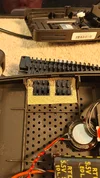
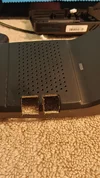
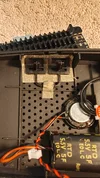
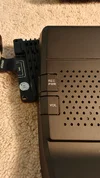
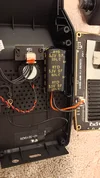
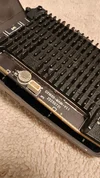
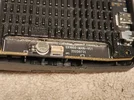
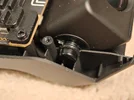
Being someone who likes a good mystery and is not worried about warranties, I disassembled the GX1600. There are two buttons on a yoke that provide 'spring-back' when the buttons are pushed. That yoke has a hole at the base, where a small protrusion from the inside surface of the dashcam shell fits into it. The surface is then coated with a weak adhesive. This adhesive came off very easily with a scribe. The adhesive has no part in this problem, other than that it barely held the yoke in place. The issue is two-fold. First, the yoke arms themselves are not sturdy enough to hold the buttons in place; thus, as the car travels, the yoke flexes and moves, allowing the buttons to strike the edges where they sit in the camera shell. Second, the buttons and the area they reside in are not padded, so when the buttons flex from vibration, they strike the sides of the shell where they exit. It fascinates me that someone in FineVu did not catch this issue during design and testing. Of course, it could be that there is an 'insulator' of some type that should have been applied during assembly, but was not.

I did a temporary fix using some cloth tape. I pressed the tape into place, used a razor blade to trim as needed, and put the buttons back in place, using a second piece of cloth tape to hold the yoke in place. Later I will remove the tape from the yoke and add a drop of glue.

A set of pictures, expand them to take a look.


buttons-top-view.webp buttons-up-close.webp buttons-removed-01.webp buttons-fix-01.webp buttons-fix-02.webp buttons-fix-03.webp buttons-fix-04.webp
.

Not The Rattle


.

No user should need to do this. I hope this is a one off issue where someone in the factory failed to add a insulator, but I think that is likely not the case.
 
Last edited:
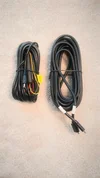
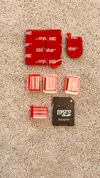
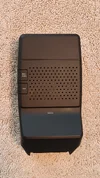
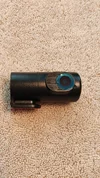
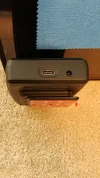
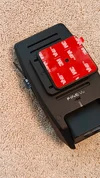
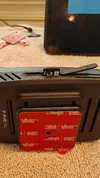
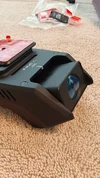
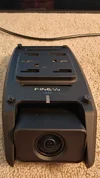
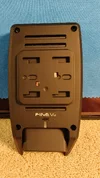
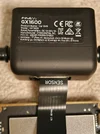
Hmmm...I got a wee bit ahead of myself. I should have made this post before the one above that shows the rattle issue. This is what is in the box; the rear camera has a USB-C port, which goes to a USB-C port in the GX1600 main body. Power is from a straight DC barrel; the other end of that is the standard 3-wire combination of ACC, Constant VCC, and Ground. There are two inline glass cartridge fuses on the ACC and VCC wires.

..

gx1600-box-close.webp gx1600-manual.webp gx1600-cables.webp gx1600-bits-pieces.webp gx1600-top-view.webp gx1600-rear-camera.webp gx1600-power-end.webp gx1600-mount-side.webp gx1600-microsdxc-port.webp gx1600-lens-range-01.webp
 
Last edited:
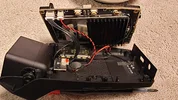
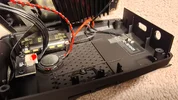
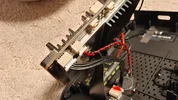
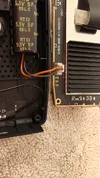
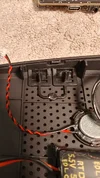
Here are a few teardown pictures of the GX1600. I had not intended to open this dashcam, but the rattle noted above drove me to it. Not that I have ever minded taking something apart. 🙂

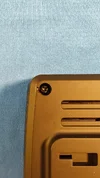
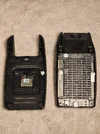
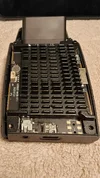
The camera shell has two halves that are attached to each other with 4 screws. Those screws are recessed and each is covered with a plug made from a rather firm rubber or composite material. I used the tip of a hobby knife to pierce the material, and then a hooked pick to pull the plug out. Remove the four screws, and then you will see the board attached with two screws to the shell. So, 6 screws total. There is also wiring for GPS, LED, Speaker, Supercapacitor, and Wi-Fi. The GX1600 is very easy to disassemble and reassemble.

gx1600-teardown-01.webp gx1600-teardown-02.webp gx1600-teardown-03.webp gx1600-teardown-04.webp gx1600-teardown-05.webp gx1600-teardown-06.webp gx1600-teardown-07.webp gx1600-teardown-08.webp gx1600-teardown-09.webp gx1600-teardown-10.webp
 
Last edited:
Final teardown image.


gx1600-teardown-11.webp gx1600-teardown-12.webp gx1600-teardown-13.webp gx1600-teardown-14.webp gx1600-teardown-15.webp gx1600-teardown-16.webp gx1600-teardown-17.webp gx1600-teardown-18.webp
.
.

Overall, the GX1600 is well-made. The board is a nice quality, proper heat management with two heat sinks, good EMF/RF shielding on both sides, and a solid case. The only issue is the button assembly, which may be a one-off fluke for the unit I have.
 
Last edited:
Now, for some drive videos. The 3 videos below were shot with the GX1600 set to 2K60FPS and quality levels of Standard, High, and Super High. Once a quality level was set, I drove a fixed route, stopped, and changed the GX1600 to the next level. The videos were shot roughly in a 30-minute window, so the light variations are minimal. Take notice of any changes in cloud colors, tinting, highlights under cars, trees, and more.

.
.
..

..

 
Last edited:
The 3 videos below were shot with the GX1600 set to 4K30FPS and quality levels of Standard, High, and Super High. Once a quality level was set, I drove a fixed route, stopped, and changed the GX1600 to the next level. The videos were shot roughly in a 30-minute window, so the light variations are minimal. Take notice of any changes in cloud colors, tinting, highlights under cars, trees, and more.

.
.
..
..
 
Last edited:
In the app, there is a LiveView feature with additional features. Two of those features are a mirror feature and a zoom feature. These images have been reduced in size to ease viewing on various devices, but the resultes remain the same, only smaller in size.

Here is the standard, non-mirrored view.

liveview-mirror-left.webp

.
.
Here is the mirrored view of the standard view. There are issues here. As you can see, the image and the information lines at the top and bottom have also been reversed. The reversing of the information lines is disappointing and, frankly, unacceptable. I would have expected the image reversed, but the information lines still appear 'normally' and are readable from left to right.
.
.
liveview-mirror-right.webp
 
Last edited:
The GX1600 has 4 zoom settings. 1x, 1.5x, 2x, and 3x. The problem I found with the zoom and horizon alignment features is that the features force the cellphone into landscape mode, and the resolution drops. This, of course, makes the zoom feature essentially useless. In my view, anyway. Perhaps there is a way to have a better resolution, but I did not find a way to do so on an iPhone or OPPO Find X9 Pro.

..
liveview-1x.webp

..
liveview-15x.webp

..
liveview-2x.webp

..
liveview-3x.webp

..
 
Last edited:
The LiveView mode of the GX1600 app includes an Installation Angle Guide that lets users set the view angle and the main area of interest to be recorded. The feature starts in Portrait mode, but once the guide is selected, the cellphone is forced into Landscape mode. It is a quick and simple process, and once started, you only need to adjust the dashcam lens to record the desired area in front of the vehicle.

..

This is only a portion of the portrait mode; the lower part is empty, and there was no need to show that area. Look in the lower-left corner and press the icon that looks like a camera with a gear symbol. This starts the process.

lview-hline-01.webp

..

From here, you select Next.

lview-hline-02.webp

..

Select vehicle type and then Next.

lview-hline-03.webp

..

You will now see the two green horizontal bars. Adjust the lens to your requirements, and then select Next.

lview-hline-04.webp

..

You are finished. Select Done.

lview-hline-05.webp
 
Last edited:
Two videos from the rear camera. The first video has the rear camera angled up a bit more than the second video.

..
..
 
Last edited:
This has not been a review, as it is, but more my experience and my thoughts about the GX1600. Other users may well view the GX1600 in a different light. I could have gone much deeper into the app and the camera, but for the U.S. market, the camera did not warrant it. It is a well-made camera, but it seems to have been hobbled in order to fit into a non-U.S. market. I think if some items were better polished and the image improved, the GX1600 would have been a pretty darn good 4K/2K dashcam.

Would I recommend this FineVu GX1600 for the U.S. market? The fact that, after 1 telephone call to the Support answering service and 3 email attempts to the Support group, all resulting in no response from FineVu, the answer would be "No". Compound that with the fact that when attempting to register the GX1600, the FineVu site said the serial number was not valid for the GX1600.

The GX1600 never failed to work or go into parking mode. It was perfect in that sense, but it also has a few nuances of its own. One is that the WiFi cannot be turned off; it is always on unless the car is in parking mode. As the GX1600 is not a Cloud camera, there is no need to keep the WiFi on all the time. Even if it were Cloud capable, no need to have WiFi on all the time.

Another is that the rear camera can not be disabled. When powering the camera for the first time without the rear camera attached, the GX1600 will prompt you to check your connections. As long as the camera is powered or in parking mode, the rear camera warning is not heard. When power is completely removed from the GX1600, then the rear camera warning will be heard on the next power-up cycle.

Some items lack 'polish'. When using the app and in LiveView, the Mirror feature not only reverses the displayed image but also reverses the two information lines that show GPS, Logo, etc. That is embarrassing in my estimate. The Zoom feature works, but as you zoom in, the image becomes increasingly out of focus, so it's essentially useless. There are two information lines for the data: one at the top and a shorter one at the bottom. The FineVu logo cannot be removed, but the GPS can. Neither line can be entirely removed. When switching from LiveView Portrait to LiveView Landscape, the fonts degrade and begin to resemble CGA fonts.

The ADAS features worked well. These are not Tesla-level features, so ADAS responses were non-AI in how they responded to a driving event, but they did work and worked fairly well.

The app worked very well, was visually appealing, and was reasonably well organized. A few words could have been a bit better 'Americanized' in English, but it was still obvious what was being conveyed. The app quickly negotiated WiFi connections, which was much appreciated. The overall build quality of the GX1600 is very good. The housing, board, components, and cooling were well thought out. My unit did have buttons that rattled, and the noise was evident on videos. I do not know if this was a one-off incident or a design flaw. I did remedy that, as noted in a previous post. I will return to the buttons and see if I can find a more elegant way to halt the rattle.

The GX1600 is a 4K/2K dashcam system, but its 4K image quality is where it lags. This was surprising as FineVu implies STARVIS 2 for both the front and rear cameras. Or so it seems to me from reading their advertisements. As their Support never responded to my attempts to contact them, I was unable to verify which CMOS was being used. The 2K could have been better in terms of image quality, but it was good enough for a passing grade. Oddly enough, with the front 4K, almost every time I paused the video to read a car license plate, the plate was easy to read. At the same time, there would be other image issues on the front camera. Not bad issues, but certainly the image could be better. On the other hand, the CMOS would be slow to show light changes in the sky; often, I would see a cloud display a 'flash' of color change or a fade. Whether using 4K30 and 2K60 on the front, the image was always good enough to see what was going on around the car easily.

For the price, I do not believe the GX1600 is worth it in the U.S., not in the American market anyway. There are dashcams available with better image quality for the same or less money. The GX1600 does not appear to be designed for the U.S. market, but rather for other markets. The feature set, the way they are implemented, and the lack of programmable options will not go over too well in the American market. The GX1600 is not a bad dashcam; it is actually a good one, but it isn't for the American market.
 
Last edited:
This has not been a review, as it is, but more my experience and my thoughts about the GX1600. Other users may well view the GX1600 in a different light. I could have gone much deeper into the app and the camera, but for the U.S. market, the camera did not warrant it. It is a well-made camera, but it seems to have been hobbled in order to fit into a non-U.S. market. I think if some items were better polished and the image improved, the GX1600 would have been a pretty darn good 4K/2K dashcam.

Would I recommend this FineVu GX1600 for the U.S. market? The fact that, after 1 telephone call to the Support answering service and 3 email attempts to the Support group, all resulting in no response from FineVu, the answer would be "No". Compound that with the fact that when attempting to register the GX1600, the FineVu site said the serial number was not valid for the GX1600.

The GX1600 never failed to work or go into parking mode. It was perfect in that sense, but it also has a few nuances of its own. One is that the WiFi cannot be turned off; it is always on unless the car is in parking mode. As the GX1600 is not a Cloud camera, there is no need to keep the WiFi on all the time. Even if it were Cloud capable, no need to have WiFi on all the time.

Another is that the rear camera can not be disabled. When powering the camera for the first time without the rear camera attached, the GX1600 will prompt you to check your connections. As long as the camera is powered or in parking mode, the rear camera warning is not heard. When power is completely removed from the GX1600, then the rear camera warning will be heard on the next power-up cycle.

Some items lack 'polish'. When using the app and in LiveView, the Mirror feature not only reverses the displayed image but also reverses the two information lines that show GPS, Logo, etc. That is embarrassing in my estimate. The Zoom feature works, but as you zoom in, the image becomes increasingly out of focus, so it's essentially useless. There are two information lines for the data: one at the top and a shorter one at the bottom. The FineVu logo cannot be removed, but the GPS can. Neither line can be entirely removed. When switching from LiveView Portrait to LiveView Landscape, the fonts degrade and begin to resemble CGA fonts.

The ADAS features worked well. These are not Tesla-level features, so ADAS responses were non-AI in how they responded to a driving event, but they did work and worked fairly well.

The app worked very well, was visually appealing, and was reasonably well organized. A few words could have been a bit better 'Americanized' in English, but it was still obvious what was being conveyed. The app quickly negotiated WiFi connections, which was much appreciated. The overall build quality of the GX1600 is very good. The housing, board, components, and cooling were well thought out. My unit did have buttons that rattled, and the noise was evident on videos. I do not know if this was a one-off incident or a design flaw. I did remedy that, as noted in a previous post. I will return to the buttons and see if I can find a more elegant way to halt the rattle.

The GX1600 is a 4K/2K dashcam system, but its 4K image quality is where it lags. This was surprising as FineVu implies STARVIS 2 for both the front and rear cameras. Or so it seems to me from reading their advertisements. As their Support never responded to my attempts to contact them, I was unable to verify which CMOS was being used. The 2K could have been better in terms of image quality, but it was good enough for a passing grade. Oddly enough, with the front 4K, almost every time I paused the video to read a car license plate, the plate was easy to read. At the same time, there would be other image issues on the front camera. Not bad issues, but certainly the image could be better. On the other hand, the CMOS would be slow to show light changes in the sky; often, I would see a cloud display a 'flash' of color change or a fade. Whether using 4K30 and 2K60 on the front, the image was always good enough to see what was going on around the car easily.

For the price, I do not believe the GX1600 is worth it in the U.S., not in the American market anyway. There are dashcams available with better image quality for the same or less money. The GX1600 does not appear to be designed for the U.S. market, but rather for other markets. The feature set, the way they are implemented, and the lack of programmable options will not go over too well in the American market. The GX1600 is not a bad dashcam; it is actually a good one, but it isn't for the American market.
I guess this is what happens when you dont listen to feedback. Many users from North America have given feedback to Fine Vu and I find again and again they dont typically like to hear what you say. Hence why I dont bother testing their products anymore.

Interesting read on your experience. i had higher hopes but I guess i was wrong.

PS I only found this post because I seen people from Korea were reading it. As usual they are probably reading your feedback but not commenting on it or contacting you.
TTYL @lufa6977
 
The technical specs look alright, form factor also OK in my book.
 
The technical specs look alright, form factor also OK in my book.

The GX1600 does have a very nice build and appearance. This is a dashcam that needs some refinement for the handful of issues that should never have been there. Even for the Korean market, FineVu should really correct these issues. It would be a very good dashcam if they put more effort into it. It is like they made it to a 70% design and then stopped. With a little more effort, FineVu could have hit 90% or 95% and had a very good product.
 
파인뷰는 한국에서 답이없습니다. GX1600은 해외용이며 대한민국에 출시되지않았습니다.
 
Back
Top