Local wifi downloading stopped on all our cameras. Anyone else having a problem this weekend ?

Bob F.

New Member
Joined
Apr 1, 2025
Messages
4
Reaction score
0
Location
Seattle, WA
Country
United States
I have been using the Blackvue Downloader from the Windows Store (gizmocoding) and it's been working great. But over the past 2 days all our cameras stopped connecting, you can see them on the wifi network but they won't ping or respond at all. I also noticed blackvue's cloud service Fleeta is either gone or offline (the webpage just times out with an error message), are the cameras stuck in a loop failing to connect to fleeta and refusing local connections ? We don't pay for fleeta or have any of them on an account but it still may be trying to talk to their service.

But we have one camera still working, it's got outdated firmware and at this point I will not update it since the new firmware seems to lockout local downloading.
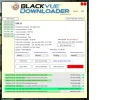
 
Local downloading is totally unrelated to your cloud account. You don't even need a cloud account or to have your camera registered.

I don't use Blackvue Downloader myself (I wrote my own), but in the very early days I reviewed the source for it, and it worked much the same as mine.

Try this, in your browser plug in: http://<your camera IP>/blackvue_vod.cgi
That should give you a page full of text, which is the list of all video files on your camera. If you get that, your camera's WiFi connection is working. You'll see a large list of files that look like: n:/Record/20250414_052353_PF.mp4.
If you now plug into your browser: http://<your camera IP>/Record/20250414_052353_PF.mp4, your browser should offer to download and save that file.

That's pretty much all these downloaders do under the hood.

I do notice that https://www.blackvuecloud.com/ wants to redirect to fleeta.io, which does indeed seem to be down. But your local downloading should still be working unless the Blackvue Downloader author added something he's perhaps now regretting. 🙂
 
Think I found the issue. Seems for whatever reason TP Link Omada won't work with them blackvue cameras. Maybe someone searching for this problem will find this post one day.

The cameras became totally unreachable on the network, even .../blackvue_vod.cgi did nothing, they wouldn't respond to a ping either but did show up in the client list and all had a great wifi signal. But they were unreachable, something in the network was cutting them off. A few times after restarting a camera it would work for a short time then stop connecting.

After hours of changing settings and restarting cameras I pulled out an non-tp link/ Omada accesspoint and the camera connected to it instantly and started downloading. So I removed all the accesspoints from the managed Omada system and configured each one signally in standalone mode. Soon as I did that all 7 came on line and started downloading with no problem. Omada has had some other bugs as well, thought having 1 centrally managed networking system would be easier but it when it has issues it's harder to figure out since all the devices are joined with a controller.
 

Attachments

  • bv view1.webp
    bv view1.webp
    83.9 KB · Views: 123
Back
Top