
stephenjones
Active Member
I have been using this little guy for a few weeks so far after Vantrue reached out to do a test drive. My main use case was to find something that I can view remotely because of the questionable areas I sometimes park. At first glance, I will admit I did not have very high expectations. That quickly changed when I got thru the setup including the LTE module. I was surprised at the simplicity of the setup with just entering the APN settings for my carrier. Even more surprised with the image quality……
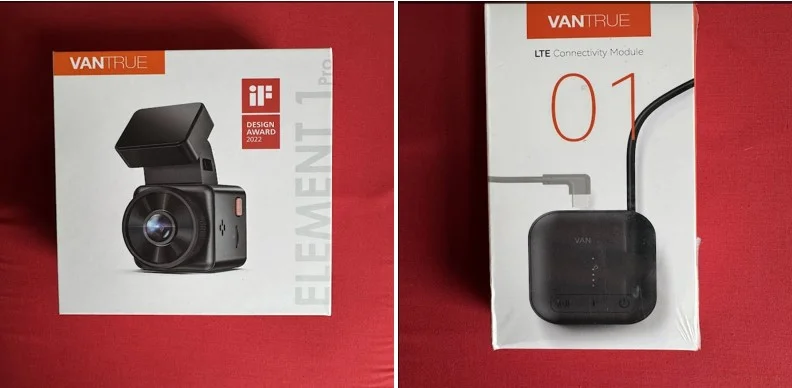
But first, opening the box, the presentation was in line with what you would expect from a premium product. Everything was neatly presented. My package included all the typical dash cam stuff and more; the dash cam itself, the mount, trim tool, cigarette lighter cable, cpl filter, a usb cable, instructions, cleaning cloth, stickers, electrostatic films and extra adhesive pad. I also got the hardwiring kit, sd card and the LTE module. I was quite impressed with all the stuff given the price point.

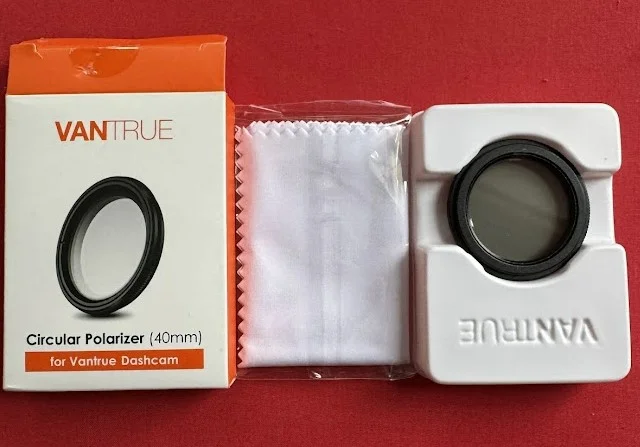
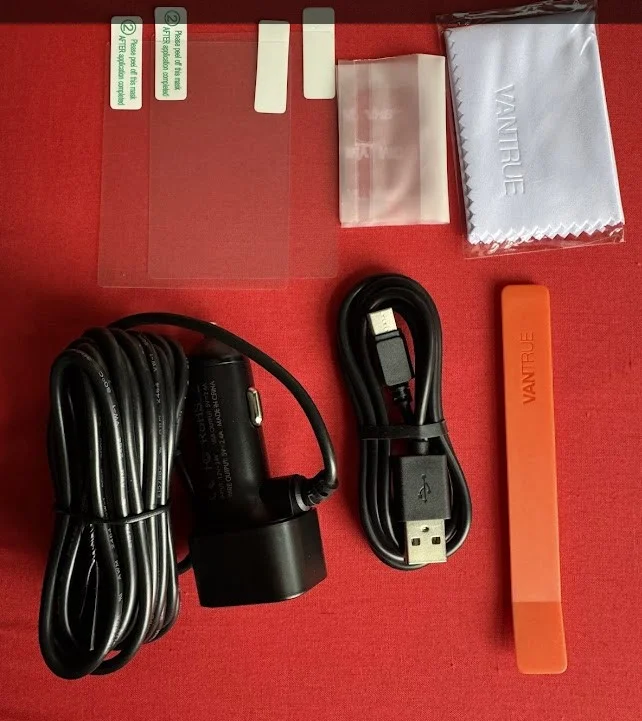
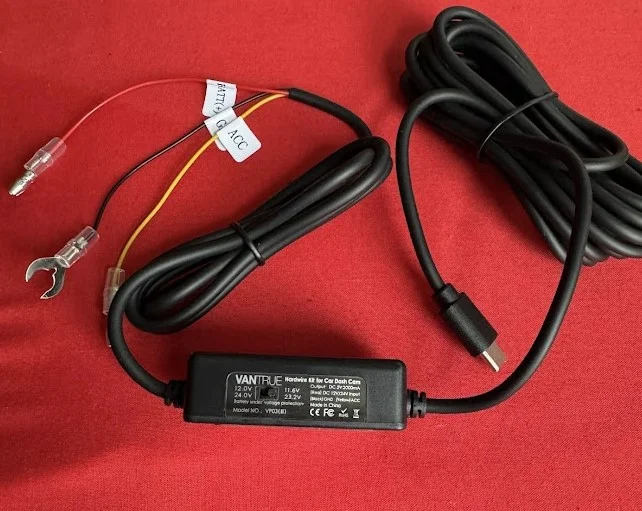
For my installation, I hardwired everything using the supplied hard wire kit to a 70mai external battery which I was using. I did test it from the fuse box too just for science. The functionality is the same with the battery as well as the fuse box. Since the battery pack had a usb c output port, I tested that too. The port did power the LT module and dash cam but I did the hardwired setup to the battery anyway.
My windshield is tinted already so the CPL filter was not really necessary. I will try it sometime anyhow just to satisify my curiosity.....
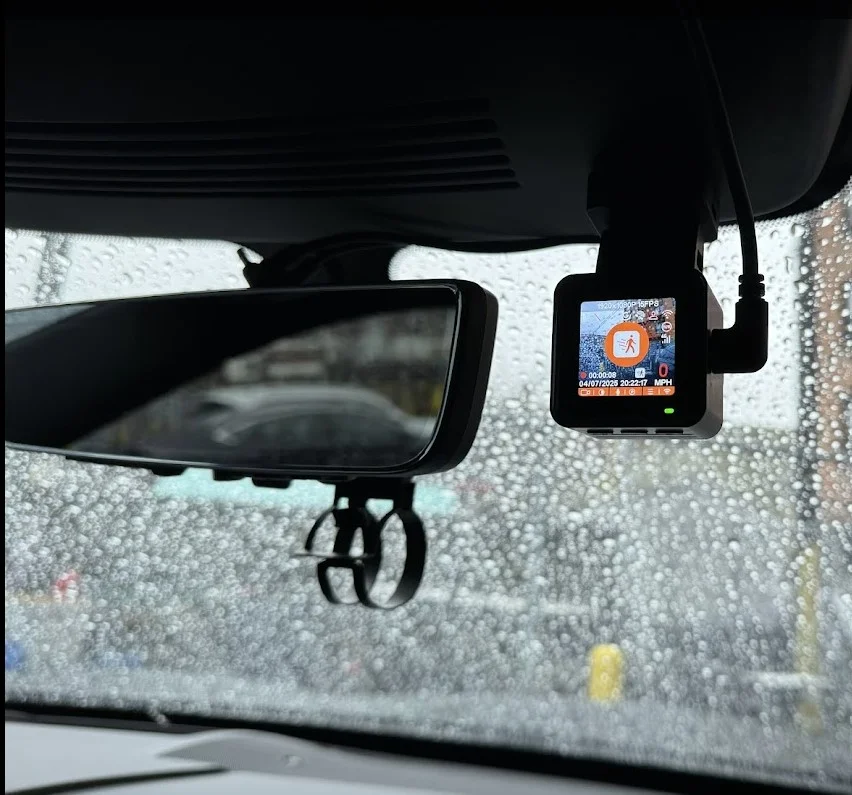
Because of the size of this camera I was able to install it next to my rear view mirror. With the tint on my windshield, you have to look close to see there is a camera there from the outside. Exactly the look I wanted. You can see that hanging blend mount below the rear view I had for my black Vue lte dash camera that I removed. Even that mount is bigger than this camera lol
I breezed thru the setup creating an account and getting everything connected. I attempted the auto detect for the LTE module but it did not work. I manually entered the APN settings, rebooted the LTE module and all was good. The camera did get a bit warm but nothing over the top. Considering the form factor, some heat is to be expected.

Now the part I was nervous about was the app and didnt expect too much. My nervousness was because I want this thing to work for my use case that I mentioned above; the remote viewing. More suprises, it really was this simple:

If you have ever used the black vue app, you know how clunky it is. Stuff always showing up to buy something and its an adventure to find where the camera is at. Overall this is quite intuitive but I was astonished at the layout since I was accustomed to the black vue app. This one is so much easier to use. You also dont need to pay for the locate vehicle feature. Once you select that, it gives you the choice of a few maps apps to open including google and apple maps. Notifications were spot on, maybe a few secs delayed at best. Once you open the notifications, it takes you to the message center, in there I like that it takes a photo and also has a snip of the video from the event. It shows you how much data will be consumed if you look at the footage and also shows realtime how much data is being used during live view. Something I would have like to see is to allow a 2nd user or 2nd device to have access to the camera. Only one user on one device can be logged in at the same time. I know the ring car cam had a feature to add a user.
More to come......
But first, opening the box, the presentation was in line with what you would expect from a premium product. Everything was neatly presented. My package included all the typical dash cam stuff and more; the dash cam itself, the mount, trim tool, cigarette lighter cable, cpl filter, a usb cable, instructions, cleaning cloth, stickers, electrostatic films and extra adhesive pad. I also got the hardwiring kit, sd card and the LTE module. I was quite impressed with all the stuff given the price point.
For my installation, I hardwired everything using the supplied hard wire kit to a 70mai external battery which I was using. I did test it from the fuse box too just for science. The functionality is the same with the battery as well as the fuse box. Since the battery pack had a usb c output port, I tested that too. The port did power the LT module and dash cam but I did the hardwired setup to the battery anyway.
My windshield is tinted already so the CPL filter was not really necessary. I will try it sometime anyhow just to satisify my curiosity.....
Because of the size of this camera I was able to install it next to my rear view mirror. With the tint on my windshield, you have to look close to see there is a camera there from the outside. Exactly the look I wanted. You can see that hanging blend mount below the rear view I had for my black Vue lte dash camera that I removed. Even that mount is bigger than this camera lol
I breezed thru the setup creating an account and getting everything connected. I attempted the auto detect for the LTE module but it did not work. I manually entered the APN settings, rebooted the LTE module and all was good. The camera did get a bit warm but nothing over the top. Considering the form factor, some heat is to be expected.
Now the part I was nervous about was the app and didnt expect too much. My nervousness was because I want this thing to work for my use case that I mentioned above; the remote viewing. More suprises, it really was this simple:
If you have ever used the black vue app, you know how clunky it is. Stuff always showing up to buy something and its an adventure to find where the camera is at. Overall this is quite intuitive but I was astonished at the layout since I was accustomed to the black vue app. This one is so much easier to use. You also dont need to pay for the locate vehicle feature. Once you select that, it gives you the choice of a few maps apps to open including google and apple maps. Notifications were spot on, maybe a few secs delayed at best. Once you open the notifications, it takes you to the message center, in there I like that it takes a photo and also has a snip of the video from the event. It shows you how much data will be consumed if you look at the footage and also shows realtime how much data is being used during live view. Something I would have like to see is to allow a 2nd user or 2nd device to have access to the camera. Only one user on one device can be logged in at the same time. I know the ring car cam had a feature to add a user.
More to come......
Last edited: