
Rollingrock
New Member
Like Betamax_man, I received the same kit. Main camera and rear and hand held in one box, the hardwire kit in another and a packaged 128GB SSD card.
In reviewing and installing the Vantrue E360 Dashcam which was installed it in a 2024 GMC 1500 truck. I did install the hardwire kit as I really wanted to take advantage of the Parking Mode. The hardwire kit had four different size fuses with two of each. The newer vehicles have several three pronged fuses, called Micro3 fuses. They were much more open than the wire on one side fuses that came in the hardwire kit. I would suggest that these be included in future hardwire kits.
If you are not hardwiring the dashcam in, then you would use the included power cord with a cigarette lighter connection at one end. Most newer vehicles don’t have a cigarette lighter included anymore. I would suggest that the cord be separate from the cigarette lighter (CL) and have a USB-A connector which would plug into the CL connection. That way, if you have a newer vehicle without a CL, you can simply unplug the CL and plug the end into an available USB-A for power. USB-C’s don’t usually have enough power to operate a DC. As newer vehicles become more prevalent, then this is easily addressed by my suggestion to meet the needs of the older and newer vehicles.
One other item is the rear camera. The camera is made to mount on a sloping rear window. My truck has a vertical rear window. In order for the rear camera to show the vehicle behind mine, I had to remove/grind off a section of angular plastic so the RDC would be angled correctly. Once I did this, it mounted perfectly and was a great addition.
Other than these minor issues, the install went well and was easy.
Once I had it mounted and installed the app, it connected to my phone and downloaded the latest firmware. FYI, my truck has Android Auto and you need to turn that off so your phone will connect to the DC. I assume that Apple Car Play is similar but not sure as I don’t use it.
Setting the DC up was quick and intuitive. One thing I found was that when you set Parking Mode up, it has four different options; Collision Detection, Motion Detection, Low Bitrate Mode and Low Framerate Mode. You can only set one. Say you select Collision Detection, the other 3 options are turned off automatically. From a newbie's perspective, the user manual could be a little clearer and go into more detail, ie like the Parking Mode and if 1 or 5 on the Collision Mode is more sensitive. Like I said, maybe this is all second nature to a lot of you that live and breathe this all the time.
I was only able to set up Parking Mode with the phone app. Every time I tried to set it up with the DC, I got a display message that wouldn’t let me continue. I took a picture of it and if anyone else came across this or know how to fix this, please let me know. Luckily enough, the app allowed me to do this.

I've emailed Vantrue so they are aware of this issue and are looking into it.
Here are a few videos that I took. Note that all the videos have HDR turned off. They are as follows:
Fish Eye front, Fish Eye Cabin are 1944P:
and Rear is 1440P:
Front 1944P:
Cabin 1944P:
Rear 1944P:
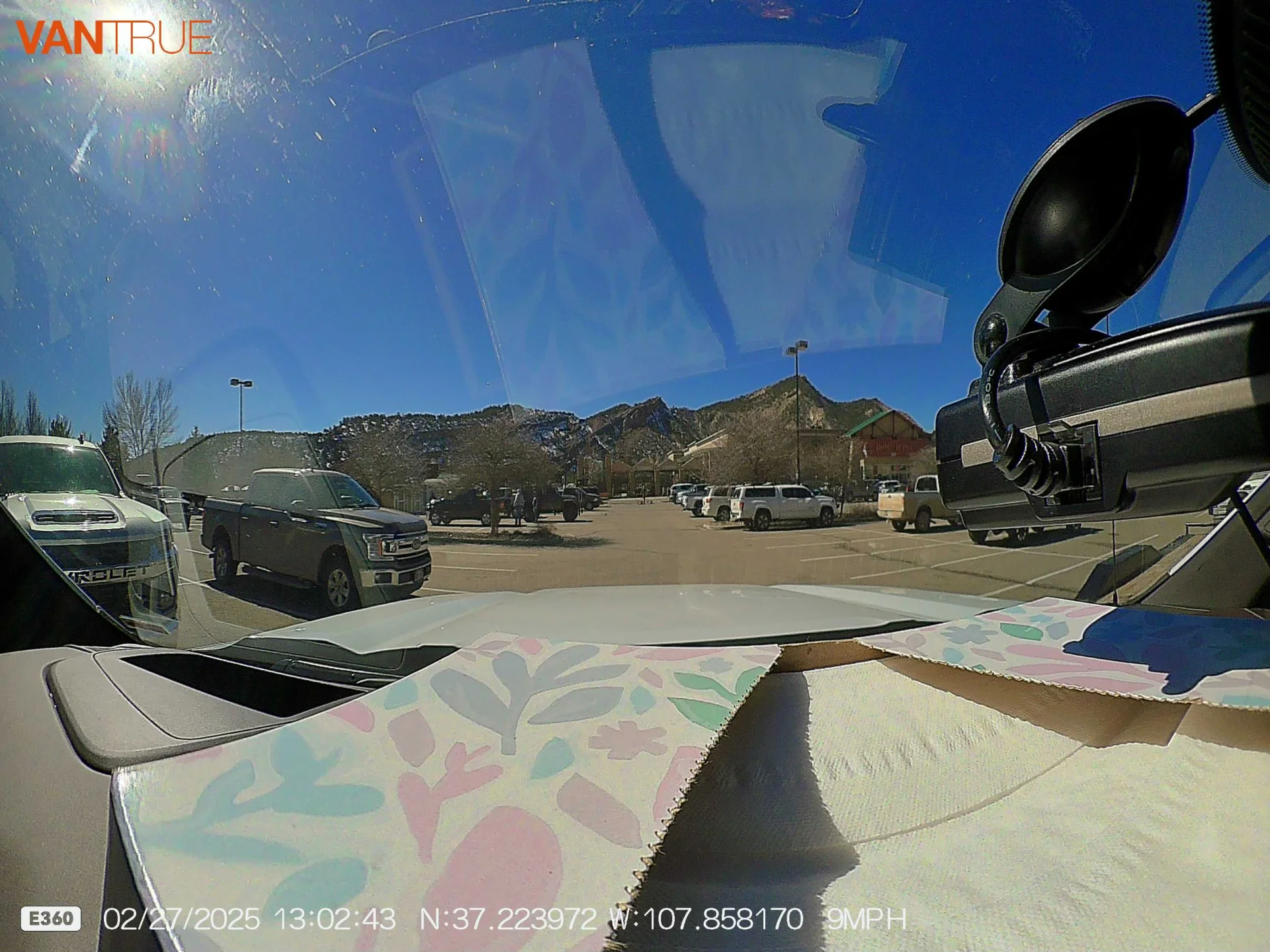
The videos turned out well I think and I like the range of the cabin Fish Eye as it shows more of the sides
I’ve also included a couple of photos that I took.

I apologize in advance as I am not as sophisticated as a lot of you are on here.
Despite some issues with the Vantrue E360 DC, I am pleased with the install, ease if setting it up and use so far.
Thanks!
In reviewing and installing the Vantrue E360 Dashcam which was installed it in a 2024 GMC 1500 truck. I did install the hardwire kit as I really wanted to take advantage of the Parking Mode. The hardwire kit had four different size fuses with two of each. The newer vehicles have several three pronged fuses, called Micro3 fuses. They were much more open than the wire on one side fuses that came in the hardwire kit. I would suggest that these be included in future hardwire kits.
If you are not hardwiring the dashcam in, then you would use the included power cord with a cigarette lighter connection at one end. Most newer vehicles don’t have a cigarette lighter included anymore. I would suggest that the cord be separate from the cigarette lighter (CL) and have a USB-A connector which would plug into the CL connection. That way, if you have a newer vehicle without a CL, you can simply unplug the CL and plug the end into an available USB-A for power. USB-C’s don’t usually have enough power to operate a DC. As newer vehicles become more prevalent, then this is easily addressed by my suggestion to meet the needs of the older and newer vehicles.
One other item is the rear camera. The camera is made to mount on a sloping rear window. My truck has a vertical rear window. In order for the rear camera to show the vehicle behind mine, I had to remove/grind off a section of angular plastic so the RDC would be angled correctly. Once I did this, it mounted perfectly and was a great addition.
Other than these minor issues, the install went well and was easy.
Once I had it mounted and installed the app, it connected to my phone and downloaded the latest firmware. FYI, my truck has Android Auto and you need to turn that off so your phone will connect to the DC. I assume that Apple Car Play is similar but not sure as I don’t use it.
Setting the DC up was quick and intuitive. One thing I found was that when you set Parking Mode up, it has four different options; Collision Detection, Motion Detection, Low Bitrate Mode and Low Framerate Mode. You can only set one. Say you select Collision Detection, the other 3 options are turned off automatically. From a newbie's perspective, the user manual could be a little clearer and go into more detail, ie like the Parking Mode and if 1 or 5 on the Collision Mode is more sensitive. Like I said, maybe this is all second nature to a lot of you that live and breathe this all the time.
I was only able to set up Parking Mode with the phone app. Every time I tried to set it up with the DC, I got a display message that wouldn’t let me continue. I took a picture of it and if anyone else came across this or know how to fix this, please let me know. Luckily enough, the app allowed me to do this.
I've emailed Vantrue so they are aware of this issue and are looking into it.
Here are a few videos that I took. Note that all the videos have HDR turned off. They are as follows:
Fish Eye front, Fish Eye Cabin are 1944P:
and Rear is 1440P:
Front 1944P:
Cabin 1944P:
Rear 1944P:
The videos turned out well I think and I like the range of the cabin Fish Eye as it shows more of the sides
I’ve also included a couple of photos that I took.
I apologize in advance as I am not as sophisticated as a lot of you are on here.
Despite some issues with the Vantrue E360 DC, I am pleased with the install, ease if setting it up and use so far.
Thanks!
