What video software do you use?

DashCamUser123

Active Member
Joined
Jan 29, 2021
Messages
333
Reaction score
79
Location
Ontario
Country
Canada
Dash Cam
A129 Duo x 2 / A139 3-Channel / A229 Plus 3-Channel
Firstly, I need to upgrade my LCD monitor. When I play back dashcam videos on the small 17 inch Dell LCD, the video is clear and sharp. But I'm wondering how I can zoom into a video or view the video footage at its actual size? Get a bigger monitor? What is a good video software taht allows you to zoom into a video footage? My A229 Plus videos are sharp but to see a larger size video it seems the answer is to get a larger monitor (like a 24 inch LCD).
 
If you have a PC, Media Player Classic, as installed with the very popular K-Lite codec pack:
 
I need to upgrade my LCD monitor.
17 inch Dell LCD
Get a bigger monitor?
like a 24 inch LCD
From 2011 to 2024 I was using a Samsung 32” 720p TV as my “computer monitor” connected to my Chromebook with an HDMI cable.
Last year I upgraded to a Samsung 4K 43” TV specifically for looking at dash cam footage.
It worked so well, 5 months later I bought a second one for my garage.
I have a second Chromebook for the garage when I’m reviewing test footage.
These 4K TV’s are cheap!
The 43” “monitor” is so good at reading license plates no “zooming” is required.
If you think 43” is too big, right now my eyeballs are exactly 33 inches away from the screen as I type this post.
 

Attachments

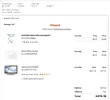
  • Crutchfield $479 .webp
    Crutchfield $479 .webp
    94.3 KB · Views: 140
  • Samsung 4K 43inch TV .webp
    Samsung 4K 43inch TV .webp
    412.1 KB · Views: 132
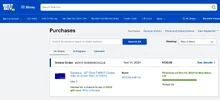
  • Best Buy $130 .webp
    Best Buy $130 .webp
    71.5 KB · Views: 147
  • Walmart $218 .webp
    Walmart $218 .webp
    106 KB · Views: 118
Thanks Chuck. For the near future, I will likely only play back dashcam videos on a 22 to 24 inch desktop Dell monitor. Space is limited for now or I will get a much larger desktop LCD.

My TV needs upgrading too. It's many years old and doesn't have wifi.

I am using Windows Media Player but looking for vidseo players that allow zooming into a part of the video.
 
looking for vidseo players that allow zooming into a part of the video
"Zooming in" is not going to make the image any clearer.
It's just going to make it bigger, and blurrier.
Kind of like when 2K gets upscaled to 4K.
That's why the Viofo telephoto uses an "optical zoom" lens (not digital zoom).
Nigel am I wrong?

That's why I'm saying if you start with a "large size" monitor no zooming is needed.
 
"Zooming in" is not going to make the image any clearer.
It's just going to make it bigger, and blurrier.
Kind of like when 2K gets upscaled to 4K.
That's why the Viofo telephoto uses an "optical zoom" lens (not digital zoom).
Nigel am I wrong?

That's why I'm saying if you start with a "large size" monitor no zooming is needed.
You are correct. It's the same with a photo. Optical zoom is much better than digital zoom. So it looks like a larger monitor or TV is my only option.
 
"Zooming in" is not going to make the image any clearer.
It's just going to make it bigger, and blurrier.
Kind of like when 2K gets upscaled to 4K.
Nigel am I wrong?
Well, if I'm using my FHD monitor to play a 4K video, as I quite often do because it is a good monitor and my player does have a zoom function, then I can zoom in x2, and see 4x the detail... I do have a 4K monitor too, but I'm quite happy using the FHD monitor and zooming in to see the detail. If I use the 4K monitor then I still zoom in if I want to check the fine detail, so there is not much advantage to the 4K monitor, except that I can view it from across the room and still see the detail, whereas with the FHD monitor, I always want to be sitting directly in front of it. So 4K is for use as a TV, FHD or 2K is for use as a computer/laptop, and yes you can use a 4K screen for computer/laptop use, but it is not necessary.

If you are comparing a small 4K monitor with a large 4K monitor then you might be correct, but in reality, I can't see all the detail on my 4K phone screen without using a magnifying glass, so using the zoom feature does still let me see more detail on that. I think by the time you get to 42", you need 4K or it doesn't look good, at least close up, and then you don't really need the zoom unless your eyes are pretty poor.

Everyone has different eyes and will have different preferences, if you are going to buy a 42" screen then definitely get a 4K one, but if you only want a 24" due to space, I don't think 4K is necessary, or much of an advantage to most people. I like my FHD 24" for computer use, it is a nice bright IPS screen with fantastic colour, such as you don't get with 4K screens unless they are ridiculously expensive!
 
That's why the Viofo telephoto uses an "optical zoom" lens (not digital zoom).
Nigel am I wrong?
Optical zoom on the camera is definitely preferable, you are correct about that.

For the monitor/TV, you have optical zoom by moving closer to the screen, and that works well too.
 
Back
Top