LateralNW
Well-Known Member
- Joined
- Nov 7, 2016
- Messages
- 1,941
- Reaction score
- 1,212
- Country
- Australia
- Dash Cam
- VArious
📹70mai A810S 4K dual channel Dashcam review
I’ve spent about two months using the 70mai A810S, so this isn’t a spec‑sheet rewrite — it’s more like me telling a mate what it’s actually like to use day‑to‑day, what it does well, and where it falls short.
While it didn't come with some accesories i mention here they are worth considering.
4G modem - 4G UP04 for Australia
CPL filter
70mai memory card 256GB (about 18 hours of footage or approx 9 days of driving when you do 2 hrs per day - a rough guide only.)
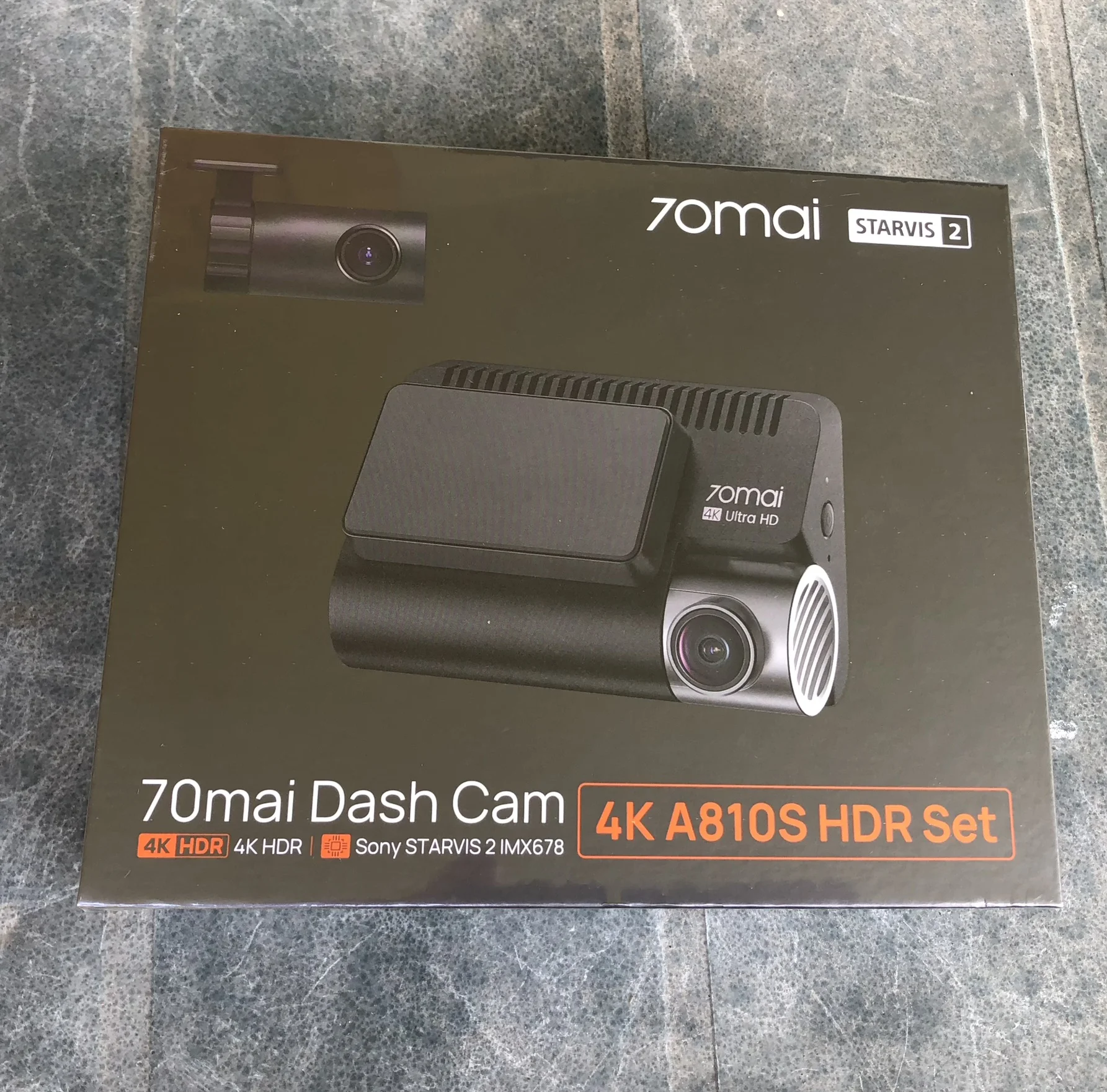
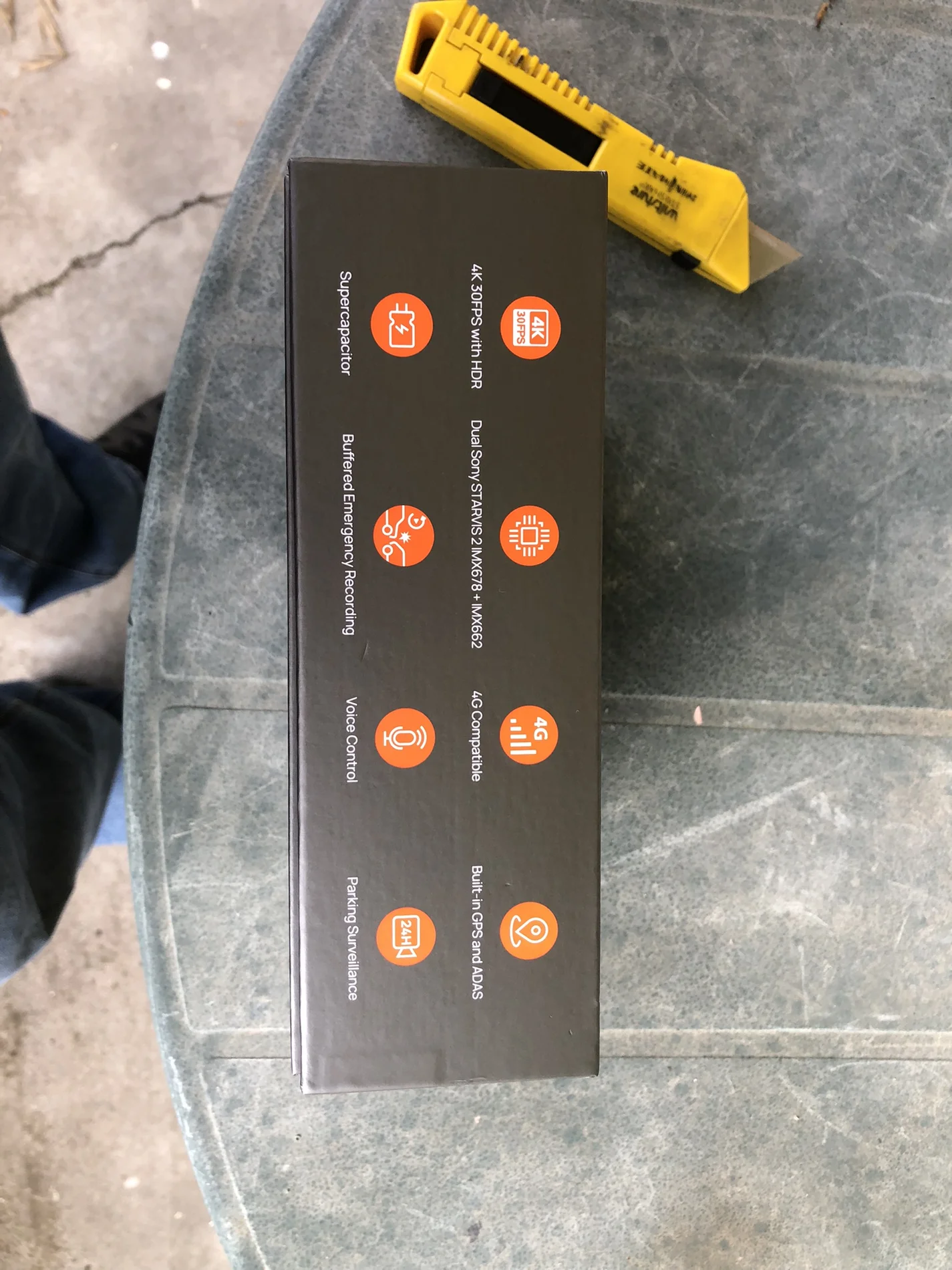
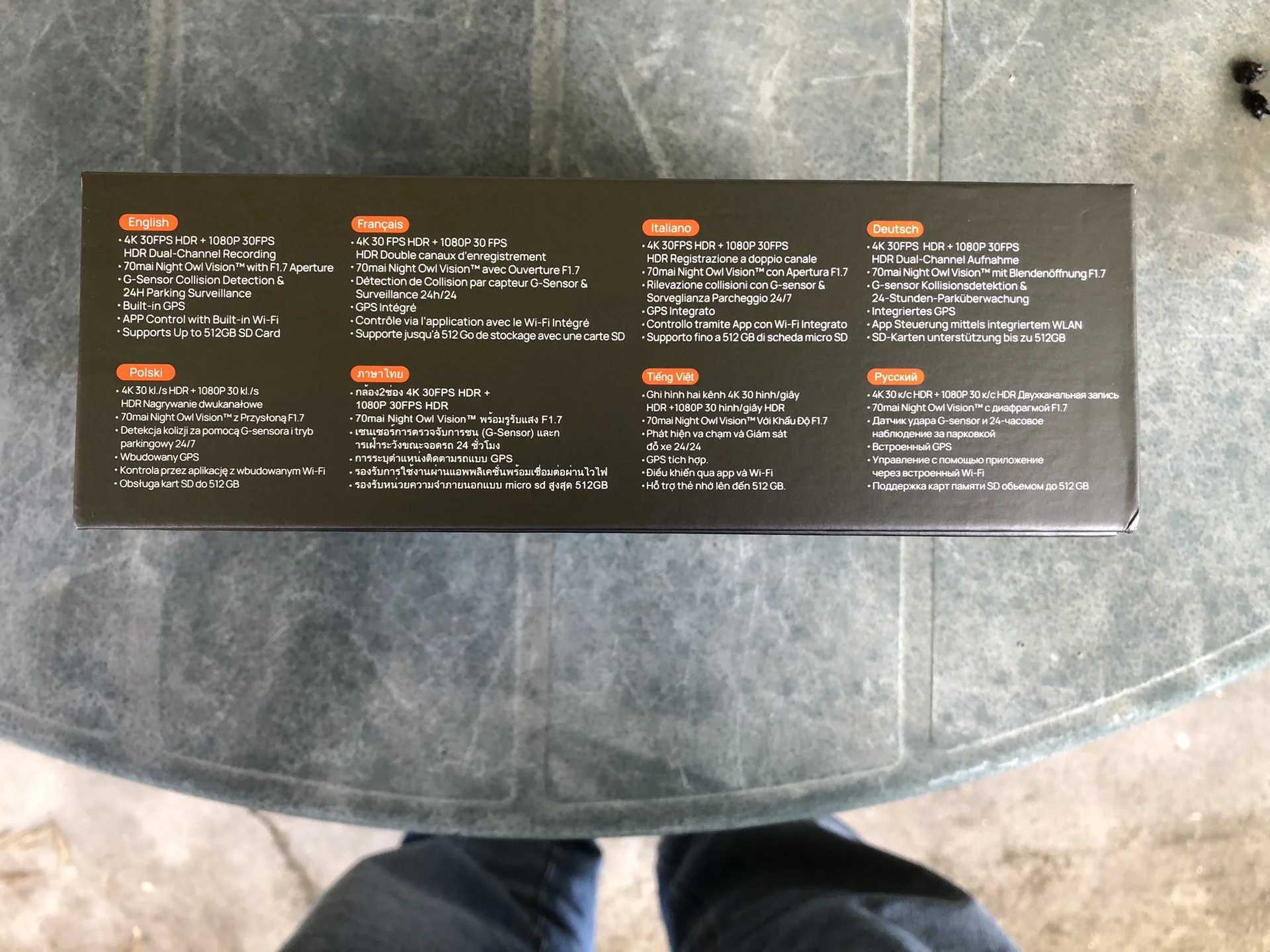
Image Quality & Video Performance
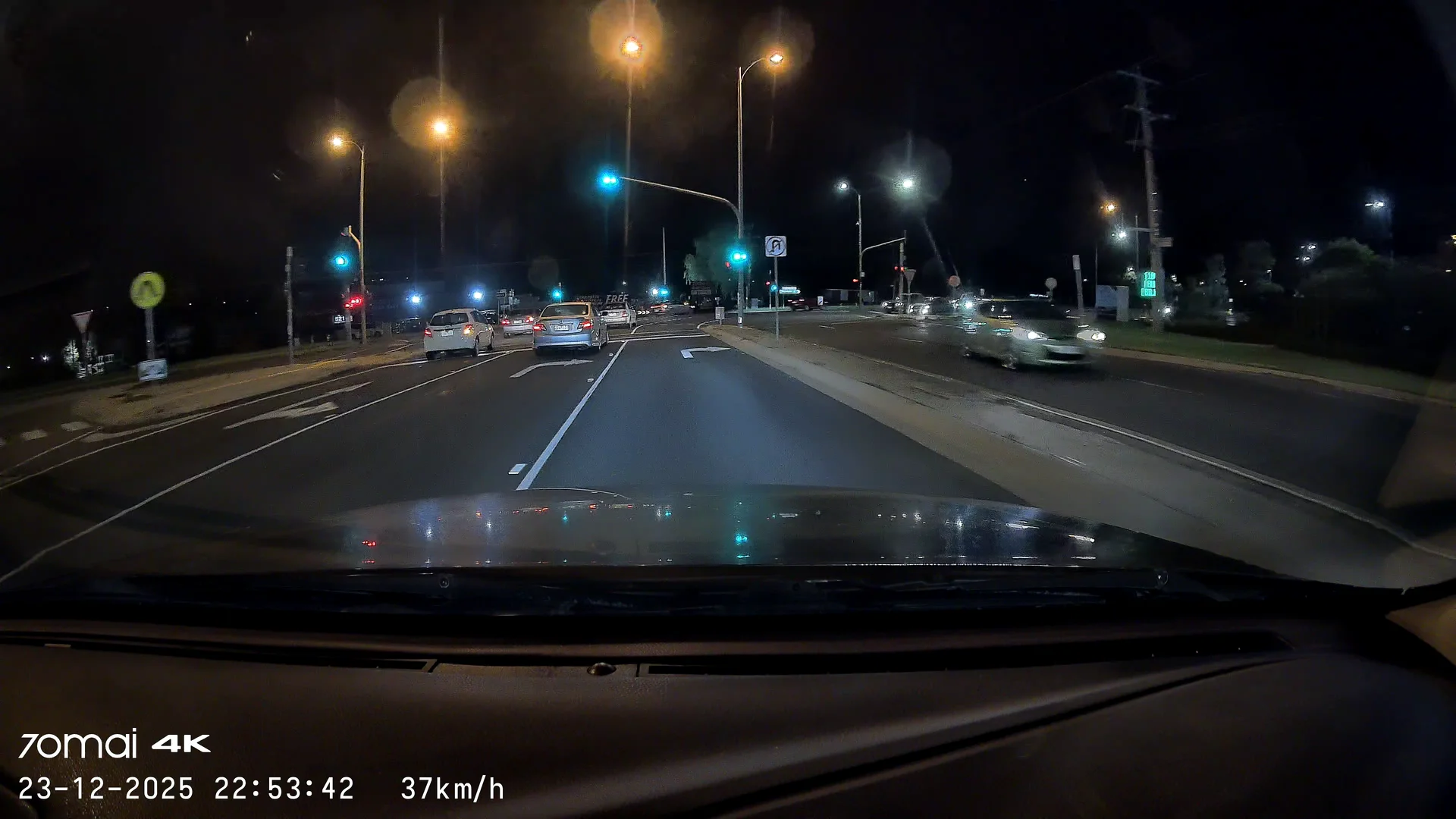
The standout of the A810S is its True 4K front recording (3840×2160) using the Sony STARVIS 2 IMX678 sensor.
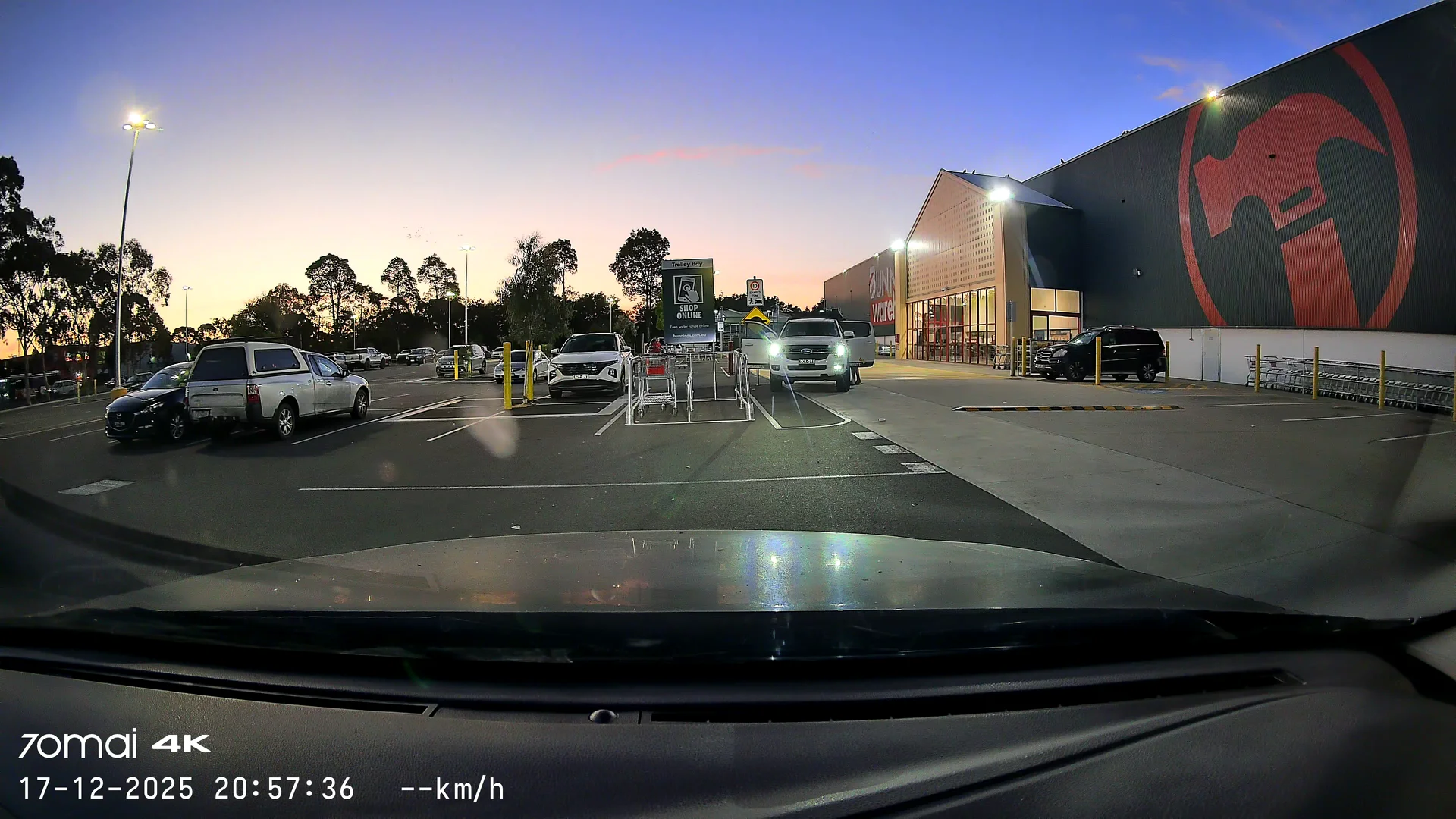
In practice, this delivers very clean daylight footage and strong low‑light performance.
Detail is good enough that number plates and road signage are usually readable, assuming conditions are reasonable.
HDR is clearly active. You can tell from the way bright daylight scenes are handled — there’s occasional motion blur, which is usually the trade‑off when HDR is doing its thing. Personally, I’d rather that than blown‑out highlights.
Low‑light performance is one of the stronger points of the A810S dashcam. Night Owl Vision™ does a solid job, but Lumi Vision is what really stands out. I’ve seen it pull usable detail out of scenes that look almost pitch black to the naked eye. That said, like all dash cams, night plate capture still depends heavily on external factors such as your headlights, beam pattern, reflective plate design, and distance to name just a few things.
There’s mention of licence‑plate prioritisation via ROI in marketing material, but I can’t independently confirm this in real‑world use, so I’m not going to lean on it as a guaranteed feature.
The camera records in 4K at 30 frames per second using the modern HEVC (H.265) compression, with a bitrate of around 29.4 Mb/s. This keeps file sizes sensible without an obvious hit to image quality, with a one-minute clip coming in at roughly 210 MB, making footage easy enough to store and download via the app.
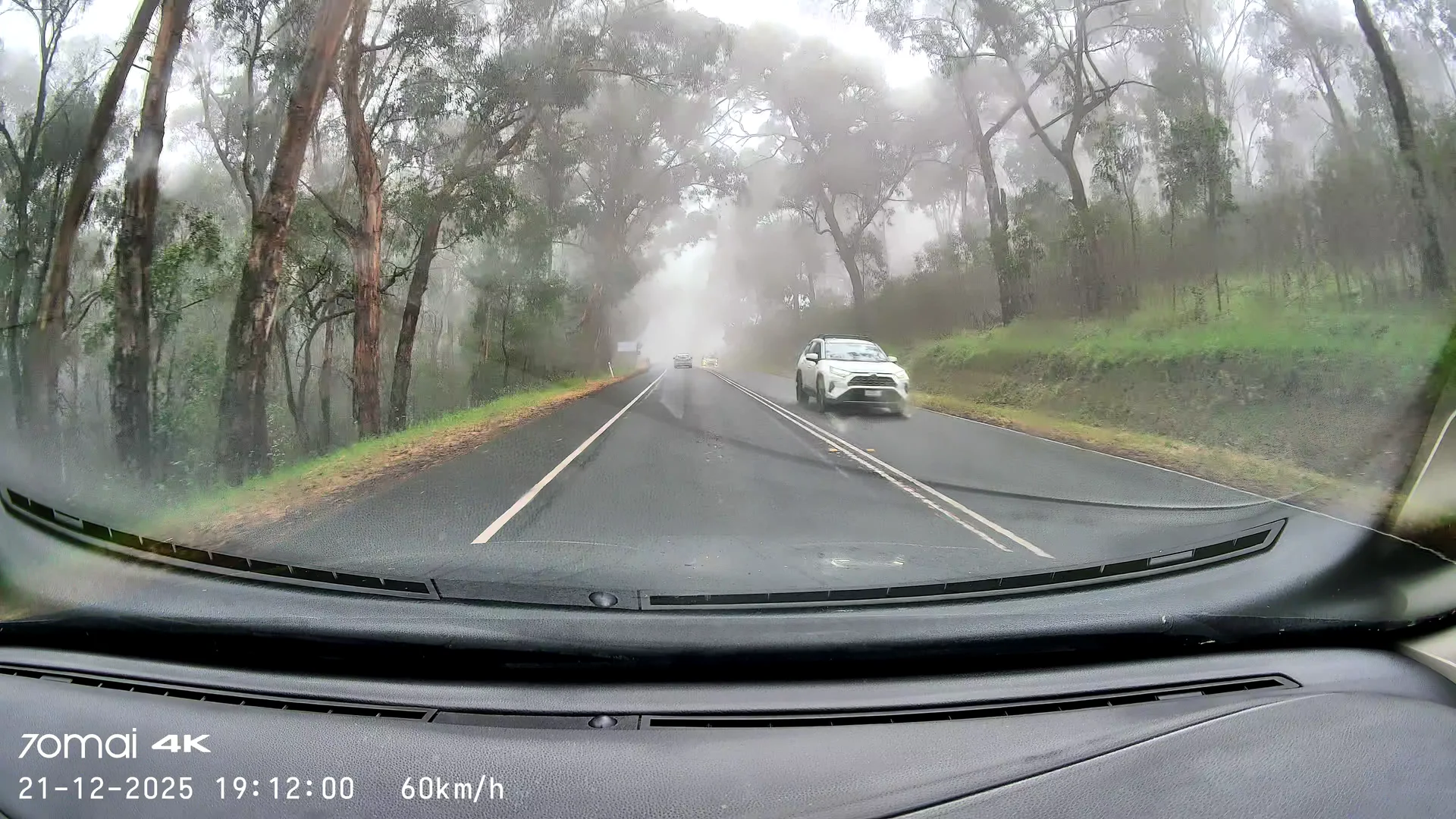
*All still shots taken from original recordings without any modifications and at random.
Emergency Recording & Driving Assistance
The A810S supports "buffered emergency recording", meaning it can save footage from before an impact or be manually trigged. In reality, depends on when the incident happened during the recording sequence. The exact start and end points depend heavily on when the emergency button is pressed or when the event is detected.
The 5‑level G‑sensor works reasonably well, although I don’t have lab tools to validate sensitivity. I noticed that heavy braking has occasionally been flagged as an emergency event — not always, but then again, emergency braking itself isn’t exactly something I do often!
ADAS is present and, honestly, it’s mostly entertainment — with one exception that genuinely impressed me. On one occasion, it detected a cyclist at night before I personally noticed them. That doesn’t happen often, but when it does, it earns its keep.
Parking Mode & Monitoring (Important Caveat)
I feel I need to empehsise that parking modes are only available when a hardwire kit is installed.
Out of the box, the A810S does NOT provide any parking detection. This isn’t unique to this model — it applies across every 70mai dash cam I’ve tested.
To enable parking monitoring features such as AI motion detection, Parking Guardian, and battery protection, you must use:
* A 70mai hardwire kit, or
* The 70mai 4G hardwire modem kit (my preferred option)
Once hardwired, parking features work as expected. That said, I haven’t consistently observed rear‑camera‑triggered detection, though my testing conditions have been compromised lately due to using a different vehicle.
Battery voltage alerts are only available when using the 4G modem kit with a SIM installed, which is worth factoring into total cost. Unfortunately when using the app while sitting in the car without a sim installed you are unable to see the voltage level the source is at, which I am sure I saw on the A810-2 but it may have also had the sim installed.
Connectivity, App & Day‑to‑Day Use
The 4G remote monitoring feature works well. Live view, alerts, and vehicle tracking all function reliably when set up correctly.
The A810S supports Wi‑Fi 6, but it operates on 2.4 GHz only. While transfers are faster than older models, I see real‑world speeds of around 20 MB/s, which is fine — just not spectacular. Wi-Fi 6 is implemented on 2.4 GHz only, so while efficiency is improved, real-world download speeds remain limited compared to dual-band (5 GHz) Wi-Fi 6 implementations.
That said, it’s still faster than my home internet, which says more about my internet suppliers than the camera.
The app itself is easy to use. Setup, configuration, and downloads are straightforward. I’m not a fan of having to sign in with an email address or being forced to enable phone location services, but once you’re past that, it behaves well.
A fantastic feature of the app is to be able to scroll through footage on the dashcam and see the points of interests due to the colour changes in the line. I really think the feature in this app is above many programs I have used including home cctv systems. Outstanding feature.
Video downloads feel quick partly because the A810S uses HEVC (H.265) compression. This file format has been used on Apple equipment for years.
File sizes are smaller without obvious loss of detail, though I believe manufacturers do have to pay licensing fees to use this codec which may be why others don't use it.
Built‑in GPS records speed, location, and time, and can also sync the camera clock. One thing I’ve noticed is that GPS lock can take longer than on some other dash cams, especially when using the screen saver option that allows speed to be displayed on the dashcam screen.
An oddity I've noticed a couple of times is the location will revert back to GMT location when it was set to Sydney.
Rear Camera & Display Behaviour
The rear camera has been updated and now uses a Sony IMX662 sensor, but visually it looks quite similar to previous 70mai rear cameras.
Picture‑in‑Picture works well. You can toggle between front‑only or front‑and‑rear views either via the physical button or through the app.
Power, Heat & Storage
One of the most important changes from the A810‑2 is the move from a battery to a supercapacitor. Capacitors tolerate heat far better, which matters in hot climates and will last longer. Note capacitors also don't like heat constantly applied to them but they have higher temperature tolerances and don't usually do anything noticeable that the user would notice if they fail.
To be fair, the older A810‑2 used a more stable lithium chemistry than typical Li‑Po cells found on things like electric scooters, but heat still degrades batteries over time. From a longevity standpoint, the capacitor is the better choice.
The A810S officially supports microSD cards up to 512 GB. I haven’t personally validated 512 GB in long‑term use, but I don’t expect issues beyond slightly longer startup times while the camera scans the larger card.
Summary – The Good and the Not‑So‑Good
Key Features
* True 4K UHD front recording
* Sony STARVIS 2 IMX678 front sensor
* Very good low‑light performance
* Buffered emergency recording (while recording)
* ADAS with occasional genuinely useful alerts
* Optional 4G remote monitoring
* HEVC (H.265) video compression
* Supercapacitor for improved heat tolerance
* Firmer, more tactile buttons than previous versions (I personally preferred the softer feel buttons but each to their own.)
Downsides & Considerations
* Wi‑Fi 6 is 2.4 GHz only, which limits real‑world transfer speeds
* Motion based parking features require a hardwire kit
* Battery voltage alerts require the 4G kit and a SIM card
* GPS lock can be slower than some competitors
* Emergency recording timing can be inconsistent
* Slight movement on the windscreen mount to the dashcam with the result of the unit being able to rock. I haven't seen the video being affected by this and usually only happens when I am pressing the A810S buttons.
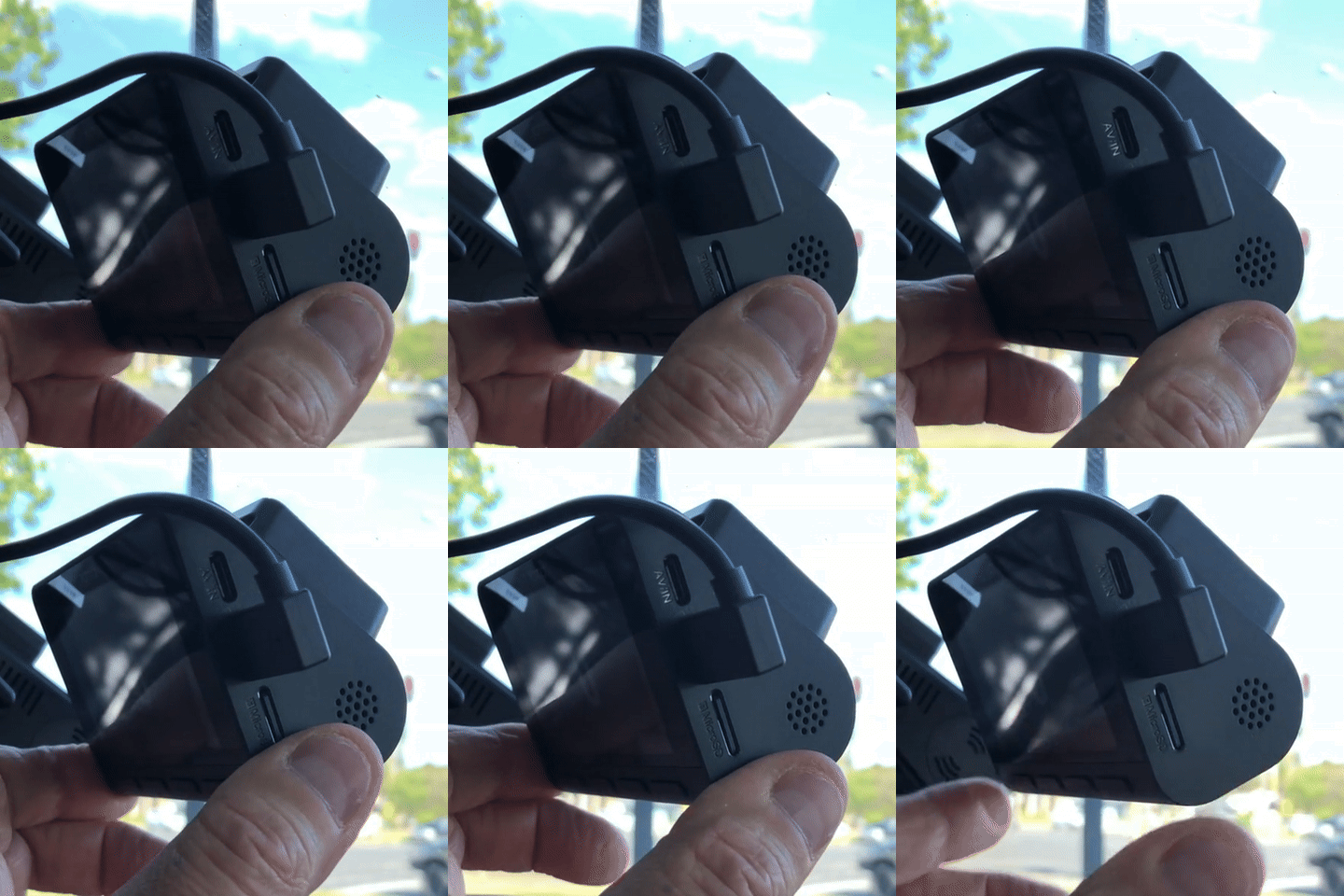
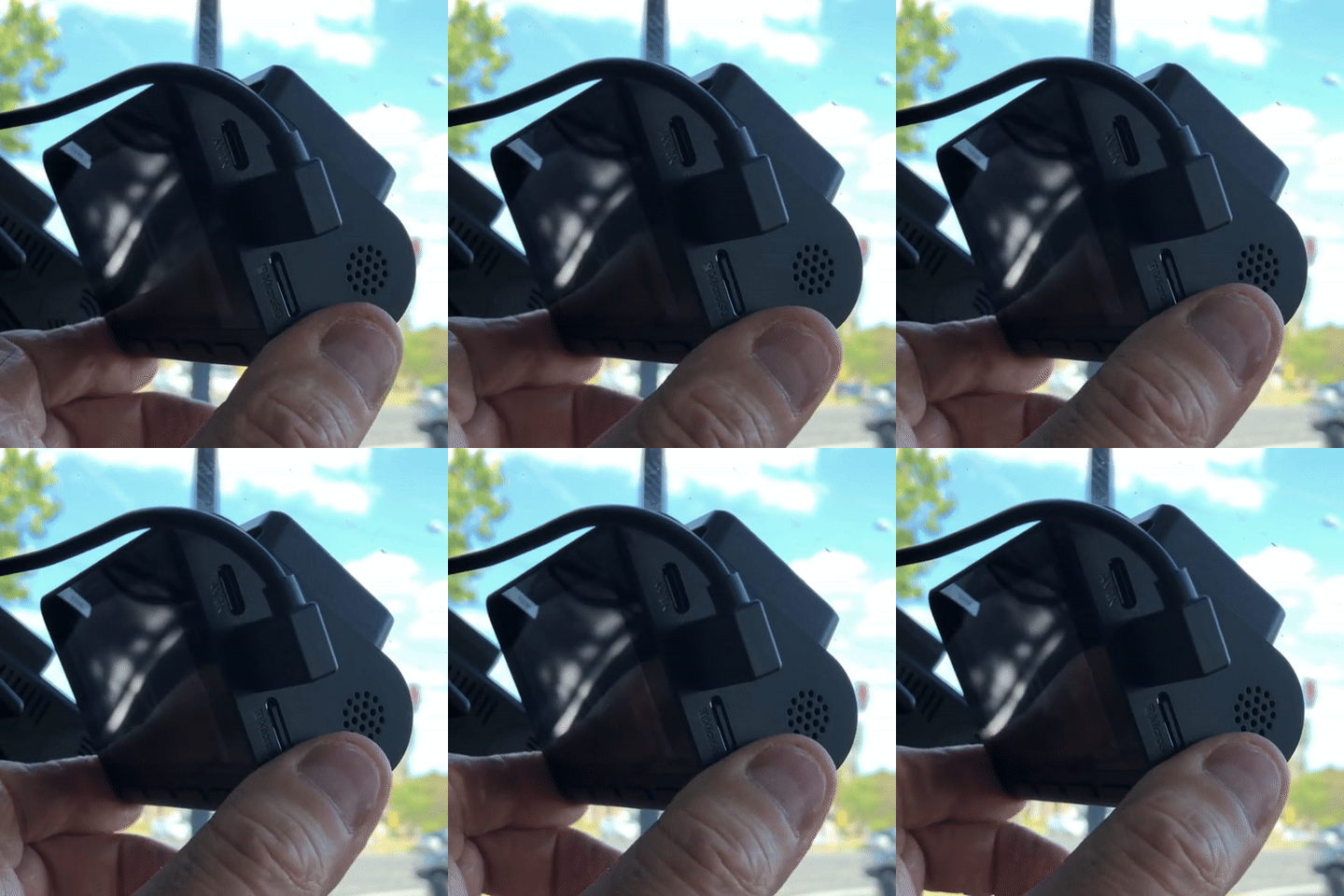
With the same shape and size of the A810-2, the A810S feels like a heat‑resilient evolution of the A810‑2. It doesn’t do anything wildly revolutionary, but it does most things competently.
If I were explaining it to a friend, I’d say it’s a solid, dependable 4K dash cam as long as you understand what features are optional extras rather than included by default.
I’ve spent about two months using the 70mai A810S, so this isn’t a spec‑sheet rewrite — it’s more like me telling a mate what it’s actually like to use day‑to‑day, what it does well, and where it falls short.
While it didn't come with some accesories i mention here they are worth considering.
4G modem - 4G UP04 for Australia
CPL filter
70mai memory card 256GB (about 18 hours of footage or approx 9 days of driving when you do 2 hrs per day - a rough guide only.)
Image Quality & Video Performance
The standout of the A810S is its True 4K front recording (3840×2160) using the Sony STARVIS 2 IMX678 sensor.
In practice, this delivers very clean daylight footage and strong low‑light performance.
Detail is good enough that number plates and road signage are usually readable, assuming conditions are reasonable.
HDR is clearly active. You can tell from the way bright daylight scenes are handled — there’s occasional motion blur, which is usually the trade‑off when HDR is doing its thing. Personally, I’d rather that than blown‑out highlights.
Low‑light performance is one of the stronger points of the A810S dashcam. Night Owl Vision™ does a solid job, but Lumi Vision is what really stands out. I’ve seen it pull usable detail out of scenes that look almost pitch black to the naked eye. That said, like all dash cams, night plate capture still depends heavily on external factors such as your headlights, beam pattern, reflective plate design, and distance to name just a few things.
There’s mention of licence‑plate prioritisation via ROI in marketing material, but I can’t independently confirm this in real‑world use, so I’m not going to lean on it as a guaranteed feature.
The camera records in 4K at 30 frames per second using the modern HEVC (H.265) compression, with a bitrate of around 29.4 Mb/s. This keeps file sizes sensible without an obvious hit to image quality, with a one-minute clip coming in at roughly 210 MB, making footage easy enough to store and download via the app.
*All still shots taken from original recordings without any modifications and at random.
Emergency Recording & Driving Assistance
The A810S supports "buffered emergency recording", meaning it can save footage from before an impact or be manually trigged. In reality, depends on when the incident happened during the recording sequence. The exact start and end points depend heavily on when the emergency button is pressed or when the event is detected.
The 5‑level G‑sensor works reasonably well, although I don’t have lab tools to validate sensitivity. I noticed that heavy braking has occasionally been flagged as an emergency event — not always, but then again, emergency braking itself isn’t exactly something I do often!
ADAS is present and, honestly, it’s mostly entertainment — with one exception that genuinely impressed me. On one occasion, it detected a cyclist at night before I personally noticed them. That doesn’t happen often, but when it does, it earns its keep.
Parking Mode & Monitoring (Important Caveat)
I feel I need to empehsise that parking modes are only available when a hardwire kit is installed.
Out of the box, the A810S does NOT provide any parking detection. This isn’t unique to this model — it applies across every 70mai dash cam I’ve tested.
To enable parking monitoring features such as AI motion detection, Parking Guardian, and battery protection, you must use:
* A 70mai hardwire kit, or
* The 70mai 4G hardwire modem kit (my preferred option)
Once hardwired, parking features work as expected. That said, I haven’t consistently observed rear‑camera‑triggered detection, though my testing conditions have been compromised lately due to using a different vehicle.
Battery voltage alerts are only available when using the 4G modem kit with a SIM installed, which is worth factoring into total cost. Unfortunately when using the app while sitting in the car without a sim installed you are unable to see the voltage level the source is at, which I am sure I saw on the A810-2 but it may have also had the sim installed.
Connectivity, App & Day‑to‑Day Use
The 4G remote monitoring feature works well. Live view, alerts, and vehicle tracking all function reliably when set up correctly.
The A810S supports Wi‑Fi 6, but it operates on 2.4 GHz only. While transfers are faster than older models, I see real‑world speeds of around 20 MB/s, which is fine — just not spectacular. Wi-Fi 6 is implemented on 2.4 GHz only, so while efficiency is improved, real-world download speeds remain limited compared to dual-band (5 GHz) Wi-Fi 6 implementations.
That said, it’s still faster than my home internet, which says more about my internet suppliers than the camera.
The app itself is easy to use. Setup, configuration, and downloads are straightforward. I’m not a fan of having to sign in with an email address or being forced to enable phone location services, but once you’re past that, it behaves well.
A fantastic feature of the app is to be able to scroll through footage on the dashcam and see the points of interests due to the colour changes in the line. I really think the feature in this app is above many programs I have used including home cctv systems. Outstanding feature.
Video downloads feel quick partly because the A810S uses HEVC (H.265) compression. This file format has been used on Apple equipment for years.
File sizes are smaller without obvious loss of detail, though I believe manufacturers do have to pay licensing fees to use this codec which may be why others don't use it.
Built‑in GPS records speed, location, and time, and can also sync the camera clock. One thing I’ve noticed is that GPS lock can take longer than on some other dash cams, especially when using the screen saver option that allows speed to be displayed on the dashcam screen.
An oddity I've noticed a couple of times is the location will revert back to GMT location when it was set to Sydney.
Rear Camera & Display Behaviour
The rear camera has been updated and now uses a Sony IMX662 sensor, but visually it looks quite similar to previous 70mai rear cameras.
Picture‑in‑Picture works well. You can toggle between front‑only or front‑and‑rear views either via the physical button or through the app.
Power, Heat & Storage
One of the most important changes from the A810‑2 is the move from a battery to a supercapacitor. Capacitors tolerate heat far better, which matters in hot climates and will last longer. Note capacitors also don't like heat constantly applied to them but they have higher temperature tolerances and don't usually do anything noticeable that the user would notice if they fail.
To be fair, the older A810‑2 used a more stable lithium chemistry than typical Li‑Po cells found on things like electric scooters, but heat still degrades batteries over time. From a longevity standpoint, the capacitor is the better choice.
The A810S officially supports microSD cards up to 512 GB. I haven’t personally validated 512 GB in long‑term use, but I don’t expect issues beyond slightly longer startup times while the camera scans the larger card.
Summary – The Good and the Not‑So‑Good
Key Features
* True 4K UHD front recording
* Sony STARVIS 2 IMX678 front sensor
* Very good low‑light performance
* Buffered emergency recording (while recording)
* ADAS with occasional genuinely useful alerts
* Optional 4G remote monitoring
* HEVC (H.265) video compression
* Supercapacitor for improved heat tolerance
* Firmer, more tactile buttons than previous versions (I personally preferred the softer feel buttons but each to their own.)
Downsides & Considerations
* Wi‑Fi 6 is 2.4 GHz only, which limits real‑world transfer speeds
* Motion based parking features require a hardwire kit
* Battery voltage alerts require the 4G kit and a SIM card
* GPS lock can be slower than some competitors
* Emergency recording timing can be inconsistent
* Slight movement on the windscreen mount to the dashcam with the result of the unit being able to rock. I haven't seen the video being affected by this and usually only happens when I am pressing the A810S buttons.
With the same shape and size of the A810-2, the A810S feels like a heat‑resilient evolution of the A810‑2. It doesn’t do anything wildly revolutionary, but it does most things competently.
If I were explaining it to a friend, I’d say it’s a solid, dependable 4K dash cam as long as you understand what features are optional extras rather than included by default.