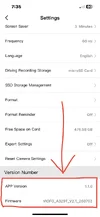
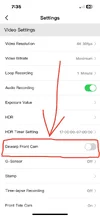
It’s that time of the year again.
Christmas in August ☃️🎄🎁
Everytime we get a
NEW FIRMWARE it feels like we get a new camera.
Good, or bad 🤣
V2.2_260815
A while back I took a look at the
EXPORT SETTINGS on page 65 of the user manual.
If you’re a “set it & forget it” user, you most likely forgot all the settings you changed the last time you setup your camera.
Export Settings can make the task of inputting previous changes slightly less aggravating.
Looking at the original config file made me
CROSSEYED
That’s where the genius of @Julian23 comes in.
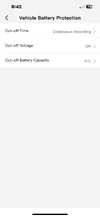
He made a config file viewer that looks just like the smartphone APP, and it’s much easier to read.
See attached, and give it a whirl.
Q: Why do I have to keep re-entering my settings after every firmware update?
This is so inconvenient, why can’t the camera remember previous setting like my iPhone?
A:
Minor firmware updates settings will remain.
Major firmware updates require factory reset / default settings.
Major firmware updates may contain new functions / features, (or even remove certain features).
Keeping “old” settings with new functions / features may cause the camera to not operate as intended.
As a general rule of thumb always perform Factory Reset / Default Settings after firmware update, and re-enter fresh settings to ensure proper intended function.
VIOFO is currently working on fixing this.