A119M Pro focus quality

SneekyB

Member
Joined
Jan 22, 2026
Messages
40
Reaction score
22
Location
Edinburgh
Country
United Kingdom
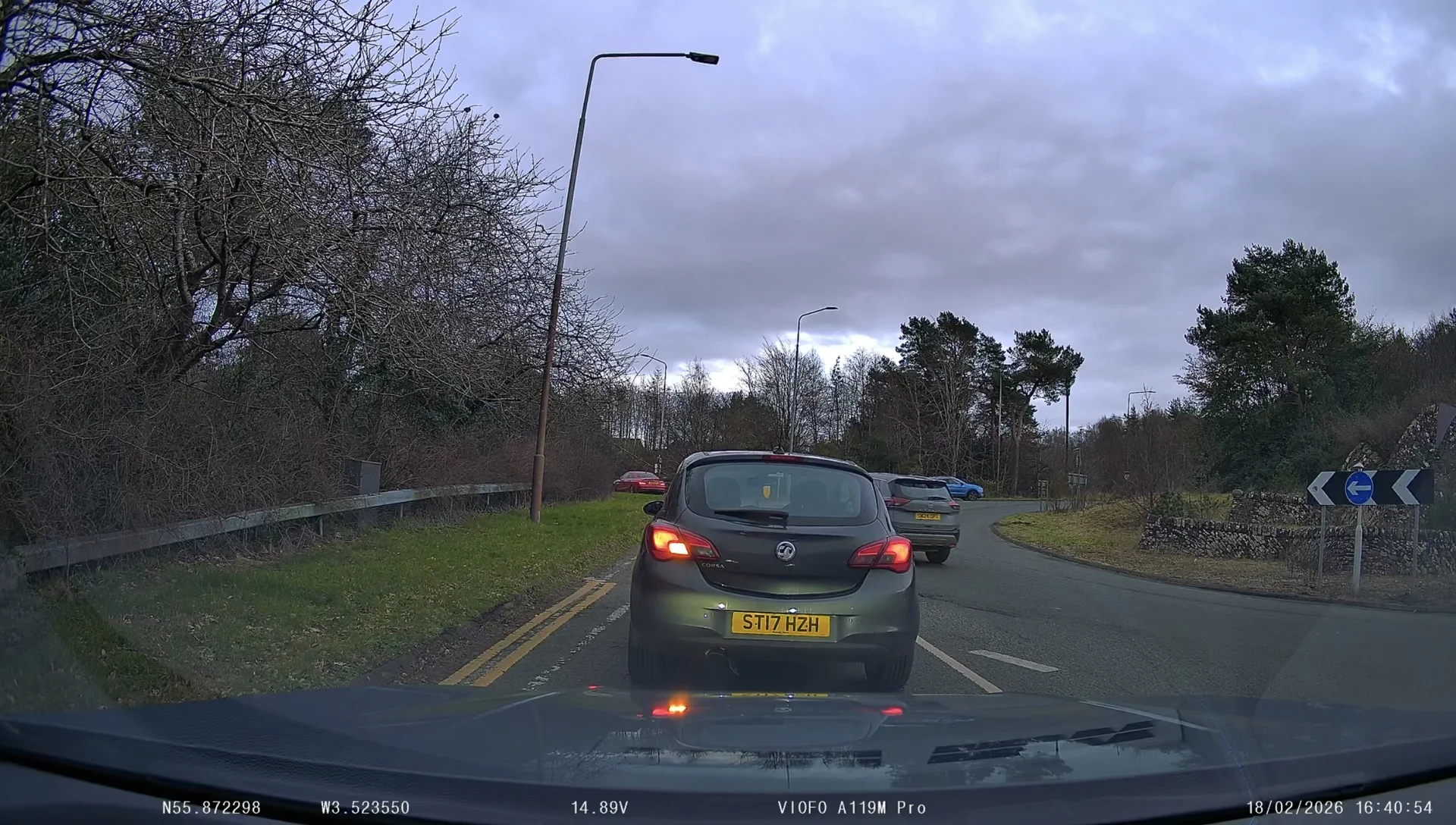
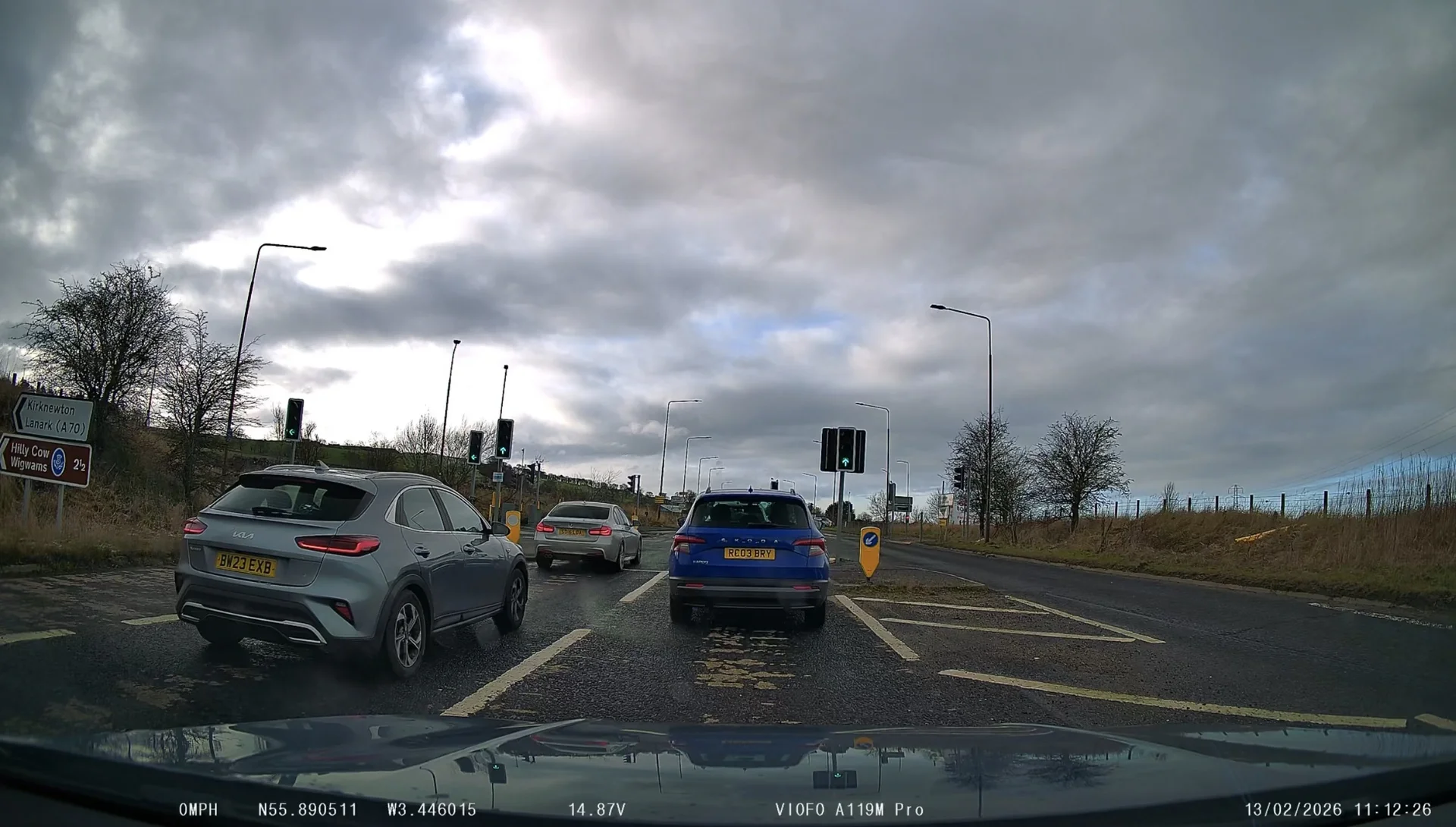
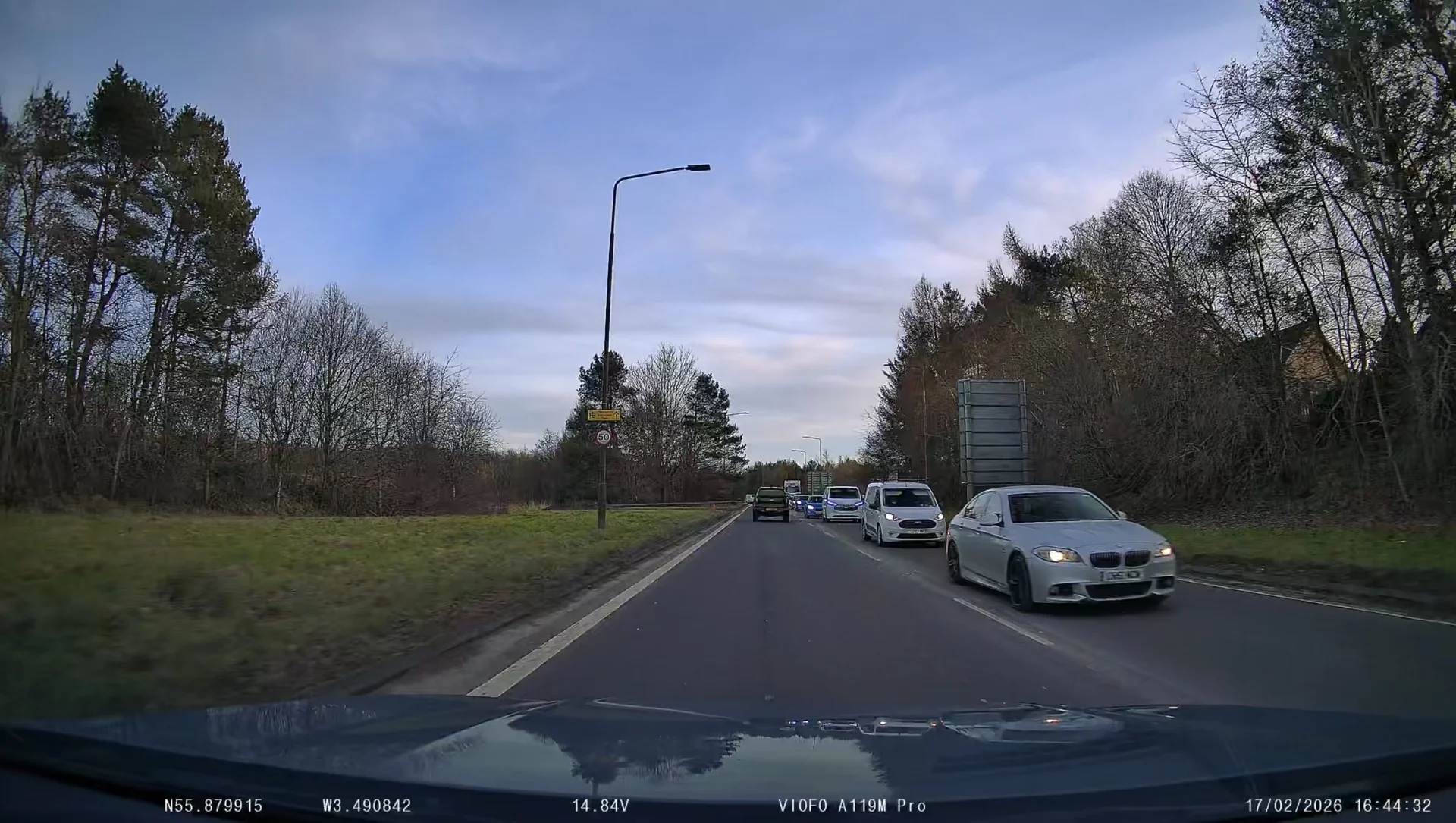
I had my A119M Pro installed last week and so far I feel the image quality I’m getting from it doesn’t match the quality I’ve seen in online reviews and posts here. Traffic travelling towards me are generally impossible to see any numberplate details day or night. Even cars in front of me are only readable when very close to them.

I’m running the camera in full 4K mode with high bitrate enabled. CP fitted.
IMG_1428.webp

IMG_1424.webp

IMG_1422.webp

IMG_1420.webp
 
I’ve tried it with and without the filter fitted and it doesn’t improve the clarity.
 
I had my A119M Pro installed last week and so far I feel the image quality I’m getting from it doesn’t match the quality I’ve seen in online reviews and posts here. Traffic travelling towards me are generally impossible to see any numberplate details day or night. Even cars in front of me are only readable when very close to them.

I’m running the camera in full 4K mode with high bitrate enabled. CP fitted.
View attachment 89918
View attachment 89919
View attachment 89920
View attachment 89921
It might be because your M Pro is set to capture clouds in the sky...
Try lowering the lens first.

And 4:40 PM is right at the HDR threshold, so it's not the best time to read oncoming license plates.
Take a look at the video taken before lunch. The results will be better.
 
It might be because your M Pro is set to capture clouds in the sky...
Try lowering the lens first.

And 4:40 PM is right at the HDR threshold, so it's not the best time to read oncoming license plates.
Take a look at the video taken before lunch. The results will be better.
Thanks for the advice. I will try lowering the lens to see if that helps with focus clarity. I’ve attached a couple of freeze frames from the video earlier in the day. The weather here has been very dull and gloomy recently.
IMG_1435.webp

IMG_1436.webp
 
Thanks for the advice. I will try lowering the lens to see if that helps with focus clarity. I’ve attached a couple of freeze frames from the video earlier in the day. The weather here has been very dull and gloomy recently.
View attachment 89922
View attachment 89923
Even though it's cloudy, the results are better.
If I lower the lens so the sky and land are 50/50, it should be even better.
 
Even though it's cloudy, the results are better.
If I lower the lens so the sky and land are 50/50, it should be even better.
I reset the camera to factory defaults and lowered the angle, I think the footage looks a little better but it was raining during the night footage so that reduces quality a little. I did also notice afterwards that the reset had shifted the bitrate from High to Normal.
IMG_1493.webp

IMG_1494.webp

IMG_1495.webp

IMG_1496.webp

IMG_1497.webp
 
I did also notice afterwards that the reset had shifted the bitrate from High to Normal
So based on your experience the normal bitrate option produced better video quality?
Really want to know cause i also feel mine isnt that sharp sometimes. If anyone got an idea about that please feel free to help 😁
 
Really want to know cause i also feel mine isnt that sharp sometimes. If anyone got an idea about that please feel free to help 😁
We need to review your video (the original).
Cloudy, sunny, evening, etc.—all these factors affect video clarity.
Reducing the bitrate does not improve video clarity.
 
I think the biggest improvement was due to me lowering the angle of the camera and having less sky showing. Even at normal bitrate it looked better than previously but now I have it set back to high priority it is slightly improved again. Currently testing this angle but one step higher on the ratchet is also good.

IMG_1532.webp

IMG_1530.webp

IMG_1531.webp
 
Last edited:
Some updated screenshots from my recordings after the latest firmware update. Numberplate readability is still hit or miss but overall video quality has improved with the bitrate increase.

IMG_3088.webp
IMG_3089.webp
IMG_3090.webp
IMG_3091.webp
IMG_3092.webp
 
A couple more screenshots with the camera angle slightly lower.

IMG_3098.webp
IMG_3097.webp
IMG_3096.webp
 
Glad to see you're seeing some improvements. Maxing out the bitrate is helpful. Motion blur is the real issue here though, particularly in low light. Dashcams usually need slightly longer exposures when it gets dark to let in more light, which leads to the issue you're seeing. Capturing the front plates of cars going in the opp direction is tough, particularly in low light. I find the best results with HDR off in the bright daytime and HDR on at night. The in-between time when it's getting dark, but not quite ready yet for HDR, that's one of the toughest times.
 
Glad to see you're seeing some improvements. Maxing out the bitrate is helpful. Motion blur is the real issue here though, particularly in low light. Dashcams usually need slightly longer exposures when it gets dark to let in more light, which leads to the issue you're seeing. Capturing the front plates of cars going in the opp direction is tough, particularly in low light. I find the best results with HDR off in the bright daytime and HDR on at night. The in-between time when it's getting dark, but not quite ready yet for HDR, that's one of the toughest times.
That’s the joy of Scottish weather!! These latest screenshots are 4 hours before sunset but it is very overcast looking today. Some of the plates are readable but motion blur is definitely an unavoidable issue. I have HDR set to come on close to sunset and off a short while after sunrise. It’s a shame this cannot auto adjust on the dashcam based on date and location. Video quality is very good and is more than good enough to capture any footage I’d need.
 
That’s the joy of Scottish weather!! These latest screenshots are 4 hours before sunset but it is very overcast looking today. Some of the plates are readable but motion blur is definitely an unavoidable issue. I have HDR set to come on close to sunset and off a short while after sunrise. It’s a shame this cannot auto adjust on the dashcam based on date and location. Video quality is very good and is more than good enough to capture any footage I’d need.
I hear you. I struggle with this here in WA State because sunrise/sunset times can vary so much throughout the year. I also wish it could consider ambient light levels or location/time to automatically adjust when the HDR switch happens. Even if you nail the time when you want it to change, that can vary based on time of year or even current weather conditions.
 
Back
Top