the "parking mode" settings offer many options, and since this is my first dashcam, I’m not quite sure which ones to choose.
My main priorities are to maximize the power supply duration for the A329S, enable reliable event detection, and ensure video recording in various lighting conditions.
Hello, and welcome to the club.
Congrats on your A329S 3CH.
First , and foremost I would opt for the new HK6 instead of the HK4 for a couple of reasons.
1.) It will provide an additional parking mode parameter called Low Voltage Detection.
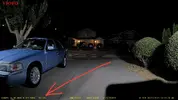
2.) It will display vehicle starter battery voltage, or in your case dash cam battery pack voltage in the text stamp of recorded footage of all three channels.
This will provide valuable diagnostic & troubleshooting information if a malfunction should occur.
See attached screenshot.
3.) The HK6 has been upgraded over the HK4 with these benefits;
a.) Plug & play removal & re-installation, to aid in diagnosis & troubleshooting.
Also the plug & play design will easily let you swap in a soon to be released optional hardwire kit module that has low voltage detection removed.
This is for dash cam battery packs “only” because it lets you squeeze out every last bit of capacity because all “protections” are provided by the pack’s built-in BMS (battery management system).
Based on my testing this provides 30 minutes to 2 hours of additional Low Bitrate parking mode.
But now that we have LPID this will increase by a factor of 10.
LBR = 4 Watts (average power consumption)
LPID = 0.4 Watts
b.) Load carrying power wires have been beefed up from 20AWG to 18AWG.
c.) All wires have been upgraded to what appears to be 100% Pure OFC Copper, instead of the previous CCA, (copper clad aluminum) or Tinned Copper.
Now lets talk about parking modes.
I would recommend trying LBR (Low Bitrate Parking) mode first to give you a baseline run time of your system with continuous recording with audio.
Most likely this will provide around 24 hours, (96Wh ÷ 4W = 24H).
If you want even longer parking mode operation I might try the new LPID (low power impact detection).
When LPID is enabled the camera will “go to sleep” and consume 0.4 Watts, (96Wh ÷ 0.4W = 10 days).
However, when an impact is detected the camera will wake up, and start recording video with audio in less than 2 seconds at approximately 5-7 Watts depending if the IR LED’s are illuminated on the Interior Fisheye camera.
When an impact wakes up the camera in LPID it will record for 1 minute.
If movement, or impact are detected during that time, recording will be extended up to 3 minutes.
Timelapse is a good option if you want continuous coverage, but don’t require audio, for example if you have a home/work security camera that monitors your parking space with video, and audio.
AED (automatic event detection) I have never really liked because it’s the least reliable in my opinion.
We see a constant flow of posts about AED missing something, or just constantly recording triggered by leaves, rain, etc.
I’m interested to see what
@Nigel has to recommend, and many others.
Oh yeah, there’s a bunch of different optional settings you can enable / disable in parking mode to fit your need to increase operational run time;
HDR On/Off
Disabling remote cameras
GPS (I always wondered about this one)
Once you park your car will not be going anywhere so you don’t need constant GPS signal updates.
However, it your car is stolen, and loaded on a flatbed truck it will be logging all the juicy GPS data.
This might be helpful if the dash cam, or SD Card is ever recovered.
-Chuck