
You are using an out of date browser. It may not display this or other websites correctly.
You should upgrade or use an alternative browser.
You should upgrade or use an alternative browser.
N4 Pro S Review
- Thread starter Hack_man
- Start date

EricSan
Well-Known Member
- Joined
- Dec 28, 2023
- Messages
- 1,408
- Reaction score
- 1,066
- Location
- Central PA
- Country
- United States
- Dash Cam
- There are ALWAYS user serviceable parts inside!
The hinged design is too unstable.
@Jeff_Vantrue From my playing around with mounting the rear cameras to the outside of the car, the weak spot appears to be the single screw that attaches the mounting plate to the "tunnel" hole that is molded into the camera body. There is only a single anchor point for the long screw: on one side of the camera. The joint between the two metal plates has TWO screws (two points to tighten) and hold much more securely.
jsmith
Well-Known Member
@Jeff_Vantrue From my playing around with mounting the rear cameras to the outside of the car, the weak spot appears to be the single screw that attaches the mounting plate to the "tunnel" hole that is molded into the camera body. There is only a single anchor point for the long screw: on one side of the camera. The joint between the two metal plates has TWO screws (two points to tighten) and hold much more securely.
Vantrue going to be redesigning all rear cameras with a different casings, but estimates aren't til September or October. After feedback, Vantrue has realized their hinge design affords too much instability.
OP
OP

Hack_man
Well-Known Member
I updated my N4 Pro S Firmware to N4PS_VT-EEH121 (Front Camera) August 20_2025
The first thing I checked was Item 10 of the update log: "Refined logic between PlatePix and HDR timer; added relevant prompts."
I tried setting the PlatePix timer to something different than the HDR timer settings and was greeted with the message below which was terrific!
The PlatePix timer happily set itself to be within the bounds of the HDR timer.
If I set HDR ON to 06:00 and the PlatePix timer to 05:00, the message appeared and PlatePix ON was automatically changed to 06:00
If I set HDR OFF to 23:00 an the PlatePix timer to 23:01, the message appeared and PlatePix OFF was automatically changed to 22:00 (I would have expected it to be set to 23:00)
I would have preferred if the message said "The start AND END times of the PlatePix timer setting need to be within the range of the HDR timer" but this is still a very helpful update.
PlatePix can no longer be "apparently" turned on without HDR also being enabled. PlatePix can only exist with HDR.

The first thing I checked was Item 10 of the update log: "Refined logic between PlatePix and HDR timer; added relevant prompts."
I tried setting the PlatePix timer to something different than the HDR timer settings and was greeted with the message below which was terrific!
The PlatePix timer happily set itself to be within the bounds of the HDR timer.
If I set HDR ON to 06:00 and the PlatePix timer to 05:00, the message appeared and PlatePix ON was automatically changed to 06:00
If I set HDR OFF to 23:00 an the PlatePix timer to 23:01, the message appeared and PlatePix OFF was automatically changed to 22:00 (I would have expected it to be set to 23:00)
I would have preferred if the message said "The start AND END times of the PlatePix timer setting need to be within the range of the HDR timer" but this is still a very helpful update.
PlatePix can no longer be "apparently" turned on without HDR also being enabled. PlatePix can only exist with HDR.
Last edited:
jsmith
Well-Known Member
There's a small bug in newest firmware for N4 Pro S. Rear Footage is missing Time Stamps. I notified @Jeff_Vantrue / Wendy.
Response: You need to update Rear Camera: https://www.vantrue.net/Support/detail/id/295.html
Response: You need to update Rear Camera: https://www.vantrue.net/Support/detail/id/295.html
Last edited:
EricSan
Well-Known Member
- Joined
- Dec 28, 2023
- Messages
- 1,408
- Reaction score
- 1,066
- Location
- Central PA
- Country
- United States
- Dash Cam
- There are ALWAYS user serviceable parts inside!
Since Vantrue is looking to close down the Vantrue.Net web site, it's better to link to the Vantrue.Com site for firmware updates:

 www.vantrue.com
Vantrue N4 Pro S | Product Manuals, Firmware Upgrades, and FAQs
Explore comprehensive product manuals, firmware upgrades, and frequently asked questions (FAQs) for Vantrue N4 Pro S dash cam. Access detailed instructions, troubleshooting tips, and the latest firmware updates to enhance your experience. Find answers to common queries and optimize your use of...
www.vantrue.com
Last edited:
attila24nagy
New Member
EricSan
Well-Known Member
- Joined
- Dec 28, 2023
- Messages
- 1,408
- Reaction score
- 1,066
- Location
- Central PA
- Country
- United States
- Dash Cam
- There are ALWAYS user serviceable parts inside!
If you have installed the polarizer, just use the live view in the app and rotate the polarizer slowly until you minimize the reflection. Depending on the configuration of your car, you may not be able to remove all reflections, but you can minimize them to a great extent.
attila24nagy
New Member
Sorry, I don't know or can't find the option to add a video.

Karagandinez
Well-Known Member
- Joined
- Nov 27, 2020
- Messages
- 3,025
- Reaction score
- 4,033
- Location
- Deutschland
- Country
- Germany
- Dash Cam
- At the moment Viofo, Vueroid and Vantrue
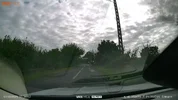
To start, tilt your lens so you have 50% sky and 50% land.Greetings to the group. I recently installed an N4ProS and I have this video with the filter installed. Any recommendations to stop the reflection from appearing?
Here is a video on setting up the CPL Filter.
Karagandinez
Well-Known Member
- Joined
- Nov 27, 2020
- Messages
- 3,025
- Reaction score
- 4,033
- Location
- Deutschland
- Country
- Germany
- Dash Cam
- At the moment Viofo, Vueroid and Vantrue
Changing exposure when changing shooting anglesGreetings to the group. I recently installed an N4ProS and I have this video with the filter installed. Any recommendations to stop the reflection from appearing?
jsmith
Well-Known Member
Greetings to the group. I recently installed an N4ProS and I have this video with the filter installed. Any recommendations to stop the reflection from appearing?
Rotate the polarizer (CPL) until you are able to find the optimal spot to minimize reflection. Also, consider purchase a matte carpet / mat for dashboard if you want to eliminate all reflections. Also, consider purchasing a CPL-300 and adhering to rear camera to reduce rear windshield reflections.
attila24nagy
New Member
How did he manage to add the application to Android Auto?

Julian23
Well-Known Member
- Joined
- Nov 16, 2016
- Messages
- 1,317
- Reaction score
- 1,917
- Country
- Germany
- Dash Cam
- Several brands :)
It's not Android Auto.How did he manage to add the application to Android Auto?
The headunit is running Android, allowing him to install any app.