N4S Rear Cam Compatibility with the N4 Pro S

Vortex Radar

Well-Known Member
Joined
Mar 26, 2014
Messages
1,599
Reaction score
2,782
Location
Seattle, Washington
Country
United States
So I swapped out the N4 Pro S on my windshield for the N4S real quick to collect some sample footage, and I plugged the N4 Pro S' rear cam into the N4S. It looked to be working fine, but I'm noticing some really weird stuff including a lot of artifacting from some of the night footage I'm watching from this morning, plus the videos sometimes play back at 10fps instead of 30fps, even though the metadata shows 30fps. Daytime footage is playing smoothly at 30fps. HDR and PlatePix are both enabled. Is the N4 Pro S' rear cam the same as the N4S' rear cam? It's possible they're not and not compatible, so I wanted to doublecheck before I attach the other rear cam. @Jeff_Vantrue
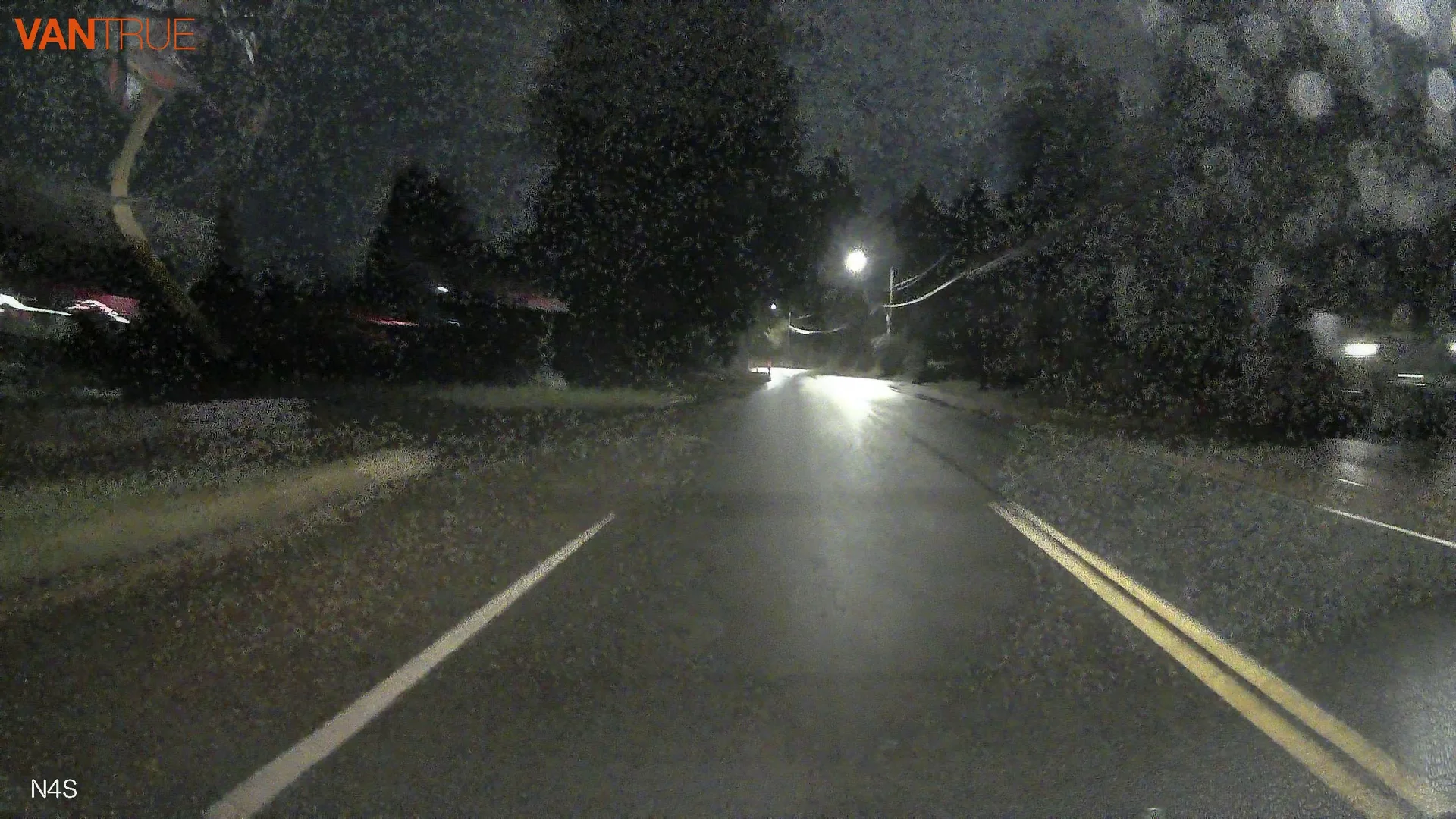
vlcsnap-2025-12-18-09h54m20s095.webp


The N4S is running the latest firmware, N4S_VT-EEI151 for the front cam and RC09_VT-EEE281 for the rear cam.
 
Looking on Vantrue's website, you can buy the rear cam for the N4 Pro S separately, but it doesn't list compatibility with the N4S. I'm not sure if the website needs to be updated or if that info is truly correct. I don't see a model number stamped onto the N4S' rear cam. Either way, I'll go ahead and do a quick rear cam swap and see if it fixes things.

 
Looking on Vantrue's website, you can buy the rear cam for the N4 Pro S separately, but it doesn't list compatibility with the N4S. I'm not sure if the website needs to be updated or if that info is truly correct. I don't see a model number stamped onto the N4S' rear cam. Either way, I'll go ahead and do a quick rear cam swap and see if it fixes things.

My N4S and N4 Pro S had identical rear cameras.
 
So when I'm on dark roads with more street lights, cars, and buildings, the rear dashcam switches back over to smooth 30fps playback, so perhaps it is a way of the dashcam compensating for low light and sacrificing frame rate for exposure levels.

I've got the N4S' rear cam installed in the back now and can try again later to doublecheck.
 
Okay, yeah it looks intentional. I'm seeing it dynamically switch back and forth between 10fps, 15fps, and 30fps based on ambient light levels. It seems the idea is to give it longer shutter speeds (sacrificing fps) to ultimately give us brighter individual frames. Here's a comparison with the Elite 9 which also has the same IMX675 back behind, but different image processing.

Vantrue N4S vs. Blackvue Elite 9.webp


That's an interesting approach that I don't think I've seen before.
 
Last edited:
So I swapped out the N4 Pro S on my windshield for the N4S real quick to collect some sample footage, and I plugged the N4 Pro S' rear cam into the N4S. It looked to be working fine, but I'm noticing some really weird stuff including a lot of artifacting from some of the night footage I'm watching from this morning, plus the videos sometimes play back at 10fps instead of 30fps, even though the metadata shows 30fps. Daytime footage is playing smoothly at 30fps. HDR and PlatePix are both enabled. Is the N4 Pro S' rear cam the same as the N4S' rear cam? It's possible they're not and not compatible, so I wanted to doublecheck before I attach the other rear cam. @Jeff_Vantrue

View attachment 88825

The N4S is running the latest firmware, N4S_VT-EEI151 for the front cam and RC09_VT-EEE281 for the rear cam.
Thanks for the feedback! Could you clarify whether it happened in parking mode or while driving?
Just to clarify: the N4 Pro S rear camera and the N4S rear camera are the same and fully compatible.
I’ve passed your feedback to our R&D team, and Henry (our R&D lead) @Henry_Vantrue will stop by the forum soon to explain what’s going on. He’ll also continue to follow the forum and help answer technical questions going forward.
 
Last edited:
Thanks for confirming, @Jeff_Vantrue! I noticed the issue while driving.
Thanks for the detailed observations. Based on what you described, this behavior looks more like the low-light night vision under parking mode, where the camera may reduce FPS to allow longer exposure in very dark scenes. This feature is built on Sony STARVIS / STARVIS 2 BSI CMOS sensors with large 2.0 μm pixel size, providing excellent low-light sensitivity. By extending the exposure time of each frame (which may reduce the frame rate), the sensor can capture more low-level photon information from the environment, significantly improving the raw signal strength.

A high-performance ISP then works together with Vantrue’s in-house low-light image algorithms to apply deep noise reduction, detail enhancement, and intelligent color reconstruction, ultimately producing brighter, cleaner, and more detailed full-color images, enabling truly usable low-light night vision.

So our initial thought is that the camera may not have fully exited parking mode.

To help confirm this:
Is your N4S powered by a hardwire kit or the car charger?
Is parking mode enabled?

If possible, could you share the original video file names? We can tell from the file names whether those clips were recorded in parking mode.
We’ll take a closer look once we have that info.
 
Thanks for the detailed observations. Based on what you described, this behavior looks more like the low-light night vision under parking mode, where the camera may reduce FPS to allow longer exposure in very dark scenes. This feature is built on Sony STARVIS / STARVIS 2 BSI CMOS sensors with large 2.0 μm pixel size, providing excellent low-light sensitivity. By extending the exposure time of each frame (which may reduce the frame rate), the sensor can capture more low-level photon information from the environment, significantly improving the raw signal strength.

A high-performance ISP then works together with Vantrue’s in-house low-light image algorithms to apply deep noise reduction, detail enhancement, and intelligent color reconstruction, ultimately producing brighter, cleaner, and more detailed full-color images, enabling truly usable low-light night vision.

So our initial thought is that the camera may not have fully exited parking mode.

To help confirm this:
Is your N4S powered by a hardwire kit or the car charger?
Is parking mode enabled?

If possible, could you share the original video file names? We can tell from the file names whether those clips were recorded in parking mode.
We’ll take a closer look once we have that info.

Most dashcams on the market currently only support parking monitoring via ACC detection, so they don’t encounter the issue we have. Our dash cam, however, supports OBD connection and relies on the G-sensor to enter and exit parking mode, which is why this issue occurs. On certain roads, a second G-sensor trigger may not happen within a minute, making it possible for the camera to remain stuck in parking mode. This has already been added to our list of optimizations, and we plan to incorporate GPS-based detection to address it.
 
Thanks for that info, Henry.

The N4S I'm testing with is hardwired to a 70mai dashcam battery pack.

The filename is 20251218_060031_00013_N_C.MP4.
 
Thanks for that info, Henry.

The N4S I'm testing with is hardwired to a 70mai dashcam battery pack.

The filename is 20251218_060031_00013_N_C.MP4.

@Vortex Radar

Are you using the N4 S Pro camera with the Hinge or the Redesigned one (Barrel Shape)? I can run a test with the Hinged N4S Pro Rear Camera.

Can you please give me the parameters of your driving conditions?

1. Does this only happen after your vehicle has been parked, and immediately after you begin driving? Does the footage resume to normal 30 FPS after driving continues or does it remain choppy at 10 FPS at Night?

Or does this happen immediately when you turn on your vehicle from being COMPLETELY shut off?

2. What happens if you disable PlatePix? Does it still record randomly at 10 FPS at night?

3. What happens if you disable HDR? Does it still record randomly at 10 FPS at night?

4. What happens with both HDR and PlatePix disabled? Does it still randomly record at 10 FPS?
 
It’s the hinged cam. This on a 15’ish min drive and I see the issue looking at footage from around 3-5 min after driving while I was on darker roads.

I can test other settings later.
 
It’s the hinged cam. This on a 15’ish min drive and I see the issue looking at footage from around 3-5 min after driving while I was on darker roads.

I can test other settings later.

@Vortex Radar @Jeff_Vantrue

Tested the N4S Rear Camera today at night. Zero issue with the motion blur highlighted in your video. Disabled HDR and PlatePix. I presume these are the issue. I noticed HDR caused lots of motion blur at night when I tested in the past.

I'll try to grab a sample to upload here ASAP.
 
Last edited:
@Vortex Radar

I was trying to find similar screenshots to post that matched your low light settings. Anyway, the issue is HDR + PlatePix Enabled. Here are 3 screenshots from cars passing me at a high rate of speed (73 KM/H and/or 45MPH). Low Light Rear camera images aren't going to win any awards....HDR and Plate Pix DISABLED:

Images taken with proper lighting are far more clearer. Installing a Viofo CPL-300 Helps a lot. This camera doesn't have a CPL so it gets far more glare than the N4 Pro S or N5S. I should order one, as this camera is in a family member's vehicle and could seriously benefit from glare reduction.

Rear.Camera.webp


Rear2.webp


Rear3.webp
 
Last edited:
Back
Top