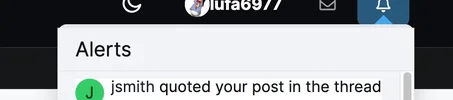
Nice homepage update

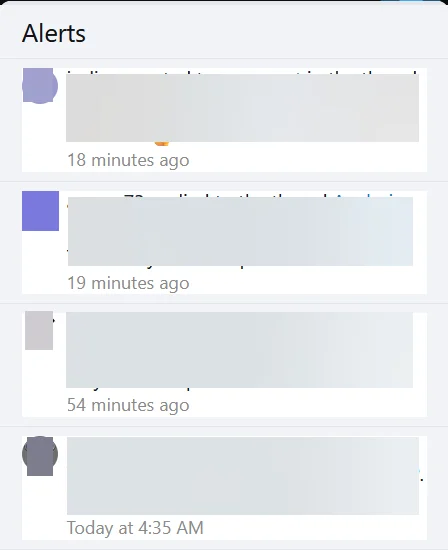
The "Alerts" drop down no longer shows a different background for the "new" alerts vs the alerts you've already viewed/clicked on.

In this redacted alert list example, the first two are "new" and the second two are not, but they look the same.
1777991747219.webp
 
The "Alerts" drop down no longer shows a different background for the "new" alerts vs the alerts you've already viewed/clicked on.

In this redacted alert list example, the first two are "new" and the second two are not, but they look the same.

View attachment 91335
I noticed this too. I like knowing which new alert I have read and which I have not. The only indication now seems to be the green dot. It's solid if it's new and I have not read it and hollow if I have. I would definitely prefer I different colored background like before.
 
I noticed this too. I like knowing which new alert I have read and which I have not. The only indication now seems to be the green dot. It's solid if it's new and I have not read it and hollow if I have. I would definitely prefer I different colored background like before.

I think that green dot is the standard, or at least one method used with XF. I have seen the same for Alerts on other XF based sites.
 
I think that green dot is the standard, or at least one method used with XF. I have seen the same for Alerts on other XF based sites.
There's no green dot in my Alerts list for "new/unread" items. It looks like @DashCamMan has already made a change for this so there's a pink background for new items in the list.

1777993994348.webp
 
I suppose the dot in the Alert box is admin-definable. I know on other XF forums, when I check alerts, there is no highlight color, only a visible green dot, no hover required to see it. Either way works, and the site looks much nicer now when compared to the older site theme.

The Alert box at the top is squared, but is overlapped with the rounded background frame, or perhaps the other way around.
 

Attachments

  • alert-box.webp
    alert-box.webp
    9.6 KB · Views: 7
I suppose the dot in the Alert box is admin-definable. I know on other XF forums, when I check alerts, there is no highlight color, only a visible green dot, no hover required to see it. Either way works, and the site looks much nicer now when compared to the older site theme.

The Alert box at the top is squared, but is overlapped with the rounded background frame, or perhaps the other way around.
Alert box should be fixed now.
 
@DashCamMan
The reply function is not working, (but sometimes it does like now).
That’s why I keep manually quoting everyone.
I’m guessing my Chromebook is the problem.
I can live with it, it's just annoying.
 

Attachments

  • Screenshot 2026-05-06 8.05.55 PM.webp
    Screenshot 2026-05-06 8.05.55 PM.webp
    28.4 KB · Views: 2
Back
Top