Peztio locked video

Brooke510

New Member
Joined
Jul 10, 2026
Messages
1
Reaction score
1
Location
Tennessee
Country
United States
I was in an accident this morning and am trying to access the video footage.

The camera said “video locked” when the accident occurred. I do not see it under the event or emergency tab and when I put the card in to the computer there’s a CIG file of the time it happened but it will not display a video it’s like a coded file.

Anyone have any idea how to access the video. It has to be SOMEWHERE since it said video locked
 
Welcome to the club @Brooke510
Two months ago a new member was rear ended, and his dash cam recorded the whole thing.
However the video was not playable on his computer because the file was corrupted during the collision.
Long story short, we got the file UNCORRUPTED and he was able to provide evidence he was not at fault.
I need you do two things;

1.) Please upload the original / raw video file of the incident to this post.
You can use whatever file sharing service you have available, but a Google Public Drive Folder is the “easiest”.

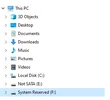
2.) Please post screenshots when you insert the SD Card into your computer, and click open the various folders, (see attached examples).

Here’s the video from 2 months ago we got “uncorrupted”.


Attachments

  • 3 .webp
    3 .webp
    7.7 KB · Views: 23
  • 2 .webp
    2 .webp
    5.4 KB · Views: 26
  • 1 .webp
    1 .webp
    128.3 KB · Views: 20
Last edited:
I was in an accident this morning and am trying to access the video footage.

The camera said “video locked” when the accident occurred. I do not see it under the event or emergency tab and when I put the card in to the computer there’s a CIG file of the time it happened but it will not display a video it’s like a coded file.

Anyone have any idea how to access the video. It has to be SOMEWHERE since it said video locked
'Locked' simply means the Event file has been removed from the recording loop and will not be overwritten. It is interesting that they are using the .cig file extension, as I recall that is a compressed file format once used by Fastback for Microsoft / DOS.

I would suggest using your app to download the saved file from the camera to your cellphone. That process may unpack the file to a video format, such as .mp4, which you can use with a video viewer.

You could insert the SD card into your PC and save several copies of the .cig file there. From that point, you can use the Windows or Mac extractor to see if you can unpack the .cig file into a readable format for a viewer. Whatever you do, do not erase anything or format the SD card.
 
Back
Top