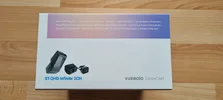
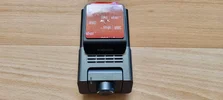
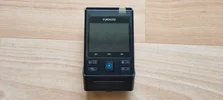
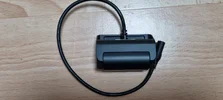
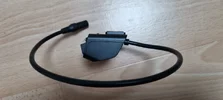
Vueroid S1-QHD Infinite / Voice Notifications / AI-License Plate Restoration & Privacy / Video and Screenshots

Karagandinez

Well-Known Member
Joined
Nov 27, 2020
Messages
3,200
Reaction score
4,595
Location
Deutschland
Country
Germany
Dash Cam
At the moment Viofo, Vueroid and Vantrue
1.webp2.webp3.webp8.webp9.webpF_1.webpF_2.webpF_3.webpF_4.webpSet.webp

Processor: Novatek NT98529

Image Sensor:
Front Camera: S SONY Starvis2 (IMX675)
Rear Camera: SONY Starvis2 (IMX675)
Interior Camera: STARVIS (IMX307)

Resolutions:
Front Camera: QHD (2560 x 1440) @ 30fps
Rear Camera: QHD (2560 x 1440) @ 30fps
Interior Camera: FHD (1920 x 1080) @ 30fps

FOV:
Front Camera: 160°
Rear Camera: 160°
Interior Camera: 170°

Image Mode:
HDR(Front&Rear, Interior), Infinite Plate Capture Mode(Front), Premium Night Vision Mode(Front)

GPS: Built-in

GPS Module: (included)

GPS Support: GPS (USA), GNSS (Russian Federation), QZSS (Japan)

CPL Filter: Front (included)

Wi-Fi 5: Dual Band 2.4GHz & 5GHz

LCD: 2.3"

Power: 12V, 5V(USB-C)

TFF (Three Free File) System:
O (Super Capacitor Not Necessary)

SD Card Compatibility: Up to 512GB (Recommended to use 256GB or larger)

Data Transfer: SD Card, Vueroid HUB App, PC Viewer & USB Mode

AI Functionalities:
AI License Plate Restoration & Privacy Protection via HUB App or PC Viewer

Parking Mode:
Extreme Low Power Mode, Impact&Motion, Impact&Timelapse, Auto REC Off Zone mode,
Durashift Parking Mode (Hardwire Cable is included)

Safety Features: Battery Protection Mode (Battery Cut-Off Voltage & Time)

Operating Temperature: -20℃ ~ 65℃ (-4℉ ~ 149℉)

Storage Temperature: -20℃ ~ 70℃ (-4℉ ~ 154℉)
 
Is i t just me or are these daytime plate captures a bit blurred ?
Or am i just having bad luck pausing the video stream.
 
I finally got around to testing the parking mode on the S1 QHD Infinite model in high-temperature conditions.
August 14 and 15 were quite hot in our region. The forecast predicted +35–36°C, but the thermometer on my balcony showed +40°C.
The S1 was inside a car parked in direct sunlight from midday on August 14 until the morning of August 16.
You can imagine what the temperature was like inside the cabin.
On the morning of August 16, I removed the memory card to see how the S1 had performed in parking mode.
A hybrid parking mode was set: "Motion detection + impact detection."
The S1 recorded based on motion and did not switch to "impact detection" due to a voltage drop,
as the battery did not discharge down to the set cutoff of 12.0V.
Also, the S1 never shut down due to overheating.
It was not possible to observe the shutdown of S1 due to overheating and its subsequent restart.
 
It was not possible to observe the shutdown of S1 due to overheating and its subsequent restart.
Do you know how to check the SD Card for any “hidden / secret” metadata that would show internal temperature of the camera?
I wish Internal Temperature would be displayed in the Text Stamp on recorded footage.
It would make it a lot easier performing heat testing during parking mode.
It would be nice to see the temperature when the camera performs an overheating shut down, and the temperature when it starts back up after cooling down.
JUST LIKE Mini 0906 SEEN HERE

Can Internal Temperature be added to the Text Stamp?
@qusejr2 @VUEROiD
 

Attachments

  • Internal Temp - Text Stamp .webp
    Internal Temp - Text Stamp .webp
    106 KB · Views: 52
Fair enough 😆
What I meant was did you find any such temperature info?
If you're aware of how it works, you should remember that the S1 only records the temperature when it performs an action.
In my case, the last action was switching to parking mode when the processor temperature was +71°C. The S1 continued operating in parking mode until I turned it off and removed the memory card to check it.
 
If you're aware of how it works
I'm actually not.
I really like S1-4K Front camera, and IR Interior hardware, but I find the software & APP too complicated to work with, (I'm wee-todd-ed).
I don't like the rear camera.
But, I still have the 3CH full system installed in my car because I'm hoping we get an IMX675 Telephoto for it.
In my case, the last action was switching to parking mode when the processor temperature was +71°C. The S1 continued operating in parking mode until I turned it off and removed the memory card to check it.
OK, let me ask a different question.
Will you support the idea of putting processor temp in the Text Stamp on recorded footage?
Or do you think that's unnecessary, for the average user?
Maybe we can get a custom firmware just for testers, just like the "special data logging firmware"?
 
Will you support the idea of putting processor temp in the Text Stamp on recorded footage?
Or do you think that's unnecessary, for the average user?
I don't think an average user needs this.
For the user, the main thing is that the dash cam works and doesn't cause any problems.
Maybe we can get a custom firmware just for testers, just like the "special data logging firmware"?
Why?
It is sufficient for developers to be able to verify performance and identify any malfunction in the dash cam using the provided logs.
For a tester, the priority is to detect an error in a timely manner and pass all information regarding the dash cam's operation on to the developers.
 
Do you know how to check the SD Card for any “hidden / secret” metadata that would show internal temperature of the camera?
I wish Internal Temperature would be displayed in the Text Stamp on recorded footage.
It would make it a lot easier performing heat testing during parking mode.
It would be nice to see the temperature when the camera performs an overheating shut down, and the temperature when it starts back up after cooling down.
JUST LIKE Mini 0906 SEEN HERE

Can Internal Temperature be added to the Text Stamp?
@qusejr2 @VUEROiD
I think it's not a good way to add temp on timestamp. we have debugging method only developer know. we think temp timestamp may make a noise , cause the temp is higher than expected. so we cannot open and no plan to support temp time stamp.
 
Back
Top