WOLFBOX G900 TriPro 3 Channel Rearview Mirror Dashcam - Bumper Version (4k+2,5k+1080p) Unboxing & Testing

I have done extensive driving in 100 degree heat with the dashcam being subjected to direct sunlight through untinted glass. I have let the dash cam sit in the car until it was close to outside temperatures in excess of 90 degrees. No issues in the dash cams performance.
 
There is a new firmware update available for the G900 TriPro:

Firmware version number: V1.5.7_250527
Changes:
  1. Add the language and time zone settings after first boot/restore factory settings
  2. Add distance auxiliary line function to the bumper cam (AHD)
  3. Add voice control wake-up word in settings, "hey, Wolfbox"
  4. Add close WIFI icon on Wi-Fi information interface
  5. Modify the new watermark
  6. Add the new boot dynamic Wolfbox logo screen
  7. Solve the issues of unrecognization, black screen and delayed display of the rear camera.
Download: https://wolfbox.com/pages/firmware

Update instructions: (posted by Wolfbox)
Copy the firmware file to the root directory of the SD card.
Insert the SD card into the dash cam, and it will recognize the firmware. A prompt will appear; click to confirm and start the upgrade.
After the upgrade progress bar is completed, the dash cam will restart and turn on automatically, indicating that the upgrade is complete.
The microsd card must be formatted to fat32
 
Quick little update on the TriPro.
It has been running since this thread without any issues. No stopped recording, nothing.
There are still some things to improve but overall it's good.
I'm happy with the unit.

I also updated the first post with technical specs of each camera. I somehow missed that.

For anyone interested in buying the Wolfbox G900 TriPro, here is a 10% off discount code: JULIAN
 
How is night time dashcam footage? My main purpose is dashcam. Ordered this tri cam as I drive a full size truck a think 3 cams will be useful but really hope it has good dash recoding abilities . Does the 256gb card give tons of storage for footage? Is it easy to save incidents and pull footage?
 
I think it is perfect for your intended purpose. Love the image quality especially at night. I pulled footage for the police recently. Used Wi-Fi, it was easy
 
I think it is perfect for your intended purpose. Love the image quality especially at night. I pulled footage for the police recently. Used Wi-Fi, it was easy
Is the app easy? Any photos pulling plates at night? How is the footage if you have to zoom in? How many days of footage before old footage is wiped on a 256gb sdcard?
 
256 GB will last awhile. Not sure if how many day but I have had weeks on mine. I also bought a high endurance 512Gb card from Viofo which doubles storage. You can zoom in using a PC video editor. Footage is good of license plates but it depends on many things. It isn't as good a Viofo on license plate reading but I found it adequate. Late at night I use the front camera to see in front of me and it is so much brighter and clearer than my eyes. I also use bumper camera on front and it gives a glare free view.
 
How is night time dashcam footage? My main purpose is dashcam. Ordered this tri cam as I drive a full size truck a think 3 cams will be useful but really hope it has good dash recoding abilities . Does the 256gb card give tons of storage for footage? Is it easy to save incidents and pull footage?
During night time the dashcam captures everything that is happening in front and at the rear nicely. You will definitely see what's going on.
The 3rd camera is a nice addition to reduce blind spots or similar.
256GB is plenty. Depending on your driving profile, you will be able to skip back several days, if not more.
You can watch the footage extremely easy on the screen. Or you can download the clips to your phone with the Wolfbox app. There you can select which view you want to download, etc. Works as it should.
 
Is the app easy? Any photos pulling plates at night? How is the footage if you have to zoom in?
App is easy to use, see my reply above.
Plate capture at night is hit and miss to be honest.

4 random plates from a quick drive yesterday.
31.webp
30.webp


32.webp
33.webp


You can get lucky but for this, the conditions have to be in your favor.
During daytime, the plate capture is better.

35.webp
34.webp

36.webp

The front camera can be zoomed in quite a lot thanks to the 4K quality. Rear a bit less since it's "only" 2.5K

If you have tinted windows and mount the rear camera outside, you will likely see more through the camera than with the conventional rear view mirror.
 
App is easy to use, see my reply above.
Plate capture at night is hit and miss to be honest.

4 random plates from a quick drive yesterday.
View attachment 85411View attachment 85410

View attachment 85412View attachment 85413

You can get lucky but for this, the conditions have to be in your favor.
During daytime, the plate capture is better.

View attachment 85415View attachment 85414
View attachment 85416
The front camera can be zoomed in quite a lot thanks to the 4K quality. Rear a bit less since it's "only" 2.5K

If you have tinted windows and mount the rear camera outside, you will likely see more through the camera than with the conventional rear view mirror.
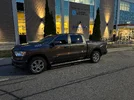
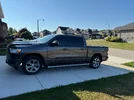
That's what I'm excited for. Windows are tinted so it's darker especially at night. I'm assuming you would mount rear camera on like bumper on a truck? Here's my truck.
 

Attachments

  • IMG_5964.webp
    IMG_5964.webp
    674.1 KB · Views: 126
  • IMG_5913.webp
    IMG_5913.webp
    411.2 KB · Views: 115
That's what I'm excited for. Windows are tinted so it's darker especially at night. I'm assuming you would mount rear camera on like bumper on a truck? Here's my truck.
Exactly, you can mount it on the bumper or similar. It will give you the best view. If possible, mount it as high as you can to be above most headlights. This will further improve the image.
 
Exactly, you can mount it on the bumper or similar. It will give you the best view. If possible, mount it as high as you can to be above most headlights. This will further improve the image.
Ya that's what has been on my mind. Rear glass is tinted as I thought about putting it on rear glass. But if outside I have no idea where else up higher it could be mounted.
 
Ya that's what has been on my mind. Rear glass is tinted as I thought about putting it on rear glass. But if outside I have no idea where else up higher it could be mounted.
I've seen some posts of people mounting it near the 3rd brake light at the cab.
 
I've seen some posts of people mounting it near the 3rd brake light at the cab.
Exterior? Interesting like at the back of the box? I watched a video where one guy drilled a hole on the side where tailgate button is and it's in the pocket so he can still get his hand in to open the tailgate. Just trying to think of ideas where to put it. My windows are tinted so don't really feel mounting it inside the cab be any good.
 
Mounting bumper and rear low like on the level of the license plate holder actually removes majority of glare seen in higher mounted cameras
 
A new firmware with several user requested features has been released.

G900 Tripro Firmware V1.6.3_251103:
Download https://wolfbox.com/pages/firmware

Changes:
  1. Optimized encryption methods, improved Wi-Fi connection protocols, and upgraded local bin
  2. Enhanced Wi-Fi and warning pages in the preview interface; users can now customize alert window positioning and appearance
  3. Within the preview interface, users can customize split-screen content display
  4. Users can customize which information and function to appear in the preview interface.
  5. Added voice commands “show bumper camera” and “show cabin camera” to control additional camera displays.
  6. Optimized the range of the bumper camera indicator lines.
  7. Rear camera zoom settings now can be automatically saved after adjustment.

We now have the ability to show only two out of the three cameras when using split screen. Any camera can be shown with another.
 
Back
Top