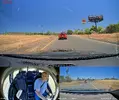
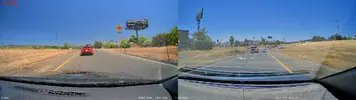
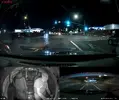
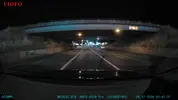
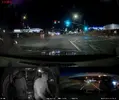
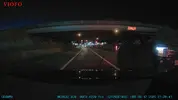
I wanted to see if the "WW" loader file I have would successfully get installed and load the FWA329WW.bin v1.0_250527 firmware into my A329S. I copied the LD98530A.bin file and the FWA329WW.bin file to a 32 GB VIOFO microSD card that was formatted with a FAT32 filesystem.
With the 32 GB card in the camera, the first boot almost looked "normal". There was just a very slight delay during the boot process as it loaded the LD98530A.bin file. The camera booted up and started recording. After the LD98530A.bin loader file is loaded into the camera, it is deleted from the microSD card.
I long pressed the power button to power down the camera. I then pressed the power button again to boot the camera. During this power up, the camera loaded the FWA329WW.bin file. After I selected my choices for the initial settings a user is prompted for, I stopped the camera from recording and started to looked around the various settings. After the firmware file has been loaded into the camera, it is deleted from the microSD card.
The "WW" firmware does not have any settings for the exterior cameras to turn them on/off [on/off/only while driving/only while parking] like the interior and telephoto cameras have with the "S" and "T" firmware. I don't have any exterior waterproof cameras, so I am using an A329 rear camera as one of the exterior cameras. The "Video Settings > Image Rotate & Mirror" have settings for both options for both exterior rear cameras.
Exterior camera 1's cable is connected to the "Rear" port on the front camera which means exterior camera 2's cable is connected to the "Int" port.
By default, the "Video Settings > HDR" settings group only presents an "Auto HDR Timer" option for the front camera. When you enable the "Auto HDR Timer" feature for the front camera, the "Auto HDR Timer" option becomes available for both exterior cameras. You only have one HDR timer schedule which is set by selecting the front camera "Auto HDR Timer" option. This is exactly the same as the "S" and "T" firmware behaves for the interior/telephoto and rear cameras as well as other VIOFO dash camera models that have the "Auto HDR Timer" feature.
As mentioned in the A329S user manual, the filename suffixes for the rear exterior cameras follow the pattern of "_1R" for exterior camera 1 and "_2R" for exterior camera 2 when the multiplexing feature is not being used.
Here's file listing from my test with a camera connected as exterior camera 1: