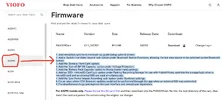
VIOFO A329S_T_WW FIRMWARE


The firmware and bootloader for A329TC appeared on the Viofo firmware page.

What is Viofo A329TC
 

The firmware and bootloader for A329TC appeared on the Viofo firmware page.

What is Viofo A329TC
A329 with telephoto and cabin cameras (instead of a rear)


*Sorry, I thought you asked the question - "what is the A329TC", but I've since noticed you provided a linked question 🙈
 
Possibly a misunderstanding or error on my part, but I'm stumped. 🤔

I purchased the A329T (Tele/rear) set and separately the RCC360 Fisheye cabin cam. I wanted to check out the cabin cam coverage in my vehicle to make a determination about how to approach some potential side view coverage. Before setting anything up, I downloaded both the conversion bin file (LD98530A.bin) and the current A329TC firmware and copied those into the just-formatted new microSD card (256gb Sandisk Max Endurance, a card type used successfully to date in my original A329). I followed the conversion instructions on A329TC firmware page and also verified I was doing it correctly by watching the linked video. Conversion appears to have been successful and the main unit recognizes and records from both the tele and the fisheye cams. The firmware version on the cam shows the correct "VIOFO_A329TC_V1.1_250710". I have confirmed I have them plugged into the correct slots (fisheye into the INT, tele into the rear). I am using the original cam cables as well.

While I searched here and also the general internet, I seem to be missing two Video menu settings available only for the fisheye cam: on/off for the fisheye (vs ultra wide) option and the IR LED setting. Assuming the manual has the options in the correct order, these should be after the Timelapse Recording and before the Parking Recording options.

What's interesting is that my menu options DOES include the Interior Camera on/off/only while driving/only while parking settings, which again is noted in the manual as only seen with the fisheye cam edition.

I have redone the entire conversion process twice, followed by just re-installing the A329TC firmware itself and have tried both my existing installed HK4 kit and a USB-C wall power adapter (both connected to the GPS mount input) and I'm still not seeing those menu options. I've unplugged both cams and re-connected them as well, and tried doing so both while the main unit is powered on and also off.

Any other suggestions from anyone or @VIOFO-Support?
 
Last edited:
Today i also tested the A329TC firmware. I can confirm the settings for the ir-led and the fisheye option are missing.

After the test i switched back to the A329S firmware and both missing options are back. Fortunatly i use a special telephoto cam which works on a normal rear port (special order, so you have to ask viofo support to get one).

With the 329S firmware a normal telephoto cam on the rear port will not work. Also tested this.
 
Thank you, Ziradon! I also just switched back to the current A329S firmware and as you noted, the missing menu options are now present. Interestingly, I am able to get both my tele and cabin cams working with that firmware--the tele plugged into the Rear port and the fisheye into the Int one. The fisheye on/off and IR settings are also working. I powered the cam off and then on again, and the cams continue to work.
 
Oh great. Maybe viofo changed this with the 1.2 firmware. As i tested my originally ordered normal version of the telephoto cam with the 1.1 version the rear port did not find the cam.

Or the new batch from the telephoto cams work now with the rear port 🤔
 
Oh great. Maybe viofo changed this with the 1.2 firmware. As i tested my originally ordered normal version of the telephoto cam with the 1.1 version the rear port did not find the cam.

Or the new batch from the telephoto cams work now with the rear port 🤔
In the A329T model, the telephoto replaces the cabin camera.
In the A329TC model, the telephoto replaces the rear camera.
 
New firmware versions for A329_S_T_TC_WW are available for download on the Viofo website.


V2.0_260104

1. Added Parking GeoFencing features;

2. Add only the critical alert voice notification option;

3. Add an option to disable vehicle voltage display;

4. Add Voice notification of parking events;

5. Add an exporting settings option;

6. Other bugs fixed, GUI and UX improvements.
 
Last edited:
I have A329S and purchased Telephoto camera separately as I couldn't decide if I want cabin or telephoto camera in addition to front and rear cameras.

I've now been testing both, Telephoto in cabin camera with the stock firmware and they both work. Ofcourse Telephoto videos will have the I character on them. But my question is, is there reason to switch to T-firmware? Does it come with some Telephoto specific settings or something else?
 
I have A329S and purchased Telephoto camera separately as I couldn't decide if I want cabin or telephoto camera in addition to front and rear cameras.

I've now been testing both, Telephoto in cabin camera with the stock firmware and they both work. Ofcourse Telephoto videos will have the I character on them. But my question is, is there reason to switch to T-firmware? Does it come with some Telephoto specific settings or something else?
Yes.
The cabin camera is calibrated to have a slight fish eye, so if you plug in telephoto in, then it's not correctly calibrated and gives a slightly different image to what you would have with the A329T firmware.
Someone did a comparison in one of their reviews last year and it showed the difference in telephoto images between the A329S and A329T firmware versions.
 
Yes.
The cabin camera is calibrated to have a slight fish eye, so if you plug in telephoto in, then it's not correctly calibrated and gives a slightly different image to what you would have with the A329T firmware.
Someone did a comparison in one of their reviews last year and it showed the difference in telephoto images between the A329S and A329T firmware versions.


Here:
 

FWA329S_V2.1_260702


1. Add resolution options to the boot-up guide (setup wizard) screen.

2. Add a 'Switch Live Video Source' sub-option under Bluetooth Button Functions, allowing the live view source to be switched via the Bluetooth button.

3. Add the 'Dewarp Front Cam' option.

4. Add the 'Cut-off BP100 Capacity' option under Voltage Protection.

5. Add the 'Battery Pack Capacity' option to Stamp (watermark) settings.

6. Add an 'SSD ->microSD Card' sub-option under Parking Recording Storage for use with Hybrid Mode; optimize the storage logic when a microSD card and an external SSD are used simultaneously.

7. Add the 'Low Power Impact Recording' sub-option under Geofence settings.

8. Fix an issue where OTA firmware updates could not be performed through the app when an external SSD was connected.

9. Fix miscellaneous bugs and improve the user interface and overall user experience.
 
Last edited:
"Added 'Low Power Impact Recording' sub-option for Geofencing"

I installed the new firmware and while re-entering all my settings 🤐, I think I saw this new setting is universal for all Geofencing locations. I assume instead of the cam shutting off it automatically goes into LPIR. I don't have a specific usage need for that myself, but being able to set that on or off for each individual GF zone would add flexibility (if possible to do). I could see someone wanting full shutdown say at home in their own garage but in another often used location they would prefer to override their standard PM settings and use the most power efficient option available for extended coverage.

But maybe I'm missing the point of this new option---it's been a looong day already.
 
I find it interesting how new features are added, old ones fixed, and the .bin file changes in size by only 1-2KB for firmware updates...
 
Last edited:
I find it interesting how new features are added, old ones fixed, and the .bin file changes in size by only 1-2KB for firmware updates...
Indeed--I think it is because config files only contain the (for lack of the most accurate term) directions for how the software controlling hardware may respond, rather than the actual software itself.
 
Back
Top