BlackVue B-130X Test & Review PP

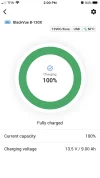
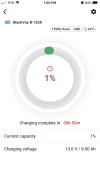
The charge time from 1% to 100% took 2 Hours 43 Minutes. This is 1 Hour 13 Minutes longer than the claimed 1 Hour 30 Minute charge time.
Interesting. The charge time from 1% to 100% in my test was 2 hours 2 minutes. I used the product provided 16 AWG CLA cable. I did not have the added USB power load in my testing, but the dash camera load was similar to your light bulb load (VIOFO A139 Pro 3CH).
 
The charge time from 1% to 100% in my test was 2 hours 2 minutes.
In this last test it made it to 96% at the 2 Hour mark.
From 96% to 100% took another 43 Minutes.
Another testing note, it never pulled more than 5.0 Amps from the power supply.
I'm doing the same test on the PC8 right now.
 
I performed the same “Power User” 5 Amp charge cycle with the PC8, as I just did with the B-130X.
I used two loads to simulate a real world heavy use scenario in the simple plug & play charge configuration. The first load is Sylvania 906 light bulb that has a measured power consumption of 687mA @ 12.6 Volts = 8.6 Watts. The bulb is connected to the output cable to simulate a power hungry dash cam. The second load is a DROK USB Load Tester set at 1 Amp @ 5 Volts = 5 Watts. This is connected to the USB Port to simulate a mobile Wi-Fi hotspot. The total combined power consumption is 13.6 Watts.

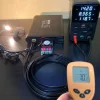
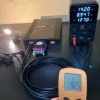
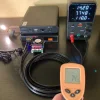
I connected the PC8 to my WANPTEK power supply set at 14.2 Volts / 10 Amps with my specially constructed CLA 12AWG Charge Cable instead of the included CLA 16AWG charge cable. The ambient temperature of my office, and the starting temp of the 12AWG charge cable was 69℉ (20℃).

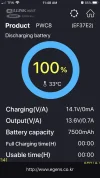
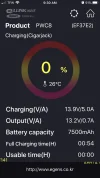
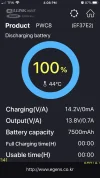
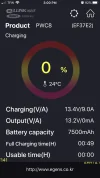
The charge time from 0% to 100% took 2 Hours 18 Minutes. This is 58 Minutes longer than the claimed 1 Hour 20 Minute charge time. However this is 25 Minutes faster than the B-130X. The temperature of my specially constructed 12AWG Charge Cable provided identical results as the B-130X charge cycle. The highest achieved temperature of the charge cable was 76℉ (24℃) an increase of only 7℉ (4℃). I am very pleased with the low temperature increase of my CLA 12AWG charge cable instead of the included CLA 16AWG charge cable.
 

Attachments

  • 100% Finished .webp
    100% Finished .webp
    54.4 KB · Views: 134
  • 0% Start .webp
    0% Start .webp
    49.7 KB · Views: 122
At the gentle request of @Vortex Radar I performed a second discharge drag race to see if the results could be duplicated.

1st Drag Race;
B-130X: 11 Hours 7 Minutes
PC8: 10 Hours 53 Minutes
Winner: B-130X by 14 Minutes

2nd Drag Race;
B-130X: 11 Hours 9 Minutes
PC8: 10 Hours 59 Minutes
Winner: B-130X by 10 Minutes

Now that both packs are fully discharged, tomorrow I’ll perform another “Power User” charge cycle, but this time I will use the 9 Amp charge protocol with my specially constructed 12AWG charge cable instead of the 16AWG PC8, and 14AWG B-130X
 
I also found the B-130X would last longer than the PowerCell 8 or the Thinkware BAB-95 by 10 to 15 minutes. I'm going to run one more discharge test for the BAB-95.

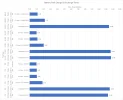
Here are my results so far:
battery_pack_charge_discharge_chart_20221231.webp
 
B-130X Solar Panel Charge Test

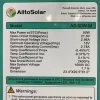
Good news for off grid folks. The B-130X is capable of being charged with a solar panel without the need for specialized equipment like a charge controller. However you will need a 100 Watt Panel. This is possible because the B-130X is 24 Volt compatible, and the internal BMS is sophisticated enough to deal with the raw 24 volts coming directly off the panel.

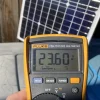
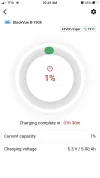
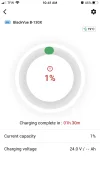
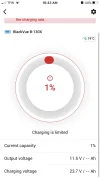
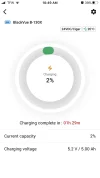
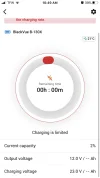
I started with a completely discharged B-130X, meaning when turned on it does not provide the start up / welcome ringtone. I set up my 50 Watt panel to receive 100% direct sunlight. I measured a no load fluctuating voltage of 24.66 to 23.60 Volts. I plugged in the solar panel using my homemade 5 Amp charge cable with 3-Pin XT60 connector. The B-130X booted up, and started an endless charge start / stop cycle. I was able to connect my phone to the BlackVue APP to take some screenshots.

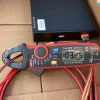
During this endless start / stop cycle I measured the amperage output of the solar panel going to the B-130X. My UNI-T Amp Clamp indicated 3.25 Amps. This “lowish” 3.25 Amps is the cause of the start / stop cycle. The B-130X is “programmed” to receive a minimum of 5 Amps to initiate a charge cycle. So it appears if I had a 100 Watt solar panel I would be able to successfully charge the B-130X off grid with “free helios photon particles”. Lol
 

Attachments

  • 50 Watt Panel Specs .webp
    50 Watt Panel Specs .webp
    321.4 KB · Views: 124
  • 3.25 Amps .webp
    3.25 Amps .webp
    326.6 KB · Views: 116
  • No Load Panel Voltage .webp
    No Load Panel Voltage .webp
    297.8 KB · Views: 125
  • 1 .webp
    1 .webp
    24.6 KB · Views: 134
  • 2 .webp
    2 .webp
    23 KB · Views: 138
  • 3 .webp
    3 .webp
    32.6 KB · Views: 119
  • 4 .webp
    4 .webp
    24.9 KB · Views: 120
  • 5 .webp
    5 .webp
    34.6 KB · Views: 134
I performed a “Power User” 9 Amp charge cycle with the B-130X.
I used two loads to simulate a real world heavy use scenario in the Hardwire 9 Amp charge configuration. The first load is Sylvania 906 light bulb that has a measured power consumption of 687mA @ 12.6 Volts = 8.6 Watts. The bulb is connected to the output cable to simulate a power hungry dash cam. The second load is a DROK USB Load Tester set at 1 Amp @ 5 Volts = 5 Watts. This is connected to the USB Port to simulate a mobile Wi-Fi hotspot. The total combined power consumption is 13.6 Watts.

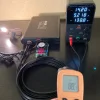
I connected the B-130X to my WANPTEK power supply set at 14.2 Volts / 10 Amps with my specially constructed 12AWG Charge Cable instead of the included 14AWG charge cable. The ambient temperature of my office, and the starting temp of the 12AWG charge cable was 70℉ (21℃).

After 1 Hour the BlackVue APP indicate 100% fully charged. However the B-130X continued to draw power from my variable power supply in the 8 Amp range for an additional 20 Minutes before settling at 1.2 Amps. At 1 Hour 30 Minutes I discontinued the test.

The highest achieved temperature of the charge cable was 88℉ (31℃) an increase of only 18℉ (10℃). I am pleased with the low temperature increase of my homemade 12AWG charge cable instead of the included 14AWG charge cable.
 

Attachments

  • Highest Charge Cable Temp .webp
    Highest Charge Cable Temp .webp
    366.4 KB · Views: 129
  • 100% Indicated, But Drawing 8.2 Amps For 20 Minutes .webp
    100% Indicated, But Drawing 8.2 Amps For 20 Minutes .webp
    28.1 KB · Views: 140
  • Starting 12AWG Charge Cable Temp .webp
    Starting 12AWG Charge Cable Temp .webp
    340.8 KB · Views: 116
  • Start Charge Cycle .webp
    Start Charge Cycle .webp
    25.2 KB · Views: 136
I performed a “Power User” 9 Amp charge cycle with the PC8.
I used two loads to simulate a real world heavy use scenario in the Hardwire 9 Amp charge configuration. The first load is Sylvania 906 light bulb that has a measured power consumption of 687mA @ 12.6 Volts = 8.6 Watts. The bulb is connected to the output cable to simulate a power hungry dash cam. The second load is a DROK USB Load Tester set at 1 Amp @ 5 Volts = 5 Watts. This is connected to the USB Port to simulate a mobile Wi-Fi hotspot. The total combined power consumption is 13.6 Watts.

I connected the PC8 to my WANPTEK power supply set at 14.2 Volts / 10 Amps with my specially constructed 12AWG Charge Cable instead of the included 16AWG charge cable. The ambient temperature of my office, and the starting temp of the 12AWG charge cable was 74℉ (23℃).

The charge time from 0% to 100% took 1 Hour 8 Minutes.

The highest achieved temperature of the charge cable was 92℉ (33℃) an increase of only 18℉ (10℃). I am pleased with the low temperature increase of my homemade 12AWG charge cable instead of the included 16AWG charge cable.
 

Attachments

  • 100% Fully Charged .webp
    100% Fully Charged .webp
    54.3 KB · Views: 130
  • Start Charge Cycle .webp
    Start Charge Cycle .webp
    47.8 KB · Views: 162
  • Start 12AWG Charge Cable Temp .webp
    Start 12AWG Charge Cable Temp .webp
    325.4 KB · Views: 134
  • 12AWG Charge Cable Highest Temp .webp
    12AWG Charge Cable Highest Temp .webp
    345.8 KB · Views: 117
does anyone know if the battery is hardwired but battery is drained (as not driven car for a week say), when i start up the car again in a weeks time for a drive, does it take a 5-10 min lag before the battery wakes up .

If so, this would make the dashcam useful for the first 10 mins of each driven when the battery is fully depleted?
 
does anyone know if the battery is hardwired but battery is drained (as not driven car for a week say), when i start up the car again in a weeks time for a drive, does it take a 5-10 min lag before the battery wakes up .

If so, this would make the dashcam useful for the first 10 mins of each driven when the battery is fully depleted?
Based on my testing there is no "lag time".
As soon as the battery receives charging power it will boot up, and power the dash cam within a few seconds.
-Chuck
 
Thank you for the reply. That is useful as I have read reviews on the celllonk Neo 6 to the contrary. Do you know if this is true of all batteries - mainly the Cellink and Blacvue battery pack that it will start up immediately. Which brand would you recommend out of the two?

If I know I am not driving for a while, could I preserve the battery life by simply unplugging the dashcam power cable (or switching to off on battery pack?)
 
Thank you for the reply. That is useful as I have read reviews on the celllonk Neo 6 to the contrary. Do you know if this is true of all batteries - mainly the Cellink and Blacvue battery pack that it will start up immediately. Which brand would you recommend out of the two?

If I know I am not driving for a while, could I preserve the battery life by simply unplugging the dashcam power cable (or switching to off on battery pack?)
I only have the B-130X, and the BBMC PowerCell 8.
The PC8 also does not have any "lag start up time".
Yes, you can either turn off the dash cam, or turn off the battery pack.
The B-130X & PC8 have their pros & cons.
What dash cam you're using might make a difference which one will work better for your application.
What dash cam do you have?
 
I have a BlackVue 750x LTE 2 channel.

2-3 days per week I would drive 30 min to work and 30 mins back. Rest of week, it is short journeys of 15 mins say. When parked at home, don’t need monitoring as it’s parked in garage.

Just looking for a solution to monitor when my car is parked at work or public spaces etc
 
Looks like power pro bank is 220, whereas the Neo 8 plus is 280. Worth paying the 60 extra for Bluetooth?
 
Looks like power pro bank is 220, whereas the Neo 8 plus is 280. Worth paying the 60 extra for Bluetooth?
I just recently installed the Cellink Neo 8 Plus last month which is identical to the BBMC PowerCell 8 but cheaper and with warranty when purchased from Amazon here in the UK. I run it with a Viofo A139 Pro.

I wired the Cellink using the hard wire method and wired it directly to the battery with a separate ignition relay as advised by rcg530. It works flawlessly!
 
Last edited:
thanks for that but don’t understand the separate ignaitom relay? What’s the benefit of that and is that a custom install ?
 
I’ll send you a link. It’s just a safer way rather than putting an extra 8.5 amps through your fuse box on top of what’s already being drawn.
 
Watch the whole thing but you can fast forward to 12:24 for the explanation and diagrams regarding the wiring option advised

 
Back
Top