

Augustus
Well-Known Member
- Joined
- Aug 19, 2016
- Messages
- 4,178
- Reaction score
- 2,685
- Location
- Perth, Australia
- Country
- Australia
- Dash Cam
- Viofo, Vantrue, 70mai, Wolfbox
It's almost the middle of 2026, and we have another release in the A8xx stable, the 4K A810 Lite. This is 70mai putting their foot down and making their move in the budget segment with the budget GalaxyCore GC8613 true 4K sensor. We do still have a supercapacitor on board which is fantastic to see. The rear sensor is the RC21 model featuring an older Fullhan FH8536HV200, a model shared with other models in 70mai's line-up. The front camera's aperture has also been improved to F1.55, and Wi-Fi 6 is also present for faster data transfer speeds.
Turning once again to the box contents, we have the two-tone finish with orange lettering that has been a staple for a while now with 70mai models. Upon opening the box we have the slick black packaging, with two separate envelopes containing the required materials. Contained within is an instruction manual, electrostatic stickers for front and rear cameras, spare mounting adhesives, black plastic pry tool, 12V cigarette lighter (only a USB-A port), some adhesive mounting clips, and their respective power cablings.
First impressions fall in line with the budget positioning of this dashcam. There is a certain flimsiness to the main unit when tapping on it, but to it's credit, it is a lightweight unit. As the mounting bracket is adjustable by swivel, the lens of the front camera has no such function - but the rear RC21 camera does. There is a 3.18-inch IPS display (no touchscreen) taking up the majority of the real estate of the front camera. There are also multiple ventilation holes on both the front and rear camera sensors - with plenty of these holes available to dissipate the heat produced by the GalaxyCore 4K sensor. Field-of-view is 140 degrees for the front camera, and 130 degrees for the rear camera. All packed in a rather compact 91 x 46 x 24.4mm body, roughly similar to the dimensions of a standard credit card.
Features from previous 70mai models also make a welcome return here. Buffered emergency parking mode, Lumi Vision for parking mode to brighten very dimly-lit scenarios, time-lapse recording and battery voltage monitoring all make a return, along with support for their existing 4G parking surveillance kits, UP04/UP05. There is also support for a maximum capacity of 512GB for microSD memory cards.
Installation of the 4K A810 Lite was once again a straight-forward process, and so was it's integration with the 4G parking UP04 kit. Included firmware version was v1.0.29ww (dated 7th March 2026), out of the factory. Would like to extend my gratitude to 70mai once again for providing me with this opportunity to test-drive the 4K A810 Lite. Over the coming weeks, I'll be sharing my detailed findings with you all - stay tuned for my full review coming soon here on DashCamTalk forum.
Some close-up photos of the 70mai 4K A810 Lite:
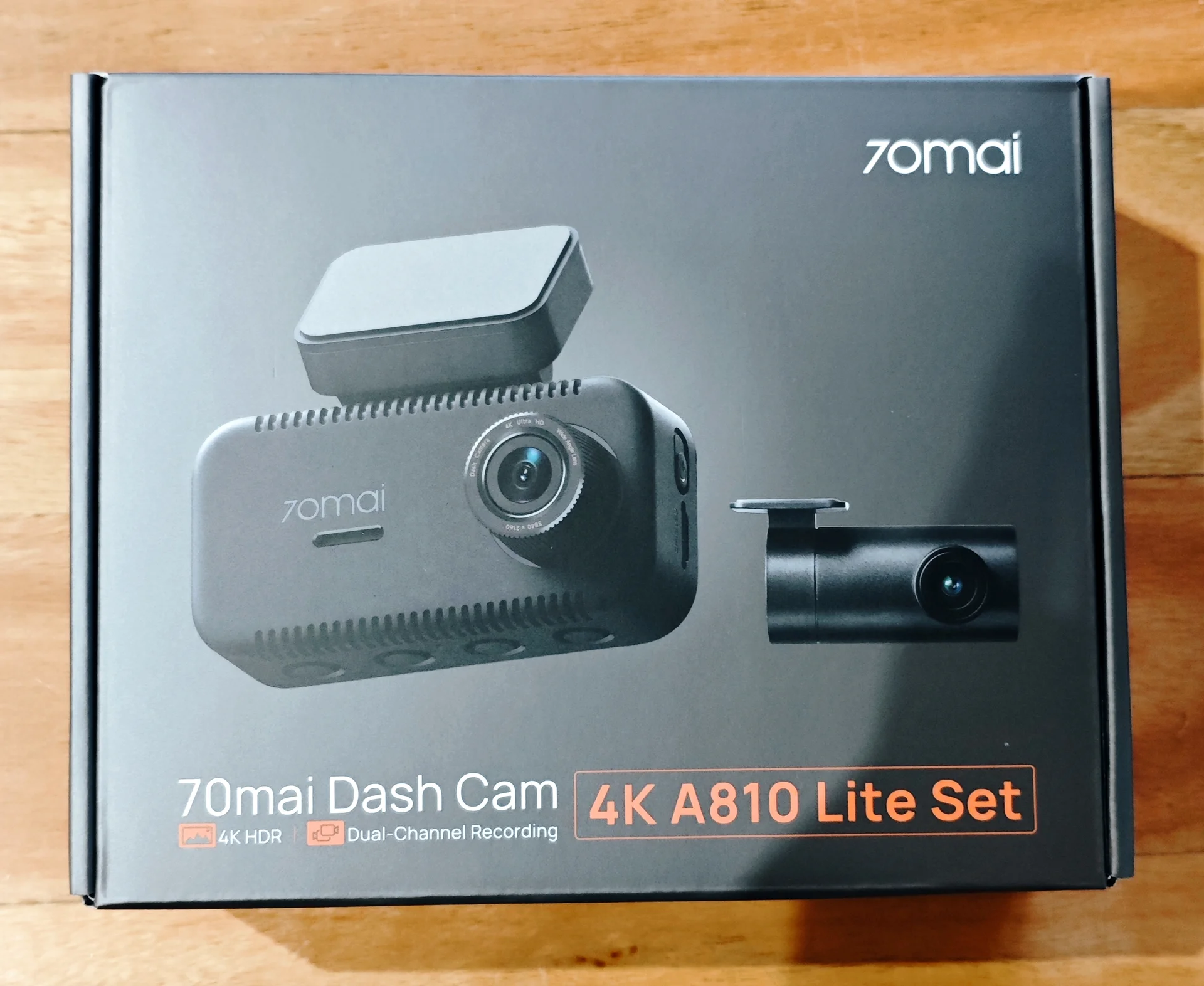


Turning once again to the box contents, we have the two-tone finish with orange lettering that has been a staple for a while now with 70mai models. Upon opening the box we have the slick black packaging, with two separate envelopes containing the required materials. Contained within is an instruction manual, electrostatic stickers for front and rear cameras, spare mounting adhesives, black plastic pry tool, 12V cigarette lighter (only a USB-A port), some adhesive mounting clips, and their respective power cablings.
First impressions fall in line with the budget positioning of this dashcam. There is a certain flimsiness to the main unit when tapping on it, but to it's credit, it is a lightweight unit. As the mounting bracket is adjustable by swivel, the lens of the front camera has no such function - but the rear RC21 camera does. There is a 3.18-inch IPS display (no touchscreen) taking up the majority of the real estate of the front camera. There are also multiple ventilation holes on both the front and rear camera sensors - with plenty of these holes available to dissipate the heat produced by the GalaxyCore 4K sensor. Field-of-view is 140 degrees for the front camera, and 130 degrees for the rear camera. All packed in a rather compact 91 x 46 x 24.4mm body, roughly similar to the dimensions of a standard credit card.
Features from previous 70mai models also make a welcome return here. Buffered emergency parking mode, Lumi Vision for parking mode to brighten very dimly-lit scenarios, time-lapse recording and battery voltage monitoring all make a return, along with support for their existing 4G parking surveillance kits, UP04/UP05. There is also support for a maximum capacity of 512GB for microSD memory cards.
Installation of the 4K A810 Lite was once again a straight-forward process, and so was it's integration with the 4G parking UP04 kit. Included firmware version was v1.0.29ww (dated 7th March 2026), out of the factory. Would like to extend my gratitude to 70mai once again for providing me with this opportunity to test-drive the 4K A810 Lite. Over the coming weeks, I'll be sharing my detailed findings with you all - stay tuned for my full review coming soon here on DashCamTalk forum.
Some close-up photos of the 70mai 4K A810 Lite:
Last edited:


