MIOFIVE Dash Cam Dual - Review/Testing - RCG

rcg530

Well-Known Member
Joined
Jan 23, 2021
Messages
2,739
Reaction score
4,591
Location
California
Country
United States
Dash Cam
70mai, BlackVue, Thinkware, Vantrue, Vueroid, VIOFO
In early January 2023, a representative from MIOFIVE reached out to me to see if I was interested in testing/reviewing their "MIOFIVE Dash Cam Dual" 2-channel dash camera. I was sent a free sample of the MIOFIVE Dash Cam Dual and the MIOFIVE HWK1 3-wire hardwiring kit.

I'm trying to get a head start on my review by getting some initial specification gathering completed along with running my standard power consumption tests.

Dash Camera
  • MIOFIVE Dash Cam Dual - $249 USD on Amazon US website
    • 2-channel dash camera
      • Front
        • Processor: Novatek NT96670
        • Image Sensor: Sony STARVIS IMX415 8MP
        • Lens: FOV 140°, F/Stop 1.8
        • Video Resolutions: 4K 3840x2160 30fps, 2K 2560x1440 30fps, FHD 1920x1080 30fps
        • Video Codec: H.265
        • Wi-Fi: 2.4 GHz & 5 GHz
        • Parking Modes
          • Requires the use of the HWK1 3-wire hardwire kit (optional accessory)
          • Time-Lapse
            • Firmware setting "Time-lapse Scheduled Shut Down" defines how long the dash camera will operate in this parking mode for a period of up to 24 hours.
            • Available settings: Disabled, 24 hours, 16 hours, 8 hours, 4 hours
            • I've asked MIOFIVE to see if an "Unlimited" setting can be added to allow time-lapse parking mode to record for more than 24 hours.
          • Parking Guard (aka Parking Monitor)
            • This is a power saving parking mode which will make the dash camera go into a low power consuming mode and it will be awakened when an impact event takes place.
            • Available settings - Parking Guard Sensitivity: Disabled, Low, Medium, High
            • If the "Time-lapse" parking mode is enabled (firmware setting "Time-lapse Scheduled Shut Down" is set to any value other than "Disabled"), the "Parking Guard" parking mode will not be invoked when the vehicle accessory power is turned off.
            • Time delay between impact event and the start of the video recording
              • There is an extremely long delay between the impact event and the start of recording.
                • Front: Impact-to-video start = 10 seconds
                • Rear: Impact-to-video start = 16 seconds
        • File Storage: 128 GB eMMC internal drive (1-channel version has 64 GB eMMC storage)
        • Internal Power: Supercapacitor (1-channel version has a 500 mAh battery instead of a supercapacitor)
        • External Power:
          • Connection Type: Micro USB
          • Cigarette lighter adapter (CLA) - included
            • Input 12V/24V
            • Output: DC 5V 2.4A (max)
            • One USB Type-A port
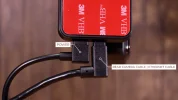
          • 3.5 m (11.48 ft) USB Type-A to Micro USB power cable - included
          • 28 cm (10.5 inch) USB Type-A to Micro USB data cable - included
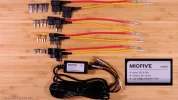
          • MIOFIVE HWK1 3-Wire Hardwire Kit (optional accessory)
            • Input 9V-16V
            • Output: DC 5V 2.4A (max)
            • Low voltage protection - 11.6V
        • CPL Filter: None available
      • Rear
        • Processor: Novatek NT96671
        • Image Sensor: GalaxyCore GC4653 4MP
        • Video Resolutions: FHD 1920x1080 30fps
        • Video Codec: H.265
        • Lens: FOV 140°, F/Stop 2.0
        • Front-to-Rear Video Cable: Ethernet cable 6 m (19.68 ft)
        • CPL Filter: None available
      • Notes
        • Video Filenames / Date Modified
          • The filenames for the front and rear video files contain date and time values.
            • Front: 030823_083411_00038A.mp4
            • Rear: 030823_083418_000039B.mp4
          • The date and time values are GMT based time values instead of the local time zone value.
        • Front/Rear date/time out of sync
          • The front and rear camera each have their own processor.
          • The date/time values when files are first created will often have a 2 to 7 second difference between the front and rear video files.
          • MIOFIVE has stated this is normal for this dash camera.
          • Trying to coordinate the front/rear video file creations/rotations ended up destabilizing the system.
        • eMMC storage
          • If you require copying video files from the dash camera, you must either use the MIOFIVE app or connect the front dash camera to a computer and mount the MIOFIVE dash camera's eMMC file system as a USB drive.
        • Parking Guard - Parking Mode
          • This parking mode puts the dash camera into a deep sleep mode waiting for an impact event.
          • The power consumption is quite low while waiting for an impact event.
          • The long delay between the impact event and the start of recording makes this feature less useful in capturing what's taking place around the vehicle at the time of impact.
          • I'm going to ask MIOFIVE is there is any way to decrease the amount of time required to wake up the dash camera and start recording.

Box Contents:
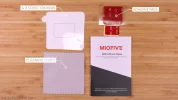
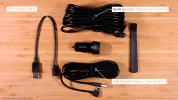
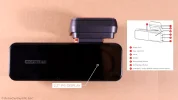
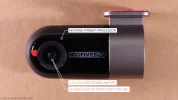
unboxing_pics_small_00.jpgunboxing_pics_small_05.jpgunboxing_pics_small_07.jpgunboxing_pics_small_09.jpgunboxing_pics_small_12.jpgunboxing_pics_small_15.jpgunboxing_pics_small_17.jpgunboxing_pics_small_24.jpg

3-Wire Hardwire Kit:
unboxing_pics_small_23.jpg
 
Last edited:
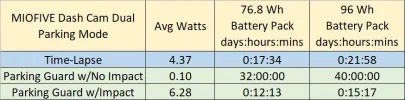
I ran a series of power consumption tests for the MIOFIVE Dash Cam Dual.

miofive_dash_cam_dual_power_consumption_20230308_0127.webp miofive_dash_cam_dual_parking_mode_estimates_20230307.jpg
 
Last edited:
In-Vehicle Review Testing Started

Yesterday, I removed the previous dash cameras that I was reviewing and that freed up space to install the MIOFIVE (4K_2K) Dash Cam Dual.

Another front dash camera with lose windshield mount....

Recently, I was reviewing another company's dash camera and I ran into a problem with its front windshield mount(s) having excessive free play in them allowing the front camera (or rear view camera plugged into the front camera) to move while driving. It looks like I have another front dash camera with a similar issue but for a different reason.

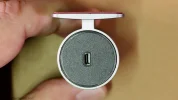
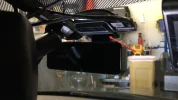
During the install of the MIOFIVE front dash camera, I found the GPS module/windshield mount to be a bit loose at the swivel joint which is used to adjust the field of view of the front dash camera. There's resistance to movement (like it should have), but once you move it to any position there's a noticeable amount of movement still possible when it should be firmly held in that position.

1681257533018.webp

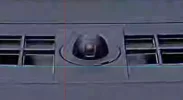
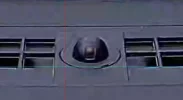
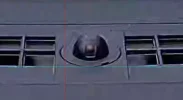
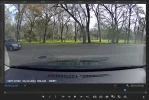
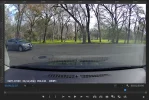
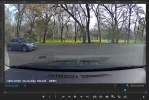
I imported the front camera video footage into Adobe Premiere Pro to watch the up/down movement of the front camera on a frame-by-frame basis. With the video zoom level at 200% and with a grid line placed just at the base of the defroster vent holes, I could see the bottom edge of the vent holes move from just above the pale green/blue line to just below the line when hitting a small/moderate ripple in the road. The three frame grabs are from just before the bump, during the bump and the frame just after the bump.

1681256468828.webp 1681256495020.webp 1681256517929.webp

When I checked the video footage from a DR900X-2CH Plus, VIOFO A229 Duo and VIOFO WM1, there was no movement at all when looking at anything within the vehicle's passenger compartment. I reported the presence of the slop/free play in the MIOFIVE windshield mount to MIOFIVE. Yesterday, I created a video with my phone to show the movement of the front camera and how it looked with the alignment lines enabled in the MIOFIVE app. The response to that video was that they've never had anyone complain of that issue. The VIOFO WM1 has a similar mount/adjuster but it does not have the slop/free play after being positioned to the correct position for the camera's field of view.
 
Dropped or Duplicated Video Frames

During today's short drive into town, I generated about 30 minutes of video footage from the MIOFIVE 4K UHD front and 2K QHD rear cameras. The focus clarity of both camera is very good.

When viewing the video files (Windows Media Player, VLC, MPC-BE, Adobe Premiere Pro), I noticed that all video files have multiple occurrences of either a duplicated (reused) video frame or occurrences of a video frame that is randomly dropped. I've reported this issue to MIOFIVE.

Firmware Versions (front and rear camera's have their own firmware versions)
  • Firmware versions
    • Front Miofive_P_2.0.2.0213
    • Rear Miofive_P_2.1.1.0929
Duplicated Video Frame Example:
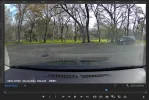
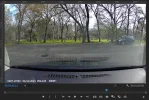
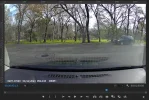
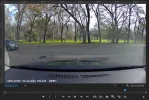
  • Frame 00:00:43:10 - Starting frame
  • Frame 00:00:43:11 - Next frame
  • Frame 00:00:43:12 - Duplicate of 00:00:43:11
  • Frame 00:00:43:13 - Next frame
1681258612996.webp 1681258629221.webp 1681258645332.webp 1681258661372.webp

Dropped Video Frame Example:
  • Frame 00:00:51:05 - Starting frame
  • Frame 00:00:51:06 - Next frame - notice the distance traveled by the car (left-to-right)
  • Frame 00:00:51:07 - The distance traveled by the car is twice the amount expected - implying a frame was dropped from the camera
  • Frame 00:00:51:08 - The distance traveled by the car between 51:07 and 51:08 is the expected amount (same car travel distance that was present between 51:05 and 51:06)
1681258695098.webp 1681258712691.webp 1681258730666.webp 1681258746979.webp
 
I know the feeling, you generate maybe 30 minutes of footage, but then you get home and spend a couple of hours analyzing it looking for things like missed or double frames.
It also take a while to make up one of my plate capture videos, even if the raw material are just like 20 seconds.
 
I know the feeling, you generate maybe 30 minutes of footage, but then you get home and spend a couple of hours analyzing it looking for things like missed or double frames.
It also take a while to make up one of my plate capture videos, even if the raw material are just like 20 seconds.
So true!
 
File Locations On The Internal eMMC Drive

The top level directories are CarDV, LOG and MISC. The MISC directory is currently empty on my dash camera.

1681322481913.png


LOG Directory Contents:

1681322601988.png


DEVLOG Directory Contents:

1681321758378.png


The text log file format is not available to me at this time. There's a number field and then a time field.

Code:
2,2023-04-11T16:26:57
5,2023-04-11T16:26:57
1,2023-04-11T16:41:46

GPSLOG Directory Contents:

The GPS data collected by the dash camera is stored in text log files in this directory.
  • Fields
    • Date: YYYYMMDD
    • Time: HHMMSS
    • North/South Latitude: ā€œNā€ or ā€œSā€
    • DDM Latitude: ddmm.mmmmmm
    • West/East Longitude: ā€œWā€ or ā€œEā€
    • DDM Longitude: dddmm.mmmmmm
    • Speed in Knots
    • Azimuth in Degrees
    • Altitude in Meters
Code:
20230411,162739,N,3839.621030,W,12056.152500,0.000000,0.840000,454.600000
20230411,162740,N,3839.621350,W,12056.152500,2.626000,355.460000,454.500000
20230411,162741,N,3839.622030,W,12056.152590,2.276000,4.050000,454.600000
20230411,162742,N,3839.622590,W,12056.152560,2.115000,9.580000,454.800000
20230411,162743,N,3839.623060,W,12056.152450,0.000000,8.030000,454.900000

CarDV Directory Contents:

1681322665491.png


Movie Directory Contents:

1681322751504.png


Emr Directory Contents:


This directory appears to contain the video files that were recording in "Normal" mode but an impact event took place. You can hear a "beep beep" in the recorded audio at the point when an impact event was detected.

Normal Directory Contents:

This directory contains the "Normal" mode recording video files.

Park Directory Contents:

This directory contains the video files created by the "Parking Guard - Parking Mode". When the dash camera detects an impact in the power saving parking mode, it creates a 60 second video for both the front (A file) and rear (B file) in this directory.

The amount of time it takes the dash camera to power up and start recording is a very long 10 to 11 seconds for the front camera and 16 to 17 seconds for the rear camera. While this parking mode will consume very little power while it's waiting for an impact, the amount of time it takes to power up and start recording makes this feature very unlikely to capture the reason for the impact.

Timelapse Directory Contents:

The time-lapse parking mode video files are stored in this directory. Video is captured at 1 FPS from the front and rear cameras and stored in video files in this directory with a playback speed of 30 FPS.

Front / Rear Camera Video Files - File Creation and Rotation Is Somewhat Offset From Each Other

The front and rear cameras each have their own processor. The creation of the video file for each camera is not synchronized as with most other dash cameras. There will be a several second gap between the timestamp in the filename for the front and rear video files. When I asked MIOFIVE about this, they stated it was decided to allow the video file creation to be as it is since trying to sync the front and rear processor file creation seemed to reduce the stability of the dash camera.

The filename timestamp values and the date modified values at always in Zulu (GMT) time. The timestamp that appears in the status line of the video will be converted to the local time based on the local time zone as determined by the dash camera based on its current location. This dash camera does not have a time zone configuration setting. It also deals with the DST being inactive or active. It properly determined that my location is currently GMT-7 based on daylight saving time being active.

1681324030202.png
 
I checked with MIOFIVE to see if MIOFIVE had resolve the dropped or duplicated video frame problem I mentioned in an early post. MIOFIVE stated that the issue is still being investigated. Currently, there is no estimated date when an updated firmware to resolve the issue will be available.

I'm suspending my MIOFIVE Dash Cam Dual review until MIOFIVE issues a firmware update for that issue. I'll get the MIOFIVE reinstalled in my car as soon as a spot in my review queue opens up after the firmware update is released.
 
Se
I checked with MIOFIVE to see if MIOFIVE had resolve the dropped or duplicated video frame problem I mentioned in an early post. MIOFIVE stated that the issue is still being investigated. Currently, there is no estimated date when an updated firmware to resolve the issue will be available.

I'm suspending my MIOFIVE Dash Cam Dual review until MIOFIVE issues a firmware update for that issue. I'll get the MIOFIVE reinstalled in my car as soon as a spot in my review queue opens up after the firmware update is released.
Seems a bit clunky digging up this review but just came across this and had a chuckle at the Amazon reviews online. We all know how rigged the overall Amazon star rating can be for a product

Seems like MIOFIVE really **** the bed on this one. Nothing about Firmware on their website either.
 
Se
Seems a bit clunky digging up this review but just came across this and had a chuckle at the Amazon reviews online. We all know how rigged the overall Amazon star rating can be for a product

Seems like MIOFIVE really **** the bed on this one. Nothing about Firmware on their website either.
My MIOFIVE contact was checking with the R&D team back in August to see if there were any updates. I haven't heard back since.
 
An
My MIOFIVE contact was checking with the R&D team back in August to see if there were any updates. I haven't heard back since.
Another one bites the dust haha
 
I wanted to follow up on my MIOFIVE testing efforts. Back in September 2024, MIOFIVE did send me an "updated" front camera mount to try and resolve the loose connection the front camera has with the windshield. I installed that mount on the second MIOFIVE S1 Ultra dash camera in my 2007 Chevy HHR. The amount of shaking decreased by small amount, but it's not where it needs to be to be considered acceptable. I created a feedback video for MIOFIVE showing video examples from both MIOFIVE dash cameras (original mount vs updated mount). I also discuss the rear camera mount being a bit too tall for the defroster grid lines in my car and I mention I don't like the double sided tape they use with this dash camera.

I'm still waiting for MIOFIVE (working with Novatek) to address the long delay to start recording video files for the rear camera in parking mode. In October, my MIOFIVE rep stated they were still working with Novatek on the firmware issue(s) and MIOFIVE is still working on the front camera mount issue. I was told that it could be a while before there were resolutions to those issues.

I sent another email to my MIOFIVE rep asking for an update.....

 
MIOFIVE has provided another prototype front camera mount to test. It's a bit better than the first prototype mount, but it still allows the front camera to shake a bit too much.

MIOFIVE has released new firmware files for the S1 Ultra which resolves a few issues:
  • Firmware Versions
    • Front: S1_PUS_1.0.1.1124
    • Rear: S1_P_1.2.1.1127
  • Loader Version:
    • 20240814
  • Issues Resolved
    • Entering time-lapse parking mode no longer results in the rear camera video file to start recording 31 seconds after the front video file
      • It now takes about four (4) seconds to switch from normal recording mode to time-lapse parking mode.
      • The front camera starts recording slightly ahead of the rear camera, but both start within four (4) seconds of the accessory power being turned off
    • Parking Guard / Parking Monitor Mode - Impact Only / Low Power Consumption Parking Mode
      • Previous firmware versions would result in
        • Front: Impact-to-recording started = approx 11 seconds
        • Rear: Impact-to recording started = approx. 14 seconds
      • Response times with these firmware updates:
        • Front: Impact-to-recording started = approx 2.2 seconds
        • Rear: Impact-to recording started = approx. 3.5 seconds
  • Note(s)
    • My review of the front and rear video files does show
      • There are a few dropped/duplicated video frames in the front camera video files.
      • There are a few dropped video frames in the rear camera video files.
      • My findings have been reported to MIOFIVE.
 
This video contains nighttime video samples from the new RedTiger F77 4K front / 4K rear dash camera. I compare the RedTiger F77 video footage with footage from the new VIOFO A329 4K front / 2K rear dash camera and the MIOFIVE S1 Ultra 4K front / 4K rear dash camera.

 
Like the music, who is the group?

1 - Viofo
2 - Redtiger
3 - Miofive

With a little more optimising, Miofive could easily get the video quality up, I would think.

Nice examples, thanks!
 
Like the music, who is the group?
I have subscriptions with two music services. That allows me to include music from those sites in my videos and the license from those subscriptions allows them to be present in my YouTube videos without feature of copyright strikes. I have several of them downloaded onto my phone that I play over the vehicle's radio (via Bluetooth in my 2014 Caprice, via an aux cable input in my 2007 HHR or simply played on my phone in my 2006 Toyota Highlander).
  • Group / Song Title / Music Service
  • Ooyy / Siren Screen / Epidemic Sound
  • Only the Best / CLNGR / Epidemic Sound
  • Poetic Wax / Dusty Decks / Epidemic Sound
  • Poco / Daniele Musto / SoundStripe
1 - Viofo
2 - Redtiger
3 - Miofive

With a little more optimising, Miofive could easily get the video quality up, I would think.
I agree with the your ordering. The RedTiger F77 does has an okay HDR implementation, but it needs to be improved. The VIOFO A329 HDR feature is very good in almost all situations. The MIOFIVE S1 Ultra front camera HDR needs a lot of improvement. The MIOFIVE S1 Ultra's front camera mount needs more improvements as well. I currently have prototype number two front camera mount. It has reduced the shaking of the front camera by about 50 percent. I've asked MIOFIVE for an update on the front camera mount and any HDR improvements.
 
Last night, a MIOFIVE rep sent me an email stating a new OTA firmware update is available for the S1 Ultra. Version S1_PUS_1.0.2.0414. This firmware version was stated as resolving some of my reported concerns. I don't have a list of changes. I updated my S1 Ultra with that firmware version.

I have not gathered any footage with that firmware installed since the car I will be installing that dash camera in is still in the repair shop. I also have another prototype front camera mount [number 4] that was sent to me about a month ago. I'll see if the vibration level of the front camera is reduced with the latest front camera mount. It feels "less loose" in the adjustable sections of the front mount.
 
I just installed the S1 Ultra this evening to do a little testing. Odd to see 4K30 for the front and 4K24 for the rear. The dashcam feels a little cheapy and it's also kinda hit or miss on whether or not I'm able to use the buttons on the side to pull up the menu. I haven't tested with older firmware though since I updated out of the box.
 
I just installed the S1 Ultra this evening to do a little testing. Odd to see 4K30 for the front and 4K24 for the rear. The dashcam feels a little cheapy and it's also kinda hit or miss on whether or not I'm able to use the buttons on the side to pull up the menu. I haven't tested with older firmware though since I updated out of the box.
The first S1 Ultra I received had problems with the buttons as well. The second unit I received has buttons that have a slightly better tactile feel and work correctly 95% of the time. I would be interested in knowing how stable your front camera footage is using the front camera mount you received. The front camera mounts have been loose in the two adjustable joints in the mount. I'm on prototype #4 for an improved front camera mount. Each prototype has reduced the amount of shaking in the front camera footage. I hope to get the S1 Ultra with prototype front mount #4 installed in my car this week [car is still in the shop].
 
The first S1 Ultra I received had problems with the buttons as well. The second unit I received has buttons that have a slightly better tactile feel and work correctly 95% of the time. I would be interested in knowing how stable your front camera footage is using the front camera mount you received. The front camera mounts have been loose in the two adjustable joints in the mount. I'm on prototype #4 for an improved front camera mount. Each prototype has reduced the amount of shaking in the front camera footage. I hope to get the S1 Ultra with prototype front mount #4 installed in my car this week [car is still in the shop].
Thanks for the confirmation on the buttons. It's weird to not have a device do what it's supposed to do.

My front mount does lock down securely and looking through some highway footage today, things do look pretty solid. Admittedly it's a pretty smooth section of highway, but I'm not seeing any big bouncing or anything from the front cam.
 
Back
Top