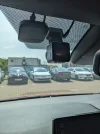
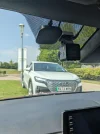
I like the E1 Pro as a compact single channel camera that performs fairly well in most situations. However, as a driver who has experience of being on the wrong end of a hit-and-run, I can say that I strongly value the ability to identify oncoming cars by their licence plate. And this is the main area where I'm not confident that the E1 Pro would capture the information required for the police and insurance companies.
See this example of driving on a city road at 30mph, half an hour before sunset. The sky is bright and clear, but the road is in shadow. This frame is the best detail I could get on the oncoming white car. I had PlatePix enabled, HDR disabled, and a CPL is fitted.
View attachment 80378
100% crop on the car:
View attachment 80379
By comparison, my Mobius SLL1 with only a 1080p resolution (but a fast lens and no CPL) has similar detail at the same distance (200% crop)
View attachment 80380
Based on the resolution, the E1 Pro has 4x the number of pixels, so should have 4x the detail.
Looking at the image, the E1 does have more detail in the hedge.
The license plate doesn't obviously have more detail, that is likely to be because of extra motion blur on the E1 Pro, the car is closing at 100Km/h, while the hedge is only closing at 50Km/h, and is further away so has less motion blur. Probably the lower bitrate also has an effect, but looking at the car's grill, the horizontal lines are better on the E1, while the vertical lines have far more motion blur on the E1. The motion blur is mainly horizontal.
Moving forwards to the best frame from the SLL1 when the car is much closer we can now identify the car easily, whereas the E1 Pro is completely blurred (100% crop on both cameras)
View attachment 80381 View attachment 80382
Some of the difference in performance will be due to the CPL, some caused by the higher bitrate-per-pixel on the SLL1, and also the faster F1.0 lens on the SLL1.
The difference in those two images is the motion blur, the hedge in the top left is decent, with roughly the same detail on both, but while the grill on the SLL1 appears completely free of motion blur, the E1 Pro has at least 10x the motion blur.
The motion blur is caused by a longer exposure time, I don't think we can see a bitrate difference in these images.
A CPL will double the exposure time on the E1 Pro,
The F1.0 lens compared F1.8 will give 3x the exposure time on the E1 Pro,
The sensors are about the same size, so with FHD vs 4K, the pixels on the SLL1 are 4x the size of those on the E1 Pro, so it would be reasonable to expect the pixels on the SLL1 to collect 4x the amount of light, and so work with 1/4 the exposure, giving 4x the exposure time on the E1 Pro,
so that is 2x * 3x * 4x = 24x the motion blur when measured in pixels, however the pixels on the E1 are half the width, so when measured across the image, it would give 12x the motion blur.
They are different sensors, and probably different quality lenses, so there is probably a further difference in sensitivity, but it is likely insignificant compared to what we already have.
After reading a recent post by
@Nigel perhaps I should enable HDR during the daytime alongside PlatePix for better results?
While I believe from my testing, that turning both PlatePix and HDR on together, would reduce the motion blur on the E1 Pro, it is clear that the SLL1 is still going to win by a fair amount on the closer comparison!
For the distance comparison, generally a 4K dashcam will easily beat an FHD dashcam, but the SLL1 is not a dashcam, it is a specialised camera designed for low motion blur in low light, so it would be interesting to see the outcome. It may then come down to the difference in bitrate. For brighter conditions, assuming there is sufficient bitrate, the E1 Pro should win easily at a distance, but the bitrate could be a problem in some situations, it does have a low bitrate for 4K video.
If you really want to get low motion blur on a second front camera, you also want a narrower lens, or a telephoto lens; the SLL1 seems to have a rather wide lens for use as a second front camera, but at that light level, it is still doing a very good job.
My point is that although the E1 Pro does a lot of things well and offers decent value for money, I will continue running a second camera alongside it to increase my chances of capturing oncoming car details should I need them in another hit-and-run incident.
Although I don't think the low bitrate has had much effect on the above images, at times it is an issue for the E1 Pro, so that is another reason for having a second camera with a different specification.
However, I think the purpose of the E1 is to provide a cheap 4K single channel dashcam, so presumably most people will use it on its own, and at the moment I think it is probably the best cheap 4K single channel dashcam available, but it doesn't have much competition! I think it's real competition is currently from 2K dashcams such as the Viofo VS1, which does have a few advantages over the Vantrue E1 Pro, but is not currently 4K.