
Onetenner
Active Member
- Joined
- Oct 26, 2025
- Messages
- 173
- Reaction score
- 145
- Location
- Ubique
- Country
- United Kingdom
- Dash Cam
- Vueroid D40-Q2
After taking the dogs out for their weekly 'long run in the dark', I noticed the camera LED's pulsing slowly as I got back to the car. A quick check on the phone app confirmed they were switched on - along with a few other settings back to default and the geofence location cleared.

Now, I think this is due to me opening the settings in the PC app,a lot of the settings available on the phone app are not available on the PC. Edit: I've just looked again, the settings are there but on a different tab, it's still unclear why they reverted to the default setting though. Whilst I didn't change any settings, I'm reasonably certain I saved the settings rather than cancelled to close the settings window. If that is the case, it's more something to be aware of than a problem.
One other issue I came across at the same time whilst downloading was the WiFi is only 2.4GHz - As I was previously downloading from inside the house, I presumed the lack of speed was due to the signal strength causing it to fall back to 2.4GHz, sitting in the car, there is no 5GHz WiFi with a Vueroid identifier.
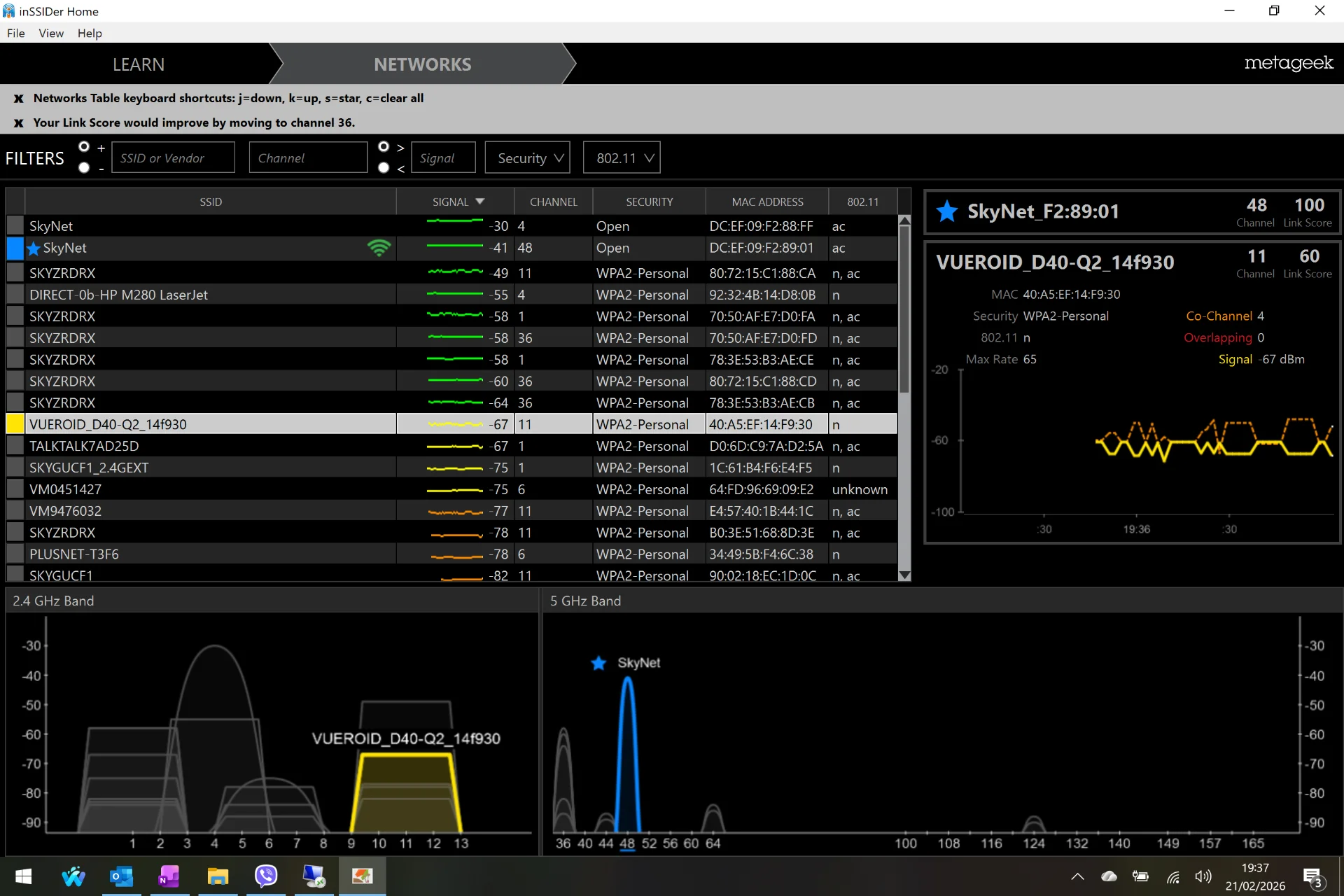
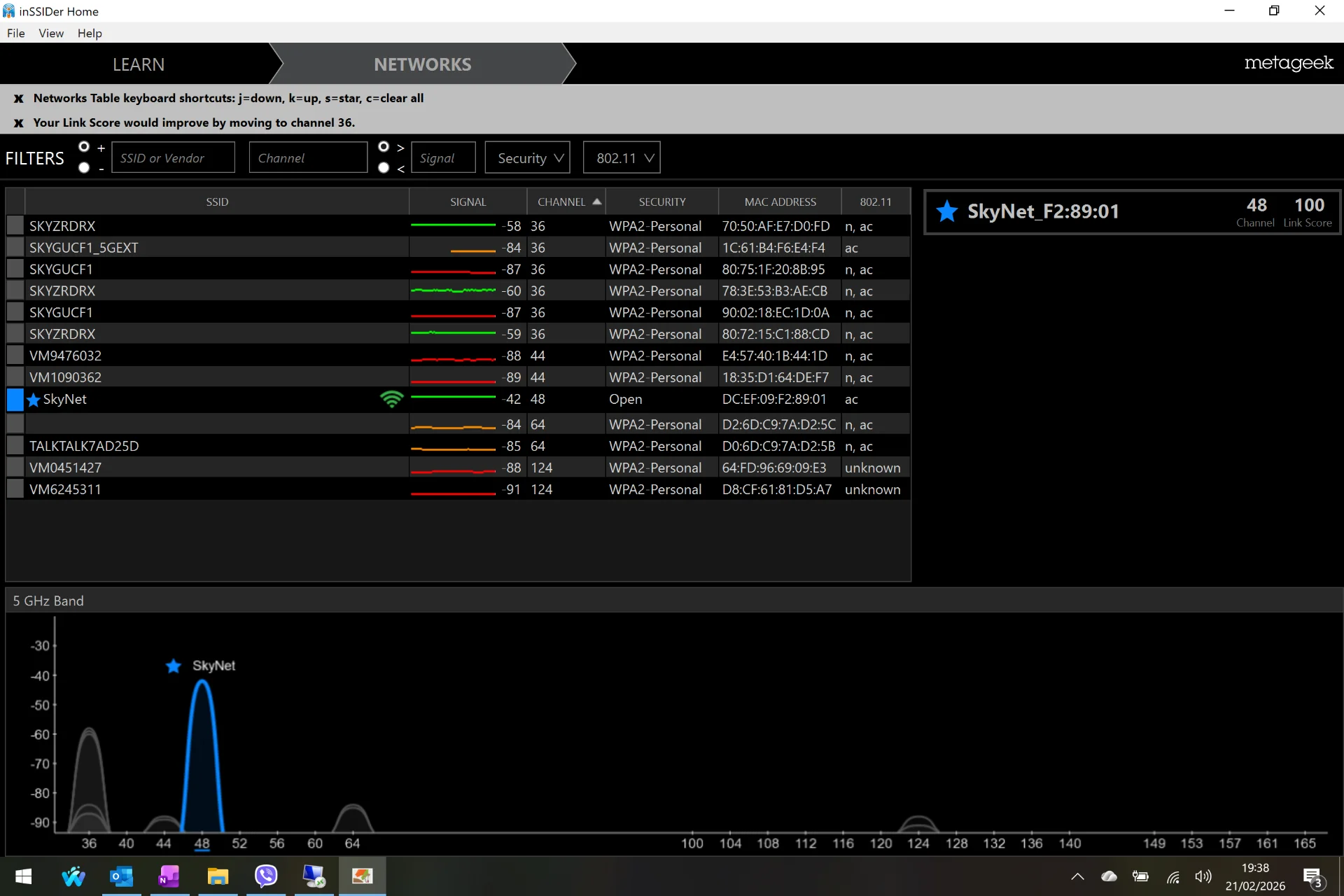
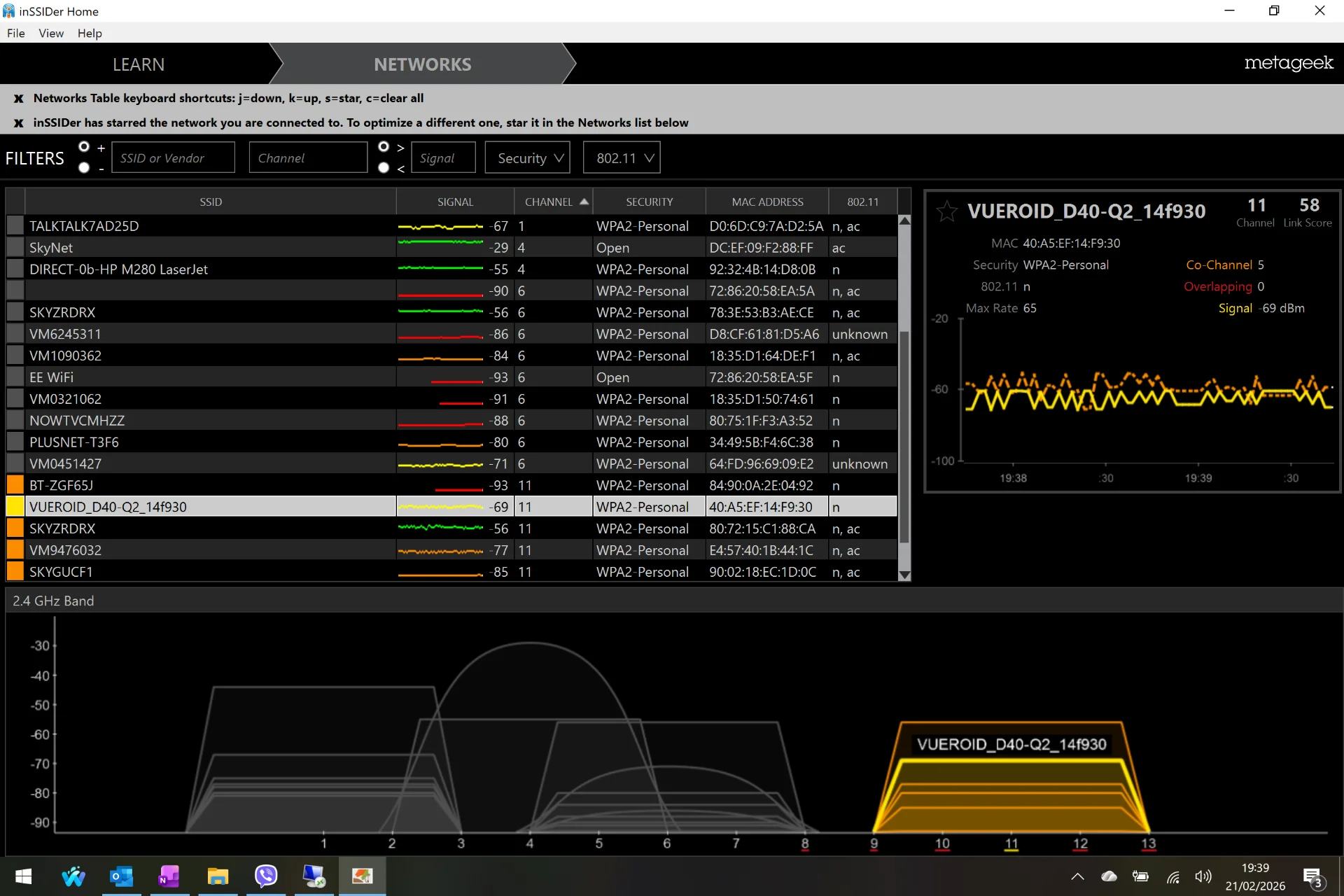
The Vueroid website does state 2.4/5GHz WiFi, I can't see any configuration setting for it though.

Now, I think this is due to me opening the settings in the PC app,
One other issue I came across at the same time whilst downloading was the WiFi is only 2.4GHz - As I was previously downloading from inside the house, I presumed the lack of speed was due to the signal strength causing it to fall back to 2.4GHz, sitting in the car, there is no 5GHz WiFi with a Vueroid identifier.
The Vueroid website does state 2.4/5GHz WiFi, I can't see any configuration setting for it though.
Last edited:


