
You are using an out of date browser. It may not display this or other websites correctly.
You should upgrade or use an alternative browser.
You should upgrade or use an alternative browser.
Vueroid S1 4K Infinite / Voice Notifications / AI-License Plate Restoration & Privacy / Video and Screenshots
- Thread starter Karagandinez
- Start date
OP
OP

Karagandinez
Well-Known Member
- Joined
- Nov 27, 2020
- Messages
- 3,023
- Reaction score
- 4,031
- Location
- Deutschland
- Country
- Germany
- Dash Cam
- At the moment Viofo, Vueroid and Vantrue
OP
OP
Karagandinez
Well-Known Member
- Joined
- Nov 27, 2020
- Messages
- 3,023
- Reaction score
- 4,031
- Location
- Deutschland
- Country
- Germany
- Dash Cam
- At the moment Viofo, Vueroid and Vantrue
OP
OP
Karagandinez
Well-Known Member
- Joined
- Nov 27, 2020
- Messages
- 3,023
- Reaction score
- 4,031
- Location
- Deutschland
- Country
- Germany
- Dash Cam
- At the moment Viofo, Vueroid and Vantrue

TonyM
Well-Known Member
- Joined
- Jul 30, 2013
- Messages
- 6,710
- Reaction score
- 6,762
- Country
- United Kingdom
- Dash Cam
- Many dashcams over many years
That's a good amount of detail in those conditions
OP
OP
Karagandinez
Well-Known Member
- Joined
- Nov 27, 2020
- Messages
- 3,023
- Reaction score
- 4,031
- Location
- Deutschland
- Country
- Germany
- Dash Cam
- At the moment Viofo, Vueroid and Vantrue
Good news.
Vueroid has released test firmware: V1.3.12, which allows HDR+IPC mode to be enabled by a timer, just like HDR mode.
When this mode is set to a timer, the S1-4K records in Normal mode while it's off, and the video displays a Normal stamp.
When the switching time arrives, HDR+IPC mode is enabled, and the stamp displays HDR+IPC in the video.
With the addition of this mode, the "Normal" and "HDR" modes become redundant in the S1-4K menu.

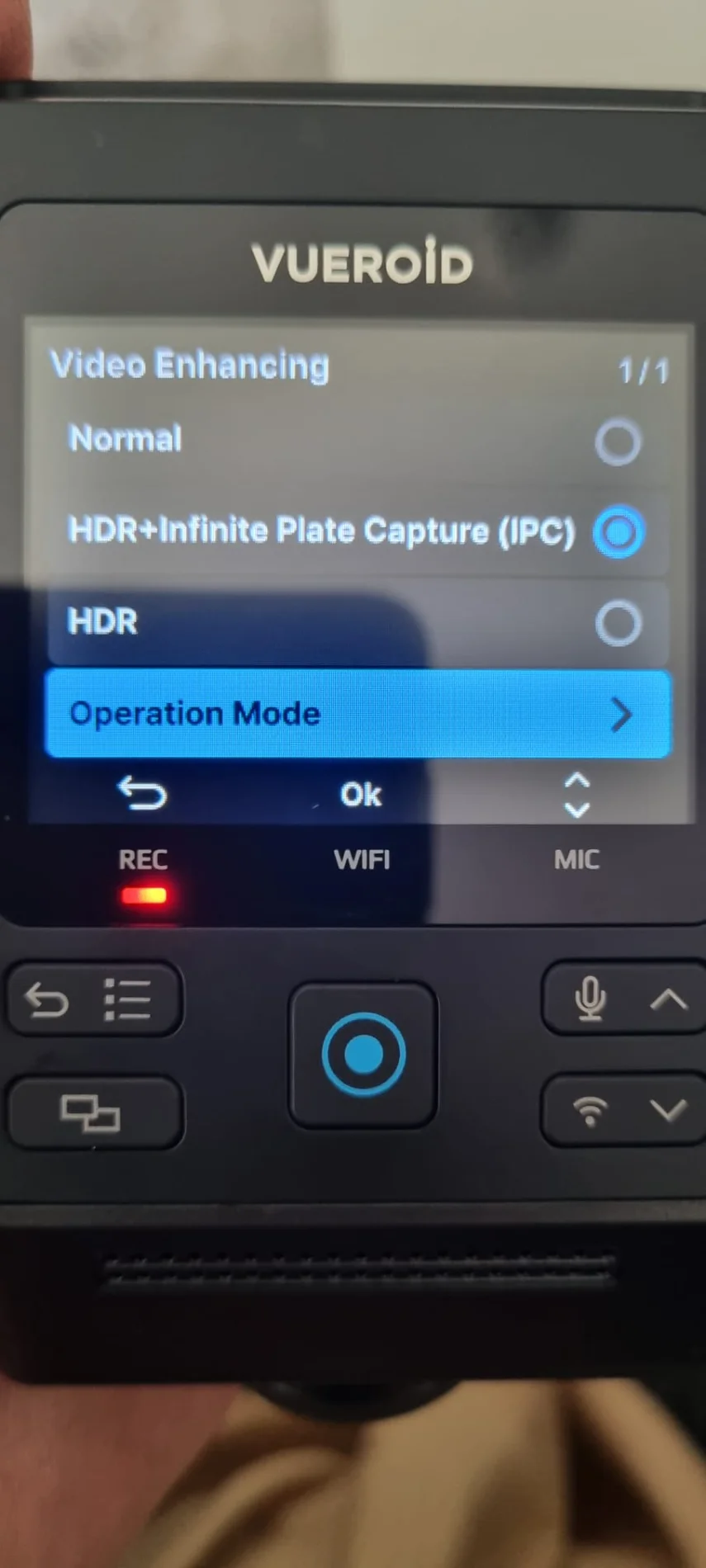

Vueroid has released test firmware: V1.3.12, which allows HDR+IPC mode to be enabled by a timer, just like HDR mode.
When this mode is set to a timer, the S1-4K records in Normal mode while it's off, and the video displays a Normal stamp.
When the switching time arrives, HDR+IPC mode is enabled, and the stamp displays HDR+IPC in the video.
With the addition of this mode, the "Normal" and "HDR" modes become redundant in the S1-4K menu.
OP
OP
Karagandinez
Well-Known Member
- Joined
- Nov 27, 2020
- Messages
- 3,023
- Reaction score
- 4,031
- Location
- Deutschland
- Country
- Germany
- Dash Cam
- At the moment Viofo, Vueroid and Vantrue
Onetenner
Active Member
- Joined
- Oct 26, 2025
- Messages
- 168
- Reaction score
- 140
- Location
- Ubique
- Country
- United Kingdom
- Dash Cam
- Vueroid D40-Q2
That's very good image quality - I paused it at random and even accepting that the good weather helps, there is no blurring at that speed, even on my 'less than 4k' screen...

OP
OP
Karagandinez
Well-Known Member
- Joined
- Nov 27, 2020
- Messages
- 3,023
- Reaction score
- 4,031
- Location
- Deutschland
- Country
- Germany
- Dash Cam
- At the moment Viofo, Vueroid and Vantrue

Chuck McCoy
Well-Known Member
- Joined
- Jun 9, 2022
- Messages
- 4,718
- Reaction score
- 4,691
- Location
- California
- Country
- United States
- Dash Cam
- 2026 Minimum Spec: STARVIS 2 & HDR & Low Power Parking Mode
Reply Function Not Working.
@Karagandinez
1.) I thought @Mtz told said we’re not supposed to use HDR in Parking Mode, only use HDR in Driving Mode when headlights are illuminated?
2.) Is Vueroid PNV the “equivalent” of Viofo SNV?
3.) Does PNV have audio?
@Karagandinez
1.) I thought @Mtz told said we’re not supposed to use HDR in Parking Mode, only use HDR in Driving Mode when headlights are illuminated?
2.) Is Vueroid PNV the “equivalent” of Viofo SNV?
3.) Does PNV have audio?
Attachments



OP
OP
Karagandinez
Well-Known Member
- Joined
- Nov 27, 2020
- Messages
- 3,023
- Reaction score
- 4,031
- Location
- Deutschland
- Country
- Germany
- Dash Cam
- At the moment Viofo, Vueroid and Vantrue
I want to say right away that this was not a special comparison of parking modes, it’s just that yesterday,
while looking through saved videos, I saw these and decided to make a comparison.
For me personally, 1 fps in SNV mode on the Viofo isn't enough; I need at least 10 fps. The lack of audio recording is also annoying.
That's why I use LBR on Viofo models.
Vueroid records at 30 fps in PNV mode, using the bitrate set in the dashcam menu. Audio is also recorded in this mode.
while looking through saved videos, I saw these and decided to make a comparison.
As far as I remember, my HDR is also turned off in parking mode. It just happened to be on here.1.) I thought @Mtz told said we’re not supposed to use HDR in Parking Mode, only use HDR in Driving Mode when headlights are illuminated?
2.) Is Vueroid PNV the “equivalent” of Viofo SNV?
I haven't done a specific comparison yet, but each parking mode is good in its own way.3.) Does PNV have audio?
For me personally, 1 fps in SNV mode on the Viofo isn't enough; I need at least 10 fps. The lack of audio recording is also annoying.
That's why I use LBR on Viofo models.
Vueroid records at 30 fps in PNV mode, using the bitrate set in the dashcam menu. Audio is also recorded in this mode.
OP
OP
Karagandinez
Well-Known Member
- Joined
- Nov 27, 2020
- Messages
- 3,023
- Reaction score
- 4,031
- Location
- Deutschland
- Country
- Germany
- Dash Cam
- At the moment Viofo, Vueroid and Vantrue
I came across a video from @SafeDriveSolutions about factory testing of Vueroid.
I think it will be of interest to anyone interested in Vueroid products.
I think it will be of interest to anyone interested in Vueroid products.
OP
OP
Karagandinez
Well-Known Member
- Joined
- Nov 27, 2020
- Messages
- 3,023
- Reaction score
- 4,031
- Location
- Deutschland
- Country
- Germany
- Dash Cam
- At the moment Viofo, Vueroid and Vantrue
Many users are asking:
Why does the manufacturer recommend changing the lens angle in the new firmware?
I decided to test drive two models with different lens angles in low-visibility conditions.
Here's the result:
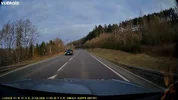

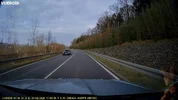

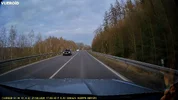


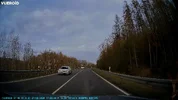
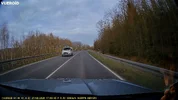
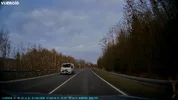
The distance from the dash cams to oncoming cars varies because changing
the lens angle changes the distance to the best-readable license plate of oncoming cars.
Why does the manufacturer recommend changing the lens angle in the new firmware?
I decided to test drive two models with different lens angles in low-visibility conditions.
Here's the result:
The distance from the dash cams to oncoming cars varies because changing
the lens angle changes the distance to the best-readable license plate of oncoming cars.
Chuck McCoy
Well-Known Member
- Joined
- Jun 9, 2022
- Messages
- 4,718
- Reaction score
- 4,691
- Location
- California
- Country
- United States
- Dash Cam
- 2026 Minimum Spec: STARVIS 2 & HDR & Low Power Parking Mode
@Karagandinez
Excellent side by side testing.
Excellent side by side testing.
Onetenner
Active Member
- Joined
- Oct 26, 2025
- Messages
- 168
- Reaction score
- 140
- Location
- Ubique
- Country
- United Kingdom
- Dash Cam
- Vueroid D40-Q2
@Karagandinez Do you think the height of the camera from the road surface will make a difference? or just the elevation of the lens?
My reason for asking is that there are many different height ranges depending upon vehicle classification - (to use American terms) sub-compact, compact, sedan, SUV etc.
My reason for asking is that there are many different height ranges depending upon vehicle classification - (to use American terms) sub-compact, compact, sedan, SUV etc.
OP
OP
Karagandinez
Well-Known Member
- Joined
- Nov 27, 2020
- Messages
- 3,023
- Reaction score
- 4,031
- Location
- Deutschland
- Country
- Germany
- Dash Cam
- At the moment Viofo, Vueroid and Vantrue
@Karagandinez Do you think the height of the camera from the road surface will make a difference? or just the elevation of the lens?
My reason for asking is that there are many different height ranges depending upon vehicle classification - (to use American terms) sub-compact, compact, sedan, SUV etc.
I tested this model on various cars and didn't notice much of a difference in video quality due to the different mounting heights.
Audi A3, VW T5, and Škoda Kodiaq.
OP
OP
Karagandinez
Well-Known Member
- Joined
- Nov 27, 2020
- Messages
- 3,023
- Reaction score
- 4,031
- Location
- Deutschland
- Country
- Germany
- Dash Cam
- At the moment Viofo, Vueroid and Vantrue
Chuck McCoy
Well-Known Member
- Joined
- Jun 9, 2022
- Messages
- 4,718
- Reaction score
- 4,691
- Location
- California
- Country
- United States
- Dash Cam
- 2026 Minimum Spec: STARVIS 2 & HDR & Low Power Parking Mode
1.) How do you like Vueroid's new 40% Road & 60% Sky recommendation?
2.) Are you seeing any image quality improvements with the new v.1.4.2. firmware?
-Chuck
2.) Are you seeing any image quality improvements with the new v.1.4.2. firmware?
-Chuck