Viofo Recommended SSD

I use a Mac Studio M4 Max and a Debian box. As I recall, the format on my old A229 Pro wiped everything. I could check the SD on my Debian box and found all the Windows muck gone.

But, being the AR sort of person I am, I did use the Debian terminal to follow up and make darn sure. 🙂
 
Just wondering – did you do the first formatting of the new X10 Pros via the dashcam or did you do them first via desktop computer..?
First i checked the partition and the firmware with the crucial tool with my windows pc. The ssd comes with an already formatted exFat partition including some small files (mostly support stuff) on it.
After that check i installed it to the dashcams and did a manual formatting via the viofo dashcam menu.

What makes the Crucial X10 drives so special? Compared to the X9/ X9Pro models, which i can find cheaper...
The X9 Pro was my first choice but after reading some reviews i find out crucial marked the X9 Pro as end of life production in Sep. 25.
Just wanted to be sure to get an supported product, but i bet the price of the X9 Pro will drop in future would make an excellent alternative.

https://www.crucial.com/catalog/ssd...fJZVK42l4_rFWj1gR9d6-_1R5RKLPCoaXRyLPL2xsluxM


I also got an answer from viofo about my problem with the T7 shield ssd not recognized:

1760081101771.webp
 
First i checked the partition and the firmware with the crucial tool with my windows pc. The ssd comes with an already formatted exFat partition including some small files (mostly support stuff) on it.
After that check i installed it to the dashcams and did a manual formatting via the viofo dashcam menu.
Thanks for the info.
I presume you’re on the latest Crucial firmware?
I did read somewhere that the Crucial SSD support software was Windows only, which is a bit of a pain…but I’m sure I’ll sort something one way or the other if I decide on a X10….Would probably just format exFat via the Mac and then take over to the Viofo and reformat again….

I have since read a fair amount of negative reviews on the X10 Pro on B&H Photo website re failing and mounting issues…Initially great performance, then after 2 weeks—few months failures being reported….So a slight worry. That said, a lot of them did seem to be in Mac environments and the X10 formatted in APFS, so could be an issue there maybe…and one that wouldn’t effect use with the Viofo…
And of course, re any reviews, there’s always going to be the negative ones…!

It’s all a pain, as you just don’t know until some time and use has elapsed and things stay reliable…a bit like your T7 seeming OK for a period….

My biggest fear is a reliability issue or failure when you really need the recording….
 
On both ssd the latest firmware were installed already.

Yes, i also read the negative reviews. Most of them are problems with macs.
Only the time will show if the crucial ssd keep up or failing. I will of course keep you informed if the ssd starting to make problems.

Also it would be very interesting how the samsung repair company did a type of reset to ssd and seems now to work again with the dashcam.
 
Also it would be very interesting how the samsung repair company did a type of reset to ssd and seems now to work again with the dashcam.
Yes I read that in your post, but wasn’t sure if it was before or after you had been testing the T7’s and swapping them around etc…..Interesting.
But of course, not really a practical solution for T7 use and the Viofo – we don’t know what the ‘reset’ was and not everyone is going to get the same service support – and we shouldn’t need to either..!

Thanks again.
 
On both ssd the latest firmware were installed already.

Yes, i also read the negative reviews. Most of them are problems with macs.
Only the time will show if the crucial ssd keep up or failing. I will of course keep you informed if the ssd starting to make problems.

Also it would be very interesting how the samsung repair company did a type of reset to ssd and seems now to work again with the dashcam.

That kind of action by a service center always concerns me, as it suggests Samsung is aware of an issue but not being forthcoming about it. In the past, Samsung, Crucial, WD, and probably others have been caught swapping out controllers on their consumer-grade memory boards. To make matters worse, most of these memory devices are primarily geared towards the motherboard/Windows security, and legacy requirements. It is feasible that FW on an SSD controller could glitch and look for data from a motherboard, but all it finds is a dashcam controller that is not handshaking correctly or in the SSD expected format.

Regarding the Mac and Crucial ... it seems there have been issues with OS Sequoia, APFS, Encryption, and Crucial USB cables. In one report, someone mentioned a problem with Finder not dismounting the drive correctly, whereas Disk Utility would dismount it properly; I have noticed the same myself. Also, it seems to be more of an issue with 4TB, but it can happen with any size. Why the 'fail' rate is high with Crucial and Mac is anyone's guess. An argument could be made for either side or both to be at fault.

Apple Support - Crucial X10 Pro
 
Thanks for the info.
I presume you’re on the latest Crucial firmware?
I did read somewhere that the Crucial SSD support software was Windows only, which is a bit of a pain…but I’m sure I’ll sort something one way or the other if I decide on a X10….Would probably just format exFat via the Mac and then take over to the Viofo and reformat again….

I have since read a fair amount of negative reviews on the X10 Pro on B&H Photo website re failing and mounting issues…Initially great performance, then after 2 weeks—few months failures being reported….So a slight worry. That said, a lot of them did seem to be in Mac environments and the X10 formatted in APFS, so could be an issue there maybe…and one that wouldn’t effect use with the Viofo…
And of course, re any reviews, there’s always going to be the negative ones…!

It’s all a pain, as you just don’t know until some time and use has elapsed and things stay reliable…a bit like your T7 seeming OK for a period….

My biggest fear is a reliability issue or failure when you really need the recording….

Yes, Windows only.
 
How are those X10 Pros going..?!
So far they work perfectly. Last sunday i read the data from both ssd's on my pc. No corrupted videos.
Also no connection problems. Both ssd will be find everytime with no errors.

Yesterday i updated the firmware from both dashcams to 2.0 and both ssd still working excellent.
 
So far they work perfectly. Last sunday i read the data from both ssd's on my pc. No corrupted videos.
Also no connection problems. Both ssd will be find everytime with no errors.

Yesterday i updated the firmware from both dashcams to 2.0 and both ssd still working excellent.
Good to hear..! Long may it continue…! 🤞
 
I just wanted to provide an update on my experience with the A329S and the 4TB Crucial X9 SSD.
It's been some time since my last post, and all I can say is, it's simply just worked.

A329S
4K front, 2K interior, 2K rear
Max bitrate
HDR enabled between 7pm - 7am EST
LBR parking mode
HDR enabled in parking mode
HK6 hardwire kit
BBMC BI-750 & BE-750 x2

Here are my SSD stats as of today:
1.25/3.63 tb used
919 driving files (should be 921 but noticed 2 interior files were missing) 618 gb
7322 parking files

It's been pretty awesome thus far!
 
so whats a good SSD for this camera? ive had a T7 shield samsung for 12 months and going ok any others that are proven to work?
 
Glad I did my upgrade when I did…cause at today’s prices. Forget it.
The Sandisk ssd 1TB ssd bought for about $90 is now $390.
Micro sd cards prices have gone up, but not quite as bad as SSDs.
 
Glad I did my upgrade when I did…cause at today’s prices. Forget it.
The Sandisk ssd 1TB ssd bought for about $90 is now $390.
Micro sd cards prices have gone up, but not quite as bad as SSDs.
tell me about it, i havent got either for about 12 months and looking at prices im like wtf??? i had to look back to what i got 12 months back and the price almost doubled.
 
Glad I did my upgrade when I did…cause at today’s prices. Forget it.
The Sandisk ssd 1TB ssd bought for about $90 is now $390.
Micro sd cards prices have gone up, but not quite as bad as SSDs.

Ditto, same here. I am passing on SSD for the next year or two until the memory madness subsides. I have actually gone back to looking at a spinning platter for my Mac Studio as a backup and for other goodness.
 
so whats a good SSD for this camera? ive had a T7 shield samsung for 12 months and going ok any others that are proven to work?
I just found this by accident;
Viofo Official Recommended SSD’s

2 .webp


$217USD Western Digital 1TB My Passport SSD; https://www.amazon.com/gp/B08F27QGHX
$175USD SanDisk 1TB Extreme Portable SSD; https://www.amazon.com/gp/B08GTYFC37
$280USD SanDisk 2TB Extreme Portable SSD; https://www.amazon.com/gp/B08HN37XC1
$450USD SanDisk 4TB Extreme Portable SSD; https://www.amazon.com/gp/B08RX4QKXS
$710USD Samsung 4TB T9 Portable SSD; https://www.amazon.com/gp/B0CHFSZX9W
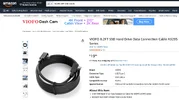
$20USD VIOFO 2.5 Meter SSD Cable; https://www.amazon.com/gp/B0GJRZQ4S4
 

Attachments

  • 1 .webp
    1 .webp
    131.1 KB · Views: 68
That may explain why more recently I've had to manually disconnect and reconnect my Samsung T7 Shield 4TB for it to be recognized each time I start up my vehicle. I'm using the original Viofo cable, so it isn't that nor is it the known loose T7 Shield USB C connection (I have the cable connector securely clamped in place).

FYI I paid ~US$250 for that SSD in June 2025 on AMZ and it is now there for $698. Thanks, AI! 🙄
 
Samsung T7 Shield 4TB
Samsung T7 was the original recommended SSD.
Now it is no longer recommended.
I would SUBMIT A TICKET and say something like;

What happen to Samsung T7 recommendation?
I spent $250 on your recommended SSD, and it does not work properly.
What can you do to fix this situation?
 
Samsung T7 was the original recommended SSD.
Now it is no longer recommended.
I would SUBMIT A TICKET and say something like;

What happen to Samsung T7 recommendation?
I spent $250 on your recommended SSD, and it does not work properly.
What can you do to fix this situation?
Lol, they're not going to do a thing.
 
Back
Top