
You are using an out of date browser. It may not display this or other websites correctly.
You should upgrade or use an alternative browser.
You should upgrade or use an alternative browser.
E1 Pro Test & Review PP
- Thread starter Chuck McCoy
- Start date

OP
OP

Chuck McCoy
Well-Known Member
- Joined
- Jun 9, 2022
- Messages
- 4,921
- Reaction score
- 4,836
- Location
- California
- Country
- United States
- Dash Cam
- 2026 Minimum Spec: STARVIS 2 & HDR & Low Power Parking Mode
SETTINGS:
A119M Pro
Firmware: V1.2_20260409
HDR: On
CPL Filter: On
1 Minute File Size: 445MB
Bitrate: 62Mbps
E1 Pro
Firmware: VT-EFB271
HDR: On
PlatePix: On
CPL Filter: On
1 Minute File Size: 232MB
Bitrate: 32Mbps
CA Plate# 03425W3 2024 Chevrolet Silverado 3500HD


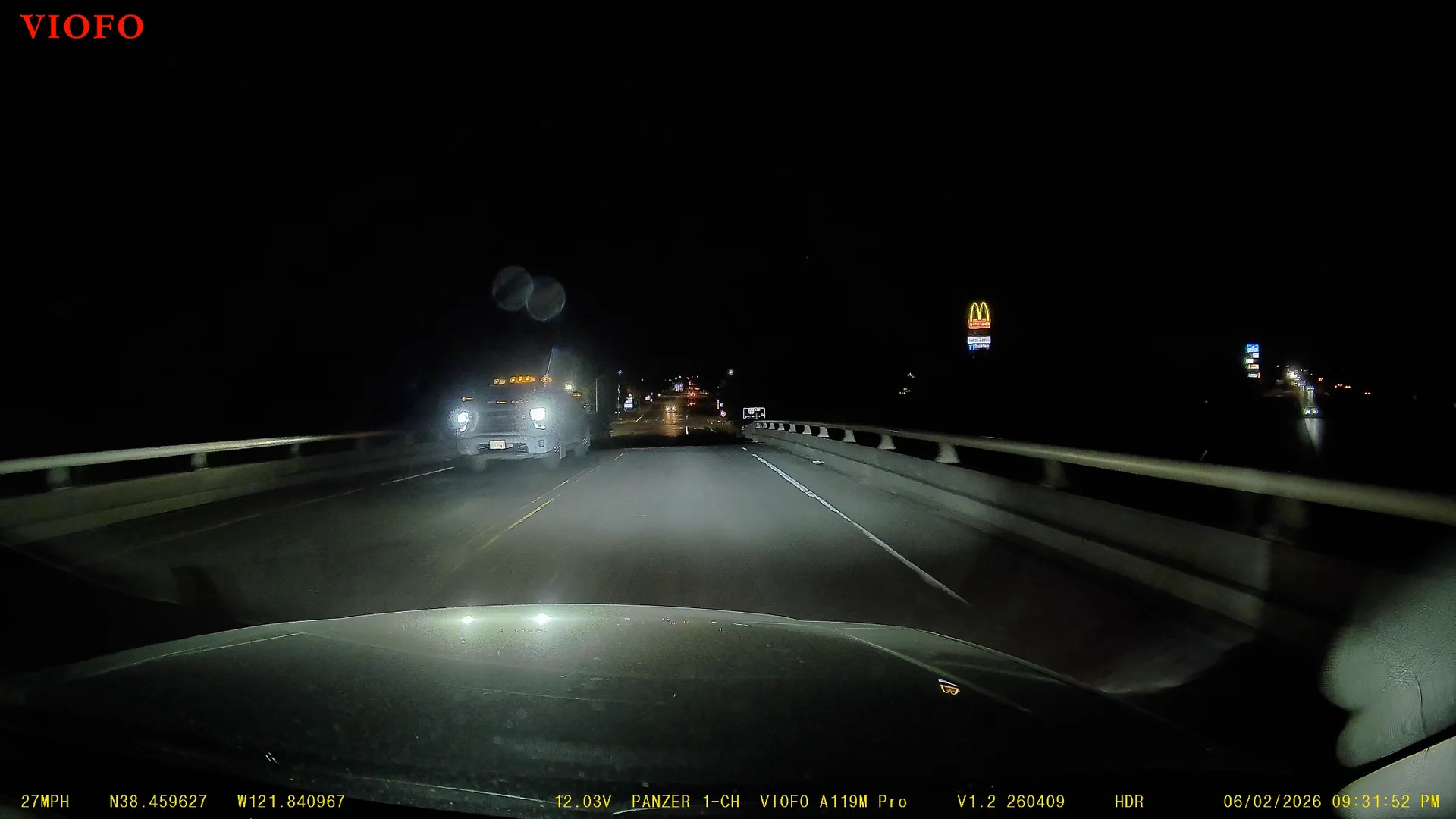
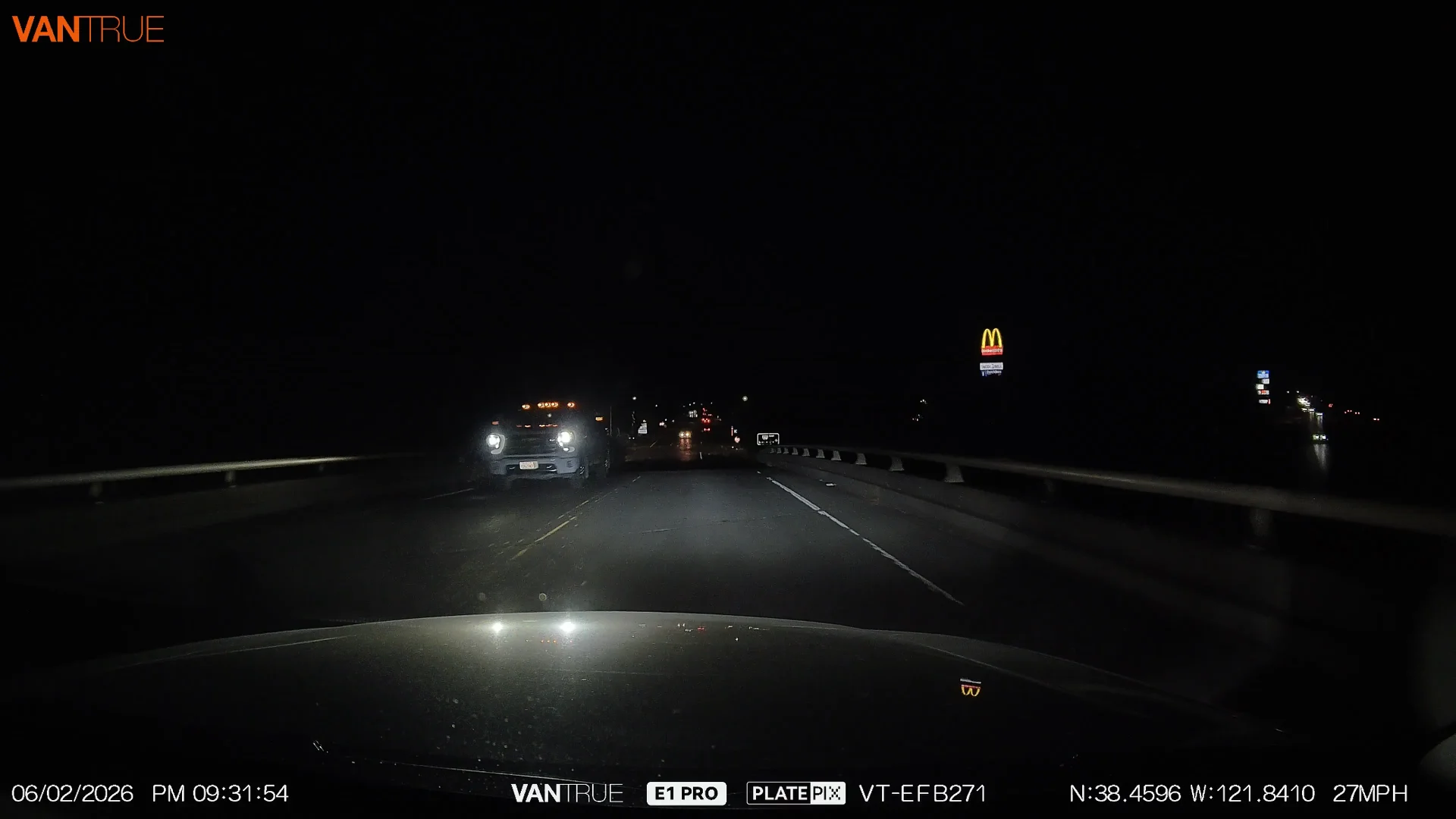
A119M Pro
Firmware: V1.2_20260409
HDR: On
CPL Filter: On
1 Minute File Size: 445MB
Bitrate: 62Mbps
E1 Pro
Firmware: VT-EFB271
HDR: On
PlatePix: On
CPL Filter: On
1 Minute File Size: 232MB
Bitrate: 32Mbps
CA Plate# 03425W3 2024 Chevrolet Silverado 3500HD
OP
OP
Chuck McCoy
Well-Known Member
- Joined
- Jun 9, 2022
- Messages
- 4,921
- Reaction score
- 4,836
- Location
- California
- Country
- United States
- Dash Cam
- 2026 Minimum Spec: STARVIS 2 & HDR & Low Power Parking Mode
CITY TEST LOOP - A119M Pro vs. E1 Pro
SETTINGS:
A119M Pro
Firmware: V1.2_20260409
HDR: On
CPL Filter: On
3 Minute File Size: 1.3GB
Bitrate: 62Mbps
E1 Pro
Firmware: VT-EFB271
HDR: On
PlatePix: On
CPL Filter: On
3 Minute File Size: 692MB
Bitrate: 32Mbps
SUNSET: 8:27PM (filmed 45 Minutes after sunset)
SETTINGS:
A119M Pro
Firmware: V1.2_20260409
HDR: On
CPL Filter: On
3 Minute File Size: 1.3GB
Bitrate: 62Mbps
E1 Pro
Firmware: VT-EFB271
HDR: On
PlatePix: On
CPL Filter: On
3 Minute File Size: 692MB
Bitrate: 32Mbps
SUNSET: 8:27PM (filmed 45 Minutes after sunset)
OP
OP
Chuck McCoy
Well-Known Member
- Joined
- Jun 9, 2022
- Messages
- 4,921
- Reaction score
- 4,836
- Location
- California
- Country
- United States
- Dash Cam
- 2026 Minimum Spec: STARVIS 2 & HDR & Low Power Parking Mode
1 HOUR AFTER SUNRISE - A119M Pro vs. E1 Pro
SETTINGS:
A119M Pro
Firmware: V1.2_20260409
HDR: On
CPL Filter: On
1 Minute File Size: 444MB
Bitrate: 62Mbps
E1 Pro
Firmware: VT-EFB271
HDR: On
PlatePix: On
CPL Filter: On
3 Minute File Size: 232MB
Bitrate: 32Mbps
SUNRISE: 5:43AM (filmed 1 Hour 16 Minutes after sunrise)
Testing Note: I just realized I forgot to clean my windshield.
SETTINGS:
A119M Pro
Firmware: V1.2_20260409
HDR: On
CPL Filter: On
1 Minute File Size: 444MB
Bitrate: 62Mbps
E1 Pro
Firmware: VT-EFB271
HDR: On
PlatePix: On
CPL Filter: On
3 Minute File Size: 232MB
Bitrate: 32Mbps
SUNRISE: 5:43AM (filmed 1 Hour 16 Minutes after sunrise)
Testing Note: I just realized I forgot to clean my windshield.
glostix
New Member
Interesting that the Vantrue is ~1/2 the bitrate/filesize of the Viofo. Since Youtube compresses so much, when you view the files on a computer do they seem similar in video quality/artifacting/etc.?1 HOUR AFTER SUNRISE - A119M Pro vs. E1 Pro
SETTINGS:
A119M Pro
...
Bitrate: 62Mbps
E1 Pro
...
Bitrate: 32Mbps
Unrelated side note: when I first came across your vids I got freaked out because you often drive by the hill where I live, a shopping center near me, etc. Bought a Mustang a year ago from the dealer in your plate frames. I can tell the other major reviewer on this forum RCG is in the area too.
OP
OP
Chuck McCoy
Well-Known Member
- Joined
- Jun 9, 2022
- Messages
- 4,921
- Reaction score
- 4,836
- Location
- California
- Country
- United States
- Dash Cam
- 2026 Minimum Spec: STARVIS 2 & HDR & Low Power Parking Mode
Absolutely not.Interesting that the Vantrue is ~1/2 the bitrate/filesize of the Viofo. Since Youtube compresses so much, when you view the files on a computer do they seem similar in video quality/artifacting/etc.?
YouTube compression ain’t got nothing to do with it.
Since 2019 I always upload dash cam test footage from the original / raw file directly to YouTube.
I remove SD Card from camera, insert in my Google Chromebook, and upload directly to YouTube.
I don’t use any video editing software when gathering test footage for comparison.
So I can always come back, and compare old footage with new footage with the same level of “YouTube degradation”.
However, when I make compilation videos with multi-channel cameras I transfer original video files to my iPhone, and use iMovie to “glue” clips together, and then upload to YouTube from my iPhone like this.
A 4K camera with only 30Mbps Bitrate turns to doo-doo once you go faster than 50MPH, (pixelated / blurry).
A 4K camera needs minimum 60Mbps.
I thought about asking Vanture for a 60Mbps custom firmware for testing, but it might burst into flames.
Right now it gets super duper hot at only 32Mbps.
Robert is right down the street. lolUnrelated side note: when I first came across your vids I got freaked out because you often drive by the hill where I live, a shopping center near me, etc. Bought a Mustang a year ago from the dealer in your plate frames. I can tell the other major reviewer on this forum RCG is in the area too.
Last edited: