ECOFLOW and Viofo

It bears noting that EcoFlow units have a max working temp of 45c/113F. They mean it, one of mine fried after a few consecutive days in a car with outside temps of 35c/95F - I don’t know what the temp inside of a dark blue car was. I needed to send it back for repair. This is why I built the LTO pack that @GPak designed, it has a much wider working temp range. So far, my LTO is proven from -22c/-8F (outside temp) to 55c/131F (in car temp). High temp that day was probably 92-95F/32-35c.
Heat resistance is a very important point. I can't wait for the summer to test how the River3 copes with extreme temperatures.
According to manual, River3 has a high temperature warning and high temperature protection, and I would like to see how it works?
Also the River3 displays the internal temperature, and I am going to install thermometer next to it to compare with the environment inside the car.
I think in my area, when parked in direct sunlight, the temperature inside my Jeep can reach 60 °C (140 °F) and above, and this can last for several days, if not weeks.
 
According to manual, River3 has a high temperature warning and high temperature protection, and I would like to see how it works?
The River2 does as well. I think the temp sensor is in the middle of the battery pack to protect the batteries from too much heat. I’m guessing the batteries were close to the temp limit and the few extra degrees of heat from the 5v regulators on the PCB is what killed mine last summer. I wonder if the River3 is constructed in the same manner as the River2, or if they added an extra temp sensor to the regulators on the board.

Still have some (just a little) usable voltage left on my LTO pack after 50hrs of parking mode…
 
Alrighty, video is finally done. 🙂


I've also reached out to Ecoflow about some of their other models and the solar panel option. I've played with solar in the past, but haven't had good luck. I think that having something more natively put together will help make it work better.
 
Awesome video review! Just one point of difference that I noticed with my River2 - when fully depleted, the USB-A ports come on within 10s of applying charge power to the River2.

My DIY LTO pack finally died overnight while powering the Vantrue E360 3-ch camera - it ran for 53h and 55m before the Viofo HK3C regulator (built into my LTO box) shut off at 11.8v. This is a good deal longer than the 38.5h for the same camera from my River2.

The odd part to me is that the BMS reported varying levels of power draw throughout the nearly 54h, initially reporting a 3.8w power draw, but my BMS screencaps indicate various levels of power draw including 3.0w, 2.9w, 2.7w, and 1.9w at different points in time. This might be explained by the Vantrue camera switching between B&W and color recording on the front external and front cabin facing cameras as a function of ambient light. The River2 reported a pretty consistent 4w of power draw for the same camera.
 
Last edited:
Glad to hear that your USB A ports click on faster! That may be a better way to go then compared to USB C. It also leaves the USB C port open for other stuff or even recharging in a pinch.

Interesting to hear about the different power draw levels.

I also heard back from Ecoflow this morning regarding some of my questions and observations. Here's some details:

Regarding the self-discharge:
For the issue of slow discharge when nothing is pulling power from the battery, especially when the timeout feature isn't used or working, the River 2 has a relatively low capacity. The self-discharge is an inherent characteristic and can only be stopped when the device is completely turned off. As long as the device is powered on, some level of self-discharge is inevitable.

Battery capacity estimate inaccuracies:
The estimated battery usage time is just for reference. When the power consumption of the connected device (like your dashcam) is very low, the power station's conversion efficiency is also relatively lower. This can lead to the actual usage time being shorter than the estimated time shown on the display or app. It's normal to have such discrepancies between the estimated and actual usage times, and this is something that many users might experience.

River 2 vs River 3 vs River 3 Plus:
The River 3 indeed features an updated architecture and more complex logical functions. The port memory feature you mentioned is correct, which allows the cigarette lighter port (not just the USB ports) to stay on across power cycles. For the River 3 Plus, besides the built-in light, the UPS (Uninterruptible Power Supply) function is one of the key differences. This function provides seamless power transfer during power outages, ensuring your devices remain powered without interruption.
 
Interesting feedback from EcoFlow. The first two seem like pretty logical explanations (that align with our expectations), the third point sounds like an upgraded feature set for the River3. Awesome to see this being added! I was hoping the updated River2 firmware might add this functionality, but it didn't. Oh well. This functionality must be more integral to the hardware than I was hoping.

Having completed a charge/discharge cycle with the River2, I attempted to repeat my first set of results. This time, though, my Vantrue camera is power cycling every 20-30s. I switched to my second River2 unit only to discover the same power cycling behavior. Odd, since I'm simply repeating exactly what I did a few days ago. I suppose the USB-A ports on the River2 are just on the cusp of not providing enough current to keep the camera powered up. The initial start up in drive mode seems to want close to 6w of power. I can't test my Viofo camera in the house so well as it's a 2-ch camera that is installed in the car.

So, I decided to take a different route: I'm powering the Vantrue E360 3-ch camera from the 12v utility plug that has a USB-C connector on the end. This has eliminated the power cycling. I'm wondering what difference I'll see in hours for the extra inefficies of an extra stage of voltage regulation.
 
Strange, I’m seeing variable power draw again, it’s alternating among 0w, 3w, and 4w. Fluctuation is shown on both the device and in the app.

IMG_5423.webp
 
Alrighty, video is finally done. 🙂


I've also reached out to Ecoflow about some of their other models and the solar panel option. I've played with solar in the past, but haven't had good luck. I think that having something more natively put together will help make it work better.

Just finished watching the YT video and reading all the comments - really great review!!
The links provided are a great addition to help those interested get more information on the topic and also get more people interested in DCT.
 
..........
I also heard back from Ecoflow this morning regarding some of my questions and observations. Here's some details:
Regarding the self-discharge:
Battery capacity estimate inaccuracies:
River 2 vs River 3 vs River 3 Plus:
I'm glad Ecoflow responded to your video, hopefully they'll be interested enough to provide you some of their product samples for testing with dash cams.

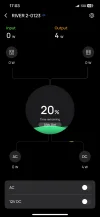
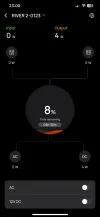
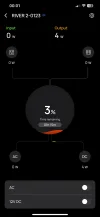
All the comments from them are to be expected, except that the River3's remaining charge percentage (not time remaining) was actually pretty accurate when I tested it, so I posted screenshots to show (post#116).
 
Awesome video review! Just one point of difference that I noticed with my River2 - when fully depleted, the USB-A ports come on within 10s of applying charge power to the River2.

My DIY LTO pack finally died overnight while powering the Vantrue E360 3-ch camera - it ran for 53h and 55m before the Viofo HK3C regulator (built into my LTO box) shut off at 11.8v. This is a good deal longer than the 38.5h for the same camera from my River2.

The odd part to me is that the BMS reported varying levels of power draw throughout the nearly 54h, initially reporting a 3.8w power draw, but my BMS screencaps indicate various levels of power draw including 3.0w, 2.9w, 2.7w, and 1.9w at different points in time. This might be explained by the Vantrue camera switching between B&W and color recording on the front external and front cabin facing cameras as a function of ambient light. The River2 reported a pretty consistent 4w of power draw for the same camera.
The LTO's parking time looks really good.
Your LTO has a capacity of 276Wh, which is only 8% more than the River2's 256Wh.
However, the parking time of 53.9 hours is 40% more than your River2's 38.5 hours.

Interesting fluctuations in power consumption on the E360.
Even though the BMS power consumption reading is not very accurate, it should not fluctuate like that.
How did you power it, did you use the same included USB-C cable with some kind of adapter to get the 5V needed by the E360?
Your LTO output is around 15.5V when fully charged.
 
Interesting fluctuations in power consumption on the E360.
Even though the BMS power consumption reading is not very accurate, it should not fluctuate like that.
How did you power it, did you use the same included USB-C cable with some kind of adapter to get the 5V needed by the E360?
Your LTO output is around 15.5V when fully charged.
I was surprised to see the power draw fluctuation as well. I don’t know what to make of this. The Vantrue camera was powered directly from the LTO battery pack with a USB-C power cord that I terminated with an adapter plug that fits my LTO pack. The LTO pack has the Viofo 12v to 5v regulator built into it, so it always outputs 5.2v regardless of the battery state of charge. I’ll have to pull the Viofo main camera out of the car again and see if it has a constant power draw…

Here is the modified USB-C cable that I use to connect my cameras to the LTO pack for testing:
IMG_5425.webp
 
I wonder if the original E360 USB-A to USB-C cable uses any other pins besides the power pins to let the camera know if it's hard-wired or powered by USB.
I would try original USB-C cable with different USB-A source.

I'm not sure why the River 2 USB-A port is causing the power starvation, standard USB-A port usually rated for 15W-18W (2.5-3A), although it should be noted that the R2 USB-A port when not being used to power anything only provides about 4.83V, but that voltage increases to 4.98V when I plug in the dash cam. (this is not the case for R3 that provides around 5.1V at all times)

Right now I'm running my standard parking test with the R2 and Vofo A229Plus 2ch LBR, except this time I'm using a regular USB-A cable (not a 12V converter) to power the dashcam with 5V and using HK4 with the regulator removed.
The actual measured voltage from R2 is 4.96V, the power draw is around 3.9W. App shows 4W.
It's been 12 hours, there is no power starvation.
 
Last edited:
I think you are onto something with using an "original" cable. I just posted measurements that I made of the Vantrue E360 camera with and without the GPS unit attached while being powered by the dedicated Vantrue hard wire kit. Vantrue is little sneaky, using the A8/SBU1 pin to toggle drive/parking mode. This pin is not present on typical ready-made 5- and 6-wire USB-C cables.

Here is the short version:
E360 with GPS and +12v on both Red and Yellow wires:
A1: GND
A2: 0
A3: 0
A4: 5.03v
A5: 0.02v
A6: 1.01v
A7: 1.01v
A8: 4.38v (0.04v with yellow wire disconnected from 12v supply)
A9: 5.03
A10: 0.0
A11: 0.0
A12: GND


More USB-C pinout data is available here in my E360 review thread: https://dashcamtalk.com/forum/threa...ew-vantrue-e360-ace-dashcam.52186/post-637117
 
Last edited:
standard USB-A port usually rated for 15W-18W (2.5-3A)
I'm thinking that's the standard power supply level for USB-C ports. I thought USB-A ports were limited to 4.5w. The E360 camera draws a maximum of 6.9w, so this is likely why it was power cycling earlier (current starvation).

In an effort to better understand the voltage fluctuations that I'm seeing in my EcoFlow River 2 power station app while powering my Vantrue camera, I made some additional power measurements today.

The power measurements show the camera consumes about 4.68w in 3-ch low bit rate parking mode with the GPS unit attached. Using my previous figure of 38.5hrs of battery life, this indicates a usable capacity of about 180Wh before the River 2 shut down. 180Wh usable/256Wh total capacity indicates an overall efficiency rate of 70%. I'm assuming the batteries are not functioning at 100% capacity (because my unit was a refurb), so the actual efficiency might be a pinch higher.

I did not yet figure out why I'm seeing significant power fluctuations (from 0w to 4w) in my River 2 and in my LTO pack apps. More careful measurement shows the E360 camera power draw fluctuates from a low of 4.27w to a high of 4.88w, with the average being closer to 4.68w. Maybe these batteries are just not coping well with fluctuations at such low power levels??
 
The early generation of USB-A was indeed limited to 4.5W, but it has improved significantly over time
According to River 2 User Manual the USB-A output is: "5V - 2.4A, 12W Max per port".
Since you experienced power starvation with the power draw well below rated 12W, it is perhaps due to low voltage output (less than 5V), just a guess.

180Wh usable capacity for River2 makes more sense and is close to what I am getting with Viofo A229.
 
Ha - cheater, reading the user manual for usb power specs 😉

I just ran the River2 again, this time powering the Vantrue E360 3-ch camera in low bit rate mode, powered with the 12v utility port adapter that was plugged into the River2 12v port as shown in my image above. This time, the River2 only lasted for 32.5h. I was figuring this would be a less efficient arrangement since the 12v outlet needs to be turned on in order to function.

Edit: when the River2 shut itself down, the display was indicating that the batteries still had 50% charge and about 21h of time left on it…. It was indeed dead, when I turned it back on a few hours later, it only lasted 2-3 mins before dying again.
 
Last edited:
Ha - cheater, reading the user manual for usb power specs 😉
LOL
------------
32.5 hours is too short, a regulated 12V outlet is definitely the least efficient option, that's why it has on/off button, simular to AC output, but that 12V to 5V adapter probably isn't very efficient either.
For example, I measured the efficiency of the original Viofo HK4 cable with a voltage regulator, and it was about 91.3%.

I just finished Ecoflow River2 parking duration test, with A229 Plus, 2CH-F/R, LBR, using USB-A-5V cable (no converter), and HK4 hardwire cable with removed regulator.
parking duration is 49.2 hours !!
The most efficient option.
And the app and display readings are quite accurate !!
It is too late now, I will post the details and screenshots tomorrow.
 
Here is the result of the Ecoflow River2 parking time test with A229 Plus, 2CH-F/R, LBR, Auto HDR, GPS off for parking, using a USB-A-5V power cable (straight 5V, no converter) and a HK4 cable with the voltage regulator removed.

The parking time is 49 hours and 12 minutes!
This is the best result of the 3 options I tested.
The result is expected, since 2 voltage conversion points are removed: the first one is due to the elimination of cables that convert 5V to 12V, and the second one is due to the removal of the voltage regulator from the HK4.
(I think River3 will exceed 50 hours with this option)

The big plus of using the USB-A port is that the TIMEOUT is working with both, a straight 5V cable and a USB-A-5V to 12V converter cable.

The only possible downside using USB-A port with strait 5V out is that some sensitive dash cams may have power/voltage starvation issues, therefore test/check your specific dash cam before going this route.

I've attached a chart and some screenshots from the test.
Note, how accurate the remaining battery percentage and even the remaining time are ! , the only way I can explain this is that the River2 "learns" through several full DC charge and discharge cycles via dashcam, optimizing the remaining charge readings.
 

Attachments

  • River 2 parking test.webp
    River 2 parking test.webp
    42.8 KB · Views: 130
  • 42 hours.webp
    42 hours.webp
    26.1 KB · Views: 130
  • 36 hours.webp
    36 hours.webp
    26.3 KB · Views: 139
  • 24 hours.webp
    24 hours.webp
    28 KB · Views: 126
  • 12 hours.webp
    12 hours.webp
    28.6 KB · Views: 136
  • 0 hours - Start.webp
    0 hours - Start.webp
    30.8 KB · Views: 129
  • 48 hours.webp
    48 hours.webp
    25.1 KB · Views: 135
  • 49 hours.webp
    49 hours.webp
    24.7 KB · Views: 133
  • 49.2 hours - End.webp
    49.2 hours - End.webp
    21.6 KB · Views: 142
Last edited:
Note, how accurate the remaining battery percentage and even the remaining time are ! , the only way I can explain this is that the River2 "learns" through several full DC charge and discharge cycles via dashcam, optimizing the remaining charge readings.

You are correct! When I first had trouble with my River2, I was instructed recalibrate the battery meter by repeating a full charge/discharge cycle three times.
 
Back
Top