Redtiger F77 - 2-Channel - 4K Front + 4K Rear - Testing / Review - RCG

rcg530

Well-Known Member
Joined
Jan 23, 2021
Messages
2,703
Reaction score
4,536
Location
California
Country
United States
Dash Cam
70mai, BlackVue, Thinkware, Vantrue, Vueroid, VIOFO
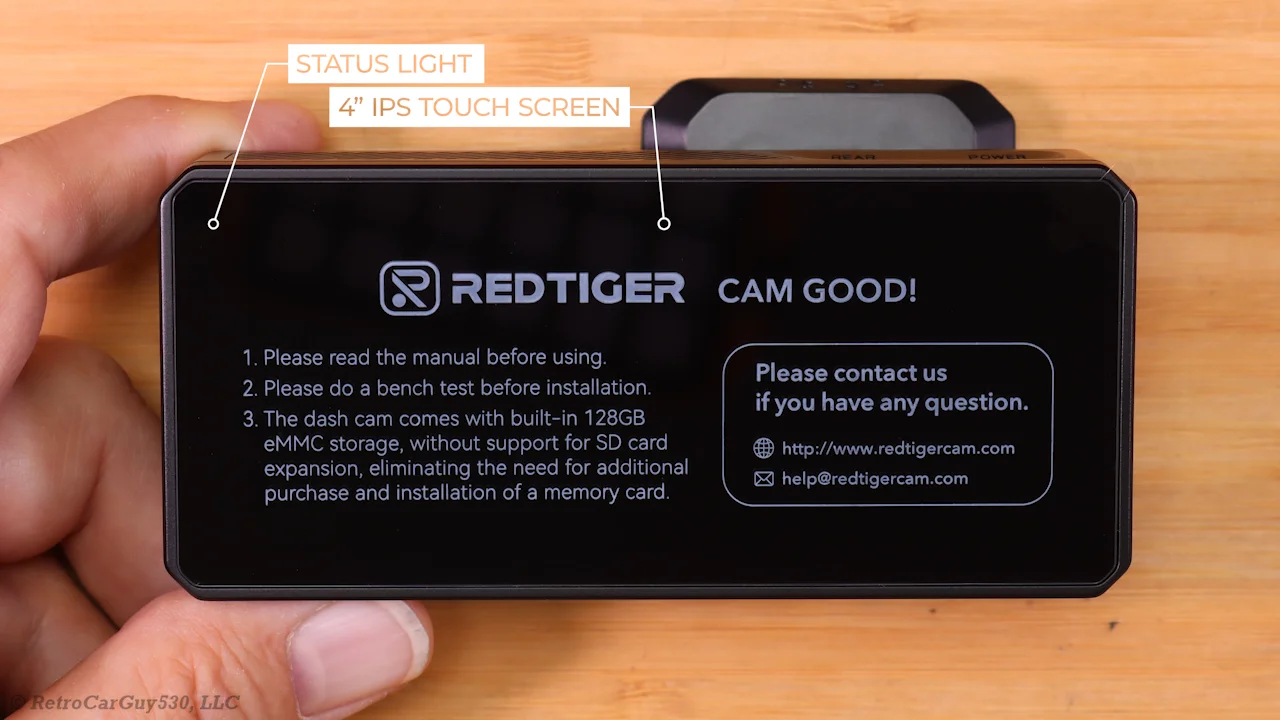
While attending the 2024 SEMA show, I was able to speak with Redtiger / Wolfbox representatives about their current offerings. After returning from the show and then going through a long vetting process, I was sent a Redtiger F77 2-Channel dash camera to test/review.

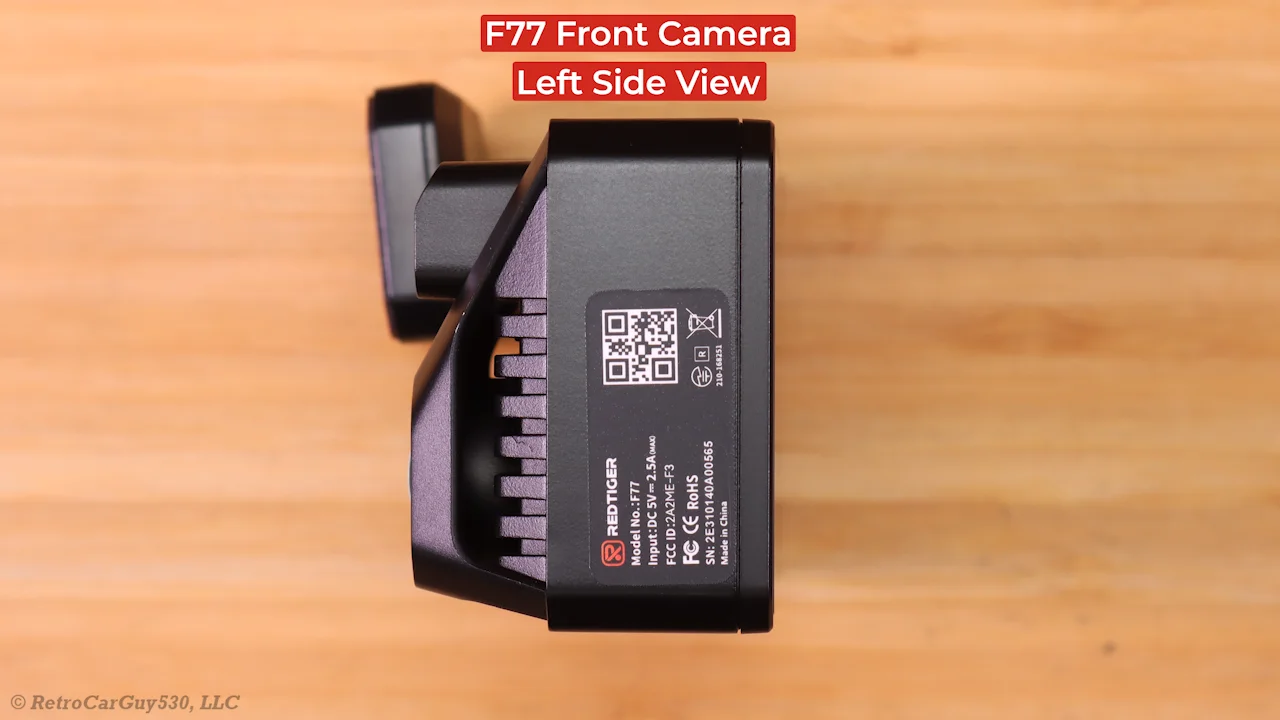
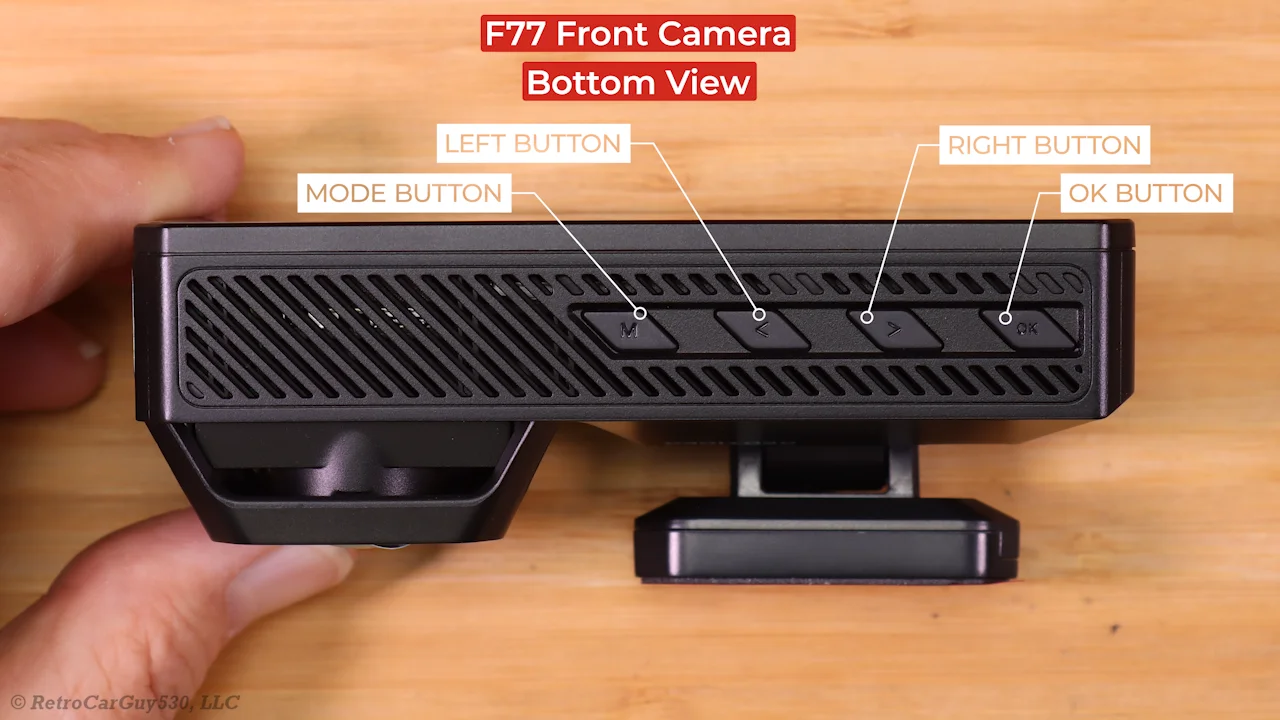
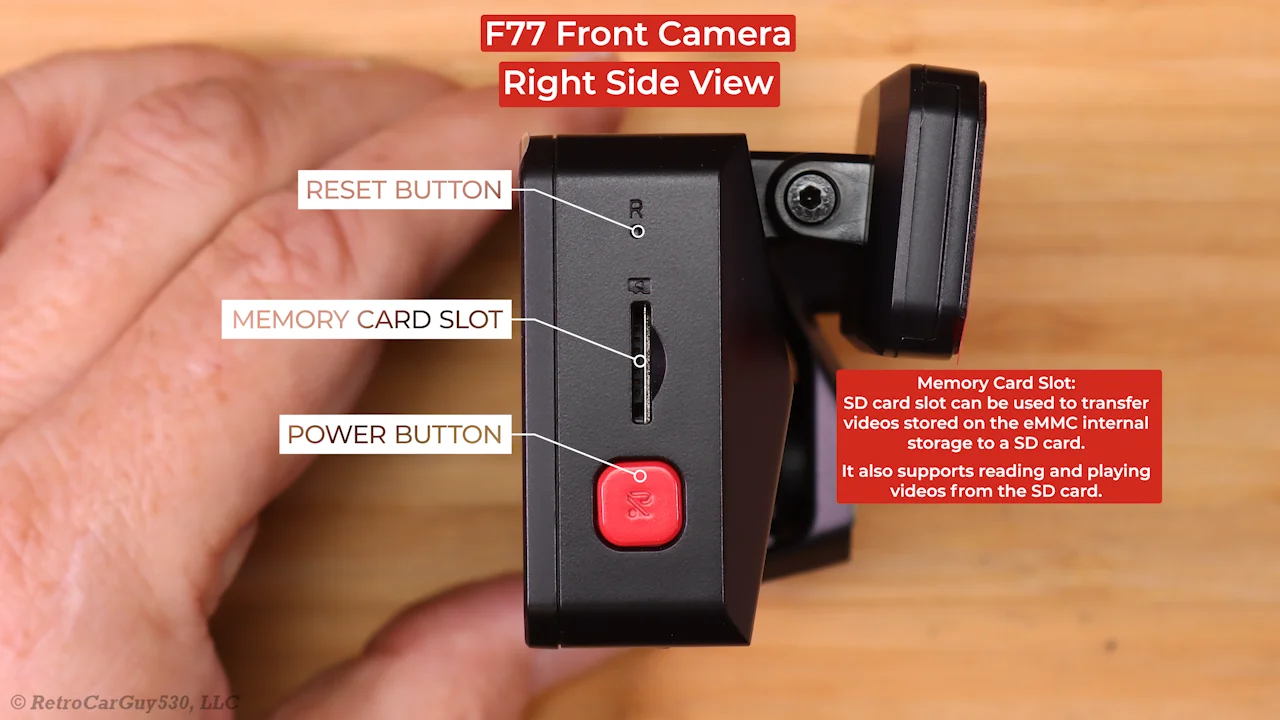
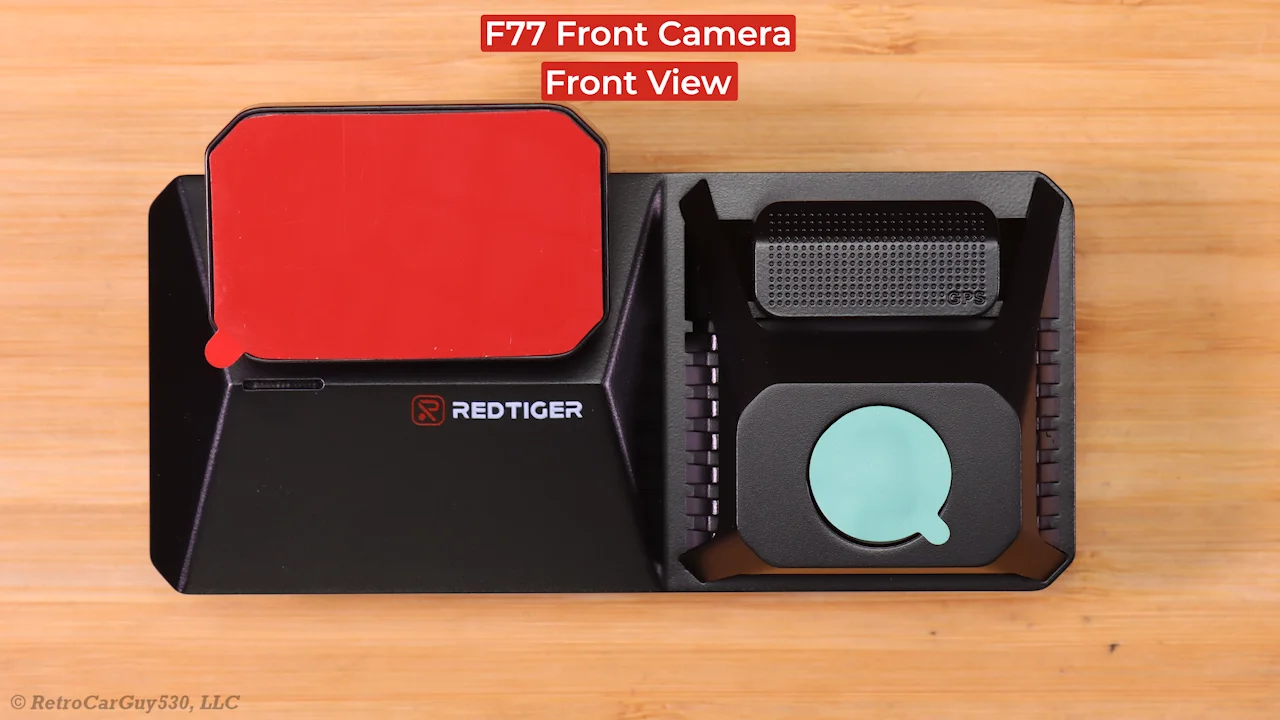
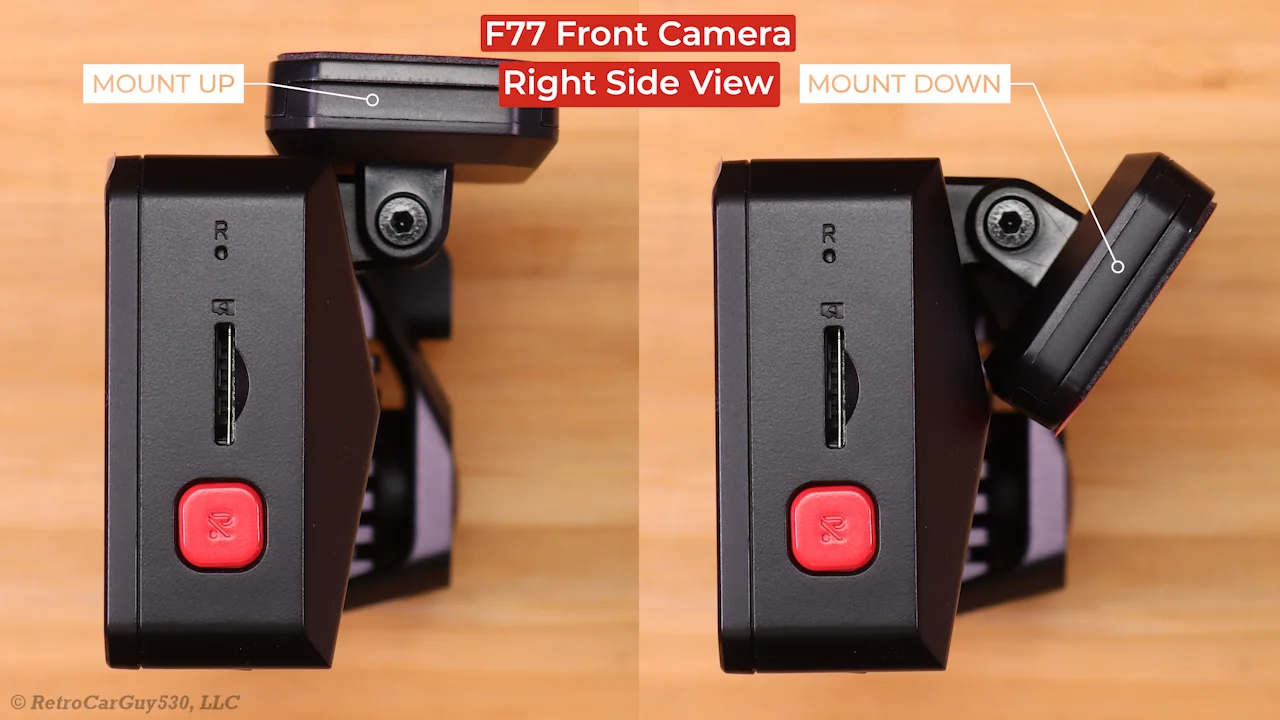
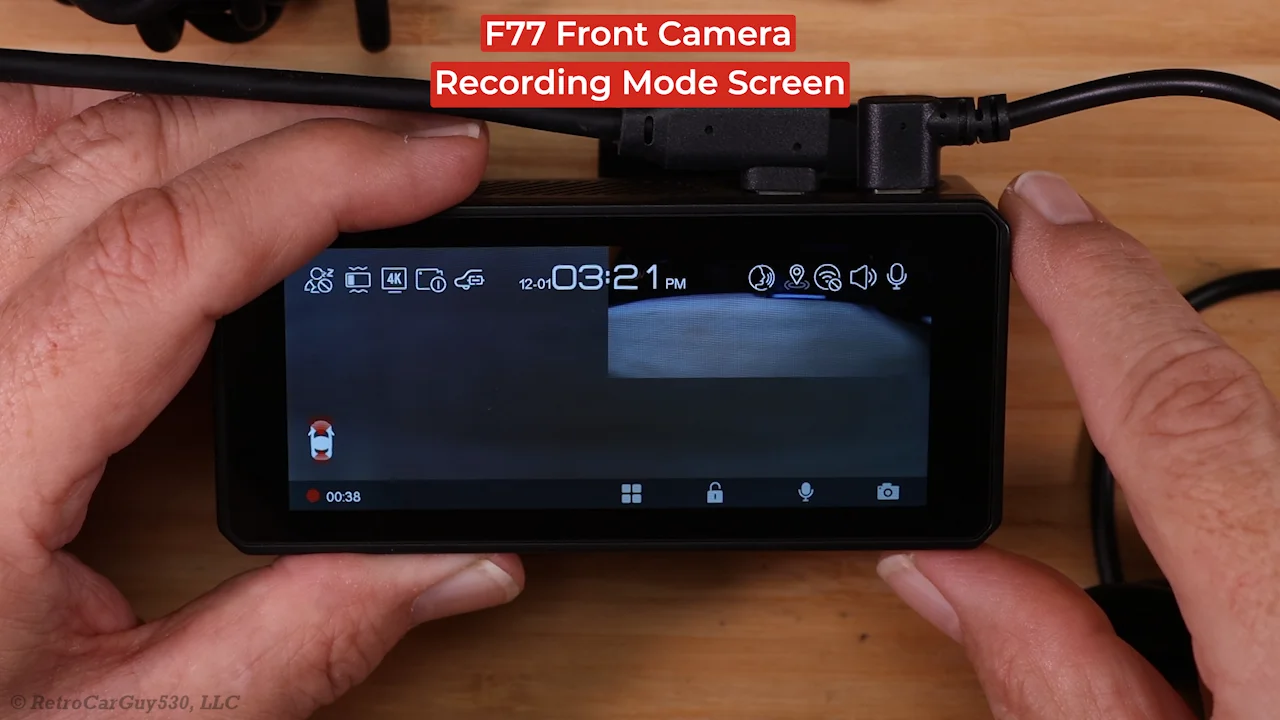
This past weekend, I received the F77 dash camera and its hardwire kit. I've created my initial unboxing pictures.
  • F77 2-Channel Dash Camera
    • Front Camera
      • Image Sensor: Sony STARVIS 2 IMX678
      • Lens: F/1.8 Aperture [still researching FOV/AOV]
      • Storage - Internal
        • 128 GB eMMC - Videos are written to this storage
      • Storage - External
        • MicroSD Card - Used to backup video files from the eMMC storage and it can be used as the source for video playback
        • It appears 128 GB may be the max storage supported [still investigating this]
      • WiFi
        • 2.4 GHz & 5 GHz [shown as 5.8 GHz in marketing info]
    • Rear Camera
      • Image Sensor: Sony STARVIS 2 IMX678
      • Lens: F/1.8 Aperture [still researching FOV/AOV]
      • Cable
        • USB-C Front 90-degree connector / USB-C Rear 90-degree connector
        • Length: 6.50 M / 21.32 FT
        • Cable Thickness: 4.69 mm / 0.184 inches
    • In The Box
      • F77 User Manual
      • F77 Quick Start Guide
      • Four (4) Electrostatic Stickers
      • Extra Front Camera Windshield Mount
      • Replacement Front & Rear Adhesive Pads
      • Five (5) Cable Clips
      • Plastic Installation Tool
      • Data Cable
        • USB Type-A to USB Type-C
        • Length: 1.00 m / 3.28 ft
      • Power Adapter
        • Type: Cigarette Lighter / Power Port [12V - 24V]
        • Length: 3.45 m / 11.31 ft
        • Output:
          • Dash Camera: 5V 2.5A
          • USB Type-A port: 5V 2.0A
    • Redtiger Hardwire Kit - RTH30GS
      • Low Voltage Cutoff Settings
        • 12.4V / 24.4V
        • 12.0V / 24.0V
        • 11.6V / 23.6V
      • 12V / 24V Wires
        • Yellow = Battery Constant Power
        • Red = Switched / Accessory Power
        • Black = Ground
      • Status / Display
        • Shows whether "ACC"essory power is on or when its off it displays the current input voltage level
      • In-The-Package
        • User Guide
        • Plastic Installation Tool
        • Two (2) - Fuse Tap Kits
          • Each fuse tap kit contains: four (4) most common fuse tap types
        • Adhesive Pad
Front Camera

f77_unboxing_pics_dct00.webp
f77_unboxing_pics_dct05.webp
f77_unboxing_pics_dct06.webp
f77_unboxing_pics_dct07.webp
f77_unboxing_pics_dct08.webp
f77_unboxing_pics_dct09.webp
f77_unboxing_pics_dct10.webp
f77_unboxing_pics_dct11.webp
f77_unboxing_pics_dct12.webp
f77_unboxing_pics_dct13.webp
 
Last edited:
Power Consumption Test Results - Redtiger F77 2-Channel Dash Camera

[click on thumbnail to see full size image]
1733813246908.webp

In my opinion, the G-Trigger low power consumption impact detection parking mode responds very slowing to an impact event. The front camera starts recording 12 seconds after the impact event. The rear camera starts recording 13 seconds after the impact event. I've reported this issue to Redtiger, but I have not received any reply for the past several days regarding that issue. Please see a later post in this thread on how I determine the response times to an impact event while operating G-Trigger parking mode.

Parking Mode Time Estimates

1733813304603.webp
 
Last edited:
Reserved for other initial findings...
 
Do you mind digging into the settings and letting us know if it's possible to record to the SD card or not?
 
Do you mind digging into the settings and letting us know if it's possible to record to the SD card or not?
In my first post, I mentioned that video files are written to the eMMC internal storage device. The SD card memory slot can be used to backup video files from the eMMC storage. Once files have been copied to the SD card, they can be played by the F77's media player. During my vetting process by Redtiger to see if they would send me the F77 to review, I requested a Redtiger microSD card for testing. They stated that I didn't need one since the F77 only writes new videos to the internal eMMC storage. "The SD card slot on the device can only be used for downloading videos, not for recording."

During my dash camera testing process, I have the need to copy video files created for a particular test or video files from that day's drive. During my power consumption testing, instead of copying the files from the eMMC storage to the microSD card and then using the files on the microSD card to copy them to my computer, I've disconnected the F77 front camera from its windshield mount, disconnected it from the two cables [rear camera / power] and then connected the F77 front camera to my computer. When you connect the F77 to your computer via a USB-C cable, the F77 powers up and prompts you to select which file storage device to mount as the "drive" accessible on your computer [the eMMC storage or the external SD card]. Once the eMMC storage is mounted as a drive on my computer, I use my usual file copying process to copy the video files to my computer. The file copying process seems a bit slower when using this approach. Any dash camera that you use to mount its file storage as a device via a USB connection usually will provide slower access to the files. I've not performed any benchmarks of the file copy process, but it looks to be slower than copying files directly from a microSD card mounted on my computer via a USB card reader.

From the user manual

1733499986177.webp
 
In post #3, I mentioned that the F77 responds slowly to an impact event while operating in the "G-Trigger" parking mode. The "G-Trigger" parking mode is the F77's version of a low power consumption parking mode which awakens the dash camera when an impact event has been detected.

My testing strategy for this type of parking mode involves the use of an external digital clock that is within the field of view of the front and rear cameras. I configure the dash camera to use the "G-Trigger" parking mode. I format the internal eMMC storage and restart I the dash camera just to make sure everything is "fresh" with no carryover from any other testing.

Even though it doesn't matter for this type of parking mode, I turn off the hardwire kit's "ACC+ In" power when the external digital clock first shows "00" for the seconds past the minute [top of the minute]. I wait one (1) to two (2) minutes before creating an impact event. I tap the temporary stand/mount the dash camera is connected to at the top of the minute. The "tap" is performed as close as humanly possible to when it's the very beginning of the "00" seconds value [top of the minute]. I allow the dash camera to create its impact event videos [20 second videos for each camera] and it then goes back to its low power consumption state. I wait another couple of minutes before I cause another impact event at the top of the minute for that cycle. I usually perform that test at least three (3) times.

After the last impact event test has completed, I let the dash camera return to its low power consumption state. At the top of the next minute ["00 seconds"], I restore the "ACC+ In" power to the hardwire kit to have the dash camera exit parking mode and resume normal mode operations.

I power down the dash camera, I connect the dash camera to my computer, I select the eMMC storage as the media type to make accessible as the storage drive in the F77 and I then transfer the video files created during the test to my computer. I examine the first visible frame in the videos created to see what the external clock showed for the number of seconds past the top of the minute. I also step through the frames in the video that contain that same "seconds" value to see how much of that particular "seconds" value was recorded to give me a slightly better gauge as to how many seconds it required for the dash camera to start recording video for that camera.

G-Trigger Impact Event Example:

Impact event 16:43:00 => Front Camera - First Visible Frame 16:43:12
1733814859933.webp


Impact event 16:43:00 => Rear Camera - First Visible Frame 16:43:13
1733814905812.webp


Resuming normal mode recordings is not as critical of an issue, but it shows that it does take 16 seconds for the F77 to resume recording normal mode videos. This similar to a full power up for the dash camera.

Restore "ACC+ In" Power 16:44:00 => Resume Normal Recording Mode 16:44:16
1733815247111.webp


1733815306514.webp
 
In my first post, I mentioned that video files are written to the eMMC internal storage device. The SD card memory slot can be used to backup video files from the eMMC storage. Once files have been copied to the SD card, they can be played by the F77's media player. During my vetting process by Redtiger to see if they would send me the F77 to review, I requested a Redtiger microSD card for testing. They stated that I didn't need one since the F77 only writes new videos to the internal eMMC storage. "The SD card slot on the device can only be used for downloading videos, not for recording."

During my dash camera testing process, I have the need to copy video files created for a particular test or video files from that day's drive. During my power consumption testing, instead of copying the files from the eMMC storage to the microSD card and then using the files on the microSD card to copy them to my computer, I've disconnected the F77 front camera from its windshield mount, disconnected it from the two cables [rear camera / power] and then connected the F77 front camera to my computer. When you connect the F77 to your computer via a USB-C cable, the F77 powers up and prompts you to select which file storage device to mount as the "drive" accessible on your computer [the eMMC storage or the external SD card]. Once the eMMC storage is mounted as a drive on my computer, I use my usual file copying process to copy the video files to my computer. The file copying process seems a bit slower when using this approach. Any dash camera that you use to mount its file storage as a device via a USB connection usually will provide slower access to the files. I've not performed any benchmarks of the file copy process, but it looks to be slower than copying files directly from a microSD card mounted on my computer via a USB card reader.

From the user manual

View attachment 75707
Seems a bit convoluted. I would assume most people would just want to get the videos off the device in the easiest possible way. I mean there's WiFi but ..
 
Yesterday, I installed the Redtiger F77 2-channel dash camera into my car. Today, I drove into town. Here are a few frame grabs from the Redtiger F77 and the MIOFIVE S1 Ultra dash cameras. Both front cameras have 3840x2160 30fps video resolution for the front camera. The F77 rear camera has a resolution setting of 3840x2160 30fps while the S1 Ultra has a resolution setting of 3840x2160 24fps. The Redtiger F77 uses the Sony STARVIS 2 IMX678 image sensors in the front and rear cameras. MIOFIVE will not disclose what their image sensors are in their S1 Ultra dash camera. Neither dash camera has a firmware setting to manage when HDR is on or off, so it's "on" all of the time.

The Redtiger F77 does not currently have a CPL filter installed on the front camera. Redtiger is working on a CPL filter for the F77 front camera. The MIOFIVE S1 Ultra does have a CPL filter installed on the front camera.

Sun located at the front of the car:

Redtiger F77 / MIOFIVE S1 Ultra - Front
redtiger_f77_20241211083429_000073F.MP4_snapshot_00.20.webpmiofive_s1_ultra_121124_163417_003239A.MP4_snapshot_00.29.webp

Redtiger F77 / MIOFIVE S1 Ultra - Rear
redtiger_f77_20241211083430_000073R.MP4_snapshot_00.01.webpmiofive_s1_ultra_121124_163418_003240B.MP4_snapshot_00.10.webp

Sun located at the rear of the car:

Redtiger F77 / MIOFIVE S1 Ultra - Front
redtiger_f77_20241211083730_000076F.MP4_snapshot_00.17.webpmiofive_s1_ultra_121124_163717_003245A.MP4_snapshot_00.27.webp

Redtiger F77 / MIOFIVE S1 Ultra - Rear
redtiger_f77_20241211083730_000076R.MP4_snapshot_00.18.webpmiofive_s1_ultra_121124_163718_003246B.MP4_snapshot_00.27.webp
 
Yesterday, I installed the Redtiger F77 2-channel dash camera into my car. Today, I drove into town. Here are a few frame grabs from the Redtiger F77 and the MIOFIVE S1 Ultra dash cameras. Both front cameras have 3840x2160 30fps video resolution for the front camera. The F77 rear camera has a resolution setting of 3840x2160 30fps while the S1 Ultra has a resolution setting of 3840x2160 24fps. The Redtiger F77 uses the Sony STARVIS 2 IMX678 image sensors in the front and rear cameras. MIOFIVE will not disclose what their image sensors are in their S1 Ultra dash camera. Neither dash camera has a firmware setting to manage when HDR is on or off, so it's "on" all of the time.

The Redtiger F77 does not currently have a CPL filter installed on the front camera. Redtiger is working on a CPL filter for the F77 front camera. The MIOFIVE S1 Ultra does have a CPL filter installed on the front camera.

Sun located at the front of the car:

Redtiger F77 / MIOFIVE S1 Ultra - Front
View attachment 75833View attachment 75832

Redtiger F77 / MIOFIVE S1 Ultra - Rear
View attachment 75835View attachment 75834

Sun located at the rear of the car:

Redtiger F77 / MIOFIVE S1 Ultra - Front
View attachment 75831View attachment 75830

Redtiger F77 / MIOFIVE S1 Ultra - Rear
View attachment 75829View attachment 75828
Should work on HDR on off in the settings before CPL filter. Too good to be true with the Wolfbox/Redtiger companies when it comes to their specs
 
Should work on HDR on off in the settings before CPL filter. Too good to be true with the Wolfbox/Redtiger companies when it comes to their specs
Only if it has proper HDR, which it doesn't look like the MIOFIVE has.

The Redtiger doesn't look too bad, but it has got a good sensor, and if it had proper HDR then the sun in the first image would probably be a small white disk rather than a much bigger overexposed blob, so I suspect neither will read moving plates at night...
 
I used the video files from my weekly multi-hour drive [mixture of driving and four parking mode sessions] as content to use in a file copy benchmark test. I ran the test multiple times finding which USB-A to USB-C cable provided the best performance for all file copy methods involved in the test. I purchased a USB-A to USB-C v3.1 cable that provided the best copy times for this test. The files are copied from the source device/media to an internal M.2 PCIe SSD drive on my laptop.
  • Redtiger F77 - Mounted eMMC internal drive by connecting F77 to my computer via a USB-C cable
    • 64733.66 MB / 3514.65 seconds = 18.41 MB/second
    • Copying the video files from the Redtiger F77's internal eMMC drive was very slow making the copy task very time consuming.
  • VIOFO A329 - SanDisk Extreme Pro SSD mounted to my computer via a USB-C cable
    • 117196.12 MB / 661.16 seconds = 177.26 MB/second
  • MIOFIVE S1 Ultra - 64 GB MIOFIVE memory card - USB-C 3.0 memory card reader
    • 58862.41 MB / 678.09 seconds = 86.81 MB/second
 
Sample rainy day footage from the Redtiger F77 2-channel 4K front / 4K rear dash camera. Within the first few seconds of the rear camera video, there's one second of glitched/pixelated video. I've reported that issue to Redtiger along with the raw video files.

 
This video contains front and rear camera video samples from a RedTiger F77 4K front / 4K rear dash camera, a VIOFO A329 4K front / 2K rear dash camera and a MIOFIVE S1 Ultra 4K front / 4K rear dash camera. These video samples shows how each dash camera handles the transition from sunny conditions to high fog conditions.

 
I gathered some nighttime driving footage. Here's a few quick plate captures from the Redtiger F77, VIOFO A329 and MIOFIVE S1 Ultra.

Plates of two vehicles just ahead of my vehicle at a stop light:

1734593360735.webp


1734593375078.webp


1734593395943.webp


Attempted plate capture of vehicle traveling in the opposite direction [both vehicles traveling approx 45 MPH - best video frame selected for each dash camera]

1734593962103.webp


1734593973029.webp


1734593993939.webp
 
This video contains nighttime video samples from the new RedTiger F77 4K front / 4K rear dash camera. I compare the RedTiger F77 video footage with footage from the new VIOFO A329 4K front / 2K rear dash camera and the MIOFIVE S1 Ultra 4K front / 4K rear dash camera.

 
Power Consumption Test Results - Redtiger F77 2-Channel Dash Camera

[click on thumbnail to see full size image]
View attachment 75778

In my opinion, the G-Trigger low power consumption impact detection parking mode responds very slowing to an impact event. The front camera starts recording 12 seconds after the impact event. The rear camera starts recording 13 seconds after the impact event. I've reported this issue to Redtiger, but I have not received any reply for the past several days regarding that issue. Please see a later post in this thread on how I determine the response times to an impact event while operating G-Trigger parking mode.

Parking Mode Time Estimates

View attachment 75779

Did they ever end up fixing the delayed impact event recording?
 
Did they ever end up fixing the delayed impact event recording?
No, not yet. On 26-Dec-2024, I was informed that RedTiger is evaluating methods improve that issue. RedTiger is working on a firmware update to resolve the dropped/duplicated frame issue I reported for the front camera video. Another issue I found was that you cannot use the power button while in time-lapse parking mode to turn off the dash camera. RedTiger is looking into that issue as well.

I'm waiting on a replacement F77 from RedTiger. I was asked to send my dash camera back so they could investigate why I was having some problems copying video files from the F77 over the USB connection from the eMMC drive. I'm hoping the replacement unit will arrive Tuesday or Wednesday so I can start my testing of that issue again.
 
No, not yet. On 26-Dec-2024, I was informed that RedTiger is evaluating methods improve that issue. RedTiger is working on a firmware update to resolve the dropped/duplicated frame issue I reported for the front camera video. Another issue I found was that you cannot use the power button while in time-lapse parking mode to turn off the dash camera. RedTiger is looking into that issue as well.

I'm waiting on a replacement F77 from RedTiger. I was asked to send my dash camera back so they could investigate why I was having some problems copying video files from the F77 over the USB connection from the eMMC drive. I'm hoping the replacement unit will arrive Tuesday or Wednesday so I can start my testing of that issue again.
Jeepers only just saw the 'vetting process' mention on your initial post. I had something similar. Not worth the bother by the sounds of it but hopefully they're working on improving things even if the hardware and firmware isn't up to scratch ......
 
Yesterday, I received my replacement F77 dash camera. I ran a long series of data copy operations over the USB-C connection to two different computers to see if the same file corruption issues I was experiencing with my first F77 dash camera were present with the second F77. I'm happy to say that the file copy operations from the eMMC drive over the USB-C connection to my computer work correctly with the second unit. It has the same firmware version installed as the first unit. It looks like my first F77 dash camera was somehow defective causing the file copying data corruption issue.

I'm still waiting on the updated firmware that RedTiger promised to me that hopes to resolve the dropped/duplicated video frame issue in the front camera footage. I also want to see how well RedTiger can reduce the amount of time it takes to start recording while in "G-Trigger" parking mode [currently 12 seconds front and 13 seconds rear].
 
Last edited:
Back
Top