Review : 4K + 4K - Vantrue S1 Pro Max

TonyM

Well-Known Member
Joined
Jul 30, 2013
Messages
6,710
Reaction score
6,762
Country
United Kingdom
Dash Cam
Many dashcams over many years
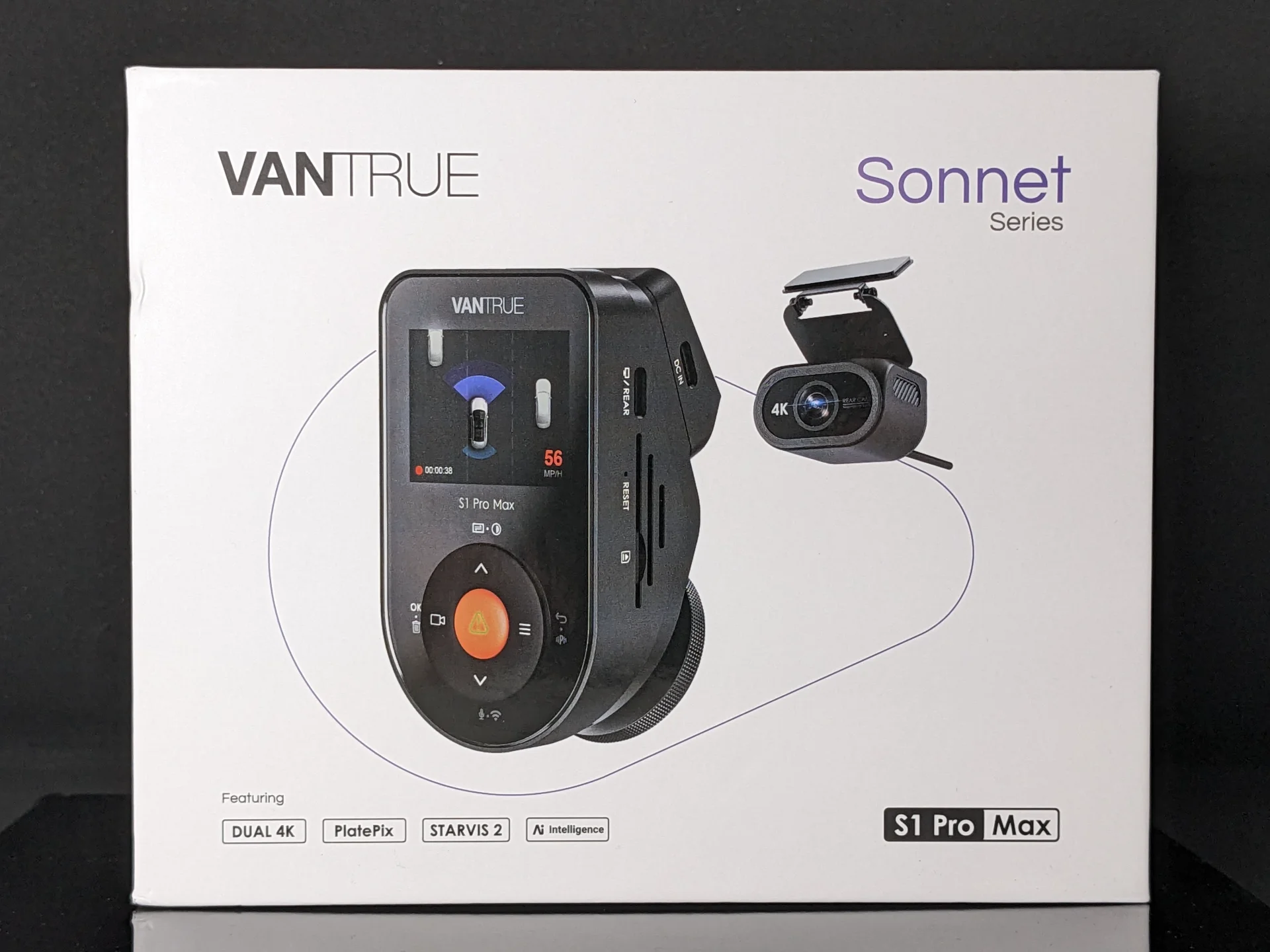
The Vantrue S1 Pro Max is a dual channel 4K Front + 4K Rear STARVIS 2 dashcam. It is an upgrade to the 2-year old S1 Pro which had 2.5K + 1080p sensors, bringing it in line with a few other manufacturers who have released dual-4K dashcams this year.
PXL_20250707_194243094.webp


The feature list includes:
- 4K IMX678 STARVIS 2 sensors front & rear
- PlatePix (Vantrue's proprietary image processing to enhance licence plate capture - on the front camera only)
- HDR on both channels (can be turned on / off independently of each other)
- AI Intelligence for ADAS and BSD (blind spot detection) - notably this is also being made available to the older S1 Pro
- Cloud connectivity through the optional LTE module

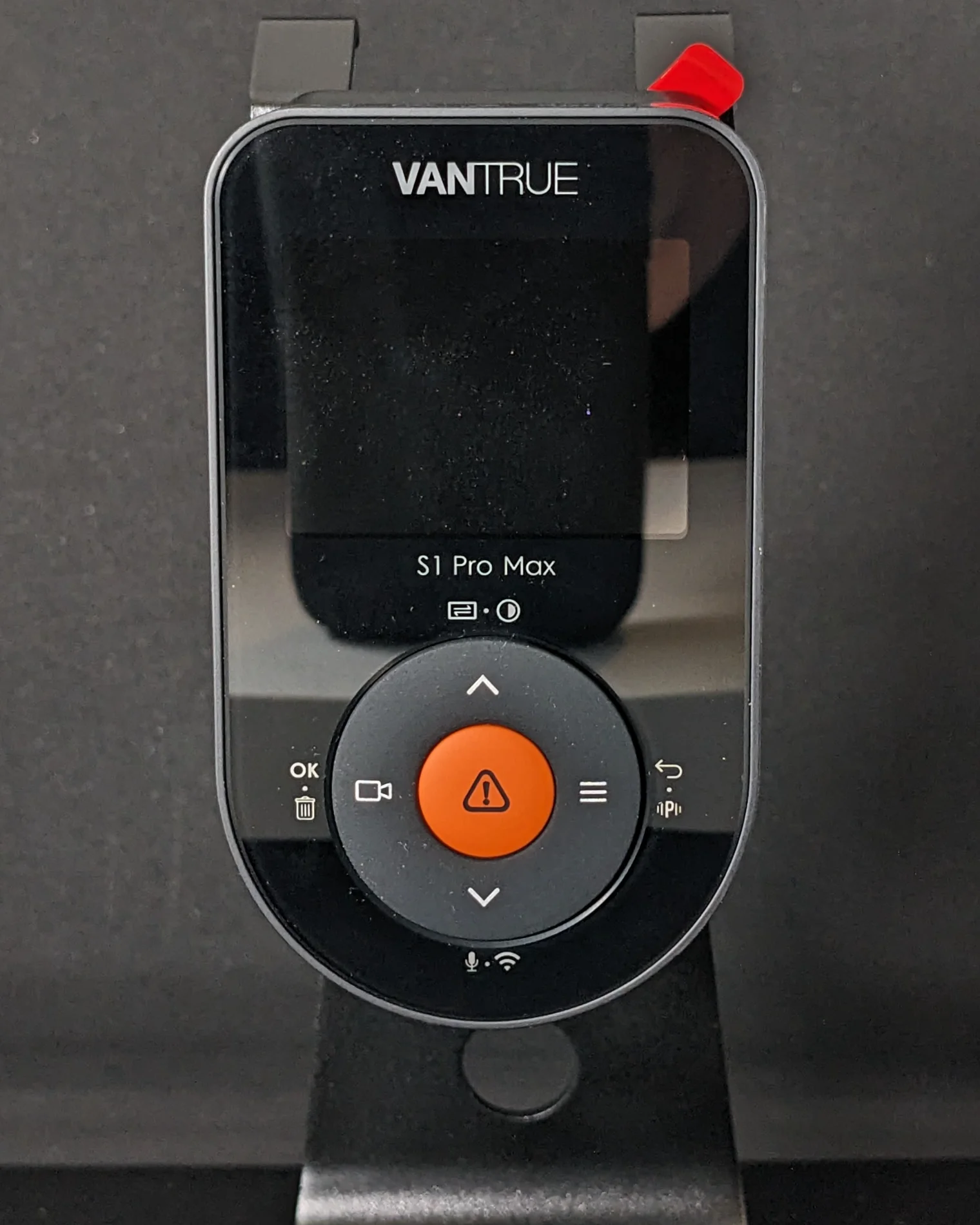
The front camera retains the same housing as the S1 Pro, complete with a 2" IPS screen (not touch sensitive) and a black circular soft-touch control pad that has 4 buttons around a central orange soft-touch button. Whilst the IPS screen looks good, it appears black through the polarised sunglasses that I wear throughout the summer months. Therefore I have to remove my glasses or tilt my head whenever I want to see the screen. This is probably more of an issue to a dashcam-tester who is frequently using the screen to check or change settings - most users will be able to set-and-forget so removing sunglasses to get the dashcam setup might not be a big deal. The soft-touch buttons need a firmer press than I might like, but they are generally responsive and they do not rattle. The recording indicator (the warning triangle in the middle of the orange button flashes green) can be difficult to see in some lighting conditions, again my sunglasses seem to make this more difficult. A separate indicator light set against a black background might have been better.
PXL_20250707_195635214.webp


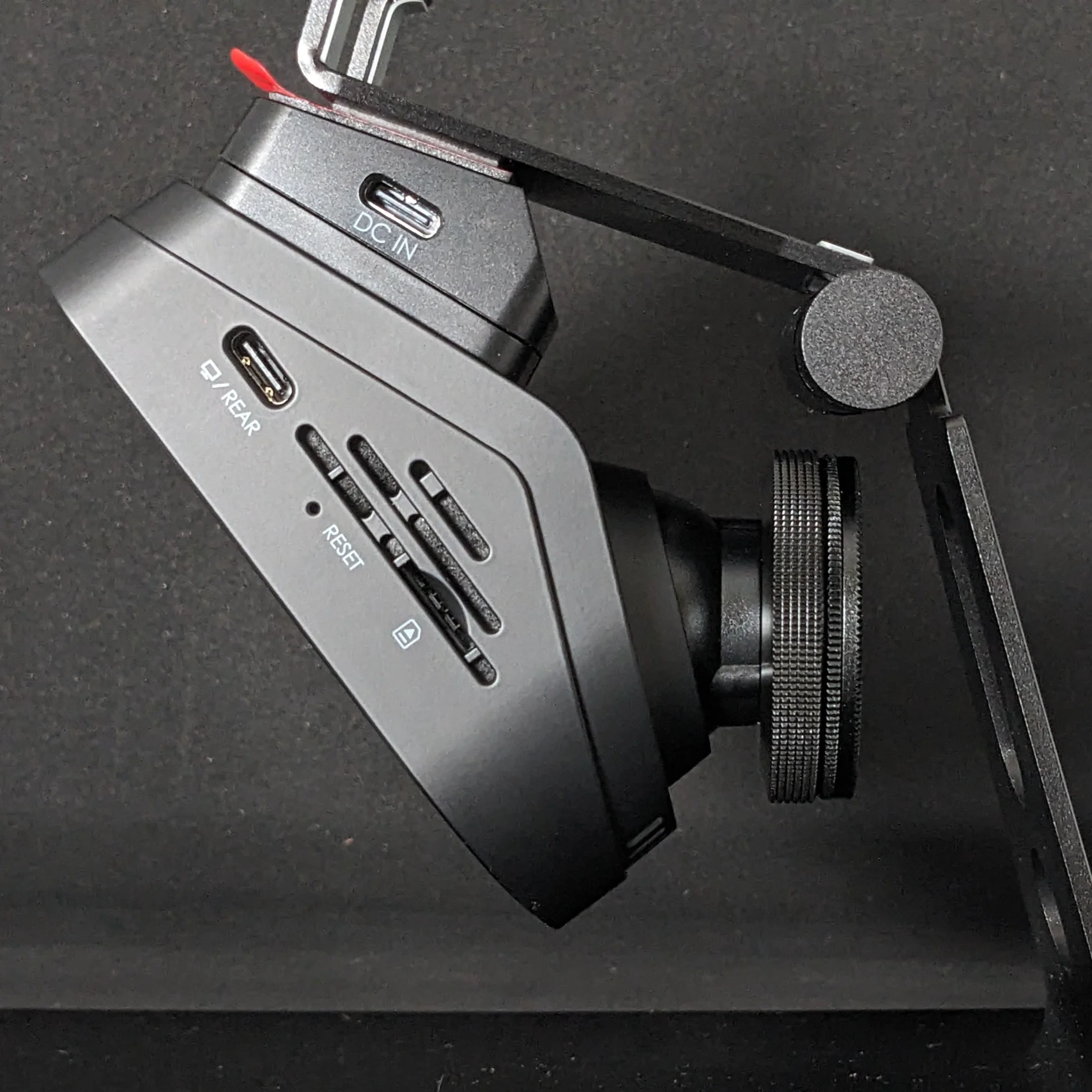
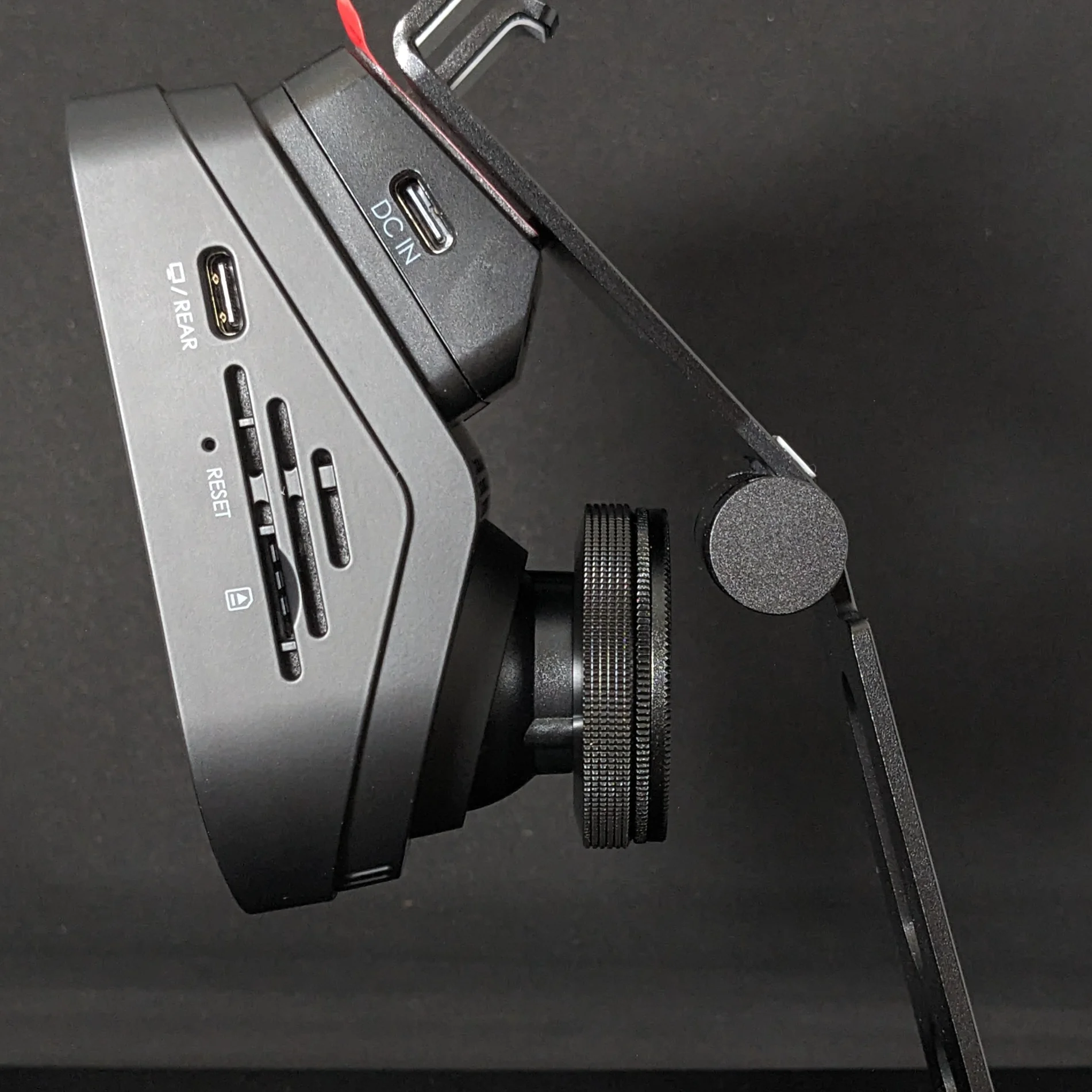
The lens on the front camera adjusts both up/down and left/right. These images show the approximate range of shallow to steep windshield angles that the S1 Pro Max can accommodate (~20 degrees to ~45 degrees from the horizontal).

The camera slides sideways onto the small wedge mount block. This is a very secure fit and I cannot see it vibrating, rattling or working itself loose over time. Note that the photos below show the front camera with the optional CPL filter attached.
PXL_20250707_195302299.webp
PXL_20250707_195507112.webp


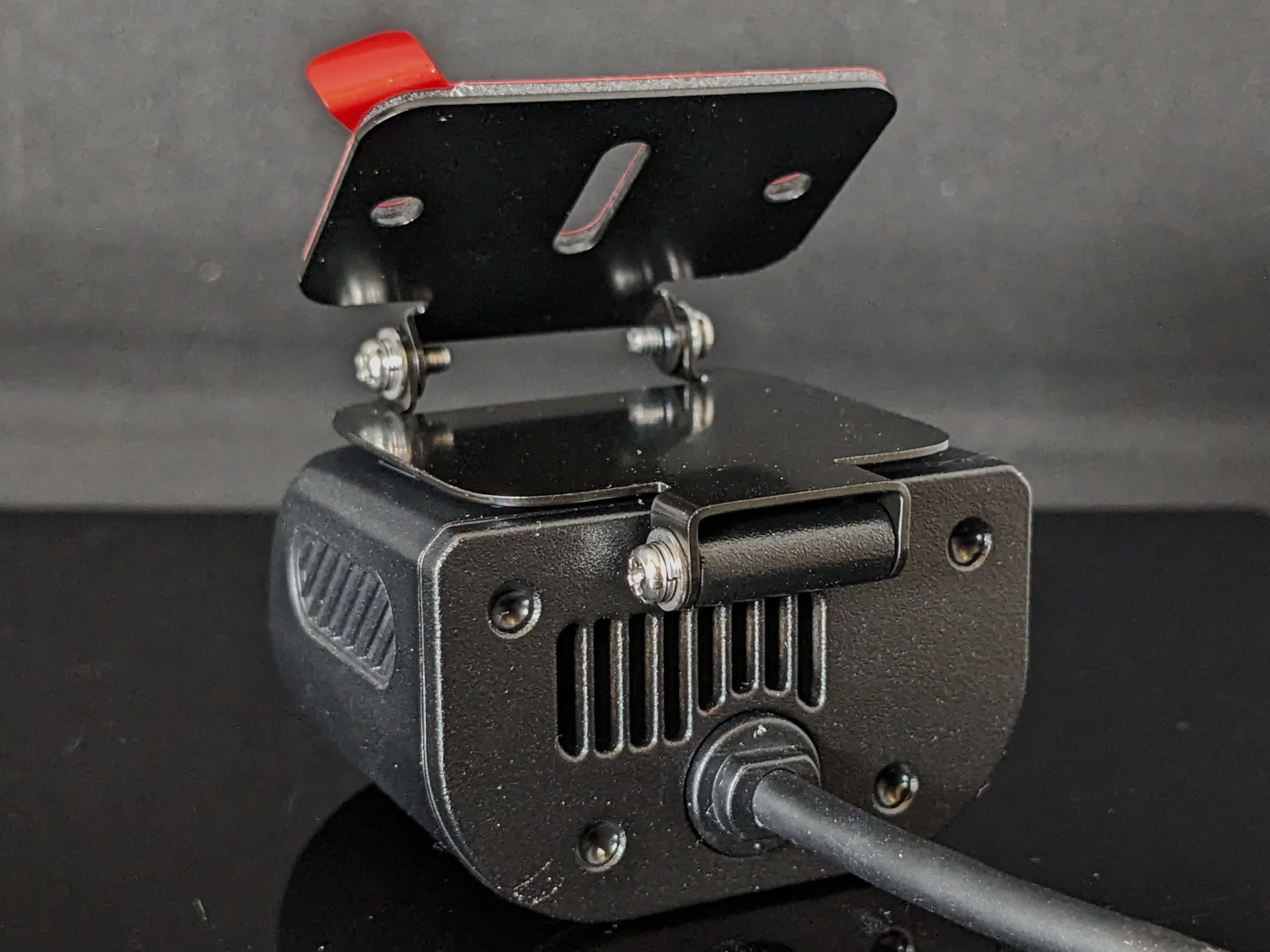
The optional rear camera shown here adopts a new design (RC11) which is waterproof, and thus can be installed inside or outside the vehicle. The supplied mount comprises two metal plates with two hinges - the angle is secured by tightening the screws on both sides. There is a second mount plate in the box that has just one plate, hinged at the rear of the camera module. The mounts seem adjustable enough to permit installation on a wide range of surfaces from horizontal to vertical, and in addition to the usual layer of VHB tape there are slotted and circular holes allowing the user to screw-fix the mount for a secure hold.

PXL_20250707_200934430.webp


PXL_20250707_201532339.webp


Since the rear camera is waterproof it does not have any cooling vents to help with heat dissipation. The rear plate of the camera is metal and does get rather hot, so the heat generated by the 4K sensor is being radiated away from the camera.

Note that the rear camera has a captive USB-C cable to maintain its waterproof ability. This is a short pigtail approx 40cm long terminating in a female USB-C plug, into which the 20ft rear camera cable can be connected.

At the time of writing there is no CPL filter available for the rear camera. In time, I may test a DIY CPL to see if this camera may benefit from such an add-on.
PXL_20250707_201552151.webp


Alternative 2nd camera options for the S1 Pro Max include an RC09 2.5K rear camera and an RC08 interior cabin camera (extract from the manual below)

1752699510787.webp
 
Last edited:
S1 Pro Max Installation

The Vantrue S1PM is easy to install on the windscreen. With a USB-C cable plugged into the mount, the IPS screen gives a good display of the camera's view so that you can find an ideal position free from obstructions and get the horizon level. I have chosen to mount mine on the driver's side of the rear view mirror (right-hand drive car). The left-right adjustment allows the user to aim the lens directly forward, or if preferred it can be aimed slightly towards oncoming traffic.

I am using the S1PM with the LTE module. The USB-C cables from both the LTE module and from the rear camera have right-angle plugs, so the installation looks tidy and due to the spacing the cables do not clash with each other.

PXL_20250716_171915346.webp


The rear camera was a bit more difficult to install and align. My car is a hatchback so it can be difficult to run a cable to a rear camera and hide it away. I think it will be very difficult to run the USB-C cable through the rubber flexi tubing between the car body and the hatch - I was able to do that with the coax cable of a Viofo A139.

PXL_20250716_075538176.webp


I cut down a sheet of the supplied electrostatic sticker and placed this over the rear screen heater lines, then mounted the rear camera as high up as possible on the glass.

PXL_20250710_154750760.webp


The thin metal plate of the mount assembly is able to tuck under the trim edge by a small amount. Note that I have added a layer of VHB tape between the top surface of the camera housing and the horizontal metal plate. This was a recommendation from Vantrue and has reduced some vibrations, however this mount design is more susceptible to vibrations than a more traditional cylinder or wedge design that we often see for rear cameras.

I believe this mount design was developed to aid installation of the rear camera outside the car (since it is waterproof) however I think Vantrue should consider a more rigid option for interior mounting.

PXL_20250715_101149464.webp


I found that the wifi signal strength was not strong enough to let me stand behind the car and review the rear screen live view on the app whilst adjusting the vertical angle. I don't think I've had that issue with previous dashcams. I have reported a bug that causes the wifi live view to drop out when the front camera screensaver activates, and maybe it was this issue that was affecting my app live view at the back of the car.
 
S1 Pro Max - PlatePix and HDR - On or Off?

The S1 Pro Max has 4K IMX678 STARVIS 2 sensors both front and rear. However the image processing options are not the same for both channels.

The Front camera supports HDR, and Vantrue's proprietary processing algorithm PlatePix for enhancing licence plate readability at the expense of darker exposure.
The Rear camera supports HDR, but not PlatePix.

HDR can be set on/off for each channel independently in the dashcam settings. However the HDR timer applies to both channels simultaneously.
The is also a PlatePix timer option which applies only to the front channel.

The number of possible combinations of HDR, Platepix and their respective timers can be rather confusing for a novice. Even as a long-time dashcam user & tester I am still not sure what setting I prefer.

I recorded these static day and night scenes with all possible combinations to compare the results. I hope these comparisons may be useful to others.
NOTE 1: These were recorded on Firmware version VT-EEF243, with a CPL filter. Vantrue are looking into re-programming the PlatePix function so future FW versions may not deliver the same results.
NOTE 2: The screen stamp text at the bottom of the video shows when PlatePix is on/off, but it does not indicate when HDR is on/off. It would be useful if Vantrue could add this to the FW.


Front Camera - Daytime
Day S1PM_F.webp


- HDR OFF is over-exposed in places. HDR ON drops the highlights to preserve details, which also increases saturation. This is particularly noticeable on white or brightly-coloured cars. However, HDR on the front camera also seems to make the shadow areas darker which is not what I would expect:
1753090545672.webp
1753090604119.webp

- With PlatePix on (right) shadows are darker than with PlatePix off (left), but this looks OK:
1753090822445.webp

- With both HDR and PlatePix enabled there are white halos along every edge. Highlights and mid-tones are darker than the PlatePix-only image, the shadows appear unchanged:
1753089246003.webp


Rear Camera - Daytime
Day S1PM_R.webp


- This snapshot is taken looking towards the sun. HDR ON does a much better job on the rear camera and actually brightens the shadow areas, unlike the front camera:
1753089913711.webp
1753089979710.webp

1753090211524.webp

- Without a CPL the rear camera does suffer from glare and reflections from the car's trim. After my initial testing I intend to experiment with a DIY CPL on the rear camera.
 
Last edited:
S1 Pro Max - PlatePix and HDR - On or Off? (Night)
NOTE 1: These were recorded on Firmware version VT-EEF243, with a CPL filter. Vantrue are looking into re-programming the PlatePix function so future FW versions may not deliver the same results.
NOTE 2: The screen stamp text at the bottom of the video shows when PlatePix is on/off, but it does not indicate when HDR is on/off. It would be useful if Vantrue could add this to the FW.


Front Camera - Night
Night S1PM_F.webp


- At night, with HDR off, there is no visible different between PlatePix on and off (this may change in future FW versions). Licence plates in the headlight zone are over-exposed and unreadable.
1753092119576.webp


- With PlatePix off and HDR on, licence plates are all readable and scene brightness is OK. There is less noise, but some finer details are lost perhaps due to noise reduction.
1753091851706.webp


- With both PlatePix on and HDR on, licence plates are slightly easier to read, but the image has more noise and shadow areas are much darker:
1753091950350.webp


Rear Camera - Night
Night S1PM_R.webp

- The image looks better with HDR enabled, showing some details even in the dark car to the left.
- Further testing in driving conditions will be more relevant for the rear camera


Summary
My preferred front camera settings are:
- PlatePix on during the day
- HDR on at night

My preferred rear camera settings are:
- HDR on all the time

However, because the HDR timer controls both the front and rear cameras at the same time, my current settings are:
- PlatePix on during the day (timer set from sunrise to sunset)
- HDR on at night (timer set from sunset to sunrise)
 
Nice comparison Tony!
I recorded a trip with PlatePix on all the time and HDR with a timer from sunset to sunrise.
I expect similar plate capture compared to the E1 Pro. Didn't have time yet to check it.
 
Nice comparison Tony!
I recorded a trip with PlatePix on all the time and HDR with a timer from sunset to sunrise.
I expect similar plate capture compared to the E1 Pro. Didn't have time yet to check it.
PlatePix and HDR do not appear to be working the same on S1 Pro Max as they are on the E1 Pro.
I am running both cameras in my car, so I will do some comparative tests soon.
 
I will have to replace the E1 PRO
 
I noticed the white halos around everything also on the front camera with HDR and Platepix on. Definitely need to play around with settings for sure. I also noticed on my front camera, there is a pulsing effect for lack of a better term. It is mild, but I noticed it right away.

 
Yeah that haloing looks like oversharpening on the processing side. Makes sense to see Vantrue add some sharpening specifically to help read plate details.
 
I also noticed on my front camera, there is a pulsing effect for lack of a better term. It is mild, but I noticed it right away.
I think there may be a minor timing issue with the video. There are 30 frames per second, but I don't think they are all equally spaced. I haven't figured out how to investigate that yet.
 
It does look like there's some dropped frames and you see this periodic stutter. The E1 Pro did something similar at launch. Looking at the YouTube video stats, I'm not seeing dropped frames on the playback side, so I'm assuming it's on the capture side.
 
It does look like there's some dropped frames and you see this periodic stutter. The E1 Pro did something similar at launch. Looking at the YouTube video stats, I'm not seeing dropped frames on the playback side, so I'm assuming it's on the capture side.
the youtube video doesn't seem as bad as the video direct from the camera. I literally installed the camera and went on a 6 hour drive, looking through the vids there are actually a few missing it seems as well. Not positive on the way these work, but wondering if there was an event, like a hard bump that captures to an event, would the video be there instead of in the normal folder. Technically I doubt it, as the collision vids are only 30 sec, and I have the normal vids set to 5 min intervals.
 
I also noticed on my front camera, there is a pulsing effect for lack of a better term. It is mild, but I noticed it right away.
Every so often, there is a frame with more movement than the rest, the frame timing seems to be running too fast and has to take a pause occasionally to get back in time.
 
Those are enormous halos around the car shadows!
Sort of expect them on the plates, but we don't normally see the shadows outlined.
 
Those are enormous halos around the car shadows!
Sort of expect them on the plates, but we don't normally see the shadows outlined.
That's why I don't use HDR and PlatePix simultaneously during daylight.
 
I was in a parade after a weekend long car show, so I saved the dashcam vid (stupid me forgot to bring my GoPro), the halos are out of control lol.

 
Daytime Highway Driving

Front 4K
PlatePix On / HDR Off / CPL On / H265 24.6Mbps


Rear 4K
HDR Off / H265 23.8Mbps

Observations
- Both front and rear cameras are sharp from edge to edge across the video frame.
- MP4 files are saved in H265 format at approx 24Mbps.
- There are no skipped or duplicate frames, however there are visible steps due to irregular frame timing. This seems more noticeable on the front camera.
- There is a little bit of vibration on the rear camera (this was recorded before I added the extra layer of VHB between the camera and the mount plate)

Screenshots
20250713_155319_01304_E_A.webp


20250713_155319_01304_E_B.webp
 
PlatePix and HDR Transition at Sunset

I used the PlatePix and HDR timers to set the following:
05:00 - 21:00 PlatePix ON / HDR OFF
21:00 - 05:00 PlatePix OFF / HDR ON

This video shows the moments before and after the transition at 21:00. I was driving approximately NW to SE, away from the setting sun.


Observations
- HDR is very effective on the rear camera at enhancing the shadow areas
20250711_205857_00572_E_B.webp
20250711_210013_00574_E_B.webp


- There is a gap of approximately 15 seconds whilst the dashcam stops recording, changes settings, then restarts. I don't know if the gap is shorter if only one timer is set to change, rather than both at once - more testing needed.
 
Front & Rear Camera Timing

Whilst compiling the video above, I noticed that there is a time difference of about 1-second between the channels (the rear camera is 26 frames ahead of the front camera).

If you listen to the audio it sounds like I press the Event button twice, but I only pressed it once.

In this screenshot you can see the "M1" lane markings both in front and behind the car at the same time:

2025-07-11 S1PM HDR Transition.webp
 
Front & Rear Camera Timing

Whilst compiling the video above, I noticed that there is a time difference of about 1-second between the channels (the rear camera is 26 frames ahead of the front camera).

If you listen to the audio it sounds like I press the Event button twice, but I only pressed it once.

In this screenshot you can see the "M1" lane markings both in front and behind the car at the same time:

View attachment 83027
Thank you for pointing this out.
The timing difference you observed is likely due to delays caused by long-distance data transmission between the cameras. This can occasionally result in slight desynchronization between channels.
Our team is aware of this and will continue working on optimizing synchronization in future updates.
 
Back
Top