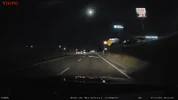
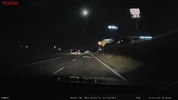
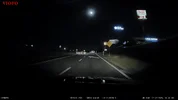
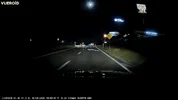
Thinkware U3000 Pro - Testing / Review - RCG

rcg530

Well-Known Member
Joined
Jan 23, 2021
Messages
2,666
Reaction score
4,498
Location
California
Country
United States
Dash Cam
70mai, BlackVue, Thinkware, Vantrue, Vueroid, VIOFO
I recently received a Thinkware U3000 Pro and a LTE module from Thinkware for testing/review purposes. Last night, I swapped out the older U3000 2-channel with the front/rear cameras from the U3000 Pro 2-channel package. I reused the power cable, rear camera cable, and the iVolt Xtra BAB-95 power level monitoring cable with the U3000 Pro cameras.

This morning, the valley fog lifted just enough to make a drive possible with some amount of sunlight breaking through the fog.

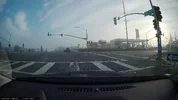
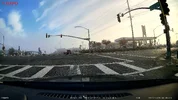
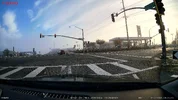
Here are frame grabs from the five dash cameras I have in this car.

BlackVue DR970X Plus v2.006 HDR/CPL / Thinkware U3000 Pro v1.00.01 HDR/CPL / VIOFO A229 Pro v1.4_250918 HDR/CPL / VIOFO A329S v2.0_251029 HDR/CPL / VIOFO A229 Ultra v1.1_250926 HDR/CPL
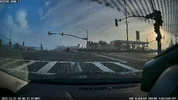
01_20251127_080558_NF.mp4_snapshot_00.53.webp01_U3000Pro_REC_20251127_080559_F.MP4_snapshot_00.23.webp01_A229Pro_2025_1127_080612_002471F.MP4_snapshot_00.09.webp01_A329S_2025_1127_080615_006089F.MP4_snapshot_00.04.webp01_A229Ultra_2025_1127_080617_003109F.MP4_snapshot_00.05.webp

It looks like I need to tweak the aim of the U3000 Pro front camera a small amount [upward] since there's a large amount of the dashboard in the field of view. The U3000/U3000 Pro front camera adjustment can drift a small amount just after you move the front lens assembly based on the resistance based adjustment mechanism used in this unit. I used a different phone to align the U3000 Pro than I usually use, so that is likely why the alignment is not quite where I want it to be.

Thinkware U3000 Pro HDR/No CPL vs Thinkware U3000 No CPL [from a drive in October 2025]. The central valley fog that Northern California is known for in the winter months, has come back this winter. It will be a while before I have totally clear skies in the mornings during the winter months.
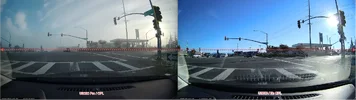
1764268603393.webp
 
Looks good so far. Do you have any nighttime stills?
Unfortunately, no! The weather has not been allowing me to get any nighttime footage the past several days. Usually, my town's elevation is just above the valley fog layer, but there's been fog every late afternoon/evening. As soon as there's a night without fog, I'll take another drive to gather some nighttime footage.
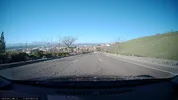
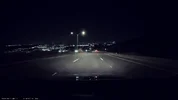
 
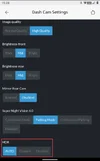
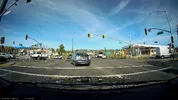
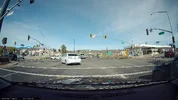
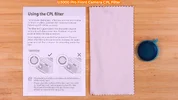
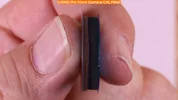
I drove my car for a quick trip into town. I had the U3000 Pro configured with its HDR setting set to "Auto" for the first part of the trip which appears to be "Off" for daytime. I'm asking Thinkware to more clearly define what "Auto" means since the U3000 Pro user manual does not address what "Auto" means [ambient light exposure based is my guess]. There's no HDR Timer that I can find. The front lens aim was moved upward a bit, but it might be too high. The Thinkware app alignment line for the top/front edge of the hood is still saying I should move it further up, but that would make the front camera aimed far too much at the sky. The CPL filter was installed on the U3000 Pro. It's a stick on CPL filter. Once the CPL filter is installed, you shouldn't take it off.

1764807700557.webp

Left = HDR "Auto" [Off since it's daytime] / Right = HDR Enabled

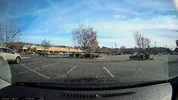
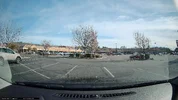
01_u3000pro_hdr_auto_off_REC_20251203_111624_F.MP4_snapshot_00.07.webp01_u3000pro_hdr_on_REC_20251203_111659_F.MP4_snapshot_00.01.webp

02_u3000pro_hdr_auto_off_REC_20251203_110425_F.MP4_snapshot_00.56.webp02_u3000pro_hdr_on_REC_20251203_111959_F.MP4_snapshot_00.56.webp

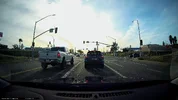
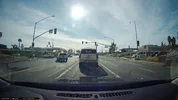
03_u3000pro_hdr_auto_off_REC_20251203_111225_F.MP4_snapshot_00.06.webp03_u3000pro_hdr_on_REC_20251203_112559_F.MP4_snapshot_00.52.webp
 
Last edited:
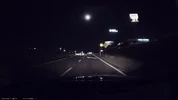
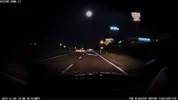
I gathered some nighttime footage with the U3000 Pro and five other dash cameras. I'll start working on a video with day/night video samples tomorrow.

I have HDR enabled on all dash cameras and the CPL filters are installed. A user will not be constantly installing/removing a CPL filter, so I left them on for this drive. The U3000 Pro CPL filter has an adhesive ring on it, so you wouldn't want to install/remove it on a continuous basis.

01N_U3000Pro_HDR_CPL_REC_20251203_175953_F.MP4_snapshot_00.16.webp01N_DR970XPlus_HDR_CPL_20251203_180007_NF.mp4_snapshot_00.03.webp01N_A229Ultra_HDR_CPL_2025_1203_180006_003335F.MP4_snapshot_00.03.webp01N_A229Pro_HDR_CPL_2025_1203_180007_002807F.MP4_snapshot.webp01N_A329S_HDR_CPL_2025_1203_180008_006423F.MP4_snapshot_00.00.webp01N_S14K_HDR_CPL_20251203_175948_INF_F_N.mp4_snapshot_00.20.webp
 
Frame grabs from a location where my car's headlights are shining directly on the rear license plate from the car in front of my car with about 1.5 car lengths between them. The U3000 Pro shows a white blob instead of the plate characters while most of the other cameras seem to pickup the plate characters. The BlackVue DR970X Plus shows some of the characters on the edges of the plate. I'll include this example in my video with day/night video samples.

02N_U3000Pro_HDR_CPL_REC_20251203_175353_F.MP4_snapshot_00.57.webp02N_S14K_HDR_CPL_20251203_175448_INF_F_N.mp4_snapshot_00.01.webp02N_A329S_HDR_CPL_2025_1203_175406_006405F.MP4_snapshot_00.43.webp02N_A229Ultra_HDR_CPL_2025_1203_175406_003323F.MP4_snapshot_00.45.webp02N_A229Pro_HDR_CPL_2025_1203_175407_002789F.MP4_snapshot_00.44.webp02N_DR970XPlus_HDR_CPL_20251203_175404_NF.mp4_snapshot_00.47.webp
 
I received some additional information on the HDR "Auto" setting for the U3000 Pro. It seems it's based on hard-coded start/end times and it only enables/disables HDR based on when the U3000 Pro is "powered up". I'm trying to get clarification on whether "powered up" means from a fully off state or if that also includes exiting parking mode and returning to continuous [driving] recording mode.
  • HDR "Auto" Setting
    • HDR will be enabled between 18:38 and 06:26
    • When Daylight Saving Time is enabled, the dash camera "Auto" setting will follow the DST time values [not sure if that means 18:38/06:26 DST or 19:38/07:26 DST]
    • The "Auto" setting is applied when the dash camera powers up only
      • It is not applied automatically while in continuous [driving] recording mode
 
I received some additional information on the HDR "Auto" setting for the U3000 Pro. It seems it's based on hard-coded start/end times and it only enables/disables HDR based on when the U3000 Pro is "powered up". I'm trying to get clarification on whether "powered up" means from a fully off state or if that also includes exiting parking mode and returning to continuous [driving] recording mode.
  • HDR "Auto" Setting
    • HDR will be enabled between 18:38 and 06:26
    • When Daylight Saving Time is enabled, the dash camera "Auto" setting will follow the DST time values [not sure if that means 18:38/06:26 DST or 19:38/07:26 DST]
    • The "Auto" setting is applied when the dash camera powers up only
      • It is not applied automatically while in continuous [driving] recording mode
I would be interested to know the logic behind choosing such precise times 18:38 and 06:26, yet giving the user no option to adjust for season or latitude or personal preference.

And as for not switching whilst you drive through dusk or dawn, that seems to defy the meaning of "Auto".
 
I drove my car for a quick trip into town. I had the U3000 Pro configured with its HDR setting set to "Auto" for the first part of the trip which appears to be "Off" for daytime. I'm asking Thinkware to more clearly define what "Auto" means since the U3000 Pro user manual does not address what "Auto" means [ambient light exposure based is my guess]. There's no HDR Timer that I can find. The front lens aim was moved upward a bit, but it might be too high. The Thinkware app alignment line for the top/front edge of the hood is still saying I should move it further up, but that would make the front camera aimed far too much at the sky.

View attachment 88425

Left = HDR "Auto" [Off since it's daytime] / Right = HDR Enabled

View attachment 88431View attachment 88430

View attachment 88428View attachment 88429

View attachment 88426View attachment 88427
Did you have the polarising filter fitted for those shots?
 
Frame grabs from a location where my car's headlights are shining directly on the rear license plate from the car in front of my car with about 1.5 car lengths between them. The U3000 Pro shows a white blob instead of the plate characters while most of the other cameras seem to pickup the plate characters. The BlackVue DR970X Plus shows some of the characters on the edges of the plate. I'll include this example in my video with day/night video samples.

View attachment 88446View attachment 88445View attachment 88444View attachment 88442View attachment 88441View attachment 88443
There's definitely some work to do to improve the focus / image processing, the same goes for the images above, the signs look very 'soft' compared to the other brands processing.
 
Thanks for this Robert! I'm curious about the logic behind 6:30'ish too. It's getting dark here well before that and I wish we had the option to set the timer manually, but I understand most people realistically won't be manually changing those options throughout the year as light changes, but still.
 
Did you have the polarising filter fitted for those shots?
The CPL filter was installed on the U3000 Pro. It's a stick on CPL filter. Once the CPL filter is installed, you shouldn't take it off.
 
Thanks - I installed one on the U3000 Pro I briefly owned. Looking at the reflections, it wasn't clear if you'd fitted the polarising filter or not.
 
This video contains day and night sample footage from a Thinkware U3000 Pro, a VUEROID S1-4K Infinite, and a VIOFO A329S front camera. There are several license plate captures as well. The HDR feature is enabled and CPL filters are installed for all of the sample footage.

 
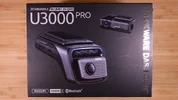
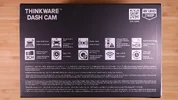
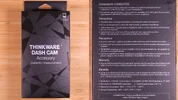
Unboxing Pics

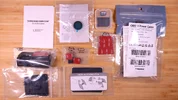
What's In The Box

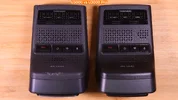
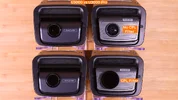
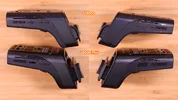
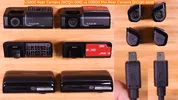
The U3000 Pro 2-channel dash camera I was sent by Thinkware has the OBD-II power cable. Another ordering option is to purchase it with a hardwiring cable. The U3000 Pro front camera continues to use the Sony STARVIS 2 IMX678 image sensor, but the U3000 Pro supports HDR recording which the older U3000 did not.

Unboxing_Pics_DCT00.webpUnboxing_Pics_DCT01.webpUnboxing_Pics_DCT02.webpUnboxing_Pics_DCT03.webpUnboxing_Pics_DCT04.webpUnboxing_Pics_DCT05.webp

U3000 vs U3000 Pro - Front Camera

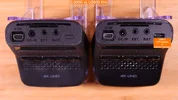
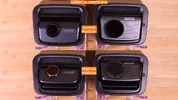
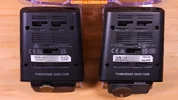
The U3000 Pro front camera USB-C port is used when you purchase the optional LTE module or the optional interior camera. Only one of those two optional accessories can be used with the U3000 Pro front camera at a time.

Unboxing_Pics_DCT06.webpUnboxing_Pics_DCT07.webpUnboxing_Pics_DCT08.webpUnboxing_Pics_DCT09.webp
 
Last edited:
Unboxing Pics - Continued

U3000 vs U3000 Pro - Front Camera - Continued

Unboxing_Pics_DCT10.webpUnboxing_Pics_DCT11.webp

U3000 vs U3000 Pro - Rear Camera

The U3000 Pro rear camera is a 2K QHD camera using the Sony STARVIS 2 IMX675 image sensor also with HDR support.

Unboxing_Pics_DCT12.webp

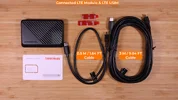
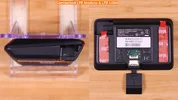
Optional Accessory - Connected LTE Module & LTE USIM

Unboxing_Pics_DCT13.webpUnboxing_Pics_DCT14.webpUnboxing_Pics_DCT15.webp
 
Last edited:
This video contains video samples from five 4K UHD front cameras on a rainy day. All cameras have HDR enabled and a CPL filter installed.

 
I gathered day and night footage for the six dash cameras in the car that has the U3000 Pro dash camera installed in it. I'll be putting together a sample footage video over the next few days.

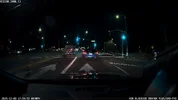
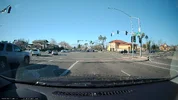
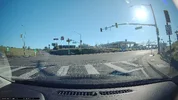
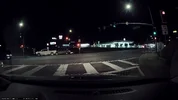
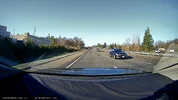
Here are a few day and night frame grabs from the U3000 Pro front and rear cameras. I show the day frame grab and then the night frame grab from the same location. The window glass was cleaned before each drive.

I posted the frame grabs from a BlackVue Elite 9 dash camera in this post: BlackVue Elite 9 - Testing/Review - RCG - Post 40
I posted the frame grabs from a Vantrue N4 Pro S dash camera in this post: Vantrue N4 Pro S - Testing/Review - Post 11

Front: Day = CPL / Night = No CPL

01_U3000Pro_Day_CPL_REC_20251228_095312_F.MP4_snapshot_00.13.webp01_U3000Pro_Night_REC_20251228_180752_F.MP4_snapshot_00.20.webp
02_U3000Pro_Day_CPL_REC_20251228_095512_F.MP4_snapshot_00.00.webp02_U3000Pro_Night_REC_20251228_180952_F.MP4_snapshot_00.17.webp
03_U3000Pro_Day_CPL_REC_20251228_101211_F.MP4_snapshot_00.58.webp03_U3000Pro_Night_REC_20251228_183152_F.MP4_snapshot_00.23.webp

Rear:

04_U3000Pro_Rear_Day_REC_20251228_101211_R.MP4_snapshot_00.31.webp04_U3000Pro_Rear_Night_REC_20251228_183052_R.MP4_snapshot_00.57.webp
05_U3000Pro_Rear_Day_REC_20251228_101211_R.MP4_snapshot_00.57.webp05_U3000Pro_Rear_Night_REC_20251228_183152_R.MP4_snapshot_00.24.webp
 
Last edited:
Back
Top