V2.0 Firmware for Public Testing

The link on Page 1 of this thread has changed, it takes you to only A329s download link.
1. Where can we download the a329T? Its not there
2. When in park mode many times when I enter the vehicle, it triggers impact detect and protects that file. In a short time the entire SD will be full of protected files. Any ideas on alleviating this?
3. Can we please get a bluetooth on/off added to the menu? I have not gotten a custom firmware from viofo support. Wondering if it can be added to menus.

Thanks for the support!
 
My camera was in a Hybrid Parking Mode with time delay.
Low Bitrate -> 3 hours -> LPID (Low Power Impact Detection).

Ambient air temp at the time was around +40˚C.
Temp inside the car when I got back into it.... not sure. 50˚C+ easy, maybe higher.
Car was left baking in the direct sunlight, no shade, no clouds, no tinting allowed on the windshield, hot sunny summer Australian day.
Camera was too hot to touch for too long.
Until Viofo implement an equivalent to Thinkware's smart parking mode or Vueroid's similar durashift parking mode, I would suggest using a low-power parking mode on the A329S in those weather conditions.

Continuous recording with a 4K sensor is always going to be a challenge for current dashcams. What is most important is how the dashcam behaves in those limiting conditions. Does it shut down to protect itself? Does it start up again reliably? Your account of erratic behaviour suggests that Viofo have work to do in this regard.
 
The link on Page 1 of this thread has changed, it takes you to only A329s download link.
1. Where can we download the a329T? Its not there
2. When in park mode many times when I enter the vehicle, it triggers impact detect and protects that file. In a short time the entire SD will be full of protected files. Any ideas on alleviating this?
3. Can we please get a bluetooth on/off added to the menu? I have not gotten a custom firmware from viofo support. Wondering if it can be added to menus.

Thanks for the support!
You can install the new app that supports OTA update now. When you enter the car, the camera will feel the shaking, then the parking G-sensor will be triggered, which is normal behaviour.
 
There have been a few people asking about beta firmware updates for the A329T.

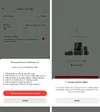
I updated to the latest version of the Viofo beta app yesterday then I was offered an OTA update to A329T_V2.0_260104.

Screenshot_20260109-183643.webp
 
There have been a few people asking about beta firmware updates for the A329T.

I updated to the latest version of the Viofo beta app yesterday then I was offered an OTA update to A329T_V2.0_260104.

View attachment 89198

I too did this, BUT it failed 🙁

It went through the download, 100% complete but the transfer failed.

All the earlier warnings about BT and stable connection, Android Auto etc were followed. The Wi-Fi connection happened fine.

I uninstalled the beta app & tried again, twice, but still it failed to update the dashcam.

Is there a way to reset the dashcam itself, as I think that may be required?

Edit: I tried a dashcam reset by inserting a pin in the hole (left side of screen) until the cam went off & restarted, but still no joy with the f/w u/d.

Is that the correct reset procedure?

@VIOFO-Support
 

Attachments

  • viof sw.webp
    viof sw.webp
    79.6 KB · Views: 54
Last edited:
OTA firmware update is SO much easier and faster! 🙂
Successfully updated from A329T_V2.0_251027 to A329T_V2.0_260104 via the Viofo app on iOS with my iphone 17Pro.

Update was very fast, maybe 2 min tops from first connecting up the wifi.
Cam did not factory reset, as it has in the past firmware updates, retaining all of its user settings.
No issues to report after a short drive this morning. (note, i do not use parking features).

EDIT: I disconnected the ssd drive before power on the cam and connecting to the app to run the OTA update. So that it used the internal sd card. Then re-connected the SSD after cam updated and was power cycled.
Not sure if that was a required or recommended step, but thought it would be prudent to eliminate any possible points of failure.
(seems this may be required to update firmware OTA, or the update may give transfer failed, as user DJ70 mentioned previous to my post)
 
Last edited:
I too did this, BUT it failed 🙁

It went through the download, 100% complete but the transfer failed.
I didn't try the update because it wasn't a convenient time to do so.

You could try going back to the last public firmware then update (I see @speedingcheetah was on that version) but I'm not sure what difference that would make?
 
OTA firmware update is SO much easier and faster! 🙂
Successfully updated from A329T_V2.0_251027 to A329T_V2.0_260104 via the Viofo app on iOS with my iphone 17Pro.
Update was very fast, maybe 2 min tops from first connecting up the wifi.
Cam did not factory reset, has it has in the past firmware updates, retaining all of its user settings.
No issues to report after a short drive this morning. (note, i do not use parking features).

EDIT: I disconnected the ssd drive before power on the cam and connecting to the app to run the OTA update. So that it used the internal sd card. Then re-connected the SSD after cam updated and was power cycled.
Not sure if that was a required or recommended step, but thought it would be prudent to eliminate any possible points of failure.

Edit saved the day 🙂 Tnx.

I disconnected the SSD, then went through everything as before. Firmware updated successfully! Now on 260104.
It might be helpful if Viofo listed that somewhere.

Seems these dashcams are rather fussy. Thinking back, I recall a previous update (can't remember just where) but the dashcam needed to be powered by the original lighter lead [I think the docs did mention this one] in order to have success.
 
Edit saved the day 🙂 Tnx.

I disconnected the SSD, then went through everything as before. Firmware updated successfully! Now on 260104.
It might be helpful if Viofo listed that somewhere.

Seems these dashcams are rather fussy. Thinking back, I recall a previous update (can't remember just where) but the dashcam needed to be powered by the original lighter lead [I think the docs did mention this one] in order to have success.
AH. well, glad that helped ya.

In the past with this model, when updating firmware, i have always disconnected the external ssd, since the process involved the internal sd card only, figured they would have recommended or required the ssd peripheral to be removed for firmware updates.

Maybe it is a requirement after all, that they have yet to document or to write into the app to inform user of need to disconnect ssd first.
Or, is a bug that needs to be worked out if they intend for it to be ok to have ssd attached during OTA firmware updates.
 
I ran into a problem updating the firmware OTA for an A329S with a SSD drive connected. I had successfully updated another A329S without a SSD drive just before I attempted to update the unit with the SSD drive. After repeated unsuccessful OTA attempts, I powered down the A329S, disconnected the SSD, and powered it up again. Without the SSD drive connected, that A329S updated successfully to 2.0_260104.
 
I also have version "T" installed.
The update via Viofo Beta went quickly and smoothly.
There were no problems.
 
I ran into a problem updating the firmware OTA for an A329S with a SSD drive connected. I had successfully updated another A329S without a SSD drive just before I attempted to update the unit with the SSD drive. After repeated unsuccessful OTA attempts, I powered down the A329S, disconnected the SSD, and powered it up again. Without the SSD drive connected, that A329S updated successfully to 2.0_260104.
Yea. Seems successful OTA firmware update requires ssd to be disconnected.

I am guessing, perhaps, that the OTA process may be copying the firmware file to current active storage, thus being the ssd, and then triggers the update process, but that process requires firmware to be on the internal sd card.
If the app says "transfer failed", perhaps the validation check for the completion of the file transfer, assuming maybe file integrity check, is then expecting to find the file on the sd card, and it does not find it, thus it triggers Transfer failed error condition.
 
AH. well, glad that helped ya.

In the past with this model, when updating firmware, i have always disconnected the external ssd, since the process involved the internal sd card only, figured they would have recommended or required the ssd peripheral to be removed for firmware updates.

Maybe it is a requirement after all, that they have yet to document or to write into the app to inform user of need to disconnect ssd first.
Or, is a bug that needs to be worked out if they intend for it to be ok to have ssd attached during OTA firmware updates.
Big shout out to Speedingcheetah, DJ70 & RCG 530 for posting the solution to the problem/issue that I had also ran into. I had posted it on the "I just got an OTA FW update. . ." section about having ran into problem updating the firmware through OTA and its failure to transfer the update.

I also thought I had tried everything except disconnecting the SSD drive. The reason I didn't think of it was that with my first car the update with the same exact setup in my other car had no issues at all updating, I never had to disconnect the SSD drive and it worked without any issues. I only ran into updating the second car with the same setup.

Long story short, I followed the instructions and disconnected the SSD drive, I also have the SD card in the camera because I do use the Hybrig Parking Mode, then powered up without the SSD drive.

Then I followed the update procedure and no problems at all this time as it updated without any issues the very first time after the SSD drive was disconnected.

Thank you again for posting.
 
I also have version "T" installed.
The update via Viofo Beta went quickly and smoothly.
There were no problems.
True, at first I wanted to update my A329T without a memory card, but the attempt failed. 🤣
 
Yea. Seems successful OTA firmware update requires ssd to be disconnected.

I am guessing, perhaps, that the OTA process may be copying the firmware file to current active storage, thus being the ssd, and then triggers the update process, but that process requires firmware to be on the internal sd card.
If the app says "transfer failed", perhaps the validation check for the completion of the file transfer, assuming maybe file integrity check, is then expecting to find the file on the sd card, and it does not find it, thus it triggers Transfer failed error condition.

That does seem feasible.

One thing I noticed with the Beta app, there's a setting where it asks to cache the download*. I'm working from memory here so I may not be quite 100%.

Where is it being saved, I wonder? And could that alleviate the SSD needing to be disconnected?

Also, in the app; it only allows us to access it once connected to a dashcam. Hence the * above.

Having used the BlackVue app (which was very poor in many respects) that did allow settings to be adjusted, offline as it were, and then these were transferred once the app & dashcam connected.

Maybe that's something @VIOFO-Support could look at for their app?

 
First, we suggest upgrading the firmware to the latest V2.0 20260104 version.

We are checking how to optimize the parking recording to avoid overheating and provide limited parking recording protection.
We can let the camera switch to impact-only recording while it overheats. When it starts up next time by impact, it can check the vehicle voltage or BP100 capacity.
If the chipset temperature is low and the voltage or battery pack capacity doesn't meet the specified value, the dashcam will continue recording.
Surely overheating should be resolved first, seems that the design has a flaw in thermodynamics, better heat displacement sounds like it’s needed in all honesty.

I have exactly the same issue with the A329, here in the UK, even while driving it can overheat and just switch off randomly.

I suspect that the design needs changing in order to disperse heat from the processor given the extra performance required to process the high res video.

I may do a tear down and have a look to see if simply replacing any thermal paste used can improve the issue.
 
That does seem feasible.

One thing I noticed with the Beta app, there's a setting where it asks to cache the download*. I'm working from memory here so I may not be quite 100%.

Where is it being saved, I wonder? And could that alleviate the SSD needing to be disconnected?

Also, in the app; it only allows us to access it once connected to a dashcam. Hence the * above.

Having used the BlackVue app (which was very poor in many respects) that did allow settings to be adjusted, offline as it were, and then these were transferred once the app & dashcam connected.

Maybe that's something @VIOFO-Support could look at for their app?
Cache firmware means the app will save the firmware, while you plan to upgrade the firmware, the app will transfer the file to the camera, no need to download the firmware.
 
Back
Top