
You are using an out of date browser. It may not display this or other websites correctly.
You should upgrade or use an alternative browser.
You should upgrade or use an alternative browser.
VIOFO A119M Pro_FIRMWARE
- Thread starter Karagandinez
- Start date
yellowtape
New Member
are you having any issues with the new firmware as of right now? I think you said it might be related to the Bluetooth remote, is it? did you hopefully figured it out? would you recommend me updating? I think im on the 20251031Yes I formatted the SD card.
SneekyB
Member
Yes I formatted the SD
I’ve only had issues on I think 3 journeys over 1.5 months of use. It’s not repeated in the last couple of weeks and I’m still unsure if related to changing parking mode with the bluetooth remote.are you having any issues with the new firmware as of right now? I think you said it might be related to the Bluetooth remote, is it? did you hopefully figured it out? would you recommend me updating? I think im on the 20251031

Chuck McCoy
Well-Known Member
- Joined
- Jun 9, 2022
- Messages
- 4,757
- Reaction score
- 4,727
- Location
- California
- Country
- United States
- Dash Cam
- 2026 Minimum Spec: STARVIS 2 & HDR & Low Power Parking Mode
Reply function not working.
@yellowtape said:
I want to ask everyone if they updated and had no problems
Chuck said:
I’ve been using the newest firmware V1.1_20260109 for the past 1.5 months with no issues.
I’ve been testing with Viofo Brand 512GB SD Card, HK6, and original Viofo brand power cable, (20AWG).
If you have doubts about the newest firmware here is a link to an official version of V1.0_20251031 I downloaded from the official Viofo website January 11, 2025;
 drive.google.com
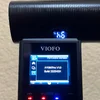
Just to make sure it works, I downloaded it, and downgraded the firmware in my A119M Pro.
See attached photos.
-Chuck
@yellowtape said:
I want to ask everyone if they updated and had no problems
Chuck said:
I’ve been using the newest firmware V1.1_20260109 for the past 1.5 months with no issues.
I’ve been testing with Viofo Brand 512GB SD Card, HK6, and original Viofo brand power cable, (20AWG).
If you have doubts about the newest firmware here is a link to an official version of V1.0_20251031 I downloaded from the official Viofo website January 11, 2025;
A119M Pro V1.0_20251031 - Google Drive
drive.google.com
Just to make sure it works, I downloaded it, and downgraded the firmware in my A119M Pro.
See attached photos.
-Chuck
Attachments


Chuck McCoy
Well-Known Member
- Joined
- Jun 9, 2022
- Messages
- 4,757
- Reaction score
- 4,727
- Location
- California
- Country
- United States
- Dash Cam
- 2026 Minimum Spec: STARVIS 2 & HDR & Low Power Parking Mode
Just to be nosy, after you updated the firmware did you perform a factory reset / default setting?I’ve only had issues on I think 3 journeys over 1.5 months of use. It’s not repeated in the last couple of weeks and I’m still unsure if related to changing parking mode with the bluetooth remote.
I've been doing that after every firmware update on all cameras I'm testing, and I think it works.
But, I don't really know because Viofo has no official statement on doing that.
SneekyB
Member
Yes I reset the camera but I believe that automatically happens with new firmware as all custom settings are erased.Just to be nosy, after you updated the firmware did you perform a factory reset / default setting?
I've been doing that after every firmware update on all cameras I'm testing, and I think it works.
But, I don't really know because Viofo has no official statement on doing that.
One issue I have observed is if I have the camera set to use Auto Event Detection for parking mode and then use the bluetooth remote to turn parking mode on and off the camera will then select Low Bitrate Recording rather than toggle Auto Event Detection on and off. This may not be related to the current firmware as I’ve only used the remote with this and not any previous version.
Chuck McCoy
Well-Known Member
- Joined
- Jun 9, 2022
- Messages
- 4,757
- Reaction score
- 4,727
- Location
- California
- Country
- United States
- Dash Cam
- 2026 Minimum Spec: STARVIS 2 & HDR & Low Power Parking Mode
It depends on the firmware.Yes I reset the camera but I believe that automatically happens with new firmware as all custom settings are erased.
After “small” updates changed settings may remain.
After “big” updates like going from V1.0 to V1.1 all setting may be wiped.
You’re on your own with the Bluetooth Remote.bluetooth remote
I never liked / supported that device, not even the single button version.
Yes, the Bluetooth Remote is "convenient" if you can’t reach the buttons on the camera.
But, this convenience comes at the cost of additional points of failure which lead to malfunctions.
This does not align with my beloved K.I.S.S. doctrine, (keep it simple stupid).
1.) First point of failure is additional “maintenance” of keeping a good CR20232 coin battery in it.
2.) Second point of failure is losing Bluetooth Pairing over time
3.) I don’t like the customer has to “learn” how to program the (2) additional side buttons.
This requires more reading of a user manual.
4.) I don’t like the customer has to spend an additional $20 for this “optional accessory” (if it was included I wouldn’t mind as much).
$20 on a “budget” $100 1CH camera is 20% of the cost of the camera.
I do like voice commands as a potential alternative, but those are also not 100% error free.
But, at least they don’t cost an additional $20 to use.
-Chuck
Last edited:
SneekyB
Member
I’ll be honest I disabled the voice commands as being from Scotland I usually find they never work very well with the Scottish accent. I’ll maybe start using the on camera button press to disable/enable parking mode and see if that is more reliable at maintaining my required parking mode setting.
Chuck McCoy
Well-Known Member
- Joined
- Jun 9, 2022
- Messages
- 4,757
- Reaction score
- 4,727
- Location
- California
- Country
- United States
- Dash Cam
- 2026 Minimum Spec: STARVIS 2 & HDR & Low Power Parking Mode
To rule out Bluetooth Remote causing malfunction I would remove CR2032 battery from remote, and perform yet another factory reset / default setting of camera.I’ll maybe start using the on camera button press to disable/enable parking mode and see if that is more reliable at maintaining my required parking mode setting.
And see how it goes for the next couple days / drive cycles.
-Chuck
SneekyB
Member
I have discovered that this is the correct operation of the disable/enable parking mode using the bluetooth remote button, it defaults to low bitrate mode only and will ignore the setting I had configured on the camera. Hopefully this will be configurable in a future firmware version. Maybe once hybrid parking mode arrives for the A119M Pro.One issue I have observed is if I have the camera set to use Auto Event Detection for parking mode and then use the bluetooth remote to turn parking mode on and off the camera will then select Low Bitrate Recording rather than toggle Auto Event Detection on and off. This may not be related to the current firmware as I’ve only used the remote with this and not any previous version.
OP
OP

Karagandinez
Well-Known Member
- Joined
- Nov 27, 2020
- Messages
- 3,032
- Reaction score
- 4,063
- Location
- Deutschland
- Country
- Germany
- Dash Cam
- At the moment Viofo, Vueroid and Vantrue

firmware
Download the latest VIOFO firmware updates for every dash cam model. Step-by-step instructions, version notes, and SD card requirements.
 www.viofo.com
V1.2_20260409
1. Added: geofencing support;
2. Added: Daylight Saving Time support;
3. Added: 24-hour / 12-hour time format options;
4. Optimized: Wi-Fi download performance for faster file downloads;
5. Fixed: known issues and improved overall stability.
2. Added: Daylight Saving Time support;
3. Added: 24-hour / 12-hour time format options;
4. Optimized: Wi-Fi download performance for faster file downloads;
5. Fixed: known issues and improved overall stability.
Last edited:

rcg530
Well-Known Member
- Joined
- Jan 23, 2021
- Messages
- 2,722
- Reaction score
- 4,556
- Location
- California
- Country
- United States
- Dash Cam
- 70mai, BlackVue, Thinkware, Vantrue, Vueroid, VIOFO
I attempted to install the v1.2_20260409 firmware using the newer "VIOFO Dashcam" app on an Android device. The A119M Pro had v1.1_260109 firmware installed.
The app detected that a new firmware version was available, it downloaded the firmware to the Android device, the app "uploaded" the firmware to the A119M Pro. After the upload to the dash camera completed, the app assumes the dash camera is rebooting to install it. The A119M Pro did not reboot at all, it just continued to record normal/driving mode footage.
I powered down the A119M Pro and powered it on again to see if the firmware would install, it did not. I powered it down again and removed the 128 GB memory card and checked it on my computer. No firmware file was present in the root directory. Either the firmware upload step didn't really upload anything or the slightly older A119M Pro firmware did not handle the upload correctly.
I copied the firmware file to the root directory of the 128 GB memory card, cleanly dismounted the memory card, inserted the memory card into the A119M Pro, and I powered on the A119M Pro. This time the firmware was installed successfully.
The app detected that a new firmware version was available, it downloaded the firmware to the Android device, the app "uploaded" the firmware to the A119M Pro. After the upload to the dash camera completed, the app assumes the dash camera is rebooting to install it. The A119M Pro did not reboot at all, it just continued to record normal/driving mode footage.
I powered down the A119M Pro and powered it on again to see if the firmware would install, it did not. I powered it down again and removed the 128 GB memory card and checked it on my computer. No firmware file was present in the root directory. Either the firmware upload step didn't really upload anything or the slightly older A119M Pro firmware did not handle the upload correctly.
I copied the firmware file to the root directory of the 128 GB memory card, cleanly dismounted the memory card, inserted the memory card into the A119M Pro, and I powered on the A119M Pro. This time the firmware was installed successfully.
I will submit a request to the related department.A229Pro와 A329T에서는 한글이 지원됩니다. 그러나 A119M Pro는 한글이 지원되지않습니다.
한글 지원해주세요!
Korean is supported on the A229Pro and A329T. However, the A119M Pro does not support Korean.
Please support Korean!
rcg530
Well-Known Member
- Joined
- Jan 23, 2021
- Messages
- 2,722
- Reaction score
- 4,556
- Location
- California
- Country
- United States
- Dash Cam
- 70mai, BlackVue, Thinkware, Vantrue, Vueroid, VIOFO
After encountering problems updating the firmware on two different A119M Pro to the v1.2_20260409 firmware [manual copy to memory card or via VIOFO Dashcam app], it wanted to see how the file system type selection for the memory card plays into the situation.
The TL;DR version: If the memory card is formatted with an "exFAT" file system [by a PC or the dash camera itself], firmware updates won't work.
The boot loader [the code in the dash camera that bootstraps the dash camera as it first powers up / before the firmware that controls the operations of the dash camera starts], mounts the memory card file system and looks for the firmware update file [FWA119MP.bin for this model]. The boot loader must successfully mount the file system and read the files from it. The A119M Pro boot loader does not seem capable of mounting exFAT file systems. It can only mount FAT32 file systems. The code in the main firmware that controls the operations of the dash camera is able to mount and use the exFAT file system.
If the memory card's file system is exFAT, the firmware update process will not work. It doesn't matter if you manually copy the FWA119MP.bin firmware file to the memory card using your computer or if you use the new over-the-air [OTA] method of sending the firmware to the dash camera using the newer VIOFO Dashcam app. The dash camera will quickly boot up without installing the firmware file. The firmware file gets deleted which confuses the situation a bit more. Check the firmware version in the dash camera and you'll see the firmware version is still the old/original version.
Depending on the memory card's total capacity, Windows 11 and the dash camera will create a FAT32 file system [32 GB and smaller] or an exFAT file system [64 GB or larger] when the memory card is formatted.
If it's possible, it looks like VIOFO needs to enhance the A119M Pro's boot loader code to support an exFAT file system memory card.
Until a solution is provided by VIOFO, if you want to update firmware for the A119M Pro dash camera, the memory card must have a FAT32 file system. You can use the VIOFO FAT32 formatting utility to create a FAT32 file system on larger memory cards. You could also use a 16 GB / 32 GB memory card formatted with a FAT32 file system. By default, a PC and the A119M Pro will create a FAT32 file system on 32 GB and smaller cards.

The TL;DR version: If the memory card is formatted with an "exFAT" file system [by a PC or the dash camera itself], firmware updates won't work.
The boot loader [the code in the dash camera that bootstraps the dash camera as it first powers up / before the firmware that controls the operations of the dash camera starts], mounts the memory card file system and looks for the firmware update file [FWA119MP.bin for this model]. The boot loader must successfully mount the file system and read the files from it. The A119M Pro boot loader does not seem capable of mounting exFAT file systems. It can only mount FAT32 file systems. The code in the main firmware that controls the operations of the dash camera is able to mount and use the exFAT file system.
If the memory card's file system is exFAT, the firmware update process will not work. It doesn't matter if you manually copy the FWA119MP.bin firmware file to the memory card using your computer or if you use the new over-the-air [OTA] method of sending the firmware to the dash camera using the newer VIOFO Dashcam app. The dash camera will quickly boot up without installing the firmware file. The firmware file gets deleted which confuses the situation a bit more. Check the firmware version in the dash camera and you'll see the firmware version is still the old/original version.
Depending on the memory card's total capacity, Windows 11 and the dash camera will create a FAT32 file system [32 GB and smaller] or an exFAT file system [64 GB or larger] when the memory card is formatted.
If it's possible, it looks like VIOFO needs to enhance the A119M Pro's boot loader code to support an exFAT file system memory card.
Until a solution is provided by VIOFO, if you want to update firmware for the A119M Pro dash camera, the memory card must have a FAT32 file system. You can use the VIOFO FAT32 formatting utility to create a FAT32 file system on larger memory cards. You could also use a 16 GB / 32 GB memory card formatted with a FAT32 file system. By default, a PC and the A119M Pro will create a FAT32 file system on 32 GB and smaller cards.
Last edited: