VIOFO A229 Plus FIRMWARE

I tried the 1.3.1 firmware. I'm getting a problem with parking mode recording in time-lapse even when I set it to low-bitrate mode. No audio, and video plays back fast forward.
The latest publicly available Android VIOFO app and I'm assuming the iOS app will not have the list of parking mode types in the correct order since VIOFO added the 1fps time-lapse super night vision entry at the top of the list when viewed on the settings screen on the camera. I would suggest you confirm the parking mode is set to the one you want by using the camera's firmware setting screen for parking mode. I was told by VIOFO that they were going to release an updated Android app a couple of days ago to address this out-of-sync ordering in the app, but I've not seen an update posted yet.
 
Good morning everyone,
I have 3 Viofo dashcams (A119 mini, 2x A229 Plus Duo)
In one of the two A229 Plus I installed the new FWA229S.bin firmware today
But I saw that there are two on the page: what should I do with the second one, the EthamTxFW.bin?
Why are there two?
Do I flash the second one too?

Many thanks, have a nice day!
 

Attachments

  • 20241112_112206.webp
    20241112_112206.webp
    45.3 KB · Views: 101
Good morning everyone,
I have 3 Viofo dashcams (A119 mini, 2x A229 Plus Duo)
In one of the two A229 Plus I installed the new FWA229S.bin firmware today
But I saw that there are two on the page: what should I do with the second one, the EthamTxFW.bin?
Why are there two?
Do I flash the second one too?

Many thanks, have a nice day!
Firmware: EthamTxFW.bin
for rear camera.
 
Good morning everyone,
I have 3 Viofo dashcams (A119 mini, 2x A229 Plus Duo)
In one of the two A229 Plus I installed the new FWA229S.bin firmware today
But I saw that there are two on the page: what should I do with the second one, the EthamTxFW.bin?
Why are there two?
Do I flash the second one too?
There are two firmware files because one is is for the front camera (FWA229S.bin) and the second is for the rear camera (EtahmTxFW.bin). If you put both files on the same sd card the whole update proces should update the front camera first and start updating the rear camera after the front camera has finished updating.
It can also be done separately (but more work).
 
Version: 3.2.19
Aktualisiert am 12.12.2024

1. Add Bluetooth Button Function for A129 Pro/A129 Duo/A129 Plus/A229 Duo.
2. Add Privacy Mode for A229 Pro/A229 Plus/A329/VS1.
3. Add Timelapse 1 fps (Night Vision), Stamp Text Color options for A229 Pro/A229 Plus.
4. Add Parking Mode option for Bluetooth for A229 Pro/A229 Plus.
5.Fix known bugs.
 
Last edited:

FWA229S.bin V1.3.1_241203

Change Log
1. Added: Turn on/off the parking mode by BTR200 remote
2. Fixed: Other bugs

EthamTxFw.bin V1.3_241204

Change Log
1. Fixed: Other bugs
 
  • Like
Reactions: bhb
The firmware for the A229 Plus front camera is available for download on the Viofo website.

Version: V1.3.1_250214

Change Log

1. Fixed: GPS data still exists while the GPS disabled
2. Fixed: Other minor bugs
 
The firmware for the A229 Plus front camera is available for download on the Viofo website.

Version: V1.3.1_250214

Change Log

1. Fixed: GPS data still exists while the GPS disabled
2. Fixed: Other minor bugs

Is a separate bin file still needed to update the rear camera? The rear-cam file isn't posted on the viofo website anymore.
 
Is a separate bin file still needed to update the rear camera? The rear-cam file isn't posted on the viofo website anymore.
To update the rear camera, you need a separate firmware.
It is not currently available on the Viofo website.
The website may be being updated.
 
Is a separate bin file still needed to update the rear camera? The rear-cam file isn't posted on the viofo website anymore.
Try the following
 
Just got my cameras installed today. Would also like the rear firmware update if possible
 
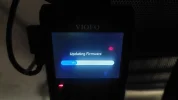
I have been trying to update the firmware on my A229 plus for a couple of days now with no luck . I currently have firmware version v1.3_240612 and the new one I am trying to install is V1.3.1_250214. It just will not install. steps I have taken I format a 2 GB card in the camera, then download the new firmware on the sd card put it in the dashcam and turn the power on. It just sits there saying it is updating the firmware , but it doesn't go any further. Can anybody see if I am doing anything wrong?? I have never had any trouble updating the firmware before, but I am stumped with it now though. I have done a format on the computer to fat 32 and tried that but that didn't work . I tried a 16 gb card formatted to fat 32 awhich also fails to work. I have done this numerous times but but still nothing. What can I do now? Thanks for reading this.
 
I have been trying to update the firmware on my A229 plus for a couple of days now with no luck . I currently have firmware version v1.3_240612 and the new one I am trying to install is V1.3.1_250214. It just will not install. steps I have taken I format a 2 GB card in the camera, then download the new firmware on the sd card put it in the dashcam and turn the power on. It just sits there saying it is updating the firmware , but it doesn't go any further. Can anybody see if I am doing anything wrong?? I have never had any trouble updating the firmware before, but I am stumped with it now though. I have done a format on the computer to fat 32 and tried that but that didn't work . I tried a 16 gb card formatted to fat 32 awhich also fails to work. I have done this numerous times but but still nothing. What can I do now? Thanks for reading this.
We just release newer firmware for A229Plus, you may download this one to test: https://viofotech.com/download/firmware/A229Plus/FWA229S.bin
Please make sure not to rename the file when copying and pasting it to the root of your card.
 
What happens if you put the firmware on the same card you normally record to?

I record to a 128 GB Card , so as far as I know it can't be formatted to Fat32. I will see if it can .
Edit: maybe I can format a 128GB card to Fat32. I will try the new firmware that viofo support posted link to first and if that doesn't work I will try that .Thanks.
 
Last edited:
Back
Top
