VIOFO A229 Pro FIRMWARE

So I updated to the new Viofo Android app and then connected it to the A229 Pro via Wifi and it offered the new firmware update that was just released. Update went perfectly but afterwards all settings were back to default and I had to reset up everything.
Thanks for clarifying and the quick response! That's good to know that I don't need to manually download the firmware file onto a formatted SD card and go from there.
 
Thanks for clarifying and the quick response! That's good to know that I don't need to manually download the firmware file onto a formatted SD card and go from there.
Yes it is a great feature. Previously with the old Android software it would always say unable to connect to server when trying to update the firmware using the app for me so I would have to put the file on the sd card like you. Now with the new android app as soon as I connected it via wifi to the A229Pro is showed there was a newer version of the firmware and asked if I wanted to update it.
 
Can you clarify? You mean updating the phone app will cause the dash cam firmware to update when connecting to it via wifi? And then you lose all your settings after the firmware update?


With regards to the Power OFF command. How was it done before this firmware update? It would be nice if there was a voice command for Power OFF also.
Prior to this recent FW update, you had to first wake the screen up with a short press of the Menu button, and then long press the menu button to power off.
Now its just a single long press, the way it was on earlier versions.
 
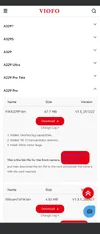
New official firmware V1.5 251222


You can download the file here:
FWA229P.bin
 

Attachments

  • Screenshot_20260127-174618.webp
    Screenshot_20260127-174618.webp
    47.9 KB · Views: 86
The reason I joined this forum was because of this issue (losing your settings after an update). No warning that this would be the result. Very poor communication from Viofo. Like an idiot I didn't write them down and now will spend a few hours again on trying to determine what they should be. I'll send something to Viofo and see if they now warn people before an update.
 
The reason I joined this forum was because of this issue (losing your settings after an update). No warning that this would be the result. Very poor communication from Viofo. Like an idiot I didn't write them down and now will spend a few hours again on trying to determine what they should be. I'll send something to Viofo and see if they now warn people before an update.
Yes, I agree. I learned early on to just screen shot the settings from the phone app and then save them in the cloud for future quick reference.
 
I loaded the latest FW.
The Geofencing works great! My A229 Pro shuts off instead of switching to parking mode when I park at my house . Very Cool.
Nice Job @viofo !
 
I loaded the latest FW.
The Geofencing works great! My A229 Pro shuts off instead of switching to parking mode when I park at my house . Very Cool.
Nice Job @viofo !
Can you fill us in on how you set yours up and what happens and what we should expect when you drive into the geofenced area?

I just enabled it on my A229Pro with a 15 mtr radius when I was outside the garage in front of my driveway with the car.

I'm assuming whats suppoed to happen is if I drive within that area the camera stops recording and should power down the unit? Maybe I didn't drive far enough away to test it coming back into the area but when I put the car back into the garage the camera just went into parking mode as usual? Maybe I need to drive further away first to test it properly?
 
Can you fill us in on how you set yours up and what happens and what we should expect when you drive into the geofenced area?

I just enabled it on my A229Pro with a 15 mtr radius when I was outside the garage in front of my driveway with the car.

I'm assuming whats suppoed to happen is if I drive within that area the camera stops recording and should power down the unit? Maybe I didn't drive far enough away to test it coming back into the area but when I put the car back into the garage the camera just went into parking mode as usual? Maybe I need to drive further away first to test it properly?
I also enabled mine with a 15 M radius.
The camera will continue to record in normal mode (not parking mode) when you are within the enabled 15 M radius until parking mode is triggered.
When the camera is triggered into parking mode (I am using an HK4 kit) the camera powers OFF instead of switching to parking mode.
Make sure the GPS lock light is not flashing to be sure GPS is active. I'm guessing it never locked if you did not drive for a couple minutes. Mine takes at least 30 seconds or up to a couple minutes to Lock each time I start the car and drive.
 
Some weird quirks after I loaded the latest firmware. Like others had reported, the settings reset so I had to manually set them back to what they were. However, the bitrate persistently wants to stay at "normal" even though I repeatedly try to set it at "maximum". The same thing with the interior camera where it wants to stay "on" even though I tried to set it to be on only when in parking mode.
 
Some weird quirks after I loaded the latest firmware. Like others had reported, the settings reset so I had to manually set them back to what they were. However, the bitrate persistently wants to stay at "normal" even though I repeatedly try to set it at "maximum". The same thing with the interior camera where it wants to stay "on" even though I tried to set it to be on only when in parking mode.
Are you setting these through the APP or on the camera itself? If through the app, are you using the latest version of the new Viofo APP?

Sometimes strange quirks occur when changing firmware. Manually defaulting the cameras settings (there is an option for this in the settings) will fix these issues.
 
Are you setting these through the APP or on the camera itself? If through the app, are you using the latest version of the new Viofo APP?

Sometimes strange quirks occur when changing firmware. Manually defaulting the cameras settings (there is an option for this in the settings) will fix these issues.
I set the options through the app. I'm on Android and as far as I can tell, I haven't seen any update for the Viofo app for the past week or so. Will definitely reset the camera settings to factory defaults as a nuclear option, though.

One other nice thing I noticed after the firmware update is that the WiFi turns on by default when the camera is powered on or "wakes up" from parking mode. I didn't like the idea of having to holding the WiFi button down (I figured less physical pressing of the buttons on the camera will reduce wear and tear), but it's nice that the "turn on WiFi" and "turn off WiFi" voice commands are an alternative options (though you have to speak loud and clearly, sometimes cupping your hand around your mouth and facing towards the camera when issuing the command).
 
Last edited:
I loaded the latest FW.
The Geofencing works great! My A229 Pro shuts off instead of switching to parking mode when I park at my house . Very Cool.
Nice Job @viofo !

I loaded the latest FW.
The Geofencing works great! My A229 Pro shuts off instead of switching to parking mode when I park at my house . Very Cool.
Nice Job @viofo !
How this feature works "Geofencing"?
 
I set the options through the app. I'm on Android and as far as I can tell, I haven't seen any update for the Viofo app for the past week or so. Will definitely reset the camera settings to factory defaults as a nuclear option, though.

One other nice thing I noticed after the firmware update is that the WiFi turns on by default when the camera is powered on or "wakes up" from parking mode. I didn't like the idea of having the holding the WiFi button down (I figured less physical pressing of the buttons on the camera will reduce wear and tear), but it's nice that the "turn on WiFi" and "turn off WiFi" voice commands are an options (though you have to speak loud and clearly, sometimes cupping your hand around your mouth and face towards the camera when issuing the command).
The old APP is just called Viofo, while the new APP is called Viofo Dashcam. Are you using the new APP?
 
How this feature works "Geofencing"?
Geofencing uses your GPS location to turn off your camera.
It prevents parking mode from activating when you park in your driveway or garage. Instead of activating parking mode, the camera powers off when it senses you are within the user defined radius of GPS coordinates.
There are three GPS "Zones" that you can define.
 
Last edited:
Yes, we will take the old app off in the near future.
My 9-inch car stereo runs Android 4.
Will Viofo Dashcam work with it?
Can you share the Viofo Dashcam APK file? I can't download it from the Play Store.
(If you extract the APK file from an already installed Viofo Dashcam, it won't work.)
 
The old APP is just called Viofo, while the new APP is called Viofo Dashcam. Are you using the new APP?
Thank you so much for this! 😀 I've spent several days going around and around with Viofo support trying to get GeoFencing set up. I kept saying that it wasn't in the app and then they said that I had to set it manually in the camera. I was about to post how to do it when I saw this post from you. Sure enough app Viofo Dashcam (version 2.0.0.1) allows me to set GeoFencing in the app (and much easier than manually in the camera).
 
Back
Top