VIOFO HK6 Hardwire Cable - Test & Review PP

Hello everyone, as this thread is about the HK06, I’d like to ask a question here:
How accurate is the voltage reading on your Hardwire Kit?
Background:
I recently bought an HK06 from the official Viofo AliExpress store. The serial number ends with a ‘B’, so it may be a different or newer revision.

It always displays the voltage 0.1V to 0.14V too high, both in the Viofo app and on the dashcam recording.
I have also checked this with several multimeters, so a fault with the measuring device can be ruled out. I have checked both directly at the car battery and at the fuse powering the HK06.

When the voltage is ‘high’ (as the alternator is supplying voltage to the battery) the deviation is +0.1V.
When the battery is at 12.2V, the deviation is already +0.14V.

I consider this deviation to be quite high, as a difference of 0.14V in a 12V car battery can already determine whether the voltage is still healthy or critical/damaging.
 
Hello everyone, as this thread is about the HK06, I’d like to ask a question here:
How accurate is the voltage reading on your Hardwire Kit?
Background:
I recently bought an HK06 from the official Viofo AliExpress store. The serial number ends with a ‘B’, so it may be a different or newer revision.

It always displays the voltage 0.1V to 0.14V too high, both in the Viofo app and on the dashcam recording.
I have also checked this with several multimeters, so a fault with the measuring device can be ruled out. I have checked both directly at the car battery and at the fuse powering the HK06.

When the voltage is ‘high’ (as the alternator is supplying voltage to the battery) the deviation is +0.1V.
When the battery is at 12.2V, the deviation is already +0.14V.

I consider this deviation to be quite high, as a difference of 0.14V in a 12V car battery can already determine whether the voltage is still healthy or critical/damaging.
Edit/:
For your information, the car, the battery and the measurement method can be ruled out as sources of error.
When I run the HK6 on a regulated power supply, the result remains the same. The higher the voltage, the closer the deviation is to +0.1V. The closer the voltage gets to 12V, the greater the deviation becomes.

I have not yet checked whether this only affects the values output by the Bluetooth module, or also the adjustable ‘hardwire cut-off’ directly.
 
Welcome to the club.
You can report your malfunction directly to Viofo here; SUBMIT A TICKET
-Chuck
Hello Chuck,
Thanks for your reply! I'm sorry for 'hijacking' your thread with my question.

I’ve seen that you have several HK6 units and good testing equipment. Could you perhaps cross-check this with the voltage readings output via Bluetooth? As far as I can tell, this hasn’t been tested yet.

I’ll open a ticket at Viofo if my HK6 really does have a discrepancy, but perhaps all HK6 units are a bit ‘quirky’ when it comes to Bluetooth readings.
 
Edit/:
For your information, the car, the battery and the measurement method can be ruled out as sources of error.
When I run the HK6 on a regulated power supply, the result remains the same. The higher the voltage, the closer the deviation is to +0.1V. The closer the voltage gets to 12V, the greater the deviation becomes.

I have not yet checked whether this only affects the values output by the Bluetooth module, or also the adjustable ‘hardwire cut-off’ directly.

Just to be clear, the output voltage is correct, but what is shown in the App and dashcam is a different value?
 
Just to be clear, the output voltage is correct, but what is shown in the App and dashcam is a different value?
Yes, exactly. If the power source (whether a battery or an adjustable power supply) is set to 12.2V, the Bluetooth module transmits 12.34V. This can be seen in the Viofo app and in the camera’s recording. The deviation increases on my HK6 the closer it gets to 12V.
At 14V, the value transmitted via Bluetooth is 14.1V.
 
Yes, exactly. If the power source (whether a battery or an adjustable power supply) is set to 12.2V, the Bluetooth module transmits 12.34V. This can be seen in the Viofo app and in the camera’s recording. The deviation increases on my HK6 the closer it gets to 12V.
At 14V, the value transmitted via Bluetooth is 14.1V.

Yep, that stuff bothers me also. I have a regulated linear power supply that I have validated with several Flukes. It seems that one app (non-Viovo) I use never detects or shows the same value as the output and the meter reading. Bugs me. I tried 4 different GPS/power modules for that dashcam, and the results varied each time. However, when power was applied to the dashcam and cut-off voltages were tested, the dashcam worked according to specifications.

Users make adjustments and choices based on what they are shown, and when inaccurate data is shown, those choices will affect how the dashcam functions.
 
Yep, that stuff bothers me also. I have a regulated linear power supply that I have validated with several Flukes. It seems that one app (non-Viovo) I use never detects or shows the same value as the output and the meter reading. Bugs me. I tried 4 different GPS/power modules for that dashcam, and the results varied each time. However, when power was applied to the dashcam and cut-off voltages were tested, the dashcam worked according to specifications.

Users make adjustments and choices based on what they are shown, and when inaccurate data is shown, those choices will affect how the dashcam functions.
Thanks for your reply. In that case, it wouldn’t just be my HK6 that’s affected, but probably all of them. So I can probably save myself the trouble of sending a bug/error report to Viovo about this.

Perhaps someone else with an HK6 and test equipment could also verify whether the Bluetooth module is outputting ‘incorrect’ values.


I’ve just noticed that my reply to Chuck has the status ‘pending moderation’ and isn’t being displayed.
 
Hello Chuck,
Thanks for your reply! I'm sorry for 'hijacking' your thread with my question.

I’ve seen that you have several HK6 units and good testing equipment. Could you perhaps cross-check this with the voltage readings output via Bluetooth? As far as I can tell, this hasn’t been tested yet.

I’ll open a ticket at Viofo if my HK6 really does have a discrepancy, but perhaps all HK6 units are a bit ‘quirky’ when it comes to Bluetooth readings.
If you had requested this when I started this thread I'd be all over it but, I'm focused on testing other stuff at the moment.

As far as "voltage accuracy" with Viofo Hardwire Cables, (voltage cut-off selections) people have "always" reported inaccuracies, and when we test they "always" tend to be within an acceptable limit.
Of course I'm speaking in general.

If you really want someone to test HK6 Bluetooth voltage accuracy I would start a new thread in VIOFO OTHER requesting it, and also post your own measurements, (photos & videos).
I'm not the only one here with a power supply, and a Fluke. lol
-Chuck
 
Q: How many Pins in USB Type-C connector?
A: 24 (see photo #1)

Q: How many Pins used in HK6 Type-C connector?
A: 12 (see photo #2)

Q: What are Pin Assignments in HK6 Type-C connector for;
RED = Constant Power B+
BLACK = Ground
WHITE = TBA
YELLOW = Switched Power ACC / Ignition
A:
RED = Photo #6
BLACK = Photo #7
WHITE = Photo #8
YELLOW = Photo #9

Q: Which Pin “controls” Parking Mode in HK6 Type-C connector?
A: See Photo #9 (Yellow Wire Only)

Q: What is the function of the WHITE wire in HK6 Type-C connector?
A: TBA (future implementation)

To answer these questions I used;
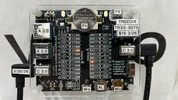
1.) USB Cable Tester TREEDIX TRX5-0575
2.) HK6 Hardwire Cable (Qty. 2) OFFICIAL VIOFO HK6

I also made two “jumper wires”;
1.) 1-Pin Jumper
2.) 4-Pin Jumper
See Photo #2 #3 #5

I performed a simple continuity test by connecting (2) HK6 Type-C connectors with my homemade jumper wires.
1-Pin jumper identifies one wire at a time.
4-Pin jumper shows all wires simultaneously.
 

Attachments

  • 9.) HK6 Yellow Wire Only .webp
    9.) HK6 Yellow Wire Only .webp
    240.8 KB · Views: 32
  • 8.) HK6 White Wire Only .webp
    8.) HK6 White Wire Only .webp
    214.5 KB · Views: 34
  • 7.) HK6 Black Wire Only .webp
    7.) HK6 Black Wire Only .webp
    235.6 KB · Views: 32
  • 6.) HK6 Red Wire Only .webp
    6.) HK6 Red Wire Only .webp
    238.3 KB · Views: 32
  • 5.) 1-Pin Jumper .webp
    5.) 1-Pin Jumper .webp
    59.8 KB · Views: 28
  • 4.) HK6 4-Pin Jumper .webp
    4.) HK6 4-Pin Jumper .webp
    238 KB · Views: 27
  • 3.) 4-Pin Jumper .webp
    3.) 4-Pin Jumper .webp
    65.9 KB · Views: 27
  • 2.) Homemade Jumpers .webp
    2.) Homemade Jumpers .webp
    66.7 KB · Views: 37
  • 1.) Type-C Pinouts .webp
    1.) Type-C Pinouts .webp
    258.8 KB · Views: 31
Back
Top