Vueroid S1-4K Infinite - Testing/Review - RCG

So the S1 4K can pretty much mesh up with any backup power supply? Or is there something specific that I should look for in a battery system? I am new to the dashcam game and want to pick a reasonable/acceptable one.
 
So the S1 4K can pretty much mesh up with any backup power supply? Or is there something specific that I should look for in a battery system? I am new to the dashcam game and want to pick a reasonable/acceptable one.
The S1-4K dash camera can work with any of the available dash camera battery pack systems on the market that provide 12-volt output power via a 3-wire cable [constant, accessory, ground]. The battery pack's 12V output power cable would need to be spliced together with the 3-wire hardwire cable from the S1-4K.
 
Last edited:
This video contains sample footage from a recent mid-morning drive as captured by the Vueroid S1-4K dash camera.

 
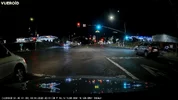
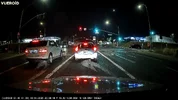
Here are some frame grabs from a nighttime drive with and without CPL filters. Two S1-4K dash cameras were used for this test.

The firmware version used for this test was v1.09. The latest firmware [as of this post] is v1.2.0. The driving footage image quality is the same in firmware 1.09 and 1.2.0.

CPL vs No CPL: Video Enhancing [firmware setting] = HDR+Infinite Plate Capture : IPC image tuning was auto disabled by the firmware due to low ambient light levels

01_s14k_hdripc_cpl_20250831_201631_INF_F_N.mp4_snapshot_00.23.webp01_s14k_hdripc_nocpl_20250831_201632_INF_F_N.mp4_snapshot_00.22.webp

CPL vs No CPL: Video Enhancing [firmware setting] = HDR

03_s14k_hdr_cpl_20250831_205100_INF_F_N.mp4_snapshot_00.36.webp03_s14k_hdr_nocpl_20250831_205123_INF_F_N.mp4_snapshot_00.14.webp

CPL vs No CPL: Video Enhancing [firmware setting] = Normal

02_s14k_normal_cpl_20250831_203805_INF_F_N.mp4_snapshot_00.13.webp02_s14k_normal_nocpl_20250831_203731_INF_F_N.mp4_snapshot_00.47.webp
 
The S1-4K Infinite dash camera includes a CPL filter for the front camera. It is a press-on CPL filter. There is an alignment mark on the outer ring of the CPL that is to be aligned with the raised plastic marker on the top of the front camera lens outer casing.

Vueroid_S14K_Unboxing_Pics_4K14.webp
 
In post #4, I added data and notes I gathered while performing my power consumption tests for the S1-4K in a 3-channel configuration [interior camera on/off in parking mode] and a 2-channel configuration [front+rear].

The timing data was gathered by using an external clock that showed the current time down to 1/100th of a second. An external GoPro camera was recording at 120fps and the field of view included the external clock, the stand the S1-4K camera was mounted, the S1-4K front camera, and the multimeters used to measure the voltage level and power consumption during each test run. The time values were the difference between the time observed in the first visible video frame for each camera and the timestamp obtained from the GoPro footage of when I first tapped the stand the S1-4K front camera was mounted on.
  • You'll notice that the front / interior cameras start recording [ELPM parking mode in low power mode] within 1-second [or less] of the impact event.
    • The unbuffered 30-second video(s) are recorded at 30 fps with audio
    • The rear camera video starts approximately 0.20 seconds after the front/interior camera videos.
  • With the interior camera disabled in parking mode [from a power consumption standpoint]
    • The power consumption of the S1-4K 3-channel while it's creating the unbuffered video files isn't as low as the 2-channel [front+rear] configuration [no interior camera]
    • There is still a very small amount of power consumed with the interior camera plugged into the front camera, even with the interior camera being operationally turned off
    • The objective in ELPM is to be a quick as possible to start recording video/audio [1-second]. The fast boot mode used to achieve the super responsive boot and recording start times is not able to check and disable the interior camera while it's getting the video recording(s) started.
    • After approximately 20-seconds, the S1-4K quick boot mode transitions to the regular operating mode and that's when it knows whether to disable the interior camera or not.
  • Motion Detection
    • The front and rear cameras are used for motion detection.
    • My testing shows the interior camera is not used for motion detection.
  • The transition time from Impact & Motion [monitoring] mode to normal [driving] recording mode is somewhat longer than other parking mode to normal mode transition times.
    • NC& is looking into reducing this time in a future firmware release
  • At night, when the interior camera is first enabled for the current recording mode
    • The IR LEDs are off for the first five (5) seconds
 
I now have three S1-4K dash cameras in my test vehicle. The front windshield has a bit of a curve to it as you move outward from the center to the edge. That impacts the horizontal alignment of the video image a bit more than I like. After the video used to get the following screenshots from was created, I made one last attempt to move the S1-4K front cameras a close to each other as possible to minimize the windshield curvature effect in the video. There's still some amount of windshield curve induced horizontal shift in the "new" placement of the front cameras, but it's as good as I can make it.

I have frame grabs from the S1-4K dash cameras with firmware v1.2.0 installed. Each one has a different "Video Enhancing" setting [HDR+Infinite Plate Capture, HDR, or Normal]. The S1-4K front camera "Video Enhancing" settings from left-to-right: HDR+IPC, HDR, Normal. You'll see the windshield curvature issue show up in the HDR and Normal frame grabs.

The "Normal" setting results in a lot of the sky and direct sunlight exposed sections to be overexposed. HDR and HDR+IPC both seem to do a decent job during daylight hours without a large [or any in most situations] ghosted image effect. The HDR+IPC seems to be what I would set the "Video Enhancing" setting in a S1-4K in my own vehicle.

Freeway on-ramp with sun within the field of view
02_s14k_hdripc_20250921_083913_INF_F_N.mp4.webp02_s14k_hdr_20250921_083914_INF_F_N.mp4.webp02_s14k_normal_20250921_083916_INF_F_N.mp4.webp

Sun on the right side of the vehicle
03_s14k_hdripc_20250921_084413_INF_F_N.mp4.webp03_s14k_hdr_20250921_084414_INF_F_N.mp4.webp03_s14k_normal_20250921_084416_INF_F_N.mp4.webp

Sun behind my vehicle
01_s14k_hdripc_20250921_085213_INF_F_N.mp4.webp01_s14k_hdr_20250921_085214_INF_F_N.mp4.webp01_s14k_normal_20250921_085116_INF_F_N.mp4.webp
 
Here are frame grabs from the S1-4K with the three different "Video Enhancing" settings [HDR+IPC, HDR, Normal] with CPL filters from a mostly cloudy morning. The sky in this location was 1/3rd cloudy and 2/3rds partly cloudy. The 4th dash camera is a VIOFO A329S with HDR enabled and a CPL filter.

01_s14k_hdripc_cpl_20250925_083031_INF_F_N.mp4.webp01_s14k_hdr_cpl_20250925_083032_INF_F_N.mp4.webp01_s14k_normal_cpl_20250925_083033_INF_F_N.mp4.webp01_a329s_hdr_cpl_2025_0925_082954_016604F.MP4.webp
 
Here are some additional frame grabs from when I drove by a multi-vehicle traffic accident location during my morning drive. Thankfully, it appears nobody sustained serious injuries. I manually blurred the license plates of the vehicles directly involved as well as the people on the side of the road. The sky was cloudy with some sunlight almost breaking through the clouds.

02_s14k_hdripc_cpl_20250925_082431_INF_F_N.mp4.webp02_s14k_hdr_cpl_20250925_082432_INF_F_N.mp4.webp02_s14k_normal_cpl_20250925_082433_INF_F_N.mp4.webp02_a329s_hdr_cpl_2025_0925_082353_016586F.MP4.webp
 
I woke up to cloudy skies which is somewhat unusual for this time of year at my location. I took advantage of having a morning with cloudy skies to get some frame grabs from driving (INF) footage and parking mode (Impact & Time-Lapse) parking modes. I have three S1-4K units in my vehicle. This allows me to capture footage from all of the options available for the "Video Enhancing" [driving footage] setting and "Video Enhancing (P)" parking mode setting. The "Video Enhancing" and "Video Enhancing (P)" settings only apply to the front camera. The rear camera and interior camera both have HDR enabled all of the time.

I will be gathering similar footage at this same location during a clear day and at night. This frame grabs will appear in a later post. I will also capture footage at a very dark location so we can see how well parking mode Premium Night Vision works.

Driving Footage - approaching mode parking spot location

Video Enhancing: HDR+Infinite Plate Capture, HDR, Normal

20250928_inf_cloudy_day_combined.webp20250928_inf_cloudy_day_hdripc.webp20250928_inf_cloudy_day_hdr.webp20250928_inf_cloudy_day_normal.webp

Parking Mode - Time-Lapse

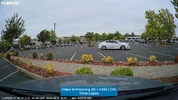
Video Enhancing (P): Premium Night Vision, HDR, Normal

20250928_pm_im_tl_cloudy_day_combined.webp20250928_pm_im_tl_cloudy_day_pnv.webp20250928_pm_im_tl_cloudy_day_hdr.webp20250928_pm_im_tl_cloudy_day_normal.webp

Updated: 28-Sep-2025 11:32 PDT - Added "CPL" to each camera label.
 
Last edited:
Nice images, Robert.

On the Parking Mode, Time-lapse images. Which image most accurately reflected what you saw with your eyes? I like the HDR+IPC the best of all, but I think that the normal time lapse may have the most accurate color?
 
On the Parking Mode, Time-lapse images. Which image most accurately reflected what you saw with your eyes? I like the HDR+IPC the best of all, but I think that the normal time lapse may have the most accurate color?
Driving mode (INF) videos [30fps footage] I seem to find that HDR+IPC / HDR are almost identical for the overall image quality. I would set my S1-4K to HDR+IPC for normal/driving footage.

For parking mode [time-lapse 1fps footage], the PNV looks very similar to HDR footage since there's a lot of ambient light available. Right now, I would set my S1-4K to HDR for parking mode footage until I've had a chance to get some new video samples with the current version of PNV in use.
 
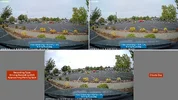
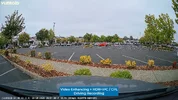
More parking mode "Video Enhancing (P)" [Premium Night Vision, HDR, Normal] testing. The frame grabs in this post will compare how the image looks with a CPL filter installed and with it removed in a well-lit parking lot at night.

Left = CPL Installed
Right = CPL Removed

s14k_20250928_pm_imtl_parking_lot_cpl_combined.webps14k_20250928_pm_imtl_parking_lot_nocpl_combined.webp

Premium Night Vision
s14k_20250928_pm_imtl_parking_lot_cpl_pnv.webps14k_20250928_pm_imtl_parking_lot_nocpl_pnv.webp

HDR
s14k_20250928_pm_imtl_parking_lot_cpl_hdr.webps14k_20250928_pm_imtl_parking_lot_nocpl_hdr.webp

Normal
s14k_20250928_pm_imtl_parking_lot_cpl_normal.webps14k_20250928_pm_imtl_parking_lot_nocpl_normal.webp
 
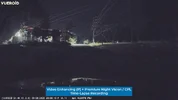
More parking mode "Video Enhancing (P)" [Premium Night Vision, HDR, Normal] testing. The frame grabs in this post will compare how the image looks with a CPL filter installed and with it removed with my vehicle parked at the end of dark road at night. To better test premium night vision, the area needs to be very dark, so this location is not a full test of that "Video Enhancing (P)" feature.

Left = CPL Installed
Right = CPL Removed

s14k_20250928_pm_imtl_darkroad_cpl_combined.webps14k_20250928_pm_imtl_darkroad_nocpl_combined.webp

Premium Night Vision
s14k_20250928_pm_imtl_darkroad_cpl_pnv.webps14k_20250928_pm_imtl_darkroad_nocpl_pnv.webp

HDR
s14k_20250928_pm_imtl_darkroad_cpl_hdr.webps14k_20250928_pm_imtl_darkroad_nocpl_hdr.webp

Normal
s14k_20250928_pm_imtl_darkroad_cpl_normal.webps14k_20250928_pm_imtl_darkroad_nocpl_normal.webp
 
I put together a video showing parking mode video samples with extreme low power parking mode [ELPM] enabled with "Impact & Motion" and then "Impact & Time-Lapse". It's currently an unlisted YouTube video.

 
Last edited:
I put together a video showing parking mode video samples with extreme low power parking mode [ELPM] enabled with "Impact & Motion" and then "Impact & Time-Lapse". It's currently an unlisted YouTube video.


It takes a lot of time and planning to record and edit a series of tests like this. Thanks for taking the time to do it.
 
Last edited:
Back
Top