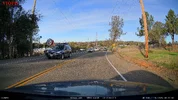
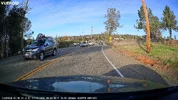
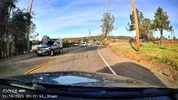
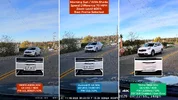
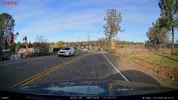
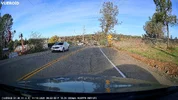
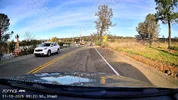
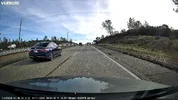
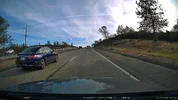
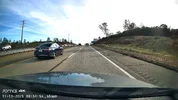
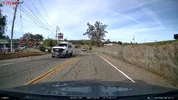
Vueroid S1-4K Infinite - Testing/Review - RCG

I put together my "Impact & Motion" and "Impact & Time-Lapse" parking mode video examples into a video [unlisted for now].

 
This is not a Vueroid S1-4K Infinite dash camera specific issue. It's an issue with the curvature of my car's windshield as it moves out from the center to the edge. This is not an issue the typical consumer should run into, just dash camera reviewers that try and cram multiple dash cameras into their vehicle with a curved windshield.

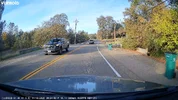
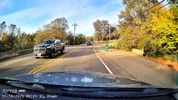
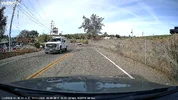
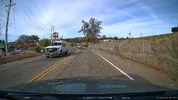
Since I have three S1-4K Infinite dash cameras on my windshield, the curvature of the windshield glass was causing the recorded image to look unlevel in the two dash cameras on the outer/right side. I decided to try and "fix" this issue by 3-D printing installation plates [wedge shape] using ABS+ filament. I've successfully used that filament type for the past couple of years when I 3-D printed other dash camera mounting plates. This allows the left side of the dash camera that faces the center of the windshield to sit slightly lower than the right side of the dash camera. I made some rough calculations using a small plastic level and a measuring tape. I calculated that the left [inner edge] of the plate needed to be 3 mm thicker than the right [outer edge] of the plate.

Looking back, it appears I could have made the left [inner edge] of the plate 3.5 mm or 4 mm thicker than the outer edge. The plate with the 3 mm height difference still greatly improved the overall "levelness" of the image.

1759806276422.webp

S1-4K #2 Before / After
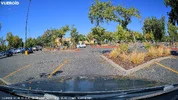
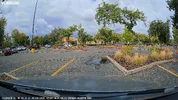
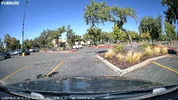
03_s14k_without_leveling_plate_20250926_121108_INF_F_N.mp4.webp03_s14k_with_leveling_plate_20251003_122217_INF_F_N.mp4.webp

S1-4K #3 Before / After
04_s14k_without_leveling_plate_20250926_121105_INF_F_N.mp4.webp04_s14k_with_leveling_plate_20251003_122212_INF_F_N.mp4.webp
 
Last edited:
This is not a Vueroid S1-4K Infinite dash camera specific issue. It's an issue with the curvature of my car's windshield as it moves out from the center to the edge. This is not an issue the typical consumer should run into, just dash camera reviewers that try and cram multiple dash cameras into their vehicle with a curved windshield.

Since I have three S1-4K Infinite dash cameras on my windshield, the curvature of the windshield glass was causing the recorded image to look unlevel in the two dash cameras on the outer/right side. I decided to try and "fix" this issue by 3-D printing installation plates [wedge shape] using ABS+ filament. I've successfully used that filament type for the past couple of years when I 3-D printed other dash camera mounting plates. This allows the left side of the dash camera that faces the center of the windshield to sit slightly lower than the right side of the dash camera. I made some rough calculations using a small plastic level and a measuring tape. I calculated that the left [inner edge] of the plate needed to be 3 mm thicker than the right [outer edge] of the plate.

Looking back, it appears I could have made the left [inner edge] of the plate 3.5 mm or 4 mm thicker than the outer edge. The plate with the 3 mm height difference still greatly improved the overall "levelness" of the image.

View attachment 86091

S1-4K #2 Before / After
View attachment 86092View attachment 86093

S1-4K #3 Before / After
View attachment 86095View attachment 86094
Ok so how is this useful for the end user reading this review thread? Sorry just a curious question. Unless they're installing three of the S1 4K I suppose....
 
Ok so how is this useful for the end user reading this review thread? Sorry just a curious question. Unless they're installing three of the S1 4K I suppose....
The information in my post, in my thread on how I solved a problem that other dash camera reviewers might find useful is why I posted it.

If you don't find it useful, that's fine.
 
Last edited:
This is not a Vueroid S1-4K Infinite dash camera specific issue. It's an issue with the curvature of my car's windshield as it moves out from the center to the edge. This is not an issue the typical consumer should run into, just dash camera reviewers that try and cram multiple dash cameras into their vehicle with a curved windshield.
I was running into similar curvature issues last week, trying to decide how best to aim the off-centre cameras and keep the horizon level at the same time.

I have used 3D-printed wedges for installing action cameras on my windscreen for many years, but I have not yet designed & installed transverse windscreen correction wedges.

I think I used a large blob of blu-tac, moulded it in-situ by pressing it between the glass and the dashcam mount. Then I measured the blu-tac to get dimensions for the wedge.
 
I am rotating a little the testing camera when mounting it to cancel in some way the windshield curvature.
Yes, rotating the dash camera on the windshield is a decent way to try and address this issue in many cases. I've been using that approach with the dash cameras that I install in my Toyota Highlander. The Highlander's windshield is mostly flat for 70% of the width of the windshield. The dash cameras mounted farther out still encounter enough of a curvature to be slightly noticeable in the recorded image.

In the "before" half of my dash cameras on windshield picture, you can see a portion of the rectangular windshield mount plate for the 70mai T800. I rotated the T800's mount to try and correct for the glass curvature. That did not address the curvature enough. I mounted the T800 that far out to the side since I had other dash cameras that could be mounted directly behind the center rear view mirror. The T800 with its attached interior camera had to sit farther out to the side to allow the interior camera see around the center rear view mirror's case. I'll create another wedge shape mount plate to help with the curvature issue when I get the T800 reinstalled in that car.
 
My VUEROID S1-4K Infinite parking mode guide video has been changed to a public video on my channel.


The two other parking mode related videos with Impact & Motion, Impact & Time-Lapse, and Extreme Low Power Mode video samples have also been changed to public videos as well.


I reconfigured the dash cameras in one of cars: VIOFO A329S 3CH FW v2.0_251027, VUEROID S1-4K 3CH FW v1.3.5, and 70mai T800 3CH FW v1.2.139. All dash cameras had a CPL filter installed.

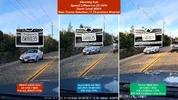
I gathered some daytime footage for a few plate capture tests. Two with indirect sunlight and two with direct sunlight. The indirect [shaded] sunlight captures were a challenge to all three dash cameras. The plate captures were much better with direct sunlight.

Daytime / Shaded: Plate Captures + Full Screen Frame Grabs
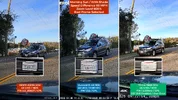
01_20251110_a329s_s14k_t800.webp01_20251110_a329s.webp01_20251110_s14k.webp01_20251110_t800.webp

02_20251110_a329s_s14k_t800.webp02_20251110_a329s.webp02_20251110_s14k.webp02_20251110_t800.webp

If you want to see full size frame grabs and the original video files: https://drive.google.com/drive/folders/1DrSycPx68m8yYrxb3NYVsjyUOBYaJwzm?usp=sharing
 
I reconfigured the dash cameras in one of cars: VIOFO A329S 3CH FW v2.0_251027, VUEROID S1-4K 3CH FW v1.3.5, and 70mai T800 3CH FW v1.2.139. All dash cameras had a CPL filter installed.
Daytime / Shaded: Plate Captures + Full Screen Frame Grabs

Have you done any similar tests with HDR turned off during the day?
 
Have you done any similar tests with HDR turned off during the day?
In my S1-4K review video, I compared the S1-4K Normal, S1-4K HDR, S1-4K HDR+IPC video enhancing settings for plate captures using three different S1-4K dash cameras. I just reconfigured my car to only have one S1-4K and I added back in the 70mai T800. Today's drive was just a test run to make sure things worked. I did forget to disable DST in the T800 settings. That's been fixed. The 70mai T800 does not allow you to separately control the HDR setting. It's part of the resolution selection. The 70mai T800 has HDR always enabled when configured for 3840x2160 30fps. If you select 3840x2160 60fps it's disabled.

In another vehicle, I did make a "HDR Off" drive a few weeks ago with a BlackVue DR970X Plus [with the new HDR enabled firmware], a Thinkware U3000, an A229 Pro, an A329S, and an A229 Ultra. I posted those plate captures in my A229 Ultra thread: https://dashcamtalk.com/forum/threa...interior-testing-review-rcg.54127/post-654626
 
In my S1-4K review video, I compared the S1-4K Normal, S1-4K HDR, S1-4K HDR+IPC video enhancing settings for plate captures using three different S1-4K dash cameras.
Thanks. I'll admit I've not made the time to sit down and watch your full review video. I will watch it soon.
 
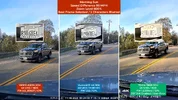
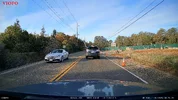
I reconfigured the three dash cameras in my car to have HDR disabled/off. To turn HDR off for the 70mai T800, I had to disconnect the rear camera and set the front camera resolution to 4K 60fps. I also added a VIOFO A119M Pro 1-channel dash camera to the mix as well with HDR disabled. I only had one "shaded" plate situation that was worth using for a plate capture test. The speed difference was only 10 MPH since my vehicle and the other vehicle were traveling in same direction.

"Shaded" Plate Capture - Speed Difference 10 MPH:
01_20251111_hdr_off_a329s_s14k_a119mpro_t800.webp01_20251111_hdr_off_a329s.webp01_20251111_hdr_off_s14k.webp01_20251111_hdr_off_a119mpro.webp01_20251111_hdr_off_t800.webp

Direct Sun Plate Capture - Speed Difference 70 MPH:
02_20251111_hdr_off_a329s_s14k_a119mpro_t800.webp02_20251111_hdr_off_a329s.webp02_20251111_hdr_off_s14k.webp02_20251111_hdr_off_a119mpro.webp02_20251111_hdr_off_t800.webp

If you want to see full size frame grabs and the original video files: https://drive.google.com/drive/folders/1gnDR68v-h1-hhzx4IkJRAdovsPpCzXYk?usp=sharing
 
I put together a "video samples" video with front/rear/interior video samples from the following dash cameras: VIOFO A329S 3CH, VUEROID S1-4K Infinite 3CH, 70mai 4K T800 3CH.

 
If you want early access to VUEROID's Black Friday pricing for the S1-4K Infinite dash cameras on the Amazon U.S. website, I was given three promotional codes that give you that early Black Friday pricing. VUEROID may include additional things in their actual Black Friday sales event, so be aware these promotional codes only reduce the price of the dash camera to its Black Friday pricing level.

I have a post on my company website if you want to take advantage of those VUEROID promotional code for the Amazon U.S. sales site.

VUEROID S1-4K Infinite Dash Camera – Early Black Friday 2025 Pricing
 
I hope it isn't stepping on any toes to say that googling "vueroid black friday sale" shows that they've announced they will include memory cards with their sale prices, Nov 20 - Dec 3
 
A 2-minute 50 second video of nothing but plate captures using front and rear cameras from a VIOFO A329S 3CH dash camera, a VUEROID S1-4K Infinite 3CH dash camera, and a 70mai 4K T800 3CH dash camera.

 
This video contains day and night sample footage from a Thinkware U3000 Pro, a VUEROID S1-4K Infinite, and a VIOFO A329S front camera. There are several license plate captures as well. The HDR feature is enabled and CPL filters are installed for all of the sample footage.

 
Back
Top