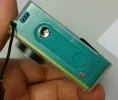
Xiaomi Yi Custom firmware with lastest revision

Hello guys,

i have a problem with my xiaomi yi 1 (YDXJ01XY Z23L). I make an update over the app and it crashed. :-(

Now i have the problem, that nothing will work.

No "peep" sound. Only red leds on. I never see the blue ring. Reset doesn't work.

Micro SD Card is format to FAT32 and i create one MISC and one DCIM folder. Firmware is save as firmware.bin.

Name of the micro sd card is Transcend Premium 300x 64 GB U1

Had anyone an idea for me???

The support from banggood helps me, but it don't work. They give me an manuel with format SD and flash firmware.

this doesn't work. found 0 device
https://dashcamtalk.com/forum/threads/xiaomi-yi-elf-files-to-unbrick-camera.13266/
 

Attachments

  • 20160915_114001.webp
    20160915_114001.webp
    96 KB · Views: 87
  • 20160915_114025.webp
    20160915_114025.webp
    58.3 KB · Views: 76
  • 20160915_114047.webp
    20160915_114047.webp
    90.2 KB · Views: 87
Last edited:
1080p 60fps recording. Box camera mounted on road bike helmet.

 
Hi guys my second yi came with z25l s/n number and 1.3.0 firmware there is no that kind of version and firmware on the official site I aks them for more information here is the answer
"Hi there,
Sorry for our late reply due to time difference. There is only one firmware version that comes with the camera for model Z25L. It doesn’t support other model’s firmware.
Best regards
Yi support"

Do you guys have more information about this model and firmware and is there a way to use 35mbps also I need this firmware for the XIMODE scripts right now I cant use any script[/QUOTE

I suggest you to read this thread, I think it might help you...
https://dashcamtalk.com/forum/threads/yi-z25l-with-1-3-firmware.20711/
 
Hi all,

I finally managed to have a fully working custom firmware (based on 1.2.13 rev23L) at 50Mbit in 2K (other lower resolutions also at 50Mbit). If you want to try it, here the link: http://www.easybytez.com/huy0j3av9zoh

P.S. please be aware that I take no responsibility if you mess up with your Xiaomi Yi. Also note that you need a fast microSD card (I use a Kingston UHS-I U3 32Gb...reading at about 90Mbyte/sec and writing at about 40-45Mbyte/sec...more than enough, and it costs about 13 USD...).
 
Last edited:
Hello everyone!
I'm choosing between Xiaomi Yi and Gitup2 cameras for aerial footage. I like Yi colors much more, they are very natural and close to Gopro.
I've read about lens refocusing but I would also like to have this custom firmware. I have a nice chance to buy Yi Z25L revision and here is my question- if I buy it will I be able to flash it with this custom firmware and lower noise reduction? Or I have to find some older revision? I would be thankful for any advices.
 
lastest firmware is really cooll! my yi camera start very quickly (after 3 blinks led )
only thing i think maybe a problems is wifi's download speed is slow and unstable.
 
lastest firmware is really cooll! my yi camera start very quickly (after 3 blinks led )
only thing i think maybe a problems is wifi's download speed is slow and unstable.

strange...in my case wifi works well....never used to transfer files (is it possible?), but to monitor while I am shooting...and works smoothly....are u using original firmware or custom one?
 
I creating this new thread, because in the other one it's becoming a little messy doing a firmware for everyone. I'll try to keep it up to date.
In here you'll find only two type of firmware, because are the same for different build of camera.
You can check md5 on your own to be sure about that.

Both of firmware are customized to get 35Mbps for every resolution in High Quality mode.
Medium and low quality are untouched.

Before flash rename it "firmware.bin" and copy in the root of microSD card.


Firmware Base : 1.2.13

1) For build : 22 - 23 - 23A - 23S
https://drive.google.com/file/d/0BxO_QexYT9EAT2xFWmZQcUtWUVU/view?usp=sharing

2) For build : 22L - 23L
https://drive.google.com/file/d/0BxO_QexYT9EAcVdRZy05OWt4alk/view?usp=sharing


Because is not a secret how to customize bitrates in a firmware I'll add the video that explain really well how to do it, and who want to try could do it ... 🙂


Enjoy...! 😉
Hello Fried
I just picked up an international version US xiaomi yi with serial begin. z231 would that be the same hack as described for z23L?
 
Anyone here know the Code to turn off vignette removal? I've seen it somewhere but can't find it now. I replaced my lens with a great cctv M5 standard lenght lens but am now getting overexposed edges due to the filter.
 
Hi! Can someone explain me, what this custom firmware does? Is it only bitrate change? There is a little info in 1st post.
Does it reduce noise-reduction? If not, how can I create some script to have 1024 value?
 
I creating this new thread, because in the other one it's becoming a little messy doing a firmware for everyone. I'll try to keep it up to date.
In here you'll find only two type of firmware, because are the same for different build of camera.
You can check md5 on your own to be sure about that.

Both of firmware are customized to get 35Mbps for every resolution in High Quality mode.
Medium and low quality are untouched.

Before flash rename it "firmware.bin" and copy in the root of microSD card.


Firmware Base : 1.2.13

1) For build : 22 - 23 - 23A - 23S
https://drive.google.com/file/d/0BxO_QexYT9EAT2xFWmZQcUtWUVU/view?usp=sharing

2) For build : 22L - 23L
https://drive.google.com/file/d/0BxO_QexYT9EAcVdRZy05OWt4alk/view?usp=sharing


Because is not a secret how to customize bitrates in a firmware I'll add the video that explain really well how to do it, and who want to try could do it ... 🙂


Enjoy...! 😉
Thanks , Fried: Since downloading and flash of the fw hack for Z23 the high bit rate has doubled for a ten second video from 19.8 MB to 46.6 MB!
 
Thanks , Fried: Since downloading and flash of the fw hack for Z23 the high bit rate has doubled for a ten second video from 19.8 MB to 46.6 MB!
I once saw a facility to contribute to the developer, repost it?
 
Hello to all !
I've looked over all the Internet and could not get a solution for my problem so I decided to post here after reading all your comments.
I recently purchased a Xiaomi Yi Sports Camera, model Z25, with firmware 1.3.
I want to hack my camera with some script to improve its video quality (disappointing I find, with factory set-ups) but it seems that my firmware 1.3 doesn't allow scripts to be executed.
And I don't feel capable to downgrade using the DirectTool USB solution, am too afraid to break my camera!!

So my questions are :

=> is there a script that is "useable" with the Firmware 1.3?
=> if not, will there be one? Maybe there isn't at the moment because the Firmware is too recent?


Thank you all for your replies 🙂
 
Hello to all !
I've looked over all the Internet and could not get a solution for my problem so I decided to post here after reading all your comments.
I recently purchased a Xiaomi Yi Sports Camera, model Z25, with firmware 1.3.
I want to hack my camera with some script to improve its video quality (disappointing I find, with factory set-ups) but it seems that my firmware 1.3 doesn't allow scripts to be executed.
And I don't feel capable to downgrade using the DirectTool USB solution, am too afraid to break my camera!!

So my questions are :

=> is there a script that is "useable" with the Firmware 1.3?
=> if not, will there be one? Maybe there isn't at the moment because the Firmware is too recent?


Thank you all for your replies 🙂

Why do you need to downgrade? Cannot you just download your original firmware from the Xiaomi website, and then modify it to allow higher bitrate? Or you wanted to use scripts for something else?
 
Back
Top