
You are using an out of date browser. It may not display this or other websites correctly.
You should upgrade or use an alternative browser.
You should upgrade or use an alternative browser.
Xiaomi Yi Custom firmware with lastest revision
- Thread starter Fried
- Start date
Bugger, I just got my Z26L, can I use any of the FW???? I guess I need it to use it for the XIMODE 2.1???????????
can i use the:
2) For build : 22L - 23L
https://drive.google.com/file/d/0BxO_QexYT9EAcVdRZy05OWt4alk/view?usp=sharing
https://drive.google.com/file/d/0BxO_QexYT9EAcVdRZy05OWt4alk/view?usp=sharing
???
can i use the:
2) For build : 22L - 23L
https://drive.google.com/file/d/0BxO_QexYT9EAcVdRZy05OWt4alk/view?usp=sharing
https://drive.google.com/file/d/0BxO_QexYT9EAcVdRZy05OWt4alk/view?usp=sharing
???
Last edited:

benjos
Member
- Joined
- Sep 28, 2014
- Messages
- 122
- Reaction score
- 24
- Location
- Los Angeles
- Country
- United States
- Dash Cam
- SJ8 Pro, Rexing V1P Max, Dome D201, Xiaomi Yi
The camera works with 64 GB SD card formatted in exFAT
Bugger, I just got my Z26L, can I use any of the FW???? I guess I need it to use it for the XIMODE 2.1???????????
can i use the:
2) For build : 22L - 23L
https://drive.google.com/file/d/0BxO_QexYT9EAcVdRZy05OWt4alk/view?usp=sharing
???
installed FW is 1.5.6.... It seems liek they used an different sensor as well (panasonic now??) which results in an wider view and now I can not use my CPL anymore???? I got only an round picture???? Dammit, want my old Yi back... ;(
Mighty777
Member
- Joined
- Oct 5, 2015
- Messages
- 100
- Reaction score
- 16
- Country
- Switzerland
- Dash Cam
- Mini 806, ThiEye TM5E, Xiaomi Yi, Xiaomi Yi 2 4K
New version 1.5.6 (for version 23L) at 50Mbit: http://www.easybytez.com/srng9rhd676x
Fully working with a fast microSD U3 card.
Fully working with a fast microSD U3 card.
Mighty777
Member
- Joined
- Oct 5, 2015
- Messages
- 100
- Reaction score
- 16
- Country
- Switzerland
- Dash Cam
- Mini 806, ThiEye TM5E, Xiaomi Yi, Xiaomi Yi 2 4K
installed FW is 1.5.6.... It seems liek they used an different sensor as well (panasonic now??) which results in an wider view and now I can not use my CPL anymore???? I got only an round picture???? Dammit, want my old Yi back... ;(
I have not experienced the problem you mention. Which version do you have? I have the 23L, and it works well. If you have that version too (and a fast U3 card), try my firmware (or download the original v1.5.6 from the Yi website).
I have not experienced the problem you mention. Which version do you have? I have the 23L, and it works well. If you have that version too (and a fast U3 card), try my firmware (or download the original v1.5.6 from the Yi website).
Ok solved it. It´s not the sensor it was a setting, I guess that was the problem with the Superview... I got the Z26L with 1.5.6. and custom Autoexc and it works just fine... (and the old 21L with Ximode2.1)... Thx for the reply...
Mireczech85
New Member
- Joined
- May 19, 2017
- Messages
- 7
- Reaction score
- 5
- Country
- Czech Republic
Hello, whatabout 1.5.6 custom fo 23A (50Mbit)?
Mighty777
Member
- Joined
- Oct 5, 2015
- Messages
- 100
- Reaction score
- 16
- Country
- Switzerland
- Dash Cam
- Mini 806, ThiEye TM5E, Xiaomi Yi, Xiaomi Yi 2 4K
Hello, whatabout 1.5.6 custom fo 23A (50Mbit)?
no problem. can be easily done if you follow the instruction on the first post.
Mireczech85
New Member
- Joined
- May 19, 2017
- Messages
- 7
- Reaction score
- 5
- Country
- Czech Republic
Not so easy. I have already tried it and get some errors during export firmware files. Maybe it solve newer version of tool.
Mighty777
Member
- Joined
- Oct 5, 2015
- Messages
- 100
- Reaction score
- 16
- Country
- Switzerland
- Dash Cam
- Mini 806, ThiEye TM5E, Xiaomi Yi, Xiaomi Yi 2 4K
Not so easy. I have already tried it and get some errors during export firmware files. Maybe it solve newer version of tool.
yes, use version 1.3.3 of the Ambarella Firmware Toolbox
Mireczech85
New Member
- Joined
- May 19, 2017
- Messages
- 7
- Reaction score
- 5
- Country
- Czech Republic
Mighty777
Member
- Joined
- Oct 5, 2015
- Messages
- 100
- Reaction score
- 16
- Country
- Switzerland
- Dash Cam
- Mini 806, ThiEye TM5E, Xiaomi Yi, Xiaomi Yi 2 4K
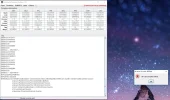
I have still problem with exporting firmware files. AFT 1.3.3.
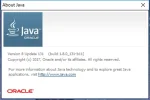
Strange...have you updated Java Runtime?
Mireczech85
New Member
- Joined
- May 19, 2017
- Messages
- 7
- Reaction score
- 5
- Country
- Czech Republic
Mighty777
Member
- Joined
- Oct 5, 2015
- Messages
- 100
- Reaction score
- 16
- Country
- Switzerland
- Dash Cam
- Mini 806, ThiEye TM5E, Xiaomi Yi, Xiaomi Yi 2 4K
ok, no problem. here the v1.5.6 for the 23A at 50Mbit: http://www.easybytez.com/bmyyrvxkpujd
as usual: use it at your own risk.
P.S. as bitrate is much higher than the normal one (i.e. 50Mbit vs 18Mbit), you do need a fast microSD card (i.e. U3 card!).
as usual: use it at your own risk.
P.S. as bitrate is much higher than the normal one (i.e. 50Mbit vs 18Mbit), you do need a fast microSD card (i.e. U3 card!).
Did the same thing... Just download the firmware.bin file for z23l and install it.Hy my cam is version Z23L, by mistake I updated to the latest version of FW, is there a chance to downgrade to version 1.2.13 ??
Now I just modified 1.5.6 firmware from my 22l to work with 35mbps, just need to learn how to open the PRI.a7s file to edit HEX and remove the file size limitation, anyone can give a light?
Hey guys,
im new to the whole xiaomi Yi cam topic as I just received my cam a few days ago.
I am very interested into the whole topic and my knowlage into hardware/software is at least not at 0 🙂
My cam has the following values:
Z25L Serial Number and 1.5.6 Firmware.
Now my question is:
Is it reasonable to switch to the current 1.5.12 Firmware?
Does someone has a nice working script for me that does the following:
2K P30 with 35MBIT ( I guess more FPS is not possible at this res?!)
1080P60 with 35MBIT ( I guess more Mbit is not reasonable?!)
Can I also Adjust all other stuff that was possible with older firmwares like exposure, night script and so on?
I red that there is a plugin which I can connect through Telnet to the cam and adjust on the fly.
Does this work with my Hardware/Firmware combination too?
Would be more than great if someone has some answers for me.
Or if someone can link me to the basic guides of the firmware / script hacking,
so I have a base to start educating my self and maybe find out the neccessary steps myself.
Thanks a lot in advance.
Best regards
Manuel
im new to the whole xiaomi Yi cam topic as I just received my cam a few days ago.
I am very interested into the whole topic and my knowlage into hardware/software is at least not at 0 🙂
My cam has the following values:
Z25L Serial Number and 1.5.6 Firmware.
Now my question is:
Is it reasonable to switch to the current 1.5.12 Firmware?
Does someone has a nice working script for me that does the following:
2K P30 with 35MBIT ( I guess more FPS is not possible at this res?!)
1080P60 with 35MBIT ( I guess more Mbit is not reasonable?!)
Can I also Adjust all other stuff that was possible with older firmwares like exposure, night script and so on?
I red that there is a plugin which I can connect through Telnet to the cam and adjust on the fly.
Does this work with my Hardware/Firmware combination too?
Would be more than great if someone has some answers for me.
Or if someone can link me to the basic guides of the firmware / script hacking,
so I have a base to start educating my self and maybe find out the neccessary steps myself.
Thanks a lot in advance.
Best regards
Manuel