A329 Test & Review PP

So 4k30 between both the A229 Pro and A329 are roughly the same temps then?
No, I did not perform that test.
I will perform a separate new test just for that.
You will have to wait 1 hour for camera's temperature to stabilize.
 
@Karagandinez
Boot Up Speed Test
A329 2-CH REAR vs. A229 PRO 2-CH REAR

Both cameras have 64GB Viofo SD Cards.
I plugged both cameras into a power bank.
At the top of the minute I turned on the power bank.
A329: 10.6 seconds
A229 Pro: 20.6 seconds
Wow, 10 seconds faster.
Why is it so fast, new processor?
New processor for sure 🙂
 
No, I did not perform that test.
I will perform a separate new test just for that.
You will have to wait 1 hour for camera's temperature to stabilize.
I will set my camping chair on your front lawn waiting patiently.
 
I will set my camping chair on your front lawn waiting patiently.
Heat Test Comparison #4
A329 2-CH REAR vs. A229 PRO 2-CH REAR
Normal Recording Mode
4K30fps: Both Front
2K30fps: Both Rear
HDR: All Off
A329: 138℉ (59℃)
A229 Pro: 140℉ (60℃)

A329 138℉ (59℃) .webp
A229 Pro 140℉ (60℃) .webp
 
Last edited:
HDR: All Off
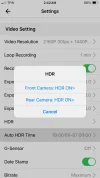
It might be interesting to turn HDR on on both, if you still have them set up for the test...

(The sensor has to take 2x the exposures, so a lot more work to do.)
 
Nice, was expecting more improvements than that to be honest 🙁
We appear to be measuring the temperature of the SD card, and if the bitrate is higher on the A329 then the card should be hotter, even if the processor is cooler.

An image showing both cameras, face on, would allow us to compare the two cameras more reasonably, and it would then have the same temperature scale for both cameras, allowing an accurate comparison. In the right hand image above, it appears clear that the A329 is significantly cooler, looks like it is darker because it is further away, but that is not how a thermal camera should work, darker should mean cooler.
 
It might be interesting to turn HDR on on both
So far all these heat test comparisons are to simulate daytime normal recording mode, and Low Bitrate Parking Mode.
HDR usage is only for night time.
I doubt cameras will overheat during night time operation but, OK, OK anything worth doing is worth doing properly.
You must wait 1 hour for camera’s temperature to stabilize.
Nice, was expecting more improvements than that to be honest 🙁
I expect the temps to change with every firmware update, just like in the past.
We appear to be measuring the temperature of the SD card
I used to take photos from all angles.
The front, left side, top, etc. temps are very similar.
I've decided to only use the "hot spot" of the cameras.
Sometimes it's the SD Card, sometimes it's the area just below the SD Card.
We will get some peer review when @rcg530 does heat testing, and if @Vortex Radar feels like doing more heat testing.
 
I've decided to only use the "hot spot" of the cameras.
Sometimes it's the SD Card, sometimes it's the area just below the SD Card.
Measuring the SD card is good, since that is often what fails first when the camera gets very hot.

It would be good to have another measurement that is not dependent on what type of SD card is being used, or no card at all if the external drive is being used, or what bitrate is being used. It is hard to pick a good place to measure, but the turned off screen seems a reasonable place. Yes, that is a lot cooler than maximum, but it is going to be consistent and good for comparing one camera with another different model or different configuration, even for those that don't actually have a screen. Your thermal camera has enough resolution to tell which one is hotter internally by measuring the screen temperature, if you have both in the same image.
 
consistent
Every dash cam I’ve measured so far with this thermal imaging camera the SD Card is ALWAYS the hot spot, (screenless, or screen).
 
Heat Test Comparison #5
A329 2-CH REAR vs. A229 PRO 2-CH REAR
Normal Recording Mode
4K30fps: Both Front
2K30fps: Both Rear
HDR: All On
A329: 141℉ (61℃)
A229 Pro: 140℉ (60℃)

A329 141℉ (61℃) .jpg
A229 Pro 140℉ (60℃) .jpg
 

Attachments

  • A229 Pro .webp
    A229 Pro .webp
    36.4 KB · Views: 137
  • A329 .webp
    A329 .webp
    37.7 KB · Views: 105
Last edited:
With all these heat test results I am a bit disappointed, I was hoping for confirmation of the early reports that the A329 Pro runs cooler than the A229 Pro.
There may be some differences between the tested units and firmware.
The only hope now is to test the A329 Pro with a remotely mounted SD card, I prefer the SD card over the SSD due to the low power consumption for parking.
 
With all these heat test results I am a bit disappointed, I was hoping for confirmation of the early reports that the A329 Pro runs cooler than the A229 Pro.
I am hoping I did something wrong, or there is some other explanation.
We'll see when rcg530 does his heat testing.
The only hope now is to test the A329 Pro with a remotely mounted SD card, I prefer the SD card over the SSD due to the low power consumption for parking.
Guess what I just ordered from Amazon 2-Day delivery. lol
 
With all these heat test results I am a bit disappointed, I was hoping for confirmation of the early reports that the A329 Pro runs cooler than the A229 Pro.
There may be some differences between the tested units and firmware.
The only hope now is to test the A329 Pro with a remotely mounted SD card, I prefer the SD card over the SSD due to the low power consumption for parking.
I think we can see in the images that the A329 Pro is quite a lot cooler, however the SD card is almost the same temperature, which is not surprising.
 
I am hoping I did something wrong, or there is some other explanation.
We'll see when rcg530 does his heat testing.

Guess what I just ordered from Amazon 2-Day delivery. lol
One of these hey (use mine for my mirror less camera)

IMG_20241111_183031.webp
 
I think we can see in the images that the A329 Pro is quite a lot cooler, however the SD card is almost the same temperature, which is not surprising.
Agreed, the front of the A329 is noticeably darker compared to the A229 in all thermal images, indicating less heat. Let's wait and see if the remotely mounted SD card helps.
 
Agreed, the front of the A329 is noticeably darker compared to the A229 in all thermal images, indicating less heat. Let's wait and see if the remotely mounted SD card helps.


Have you found an extender board that will stay in? I have tried 2 different brands of extender boards and they will not stay seated, keep falling out.

As for the heat, on my A229 Pro, the heat from the microsdxc card was mostly coming from the controller chip that is butted almost up to the card housing. The card itself will produce heat from contentious read/writes but, that controller is the huge culprit.
 
Every dash cam I’ve measured so far with this thermal imaging camera the SD Card is ALWAYS the hot spot, (screenless, or screen).

I use a Hikmicro TP42 Pocket 2 for thermal measurements. If you put the dash cam in parking mode, time out 30 minutes, what does the memory card area measure for temperature?
 
Have you found an extender board that will stay in? I have tried 2 different brands of extender boards and they will not stay seated, keep falling out.

As for the heat, on my A229 Pro, the heat from the microsdxc card was mostly coming from the controller chip that is butted almost up to the card housing. The card itself will produce heat from contentious read/writes but, that controller is the huge culprit.
On the A329, you can use a USB-C Stick instead, with an extension cable if you want, then the hot controller chip is in the stick, not the camera, and the USB-C connector will stay in no problem!

Edit: Not sure what that does to power consumption, I've seen power figures with external SSD, but not with USB sticks...
 
Back
Top