
You are using an out of date browser. It may not display this or other websites correctly.
You should upgrade or use an alternative browser.
You should upgrade or use an alternative browser.
70mai 4K Omni (unboxing & first impressions) (Sony Starvis 2 IMX678/IMX662, Wi-Fi 6/GPS, Novatek NT98530, 4K60 front + 1080p rear, HDR both channels)
- Thread starter Augustus
- Start date


Since I only have a front camera, I need to get the RC14 rear camera. Considering that both the RC14 and the 70mai M310 are priced the same in here, how does it sound to get the 70mai M310 separately instead of the RC14? Thank you in advance for your response.
OP
OP

Augustus
Well-Known Member
- Joined
- Aug 19, 2016
- Messages
- 4,287
- Reaction score
- 2,751
- Location
- Perth, Australia
- Country
- Australia
- Dash Cam
- Viofo, Vantrue, 70mai, Wolfbox
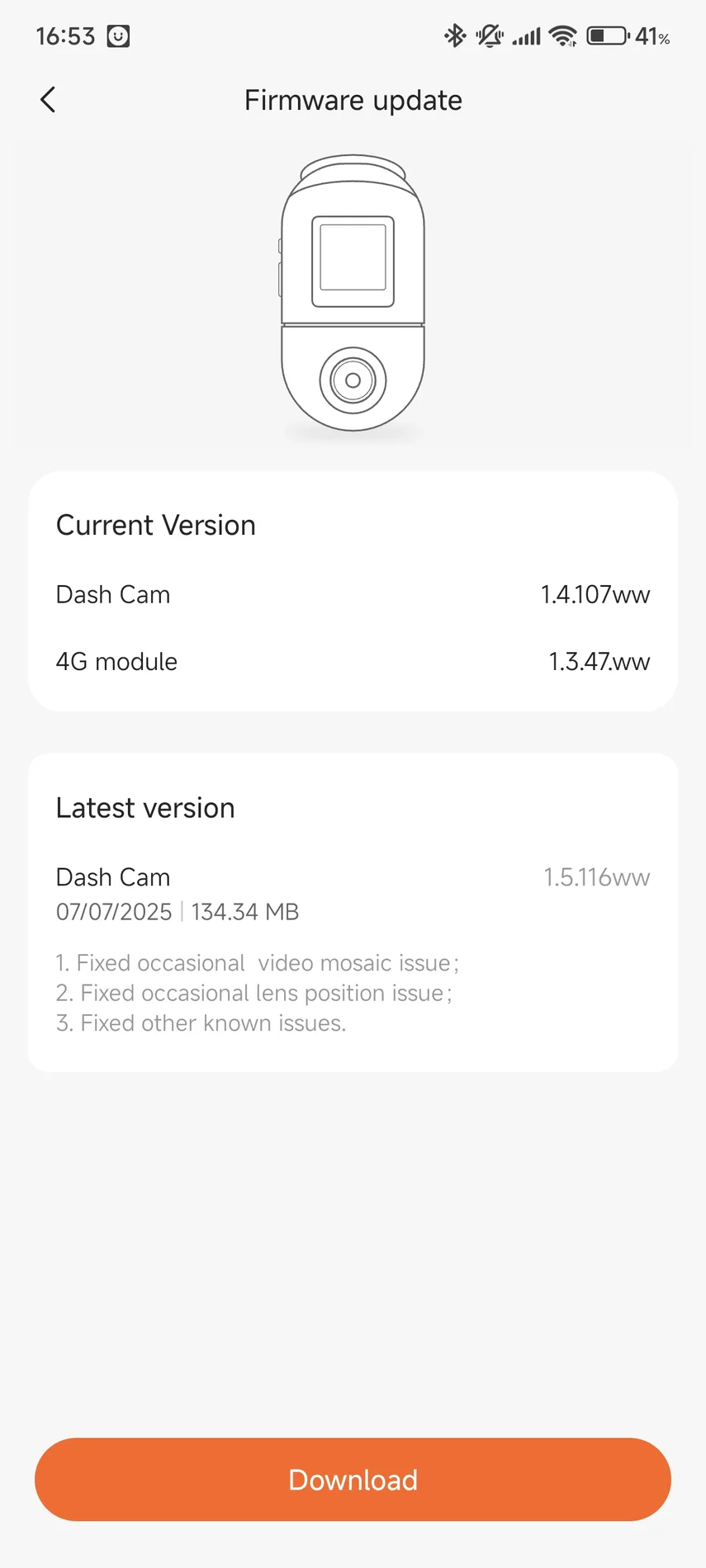
There has been a firmware update released for the 4K Omni, taking it from version 1.4.107ww to 1.5.116ww
Changelog:
- fixed occasional video mosaic issue
- fixed occasional lens position issues
- fixed other known issues
Changelog:
- fixed occasional video mosaic issue
- fixed occasional lens position issues
- fixed other known issues
OP
OP
Augustus
Well-Known Member
- Joined
- Aug 19, 2016
- Messages
- 4,287
- Reaction score
- 2,751
- Location
- Perth, Australia
- Country
- Australia
- Dash Cam
- Viofo, Vantrue, 70mai, Wolfbox
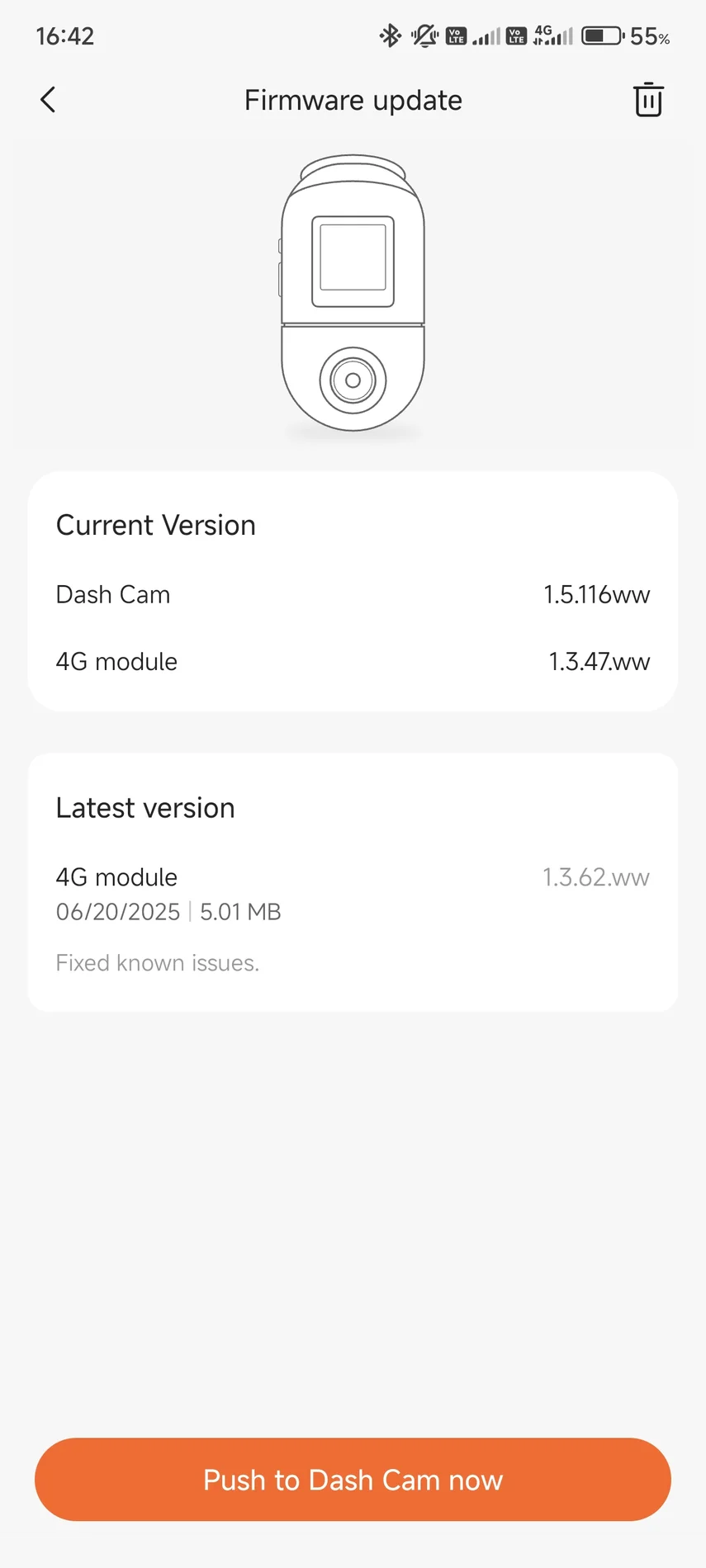
There has been a firmware update for the 70mai 4G Hardwire Kit UP04, taking it from version 1.3.47.ww to 1.3.62.ww
Changelog:
- fixed known issues
Changelog:
- fixed known issues
Last edited:
They continue to prevent users from using dedicated car powerbanks to power parking mode, as "battery protection" cannot be turned off in the settings. Because of this, the camera shuts down even though the powerbank is not discharged. This is ridiculous on 70mai's part, especially since they sell car powerbanks and you can't use their full capacity because the camera shuts down even if the powerbank still has ~30% energy.
Simply put, the software lacks the "Disable" option in the "battery protection" settings.
Simply put, the software lacks the "Disable" option in the "battery protection" settings.
Hi! According to our test, when UP04 is set to 11.8V voltage protection, the battery protection is triggered, and the battery pack actually has only 3% power left. Because we use 4 signal lights to display the power, it may confuse users. We will optimize this in the next generation. Have you set a higher voltage protection? If you use a battery pack + parking surveillance cable, you can safely use the lowest (11.8V) voltage protection.They continue to prevent users from using dedicated car powerbanks to power parking mode, as "battery protection" cannot be turned off in the settings. Because of this, the camera shuts down even though the powerbank is not discharged. This is ridiculous on 70mai's part, especially since they sell car powerbanks and you can't use their full capacity because the camera shuts down even if the powerbank still has ~30% energy.
Simply put, the software lacks the "Disable" option in the "battery protection" settings.
Since there is no option to turn off "battery protection" when using a car powerbank, the "battery protection" option is set to the minimum range possible (11.8V). The video recorder is turned off 2 hours before the powerbank discharges. I know this because the UP04, despite turning off the video recorder, is still on and is online for those 2 hours before it shuts down due to the powerbank discharging.Hi! According to our test, when UP04 is set to 11.8V voltage protection, the battery protection is triggered, and the battery pack actually has only 3% power left. Because we use 4 signal lights to display the power, it may confuse users. We will optimize this in the next generation. Have you set a higher voltage protection? If you use a battery pack + parking surveillance cable, you can safely use the lowest (11.8V) voltage protection.

Julian23
Well-Known Member
- Joined
- Nov 16, 2016
- Messages
- 1,341
- Reaction score
- 1,971
- Country
- Germany
- Dash Cam
- Several brands :)
You forgot to think of the power draw.I know this because the UP04, despite turning off the video recorder, is still on and is online for those 2 hours before it shuts down due to the powerbank discharging.
The UP04 itself will use significantly less power than the camera.
Just do the "disable battery protection" option. The camera has a battery/capacitor, so it will shut down properly when the power goes out. It doesn't matter your testing how many lights are on, how many percent, what and how much power it consumes.... People have different powerbanks, even better than those sold by 70mai. Just do the option. Is it so difficult?You forgot to think of the power draw.
The UP04 itself will use significantly less power than the camera.
Julian23
Well-Known Member
- Joined
- Nov 16, 2016
- Messages
- 1,341
- Reaction score
- 1,971
- Country
- Germany
- Dash Cam
- Several brands :)
I agree that I would also want the disable option.Just do the "disable battery protection" option. The camera has a battery/capacitor, so it will shut down properly when the power goes out. It doesn't matter your testing how many lights are on, how many percent, what and how much power it consumes.... People have different powerbanks, even better than those sold by 70mai. Just do the option. Is it so difficult?
Just wanted to tell you that you probably won't miss much runtime.
I only gain because I have more than one powerbank. If the video recorder didn't turn off, the powerbank would fully discharge and switch to the next one. And so I have to wait another 2 hours after the video recorder shuts down before the UP04 discharges the powerbank and the switch to the next one occurs.

rcg530
Well-Known Member
- Joined
- Jan 23, 2021
- Messages
- 2,803
- Reaction score
- 4,641
- Location
- California
- Country
- United States
- Dash Cam
- 70mai, BlackVue, Thinkware, Vantrue, Vueroid, VIOFO
During my power consumption testing of the X800 with it powered by the UP05 LTE hardwire kit, the UP05 will continue operating after it turns off power to the dash camera [as has been stated for the UP04 in this thread]. The UP05 has its own low voltage cutoff feature as well. The UP05 will continue to draw power until the voltage level drops below 11.7V [11.6V in my tests] for 3 minutes 30 seconds. That means the battery pack may not be fully discharged when the UP04/UP05 low voltage cutoff feature turns itself off.I only gain because I have more than one powerbank. If the video recorder didn't turn off, the powerbank would fully discharge and switch to the next one. And so I have to wait another 2 hours after the video recorder shuts down before the UP04 discharges the powerbank and the switch to the next one occurs.
Exactly. The video recorder shuts down because you can't turn off the "battery protection" option when you don't need it. On top of that, the UP04/5 lives a life of its own. Paranoia.That means the battery pack may not be fully discharged when the UP04/UP05 low voltage cutoff feature turns itself off.
genshin2024
New Member
Does it also has limitation for how often it can be viewed per month?The live view / parking remote view limitation is 30 min a day.
For remote live view - only daily 30 minute limitation.Does it also has limitation for how often it can be viewed per month?
And what is the result?Module 4G update: 1.3.64.ww
Same, nothing new...
When I try to access the live feed using mobile data, the connection often does not work as expected. Even though I have three different SIM cards with stable mobile internet (good signal and speed), the live mode either does not load or works very poorly.
When I try to access the live feed using mobile data, the connection often does not work as expected. Even though I have three different SIM cards with stable mobile internet (good signal and speed), the live mode either does not load or works very poorly.
OP
OP
Augustus
Well-Known Member
- Joined
- Aug 19, 2016
- Messages
- 4,287
- Reaction score
- 2,751
- Location
- Perth, Australia
- Country
- Australia
- Dash Cam
- Viofo, Vantrue, 70mai, Wolfbox
There has been a firmware update for the 70mai 4G Hardwire Kit UP04, taking it from version 1.3.62.ww to 1.3.64.ww
Changelog:
- fixed known issues

Changelog:
- fixed known issues