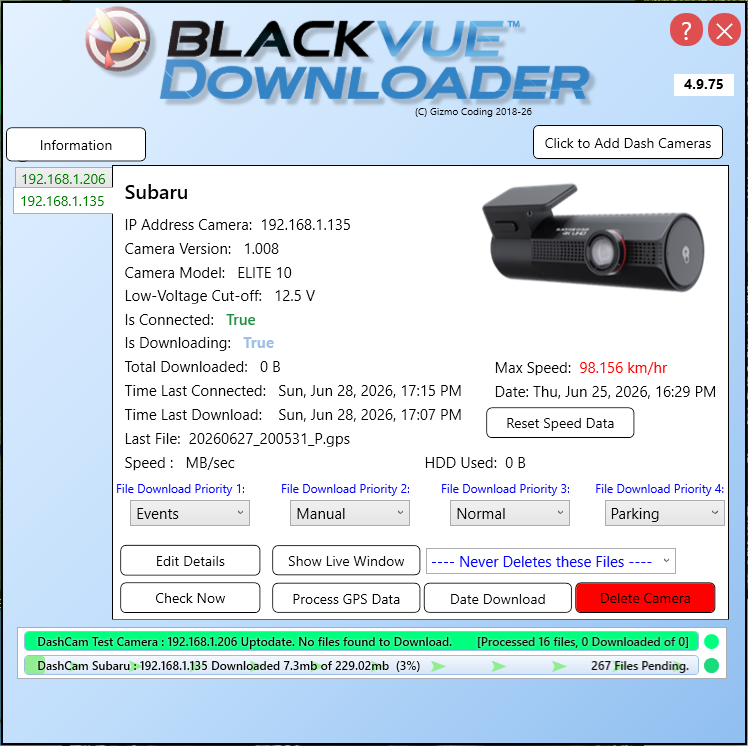
BlackVue Downloader [Latest http://www.gizmocoding.com]

I tried deleted the settings.json file and after restarting it seems to be all fine. It even restored the camera settings that I'd configured previously.
The settings.json that I deleted was 5K in size but there was nothing readable in there. Tried viewing it in several apps on both a PC and a Mac and it appeared to be empty.
All good now.

Thanks for the update. Obviously the settings file had got corrupted somehow - should be a json text file.
Sounds like BVD found the older settings file and migrated that in the new ones absence (as it should)

But you can create a a backup and then restore settings from the about tab in case this happens down the track.
Would suggest this is a good idea once have all cameras set up

With a big Windows update there is a small risk that settings file will move/disappear.. happened once, but hopefully not again.. who knows with Microsoft though...
 
Would love to see a IOS/Android version that can download files while driving with the ability to age off oldest files. Since my cam powers down with car I have to keep removing the SD Card as needed.
 
Finally got it to work but it took a lot of undocumented steps (that might have been available but I did not find. The biggest issue was finding the IP address. There was mention of having to set up the cloud first.. which was a whole other problem but when I finally figure that out.. and.. connected to my WiFi (another WTF from Blackvue) I was able to see by logging into my router.. a new connection… which supplied the I.P.
WooHoo, done! Cool App, takes a while to D/L though and this while the whole assembly, modem, camera and PC are within 6 feet of each other.
 
Are many Blackvue users using this Windows app?

How long does it take to download files... how slow is slow?

I presently change out SD cards when I want to review videos... every couple of days or so. Is this a good option to forego swapping out SD cards?
 
Are many Blackvue users using this Windows app?

How long does it take to download files... how slow is slow?

I presently change out SD cards when I want to review videos... every couple of days or so. Is this a good option to forego swapping out SD cards?
Takes a while. Looking at the time stamps on a set I downloaded it took 60 minutes to transfer 93 one minute video clips. Mind the size "probably" matters and these were the default size from my DX900 plus
 
Takes a while. Looking at the time stamps on a set I downloaded it took 60 minutes to transfer 93 one minute video clips. Mind the size "probably" matters and these were the default size from my DX900 plus
Thanks for the information. My dashcam is the DR750x 2ch LTE Plus, so only 1080; but I record at the highest resolution (highest extreme). I wonder how much faster that would be.

I assume one coild still use the BV reader once downloaded, but would the BVD app be better to use for any reason?
 
Thanks for the information. My dashcam is the DR750x 2ch LTE Plus, so only 1080; but I record at the highest resolution (highest extreme). I wonder how much faster that would be.

I assume one coild still use the BV reader once downloaded, but would the BVD app be better to use for any reason?
The BV app is only able to view (or download) one segment at a time. You need a seperate program to view a sequence. But that also applies to video downloaded with the BlackVue Downloader.
 
I assume one coild still use the BV reader once downloaded, but would the BVD app be better to use for any reason?
The BlackVue Viewer for Windows can be used to view your video sequences after downloading. With my own downloader (I wrote my own that is a slightly minimalist version of BVD), I separate the downloads into folders by date. Then I fire up the BV Viewer using the "SD Card Viewer", select a folder, then the earliest video from the sequence, and it'll play though until you stop.
You can use an ffmpeg script to join multiple videos into a single one, but then the BV Viewer won't like it much (GPS data, etc, can be lost). I use the BV Viewer to select the range I want, plug that range into my script, and then I can share the generated mega-video.

As to download speed, in my testing it's highly dependent on your WiFi signal strength at the camera. While there's no easy way to measure what the camera's signal strength is, I found in early experimentation that minor adjustments in the position of my vehicle could have very visible changes in download speeds. Enough that I ended up mounting a WiFi hotspot in the front corner of my garage so that it's <10ft from the camera when parked. But if I back into my parking spot (so now it's 20ft away), that may make the difference between connecting or not, and definitely download speed.
 
We have been using this with a DR750-2CH LTE and it works well. Is the program still being updated and has anyone tried it with the newer cameras like a 590X or 770X ? They are not on the supported listed but they both are cloud enabled X model cameras with wifi. We want to add more cameras to our truck fleet and buying these new models may be easier than finding the older ones in good condition from ebay.
 
We have been using this with a DR750-2CH LTE and it works well. Is the program still being updated and has anyone tried it with the newer cameras like a 590X or 770X ? They are not on the supported listed but they both are cloud enabled X model cameras with wifi. We want to add more cameras to our truck fleet and buying these new models may be easier than finding the older ones in good condition from ebay.
I can't speak to this particular software, but I have my own that does the same thing, and I just swapped out my 750S for a new 970X, and it just worked. All the same web API to talk to the camera. The newer models have the advantage of supporting WiFi 5, so faster as well.
 
That's good. I ordered a 770 and will give it a try and will get more if it works for us. The 970X is 4K only or can it be set to 1080P ? I would rather have the smaller size of 1080P and we are not really worried about video quality, many of our trucks are set at 720 that have the other cameras with no wifi. In those I am pulling the card once a week and copying all the files manually. Having the blackvue cameras that download each night is easier. The boss just wants to be able to check if the guys were working where they said they were at and for the recorded the correct amount of time on each job sheet and 1080 or even 720 is fine for that.
 
I have 3 cars with dashcams. Everything was working fine. Now when the most frequently driven car pull in the garage it connects to WiFi it starts downloading. The blackvue downloader starts checking off WiFi on the other cars. Then the car that was downloading stops, hangs and cannot connect back to WiFi. I go to the car, unplug and replug the dashcam to reboot and it works fine and doesn’t hang again, even with BV downloader checks the other cars for WiFi. I did change my router recently to an Asus Mesh system.
 
I have 3 cars with dashcams. Everything was working fine. Now when the most frequently driven car pull in the garage it connects to WiFi it starts downloading. The blackvue downloader starts checking off WiFi on the other cars. Then the car that was downloading stops, hangs and cannot connect back to WiFi. I go to the car, unplug and replug the dashcam to reboot and it works fine and doesn’t hang again, even with BV downloader checks the other cars for WiFi. I did change my router recently to an Asus Mesh system.
Which router? The BE92U in an AIMesh configuration is known to have "issues". Presumably you have the cameras set up to get a fixed IP for each. One thing you can try is with all three cameras connected to WiFi, go to the AIMesh page, locate them and click on the little chain link icon to "fix" each camera to one of your mesh nodes (a dialog will let you choose). Try all the same note first, and if that doesn't help try all different.
Might be totally pointless, but worth a shot.
 
Which router? The BE92U in an AIMesh configuration is known to have "issues". Presumably you have the cameras set up to get a fixed IP for each. One thing you can try is with all three cameras connected to WiFi, go to the AIMesh page, locate them and click on the little chain link icon to "fix" each camera to one of your mesh nodes (a dialog will let you choose). Try all the same note first, and if that doesn't help try all different.
Might be totally pointless, but worth a shot.
XT 9. I have 2 nodes and it only allows me to fix to both or main router which is far away. It is locked onto its own in address of course.
 
Which router? The BE92U in an AIMesh configuration is known to have "issues". Presumably you have the cameras set up to get a fixed IP for each. One thing you can try is with all three cameras connected to WiFi, go to the AIMesh page, locate them and click on the little chain link icon to "fix" each camera to one of your mesh nodes (a dialog will let you choose). Try all the same note first, and if that doesn't help try all different.
Might be totally pointless, but worth a shot.

I fixed the camera to a specific node per your post, and a specific 2.4 SSID with a node in the garage with a 2000 mbps backhaul. The dashcam connects. Starts downloading, but when the program searches for my other dahscsms on the other cars and can’t find them it pauses the download and hangs. If I reboot the dashcam it will start up ok.
 
That's good. I ordered a 770 and will give it a try and will get more if it works for us. The 970X is 4K only or can it be set to 1080P ? I would rather have the smaller size of 1080P and we are not really worried about video quality, many of our trucks are set at 720 that have the other cameras with no wifi. In those I am pulling the card once a week and copying all the files manually. Having the blackvue cameras that download each night is easier. The boss just wants to be able to check if the guys were working where they said they were at and for the recorded the correct amount of time on each job sheet and 1080 or even 720 is fine for that.

You can set the image resolution in your camera settings.
 
I think I solved it and I wanted to post about it in hopes it saves someone the hours and hours of configuring and testing I had to do.

People may tell you its better to lock onto a 2.4 signal vs 5 . And if you have a mesh system, to bind it to the closest satellite (node). I did that and it caused all the problems. It even to took down my network by introducing packet loss and errors.

When I bound to 2.4 and a specific node, it may not have been the best signal even though it was closer. Also, since it was bound, if there was an interruption, such as BV downloader checking other cars (dashcams) that signal had no where to go as far as another node since its bound. This created errors and it hanging to a point where the weak radio in these cameras could not rejoin.

I unbound it from the node, allowed it to search for 5 ghz signal and everything works now. I think now when there is a pause when it checks other cameras, it can hop over to another node.

So the takeaway is that if you have a mesh system, don't bind to a node and sometimes its OK to let it use 5 Ghz signals if that is the stronger signal. Which it is in my case in almost every device in my house with the Asus Mesh System for some reason.
 
On a separate topic, Where is Glenn?

I think his program is still very useful and easy to use. He provided great support and hope he is OK. I wish he was still updating this program. I still tell people in the car clubs I belong to to get this program when they get dashcams

I tried to learn how to migrate to the the Synology, Docker, Blackviue Sync system per the other posts, but its a steep learning curve and can not get it to work.

If anyone would be willing to spend 1 on 1 time with me to setup Blackvue Sync (I'm 90% there) I would be so grateful. We could share a screen to get it done.

My fear at some point, this program, BV Downloader, stops working due to some update at some point
 
Back
Top