BlackVue Elite 10 Dual 4K - Test/Review - RCG

I was able to get the Elite 10 dash camera installed in the car with the Elite 9 and five other dash cameras. I ended up using a third-party BlendMount to hold the Elite 10 front camera directly under the center rear view mirror. I'm temporarily powering the Elite 10 using the USB-C power adapter and the USB-C to 12V cable provided with the Elite 10 to at least get driving mode footage.

The Elite 10's 4K rear camera does not have HDR support. The current status line text for the Elite 10's rear camera shows HDR, but that's a bug that will be resolved with a firmware update in the near future. This morning, I went for daytime drive around town to see if the BlendMount was stable enough [which it was] and how the Elite 9 rear camera 2K footage [with HDR support] looks compared to the Elite 10 rear camera 4K footage [without HDR support].

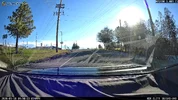
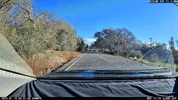
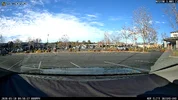
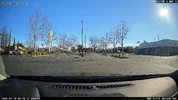
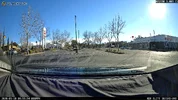
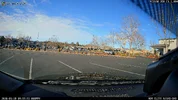
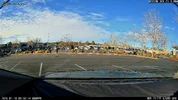
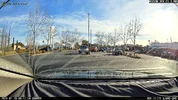
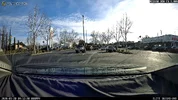
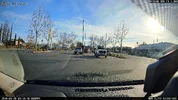
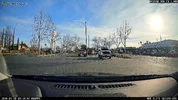
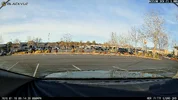
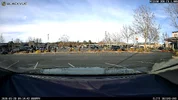
Here are two sets of rear camera frame grabs from the Elite 9 and Elite 10 rear cameras. You can see the HDR vs No HDR difference.

Elite 9 vs Elite 10
01_Elite9_HDR_20260118_095007_NR.mp4_snapshot_00.01.webp01_Elite10_NoHDR_20260118_095001_NR.mp4_snapshot_00.10.webp
02_Elite9_HDR_20260118_095007_NR.mp4_snapshot_00.58.webp02_Elite10_NoHDR_20260118_095102_NR.mp4_snapshot_00.06.webp

In the next post, I'll show frame grabs from the Elite 9/Elite 10 with the car facing one direction [first set] and then with the car turned around so you can see how the front and rear cameras capture the same place/
lighting.​
 
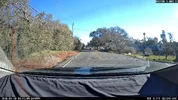
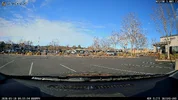
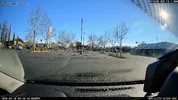
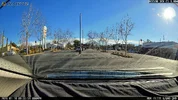
This post contains frame grabs from the Elite 9 and Elite 10 dash cameras at the same location, but with the car rotated 180 degrees to see how the Elite 10's front and rear cameras capture the same lighting/objects.

Elite 10 front vs rear #1
03_Elite10_HDR_20260118_095506_NF.mp4_snapshot_00.48.webp04_Elite10_NoHDR_20260118_095809_NR.mp4_snapshot_00.07.webp
Elite 10 front vs rear #2
04_Elite10_HDR_20260118_095809_NF.mp4_snapshot_00.08.webp03_Elite10_NoHDR_20260118_095506_NR.mp4_snapshot_00.47.webp

Elite 9 front vs rear #1
03_Elite9_HDR_20260118_095512_NF.mp4_snapshot_00.38.webp04_Elite9_HDR_20260118_095714_NR.mp4_snapshot_00.59.webp
Elite 9 front vs rear #2
04_Elite9_HDR_20260118_095714_NF.mp4_snapshot_00.59.webp03_Elite9_HDR_20260118_095512_NR.mp4_snapshot_00.38.webp
 
blackvue can not adjust the exposure?
 
I just upgraded my Elite 10 dash camera from firmware 1.003 to 1.005 [1.004 was not made available to the public]. The rear camera status line text was changed to no longer show "HDR" since the Elite 10 4K rear camera does not have HDR available for it.

Front
1768848452558.webp

Rear
1768848382567.webp
 
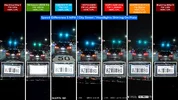
Plate Captures - BlackVue Elite 9 / BlackVue Elite 10 / Thinkware U3000 Pro / VUEROID S1-4K / VIOFO A329S / VIOFO A229 Ultra / VANTRUE N4 Pro S

Yesterday, I went for a night drive to gather footage. I've put together three plate capture comparisons [two front / one rear]. New firmware updates for the Elite 9 and Elite 10 were released today. I'll have to go for another nighttime drive now that firmware 1.005 has been released.

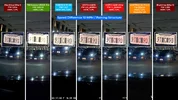
The first front plate capture should be "easy" since both vehicles were traveling at low speeds and there was a decent amount of ambient light in the parking structure. The Thinkware U3000 Pro front camera continues to struggle with HDR plate captures. The VUEROID S1-4K front camera had its HDR+IPC [Infinite Plate Capture] feature auto-enabled by the firmware since there was enough ambient light present. In this lighting situation, the IPC image tuning results in somewhat grainy footage.

01_20260118_Front.webp

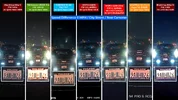
The second test was with my car's headlights shining directly on the rear license plate of the car directly in front of my car. All dash cameras, except the Thinkware U3000 Pro, were able to capture the license plate characters.

02_20260118_Front.webp

The third plate capture was using the rear cameras. The Elite 10 and the VIOFO A229 Ultra have 4K rear cameras while the others are 2K QHD rear cameras. The A229 Ultra's rear camera is operating in 2K QHD mode due to it running a debug firmware. The Elite 10 does not have HDR support for the 4K UHD rear camera. The U3000 Pro 2K QHD rear camera under performed compared to the other rear cameras.

03_20260118_Rear.webp
 
because thinkware u300pro cannot use in chinese mainland . i cancel my order

u3000pro is the bad than viofo,,vueroid and blackvue
 
may u take the some photo in u car
how can put 7 dashcam in your car
 
may u take the some photo in u car
how can put 7 dashcam in your car
The car with seven dash cameras is my 2014 Chevrolet Caprice. I have four dash camera battery packs in that vehicle. Two of the dash camera battery packs power two dash cameras each, while the remaining two battery packs power one dash camera each. One of the single camera dash camera battery packs is beginning to fail [discharges quickly in parking mode - an eight year old Cellink B]. I will be replacing that battery pack soon. I'm using the BlackVue USB-C power adapter which can provide 12V power and the BlackVue USB-C to 12V power adapter cable for the BlackVue Elite 10 to power it for now.

1768893650198.webp


My second dash camera test vehicle is a 2007 Chevrolet HHR [smaller width windshield than the Caprice]. I have three dash camera battery packs in that vehicle powering five of the six dash cameras. The VIOFO A329S dash camera is being powered by the VIOFO OP100 OBD-II power adapter.

1768893989464.webp
 
does Elite 10 has the same issues as Elite 9 when it comes to GPS location lock? Have you noticed something like that on your tests?
 
does Elite 10 has the same issues as Elite 9 when it comes to GPS location lock? Have you noticed something like that on your tests?
it seem elite 10 gps location is slow
 
The car with seven dash cameras is my 2014 Chevrolet Caprice. I have four dash camera battery packs in that vehicle. Two of the dash camera battery packs power two dash cameras each, while the remaining two battery packs power one dash camera each. One of the single camera dash camera battery packs is beginning to fail [discharges quickly in parking mode - an eight year old Cellink B]. I will be replacing that battery pack soon. I'm using the BlackVue USB-C power adapter which can provide 12V power and the BlackVue USB-C to 12V power adapter cable for the BlackVue Elite 10 to power it for now.

View attachment 89416

My second dash camera test vehicle is a 2007 Chevrolet HHR [smaller width windshield than the Caprice]. I have three dash camera battery packs in that vehicle powering five of the six dash cameras. The VIOFO A329S dash camera is being powered by the VIOFO OP100 OBD-II power adapter.

View attachment 89417
I just want to comment that are you not in the state where you are not supposed to have unnecessary objects attached to your windshield? LOL!!
 
Yesterday, I updated the Elite 9 and Elite 10 dash cameras with firmware v1.005 as well as updating the BlackVue app on my phone.

This morning, I went to that same parking lot as I did the other day to capture front/rear camera footage with the car facing two different directions.

The Elite 10 rear camera no longer has "HDR" in the status line. The 1.005 firmware was to improve image quality [mainly at night]. I'll have to see how the evening/night fog forms to determine when I can get another nighttime drive performed.

Elite 9 vs Elite 10 [position 1]
01_Elite9_1.005_20260120_091233_NF.mp4_snapshot_00.21.webp01_Elite10_1.005_20260120_091237_NF.mp4_snapshot_00.21.webp
01_Elite9_1.005_20260120_091233_NR.mp4_snapshot_00.19.webp01_Elite10_1.005_20260120_091237_NR.mp4_snapshot_00.19.webp

Elite 9 vs Elite 10 [position 2]
02_Elite9_1.005_20260120_091435_NF.mp4_snapshot_00.03.webp02_Elite10_1.005_20260120_091439_NF.mp4_snapshot_00.03.webp
02_Elite9_1.005_20260120_091435_NR.mp4_snapshot_00.02.webp02_Elite10_1.005_20260120_091439_NR.mp4_snapshot_00.02.webp

The Elite 9 front camera is located where I had the older DR970X Plus front camera. There's a noticeable amount of curvature in the windshield even at that location which is very close to the center of the windshield. I'm going to create a 3D printed wedge plate to better level the recorded image in the Elite 9 front camera.
 
I'm dissapointment they remove the auto parking mode via GPS. This is a step backwards for the top tier model. I wish Blackvue would stop changing the cables as well with every generation! Just stick with USB C and be done with this please. And also make a shorter wire option on the LTE module instead of 9ft!
 
I'm dissapointment they remove the auto parking mode via GPS. This is a step backwards for the top tier model. I wish Blackvue would stop changing the cables as well with every generation! Just stick with USB C and be done with this please. And also make a shorter wire option on the LTE module instead of 9ft!
The removal of GPS activated parking mode was for parking mode accuracy. Having the camera set to ignition on/off is the best way to determine parking mode and stop it going into parking mode when in traffic. Alternatively, it stops the camera constantly recording due to GPS if you're parked on a ferry/ship that's moving.

I fully agree with the LTE module. It doesn't need to be 1.5m long in all cases. It should at least have a removable cable so the user than choose cable length. I have mine located about 2 foot away from the camera in upper corner of windshield - so I have about 5 foot of cable to try and hide which is pointless.

They shouldn't still be using micro-USB connections in 2026, and also continue to have very slow file transfer speeds in comparison to competition. Staying with WiFi 5 for the last 10 years.
 
Plate Captures - BlackVue Elite 9 / BlackVue Elite 10 / Thinkware U3000 Pro / VUEROID S1-4K / VIOFO A329S / VIOFO A229 Ultra / VANTRUE N4 Pro S

Yesterday, I went for a night drive to gather footage. I've put together three plate capture comparisons [two front / one rear]. New firmware updates for the Elite 9 and Elite 10 were released today. I'll have to go for another nighttime drive now that firmware 1.005 has been released.

The first front plate capture should be "easy" since both vehicles were traveling at low speeds and there was a decent amount of ambient light in the parking structure. The Thinkware U3000 Pro front camera continues to struggle with HDR plate captures. The VUEROID S1-4K front camera had its HDR+IPC [Infinite Plate Capture] feature auto-enabled by the firmware since there was enough ambient light present. In this lighting situation, the IPC image tuning results in somewhat grainy footage.

View attachment 89410

The second test was with my car's headlights shining directly on the rear license plate of the car directly in front of my car. All dash cameras, except the Thinkware U3000 Pro, were able to capture the license plate characters.

View attachment 89411

The third plate capture was using the rear cameras. The Elite 10 and the VIOFO A229 Ultra have 4K rear cameras while the others are 2K QHD rear cameras. The A229 Ultra's rear camera is operating in 2K QHD mode due to it running a debug firmware. The Elite 10 does not have HDR support for the 4K UHD rear camera. The U3000 Pro 2K QHD rear camera under performed compared to the other rear cameras.

View attachment 89412
The nighttime plate reading justifies my purchase of the Elite 9 over the U3000 Pro. Disappointing for the most expensive camera on this list. Hopefully BlackVue keeps this up and doesn't make more dumb mistakes.
 
it seem just download video one by one from blackvue app?
 
it seem just download video one by one from blackvue app?
Correct - using official app you can only download one video file at a time and if you leave the app whilst you wait (slow transfer speed), it interrupts the transfer and stops.

This is a negative for BlackVue unfortunately.
 
Are there other ways to overcome that? Other apps for example? Were there any changes when it comes to GPS with the latest firmware?
 
Are there other ways to overcome that? Other apps for example? Were there any changes when it comes to GPS with the latest firmware?
No GPS changes/improvements with latest firmware.

There are custom apps and scripts that are able to download faster and multiple files.

BlackVue Legacy app is a third party app that's not been updated in years but still works if you're able to find it and download it.

There are custom scrips to run on a local NAS if you connect your dashcam to a home/work WiFi hotspot on the same network - so it auto downloads all files when it's connected.
 
Correct - using official app you can only download one video file at a time and if you leave the app whilst you wait (slow transfer speed), it interrupts the transfer and stops.

This is a negative for BlackVue unfortunately.
that is not good
 
Back
Top