
BlackVue Elite 10 Dual 4K - Test/Review - RCG

Is the VIOFO the only one where you can read the license plate?
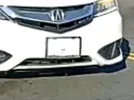
Of the 4K rear cameras, you can clearly see the license plate of the white car in the A229 Ultra HDR rear camera footage, the 70mai T800 rear camera HDR footage has a somewhat readable plate, and the BlackVue Elite 10 [with no HDR] only has a white blob where the plate is located.
 
Of the 4K rear cameras, you can clearly see the license plate of the white car in the A229 Ultra HDR rear camera footage, the 70mai T800 rear camera HDR footage has a somewhat readable plate, and the BlackVue Elite 10 [with no HDR] only has a white blob where the plate is located.
I was originally planning to get the Thinkware U3000pro, but now I'm not so sure anymore, since you can barely read anything on the back. The parking mode is very important to me (for a long time), but it's useless if you can't even make out a license plate.
 

Attachments

  • 2026-02-05_21-56-35.webp
    2026-02-05_21-56-35.webp
    34 KB · Views: 63
I was originally planning to get the Thinkware U3000pro, but now I'm not so sure anymore, since you can barely read anything on the back. The parking mode is very important to me (for a long time), but it's useless if you can't even make out a license plate.
So far, the U3000 Pro HDR implementation is very poor day/night for plates.
 
I was originally planning to get the Thinkware U3000pro, but now I'm not so sure anymore, since you can barely read anything on the back. The parking mode is very important to me (for a long time), but it's useless if you can't even make out a license plate.
FWIW i opted for the Elite 9 after seeing @rcg530 clips of it compared to the U3000 Pro. More expensive and worse video quality.
I do think the Elite 10 should have HDR in the rear given its price and Viofo has it.
 
This video contains day and night driving video samples from the BlackVue Elite 9 4K UHD front / 2K QHD rear dash camera and the BlackVue 10 4K UHD front / 4K UHD rear dash camera.

 
Rear Camera

The Elite 10 rear camera is a 4K UHD camera capable of recording @ 30 fps using a Sony STARVIS 2 IMX678 image sensor with no HDR support. The Elite 10 box contains a rear camera coaxial cable that looks almost identical to the previous generations of BlackVue rear camera coaxial cables. You are strongly encouraged to use the rear camera cable provided with the Elite 10 instead of re-using an older BlackVue rear camera coaxial cable. The updated cable can be identified since it has a "6" on the front connector.

Strange, cos on their own website it states that rear is also HDR ...

EDIT: that's on BV USA, but i see now that on the general BV website it states front only.
 
Strange, cos on their own website it states that rear is also HDR ...
The sales page for the Elite 10 acknowledges the fact that HDR is only present for the front camera. I've discussed this with Pittasoft multiple times and the Elite 10 only has HDR support for the front camera.

BlackVue Elite 10 2-Channel sales page

1771517703447.webp


1771517873975.webp
 
Has anyone heard of BV plans on releasing a LYE. Person of the elite 9/10 or is everything hear on out going to use the LTE module?
 
They plan on releasing LTE versions of the Elite series later in the year.
 
Posted this info in my Elite 9 thread, but this applies to the Elite 10 as well.

 
Is there a possibility that they’ll add HDR support on the rear Elite 10 camera in the future?
 
Is there a possibility that they’ll add HDR support on the rear Elite 10 camera in the future?
At this time, I'm not aware of any active plans to add HDR to the rear Elite 10 rear camera.
 
I subscribed to say thank you for this thread and review. It made me change my order from an Elite 10 to an Elite 9.

The lack of HDR on the rear camera for the Elite 10 is baffling. Clipped highlights simply cannot be recovered.

Nowadays, AI video upscalers like Topaz Video do such a good job at upscaling that a 2K HDR video will be much more flexible in what it records and can recover.

What a strange limitation to put on your flagship product.

I was about to drop a lot of money on the Elite 10, LTE module and a B130 battery, I would have been very upset to realize after installation that license plates aren't even readable in bright daylight.
 
what setting would you guys recommend ?

Extreme (H.265_60Mbps) or Extreme (H.264_40Mbps) ?

Chatgpt steers me towards 40, but is often not giving the best advise ;-)


🎥 Understanding Your Video Quality Options​


🔥 Extreme (H.265 – 60 Mbps)​


👉 Best overall quality (modern compression)


✅ Pros​


  • Sharpest image → best chance to read license plates
  • More detail in shadows/highlights
  • More efficient than H.264 (better quality per MB)

❌ Cons​


  • Large files
  • Needs newer devices to view smoothly

👉 This is the BEST setting if your phone/PC handles it


🔥 Extreme (H.264 – 40 Mbps)​


👉 Very high quality, more compatible


✅ Pros​


  • Still excellent image quality
  • Works on any device (no compatibility issues)

❌ Cons​


  • Less efficient than H.265
  • Bigger files for same quality

👉 Choose this if:


  • You ever had playback issues with H.265


⚖️ High (30 Mbps)​


👉 Balanced setting


✅ Pros​


  • Good clarity
  • Smaller files
  • Less heat

❌ Cons​


  • Slight loss of fine detail (plates at distance)

👉 Good if:


  • You want less storage usage
  • You use parking mode a lot


⚖️ Medium / Low​


👉 Honestly:


  • Medium (20 Mbps) → already noticeable drop
  • Low (10 Mbps) → not recommended for a dashcam

👉 You risk:


  • Blurry plates
  • Loss of critical detail


🧠 What actually matters in real life​


Dashcams are used for:


  • 🚗 License plates
  • ⚠️ Accidents
  • 🌙 Night situations

👉 These require detail, not just “nice video”


🏆 My recommendation (based on your use)​


👉 Best overall setup:​


Extreme (H.265 – 60 Mbps)


  • 30 fps

➡️ Gives:


  • Maximum clarity
  • Better night performance
  • Less overheating than 60 fps + high bitrate combo


👉 If you worry about heat / storage:​


High (30 Mbps)


  • 30 fps

➡️ Very safe and still good quality


👉 What I would NOT use:​


  • Medium or Low ❌ (too risky for evidence)


🔥 Important insight (most people miss this)​


👉 Bitrate > fps


  • 30 fps + high bitrate = better detail
  • 60 fps + low bitrate = smoother but blurrier


⚡ Simple decision​


  • Want best evidence possible
    👉 Extreme H.265 (60 Mbps)
  • Want safe, stable, less storage/heat
    👉 High (30 Mbps)
 
@BlackboxMyCar recently released a video discussing the Elite 10 dash camera. Unfortunately, the sections of the video where they list the specs for the Elite 10, they incorrectly state the Elite 10's 4K UHD rear camera has HDR support [which it does not] and that the rear camera has a Sony STARVIS 2 IMX675 [QHD] image sensor. I posted a comment on the video so they correct that information.

Here are two frame grabs from the Elite 9's 2K QHD rear camera with HDR and the Elite 10's 4K UHD rear camera without HDR. You can see "HDR" in the Elite 9's rear camera status line text while that is not present in the Elite 10's rear camera status line text. I believe Pittasoft will not be adding HDR support for the Elite 10's rear camera.

blackvue_elite9_2k_rear_hdr_20260417_110212_NR.mp4_snapshot_00.26.webp

blackvue_elite10_4k_rear_nohdr_20260417_110233_NR.mp4_snapshot_00.03.webp


This is the specifications info page BlackboxMyCar show twice in the video:
1776622356410.webp


The Pittasoft/BlackVue sales page for the Elite 10 is a bit misleading as well. The TAB for the image sensor and HDR support states "DUAL HDR", but that's not correct. In the lower section it states "HDR support on on the front camera". I'm sending an email to Pittasoft to get that corrected as well.

1776622735630.webp
 
Back
Top